
643 Charts · Launch Video Breakdown: Hook, Pacing & Motion Design
643 Mobile and Player Tools are live on the App Store, with Trackman visuals, video playlists, and reports for coaches and players.
Scene-by-scene timeline & spoken transcript
The Hook
Dynamic Data Visualization
“(No spoken dialogue — Driving electronic beat with pizzicato synths and a high-energy riser/sweep at 0:03 leading to a sub-bass drop/impact at 0:04.)”
- On screen
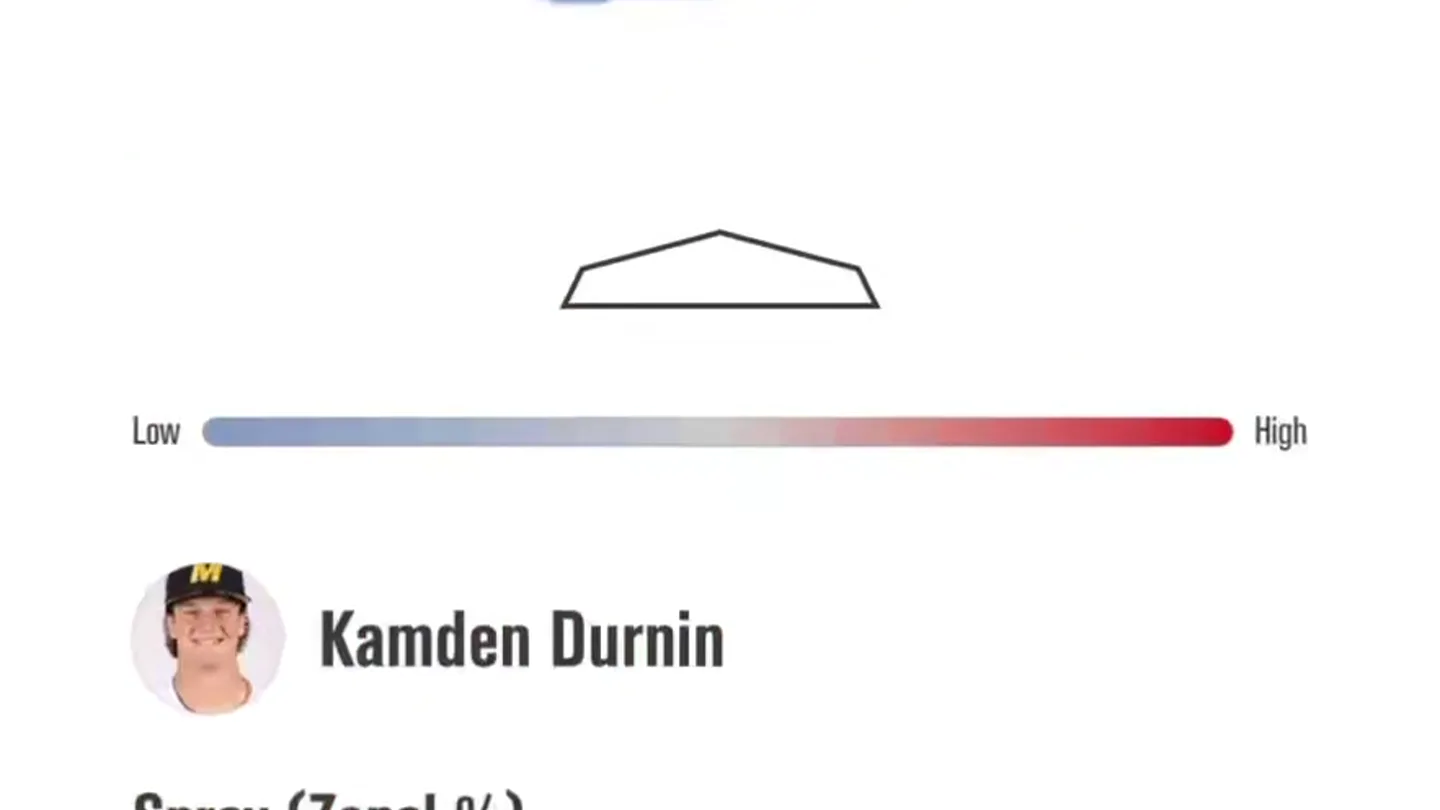
- 3:21, Missouri Hitter Scout, Cameron Benson, Spray (Zonal %), Current Season, 23%, 11%, 10%, 0%, 27%, 31%, 51%, 12%, .000, .222, .500, .400, .105, .154, .250, N/A, Low, High, Kamden Durnin, 41%, 26%, 7%, MAKE MOBILE REPORTS QUICKLY, Templates, Create, Your Videos, Profile
- Camera
- Static, close-up shot of a mobile screen, showcasing app UI elements.
- Motion
- Rapid, hard cuts between different app screens, highlighting data visualizations and interactive elements. Text overlays animate in with a quick scale-up and fade.
Feature Teaser
Seamless Organization & Sharing
“(No spoken dialogue — Electronic beat continues. A riser builds from 0:07 to 0:08, culminating in a sub-bass impact.)”
- On screen
- 3:14, Edit, Baseball Scouts, Search, Conference, 15 folders, Midweeks, 8 folders, Postseason, 2 folders, Preseason, 12 folders, Alabama, 2 folders Alabama Baseball, Arkansas, 2 folders Arkansas Baseball, Auburn, 2 folders Auburn Baseball, Florida, 2 folders Florida Baseball, Georgia, 2 folders Georgia Baseball, ORGANIZED YOUR WAY, 3:21, Hitters, Missouri Hitter Scout, Aug 13, 2026, SHARE WITH PLAYERS INSTANTLY, Templates, Create, Your Videos, Profile
- Camera
- Static, medium shot of a mobile screen, focusing on navigation and list views.
- Motion
- Quick cuts between different organizational views within the app. Text overlays animate in with a quick scale-up and fade, changing color to match the feature.
Product Reveal
Interactive Player Reports
“(No spoken dialogue — Electronic beat continues. A final riser and sweep occur at 0:12, followed by a sub-bass drop/impact at 0:13.)”
- On screen
- 3:22, Missouri Hitter Scout, Kamden Durnin, Spray (Zonal %), Current Season, 28%, 15%, 21%, 6%, 20%, 16%, 41%, 7%, .000, .143, .417, .750, .459, .429, SHARE WITH PLAYERS INSTANTLY, Video, Reports, Profile, 4:52, Helfrick Bombs 26, Search clips, Playlist will cycle through all the clips, starting at the clip you choose, and going back to the top when done., Ryder Helfrick — Solo Home Run, Bot 1-0-1, Ryder Helfrick — 3 Run Home Run, Bot 6-3-1, Ryder Helfrick — 2 Run Home Run, Top 8-2-2, Ryder Helfrick — Solo Home Run, Top 4-1-1, Ryder Helfrick — 2 Run Home Run, Bot 7-1-2, WATCH ANYWHERE, Four-Seam, Pitch, 95.5 mph, Velo, 2249 rpm, Spin, 20.0", IVB, 10.6", HB, In Play, Call, 103.9 mph, Exit Velo, 21.3°, Launch Angle, 4.6°, Bearing, 0:00, APPUI JR, SEC, ARKANSAS 1, AUBURN 2
- Camera
- Static, close-up shots of the mobile screen, showcasing detailed player reports and video playback.
- Motion
- Rapid cuts between different report views and video playback. Text overlays animate in with a quick scale-up and fade, changing color to match the feature.
Call to Action
Available Now!
“(No spoken dialogue — Electronic beat continues, fading out towards the end. The sound design elements conclude with the final sub-bass impact.)”
- On screen
- 4:52, Ryder Helfrick — 2 Run Home Run, Top 8-2-2, Four-Seam, Pitch, 95.5 mph, Velo, 2249 rpm, Spin, 20.0", IVB, 10.6", HB, In Play, Call, 103.9 mph, Exit Velo, 21.3°, Launch Angle, 4.6°, Bearing, 0:00, APPUI JR, SEC, ARKANSAS 1, AUBURN 2, 643 Mobile, 643 Players, AVAILABLE NOW!, 6-4-3 CHARTS
- Camera
- Zoom out from the mobile screen to a full-screen graphic displaying app icons and the call to action.
- Motion
- A quick zoom-out transition reveals the final branding and call to action. Text animates in with a bold, impactful scale-up and fade. App icons appear with a subtle bounce.
Motion design primitives
Synthesizable in Remotion · key components of the rapid-app-feature-showcase template.
FeatureCalloutBubble
A rounded rectangular text bubble appears from the bottom of the screen, scaling up quickly with a slight bounce and fading in. The background color of the bubble changes to highlight different features.
+ Code construction recipe
Use `spring()` for scale and `interpolate()` for opacity. The `backgroundColor` property can be dynamically set based on the feature. Position with `bottom` and `translateX` for a subtle offset.
RapidScreenCut
Instantaneous, hard cuts between different app screens, creating a fast-paced, dynamic visual rhythm. There are no visible transitions between screens.
+ Code construction recipe
Implement by rendering different `Sequence` components with `durationInFrames` set to a very short value (e.g., 10-15 frames) and no explicit transitions. Control timing precisely with `AbsoluteFill` and `OffthreadVideo`.
DataPointHighlight
Specific data points or UI elements within the app screen briefly highlight or animate, drawing attention to key information. This could be a subtle glow, a quick scale, or a color change.
+ Code construction recipe
Apply a temporary `scale` or `opacity` animation using `spring()` or `interpolate()` to the target UI element. For color changes, use `interpolateColor()` on the `backgroundColor` or `color` property.
Style DNA & aesthetic system
Visual aesthetic
Typography
Motion
Special effects
Pacing & rhythm
Conceptual story rhythm
- 1
Data in Motion
Purpose. Immediately showcase the app's core functionality: dynamic data visualization for player scouting.
Execution. Rapid cuts through various statistical charts and heatmaps within the app, accompanied by the 'MAKE MOBILE REPORTS QUICKLY' callout.
- 2
Streamlined Workflow
Purpose. Highlight the app's organizational capabilities and ease of sharing.
Execution. Quick transitions through folder structures and a 'SHARE WITH PLAYERS INSTANTLY' callout, demonstrating efficient management.
- 3
Integrated Video Analysis
Purpose. Emphasize the comprehensive nature of the app, including video playback and detailed metrics.
Execution. Showcasing video playlists and a detailed video analysis screen with overlaid performance data, reinforced by 'WATCH ANYWHERE'.
- 4
Call to Action
Purpose. Conclude with a clear directive for users to download the app.
Execution. A final reveal of the app icons and the 'AVAILABLE NOW!' message, solidifying the product launch.
Remix in Animatiq Studio
Master remix prompt · agent-ready
Sample remix
Objective
Launch a new AI-powered code review tool called 'CodeFlow AI'.How the recipe adapts
Remix blueprint · rapid-app-feature-showcase
Scene durations (4 scenes, 18.7s)
Key Remotion components
Related Consumer & Apps Product Launches
Explore all Consumer & Apps launches →
Grand Theft Auto VI: An Extended Look premieres on Netflix Thursday, August 27.
Polymarket Perps is live with up to 20x leverage on crypto, stocks, commodities, and more. Long BTC, predict the Fed, or short the S&P reaction.

Pump.fun launches GO, a marketplace for posting and completing paid bounties for any task.