
AchX · Launch Video Breakdown: Hook, Pacing & Motion Design
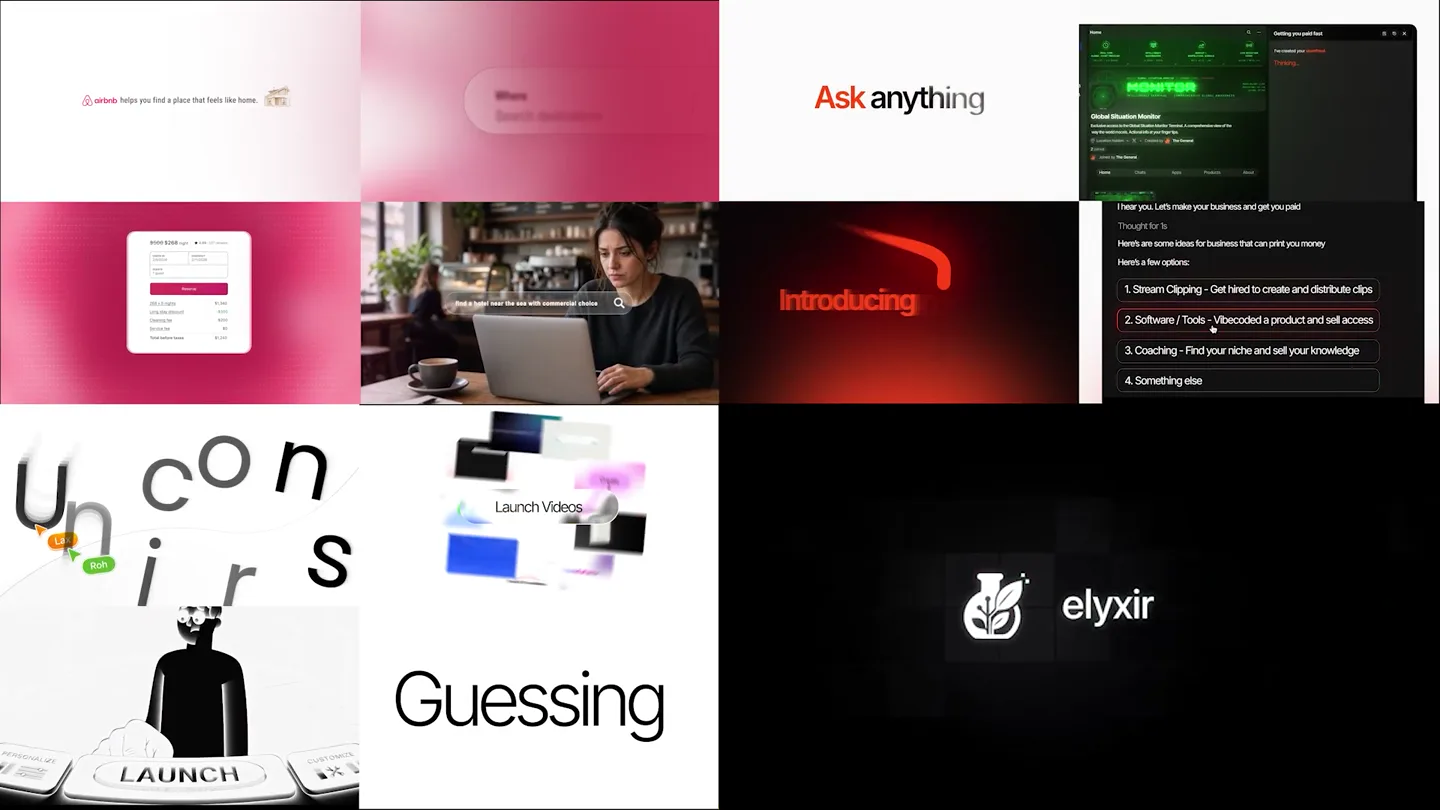
A reel of recent AchX studio projects. The best products are not always the ones that win. The best-explained products usually do.
Scene-by-scene timeline & spoken transcript
The Hook
Rapid-Fire Problem Agitation Montage
“(No spoken dialogue — High-energy riser builds, culminating in a sub-bass drop/impact at 0:01.)”
- On screen
- The
- Camera
- Rapid cuts between various UI elements and abstract scenes, often with subtle zooms or pans.
- Motion
- Fast-paced montage, glitch effects, text reveals with quick fades and scale-ins.
Problem Agitation
User Pain Points & AI Solutions Teased
“(No spoken dialogue — Driving electronic beat with prominent sub-bass, crisp hi-hats, and snare drum. Subtle synth pads and plucked synth melody.)”
- On screen
- Unicorns, Launch Videos, Numbers, Post, Post & Praying, Need a launch video, Real Quick!!!!!!!!, Got it!!!!!!!!, Distribution?, Strategy, Execution, Distribution
- Camera
- Dynamic camera movements, including tracking shots over UI elements, subtle pushes into screens, and abstract scene transitions.
- Motion
- Text appears as chat bubbles or UI elements, often with a typewriter effect or quick pop-ins. Glitch transitions and rapid scene changes maintain high energy.
Product Reveal
AchX Studio Introduction
“(No spoken dialogue — Subtle riser at 0:09 leading into a slight beat variation. Driving electronic beat continues.)”
- On screen
- AchX Studio, achxstudio.com
- Camera
- Focus shifts to the AchX logo and website, with a clean reveal. Some UI elements continue to animate in the background.
- Motion
- Logo reveal with a subtle glow or particle effect. Text animates in with a clean, modern slide or fade.
Feature Teaser
Creative AI Capabilities Showcase
“(No spoken dialogue — Driving electronic beat continues with consistent rhythm.)”
- On screen
- How do we launch it?????, Done!, The go-to creative, You covered, No, Ready, Clone this server
- Camera
- Continues with dynamic cuts, showcasing various AI-powered features within a clean UI. Camera often focuses on specific interactive elements.
- Motion
- UI elements animate with smooth, responsive transitions. Text appears as if being typed or generated by AI, with subtle glow effects on interactive components.
Motion design primitives
Synthesizable in Remotion · key components of the achx-studio-ai-launch template.
GlitchTextReveal
Text appears with a rapid, digital glitch effect, often accompanied by a slight scale-in or position shift, mimicking data corruption or rapid processing.
+ Code construction recipe
Utilize Remotion's 'interpolate' for opacity and transform properties (scale, translateX/Y) with a 'spring' or 'easeOutCubic' curve. Apply a 'noise' or 'displacementMap' SVG filter for the glitch effect, animating its intensity and offset over a short duration.
ChatBubblePopIn
Text appears within a rounded rectangular 'chat bubble' shape, quickly popping into view from a small scale or off-screen, often with a slight bounce.
+ Code construction recipe
Implement with Remotion's 'spring' for scale and opacity, using a slightly higher damping for a subtle bounce. Position elements using 'absolute' positioning and animate 'translateX/Y' for entry from the side. Use 'borderRadius' for the bubble shape.
UIElementGlowHighlight
Interactive UI elements (like input fields or buttons) are highlighted with a pulsing or animating neon-like glow, drawing attention to their functionality.
+ Code construction recipe
Apply a 'box-shadow' or 'filter: drop-shadow()' CSS property to the UI element. Animate the 'color' and 'spread' of the shadow using Remotion's 'interpolate' with a 'loop' or 'yoyo' sequence to create a pulsing effect. Consider using a 'linear-gradient' for a more complex glow.
Style DNA & aesthetic system
Visual aesthetic
Typography
Motion
Special effects
Pacing & rhythm
Conceptual story rhythm
- 1
The Problem Cascade
Purpose. Rapidly establish a series of common pain points and challenges faced by creators and businesses.
Execution. Quick cuts between various UI screens showing problems (e.g., 'I need a fire storefront', 'Need a launch video') and abstract visuals representing struggle.
- 2
The AI Intervention
Purpose. Introduce AchX as the intelligent solution that understands and addresses these problems.
Execution. Glowy, AI-like text inputs and processing animations, showing the AI 'thinking' or 'generating' solutions in response to the problems.
- 3
AchX Studio Unveiled
Purpose. Clearly present the AchX brand and its core offering.
Execution. A clean, impactful reveal of the AchX logo and website, signifying the product's arrival as the answer.
- 4
Solution Showcase
Purpose. Demonstrate the diverse capabilities of AchX in a compelling, feature-rich montage.
Execution. Further rapid cuts showcasing various AI-powered features (e.g., 'Clone this server', 'Posting Strategy') with responsive UI animations and text generation.
Remix in Animatiq Studio
Master remix prompt · agent-ready
Sample remix
Objective
A new AI-powered code generation platform called 'SyntaxFlow'.How the recipe adapts
The GlitchTextReveal primitive would be used for displaying code snippets or error messages. ChatBubblePopIn would show user prompts and SyntaxFlow's generated code. UIElementGlowHighlight would draw attention to the 'Generate Code' button or specific syntax suggestions. The rapid cuts would showcase various coding challenges and SyntaxFlow's instant solutions, maintaining the urgent, problem-solving rhythm. The color palette would shift to blues and greens, reflecting a coding aesthetic, while retaining the digital glow effects.Remix blueprint · achx-studio-ai-launch
Scene durations (4 scenes, 16.4s)
Key Remotion components
Related Creative AI & Video Product Launches
Explore all Creative AI & Video launches →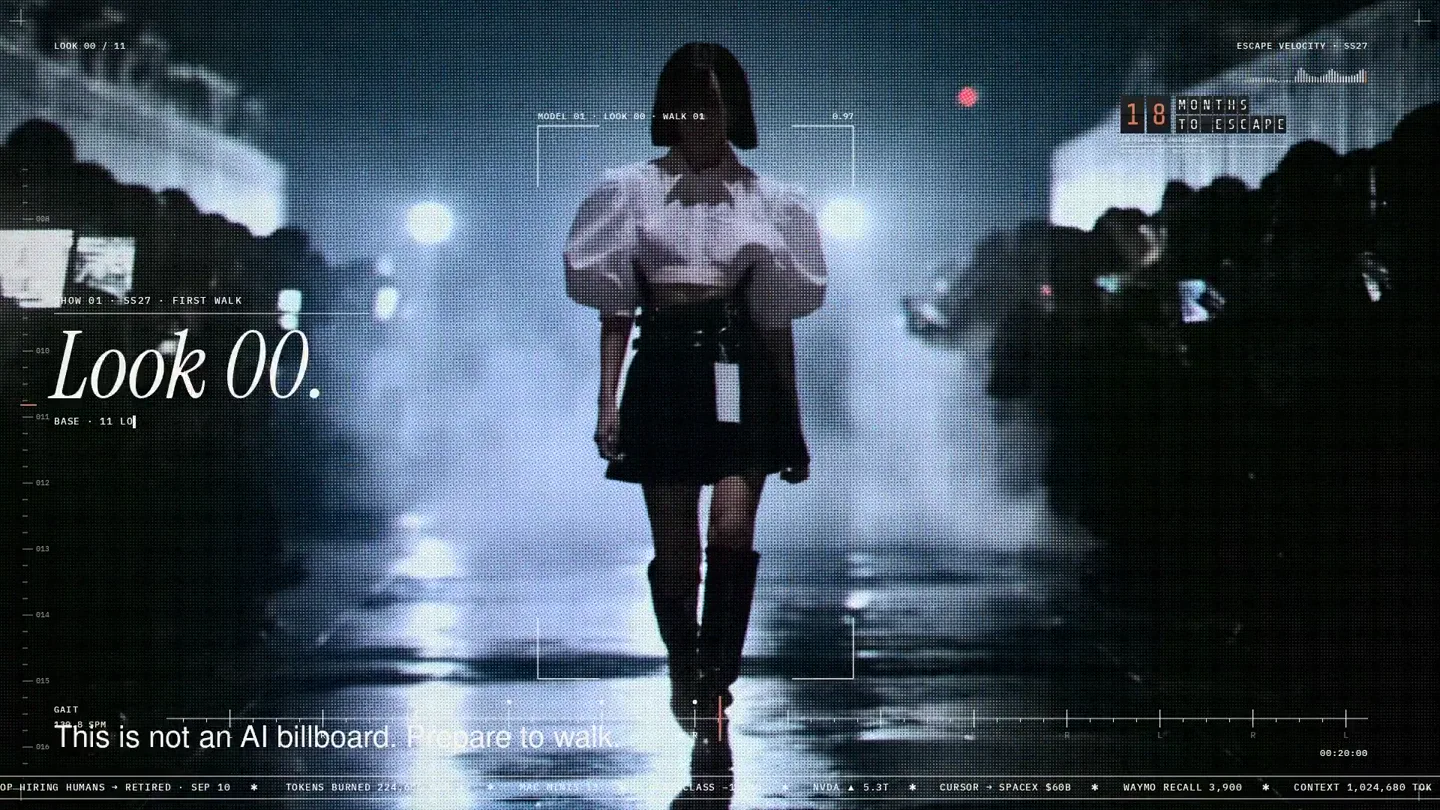
An overnight film made by giving Opus 5.5 Donald's prompt, Midjourney, and a moodboard. The piece is titled Look 00.

The new Grok Bot icon animated entirely in code — every state, shape and expression morphs smoothly into the next. Made with Grok Build.

The payment infrastructure for creators. Turn courses, ebooks, and apps into a live store in minutes.