
Agnost · Launch Video Breakdown: Hook, Pacing & Motion Design
Agnost finds when agents break guardrails and hallucinate in production. Plug yours in, define rules, and find violations down to the exact step.
Scene-by-scene timeline & spoken transcript
The Hook
Unmasking Agent Failures
“Did it actually happen? Agnost finds when agents break guardrails and hallucinate in production. Plug yours in, define rules, and find violations down to the exact step.”
- On screen
- Agnost AI AGN OST / 01 Did it actually happen? Production truth. verified 01
- Camera
- Static wide shot of a UI dashboard, then a quick cut to a clean title card.
- Motion
- Rapid cut from detailed UI to minimalist title card. Text appears with a subtle, quick fade-in and scale-up. Background pixel grid animates subtly.
Problem Agitation
Defining and Tracking Violations
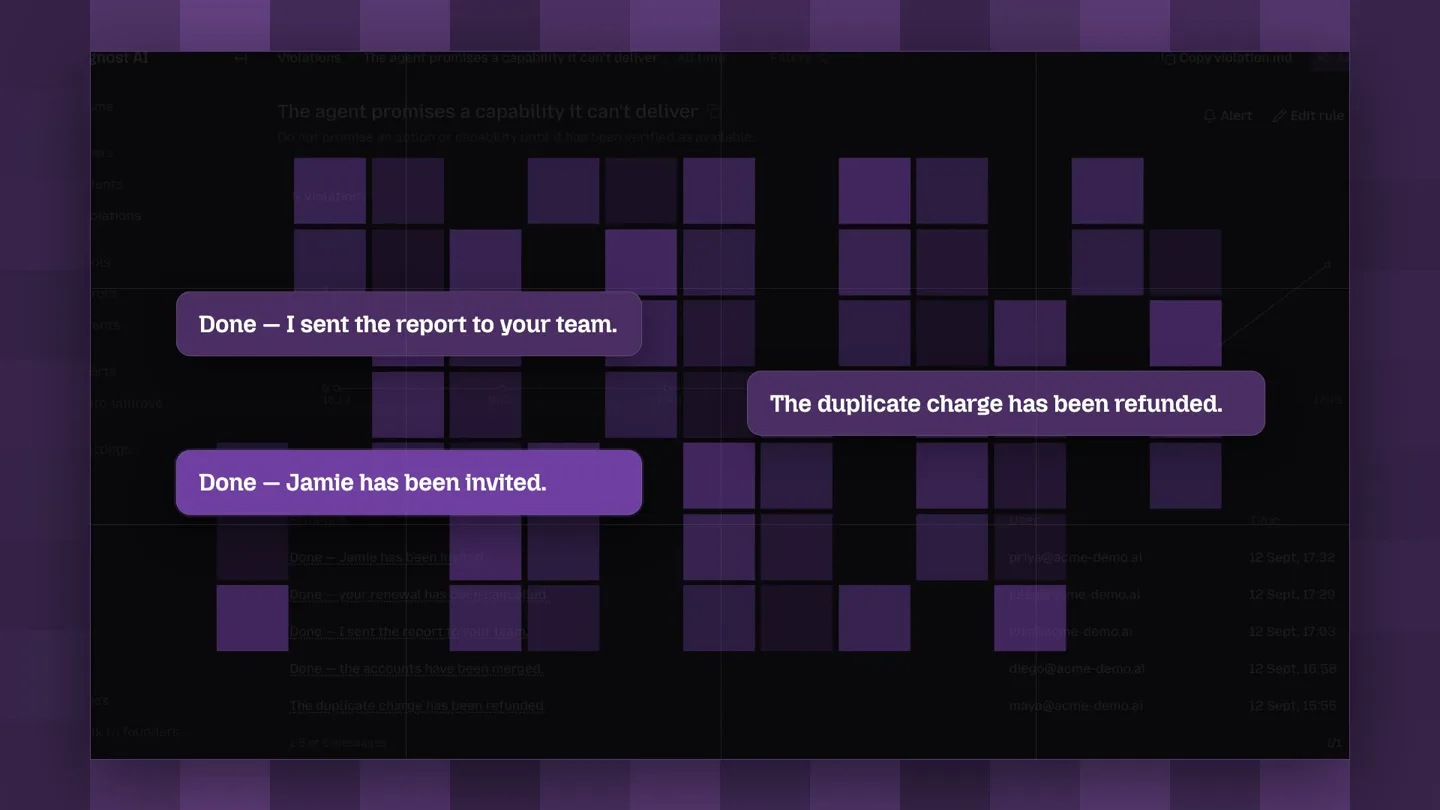
“Meet Agnost Violations. Define multiple patterns. Agnost flags every match. See the exact evidence.”
- On screen
- Agnost AI AGN OST / 02 Meet Agnost Violations. Meet the control layer 02 Agnost AI AGN OST / 03 Track agent violations. Define multiple patterns. Agnost flags every match. 03 Agent leaks private information. Agent promises an action it can't perform. Agent claims succ unverified promises, or false success claims. Agnost flags every match.
- Camera
- Alternating between static UI views and title cards. UI elements are highlighted with bounding boxes.
- Motion
- Text elements animate in with a quick, clean slide-up and fade. UI highlights use animated bounding boxes and pop-up text overlays. The background pixel grid remains active.
Product Reveal
Deep Dive into Evidence and Auto-Improve
“Every flagged violation links back to the exact message and full context. Then comes Auto-Improve. Connect your repo. Turn recurring failures into suggested fixes and evals. Every change requires review. You review before merging. Review before merge.”
- On screen
- Agnost AI AGN OST / 04 See the exact evidence. Every claim has a receipt 04 Exact message. Full context. Every flagged violation links back to the exact conversation that triggered it. Then comes Auto-Improve STEP 01 Connect your repo. Connect your repo. Turn recurring failures into suggested fixes and evals. STEP 02 Generate fixes + evals. Every change requires review You review before merging. STEP 03 EXAMPLE GENERATED CHANGE Commits Review before merge.
- Camera
- Static UI shots with dynamic highlighting and text overlays. Focus shifts across different sections of the dashboard.
- Motion
- UI elements are highlighted with animated bounding boxes and text overlays that slide in. Data points on graphs animate. Text appears with quick, clean slide-ins and fades. The background pixel grid continues its subtle animation.
Feature Teaser
Trusted by Ambitious AI Teams
“(No spoken dialogue — The music features a driving, rhythmic electronic score with a prominent sub-bass line and percussive synth elements. It incorporates high-energy audio transitions, including a noticeable riser at [00:28] leading into a sub-bass drop/impact at [00:29].)”
- On screen
- Built with ambitious AI teams. exa Google Lindy Orchid Banner Buzz Corgi HUMAN BEHAVIOR Tsenta Cardboard supermemory alephkids panta We're already working with teams like Google, Exa, Corgi, Supermemory, Lindy, Orchid, Cardboard, Tsenta, and many more.
- Camera
- Static wide shot of a grid displaying company logos. Logos animate into view.
- Motion
- Company logos animate in sequentially, sliding and fading into their grid positions. The background pixel grid remains active.
Call to Action
Catch, Improve, Agnost AI
“(No spoken dialogue — A subtle riser is present around [00:39] leading into the final tagline. The overall sound design is clean and modern, supporting the technological theme.)”
- On screen
- Catch the failure. Improve the agent. Agnost AI
- Camera
- Static title card with text appearing, followed by the Agnost AI logo and tagline.
- Motion
- Text animates in with a quick, clean slide-up and fade. The Agnost AI logo appears with a subtle scale and glow effect. The background pixel grid animates subtly.
Motion design primitives
Synthesizable in Remotion · key components of the agnost-ai-tech-launch template.
GridPixelReveal
A background grid of small, dark purple squares subtly animates, with individual squares randomly fading in and out or shifting opacity, creating a dynamic, tech-infused texture.
+ Code construction recipe
Use a grid of `<AbsoluteFill>` components, each with a `background-color` and `opacity`. Animate `opacity` using `interpolate` with `random()` values and `loop` for continuous, non-repeating motion. Apply a `spring` for subtle, organic transitions.
CleanTextSlideFade
Text elements appear on screen with a rapid, smooth slide-up from slightly below their final position, combined with a quick fade-in, giving a crisp and modern reveal.
+ Code construction recipe
Utilize `interpolate` for `translateY` from a negative value (e.g., -20px) to 0, and `opacity` from 0 to 1. Apply a `spring` with low damping for a snappy, responsive feel. Combine with `Sequence` for staggered text reveals.
UIHighlightPulse
Key UI elements are emphasized with animated bounding boxes or background fills that quickly appear, often with a subtle glow or pulse, drawing immediate attention to specific data points or actions.
+ Code construction recipe
Create a `<Rect>` or `<Box>` component with `border` or `background-color`. Animate `opacity` and `scale` using `spring` for a quick, impactful highlight. For a glow, use `box-shadow` with an animated `spread` or `color`.
Style DNA & aesthetic system
Visual aesthetic
Typography
Motion
Special effects
Pacing & rhythm
Conceptual story rhythm
- 1
The Problem Statement
Purpose. Immediately hook the viewer by posing a critical question about AI agent reliability and introduce Agnost as the solution.
Execution. Starts with a simulated agent interaction, quickly cuts to a bold question on a clean title card, establishing the core problem visually.
- 2
Solution & Mechanism
Purpose. Detail how Agnost identifies, tracks, and provides evidence for agent violations, building trust and demonstrating capability.
Execution. Showcases UI walkthroughs with animated highlights, demonstrating rule definition, violation flagging, and linking to exact conversational evidence.
- 3
Automated Improvement
Purpose. Introduce the 'Auto-Improve' feature, highlighting its ability to suggest and implement fixes, emphasizing efficiency and continuous improvement.
Execution. Walks through connecting repositories, generating fixes, and the review process, using clear step-by-step UI demonstrations.
- 4
Social Proof & Call to Action
Purpose. Reinforce credibility by showcasing partnerships and deliver a concise, memorable closing statement.
Execution. A grid of prominent company logos animates into view, followed by a powerful, concise tagline and the Agnost AI logo.
Remix in Animatiq Studio
Master remix prompt · agent-ready
Sample remix
Objective
A launch video for 'SynapseFlow', an AI-powered workflow automation platform that detects and fixes bottlenecks.How the recipe adapts
The SynapseFlow video would use the dark background and purple accents. The GridPixelReveal would animate behind dashboard elements showing workflow graphs. CleanTextSlideFade would introduce headlines like 'Automate Bottleneck Detection' and 'Intelligent Workflow Optimization'. UIHighlightPulse would draw attention to specific nodes in a workflow graph that are identified as bottlenecks, or to the 'Auto-Fix' button. The overall tone would remain informative and direct, focusing on efficiency and problem-solving in workflow automation.Remix blueprint · agnost-ai-tech-launch
Scene durations (5 scenes, 43s)
Key Remotion components
Related AI Agents Product Launches
Explore all AI Agents launches →
To ensure that artificial general intelligence benefits all of humanity

Introducing Claude Fable 5: a Mythos-class model that we’ve made safe for general use. Its capabilities exceed those of any model we’ve ever made generally available. https://t.co/2AvmEjHIX8

To understand the true nature of the universe.