
Andrew Bolis · Launch Video Breakdown: Hook, Pacing & Motion Design
AI avatars just gained full-body movement. The result looks surprisingly human. For years, AI avatars were limited to talking heads - locked in one frame, one angle. Now they can move through 3D sp…
Scene-by-scene timeline & spoken transcript
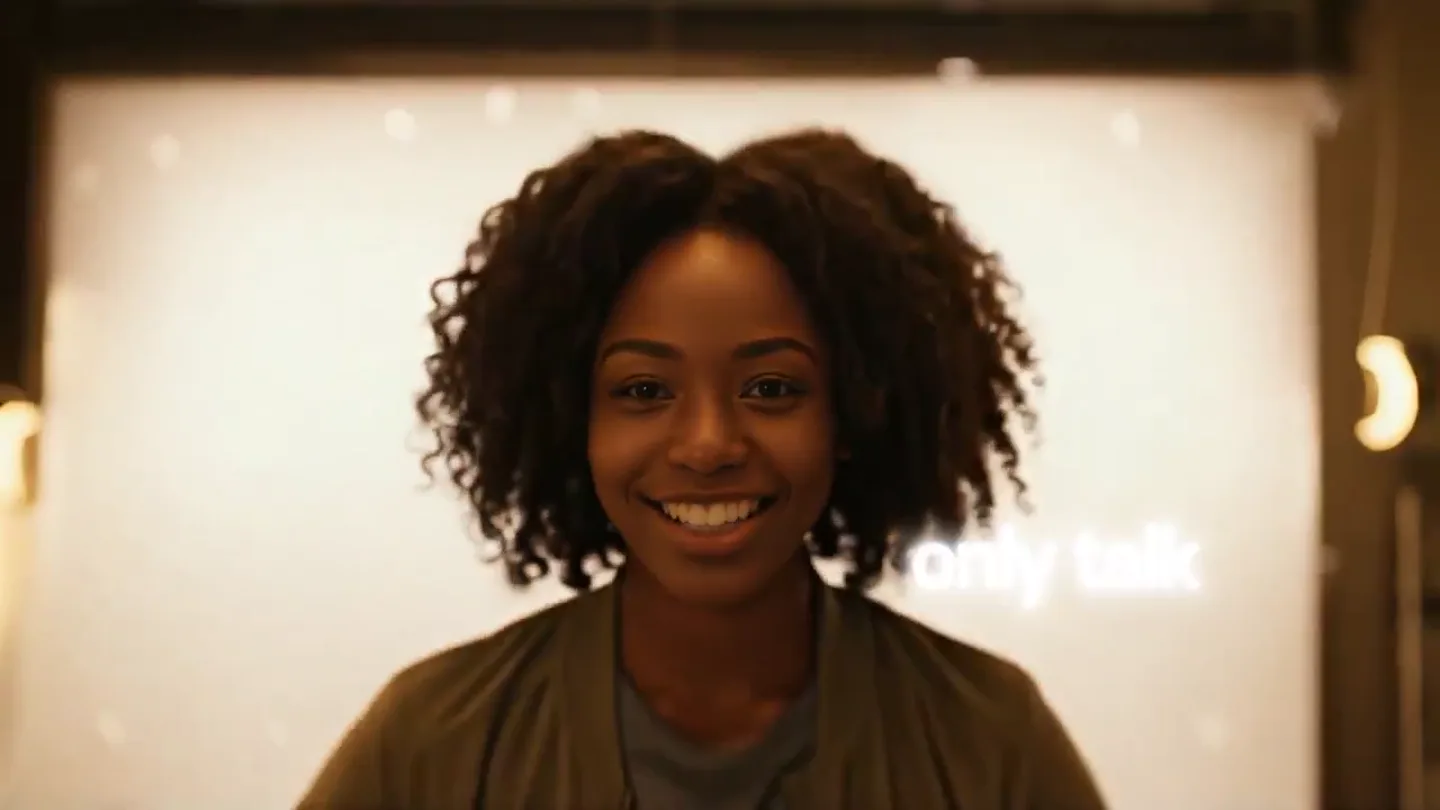
The Hook
Before & Now: The AI Avatar Evolution
“Before I could only talk, now I can act.”
- On screen
- Before Now
- Camera
- Close-up on the presenter, then a quick zoom out to reveal her full body as papers fly around her.
- Motion
- Dynamic text reveal, quick camera zoom, and practical effects (flying papers) to emphasize transformation.
Problem Agitation
Unleashing Avatar Potential: From Static to Dynamic
“You can prompt my outfit, my background, or my actions. Just like in real life.”
- On screen
- You can prompt my outfit my background or my actions Just like in real life.
- Camera
- Rapid cuts between various scenes (supermarket, construction site, space) with the avatar performing different actions. The camera is mostly static in each scene, focusing on the avatar's activity.
- Motion
- Fast-paced montage of diverse scenarios, demonstrating the avatar's new range of motion and customization. Text overlays appear and disappear quickly.
Product Reveal
Seamless AI Avatar Customization Interface
“It's that easy. Select which avatar to create looks for. Blue. Prompt the. Or. A modern, corporate training environment: an empty, well-list seminar room with rows of minimalist... through her binoculars in a national park at sunset. from cinematic lighting and natural motion.”
- On screen
- It's that easy. Avatar Text Shape Media Captions Record Avatar Select which avatar to create looks for Natasha Hope Carol Bruce Clint Cian Blue Prompt the Or Video Image Audio Veo3 Fast A modern, corporate training environment: an empty, well-list seminar room with rows of minimalist... Natasha National park 48 Veo3 Fast through her binoculars in a national park at sunset. from cinematic lighting and natural motion.
- Camera
- The camera transitions from the presenter to a screen recording of the product interface. It zooms in on specific UI elements like avatar selection, text input, and media generation buttons.
- Motion
- Screen recording with animated UI elements, cursor interactions, and text input animations. Smooth transitions between different parts of the interface.
Feature Teaser
Watch Your AI Avatars Come to Life
“Watch it come to life.”
- On screen
- Watch it come to life. Finally, customize avatars and make them act. Try it today in Synthesia.
- Camera
- A grid of small video clips showcasing the avatar in various dynamic scenarios, followed by a full-screen shot of the avatar in a natural setting. The camera is mostly static, focusing on the avatar's actions.
- Motion
- Grid layout animation, quick cuts between diverse avatar actions, and a final full-screen reveal with a subtle zoom out.
Call to Action
Synthesia: AI Video for Business
“Finally, customize avatars and make them act. Try it today in Synthesia.”
- On screen
- Finally, customize avatars and make them act. Try it today in Synthesia. synthesia AI Video for Business
- Camera
- The presenter returns to a full-body shot, then transitions to a static shot of the company logo and tagline on a gradient background.
- Motion
- Direct address from the presenter, followed by a clean, animated logo reveal with a subtle background gradient animation.
Motion design primitives
Synthesizable in Remotion · key components of the dynamic-ai-avatar-launch template.
DynamicTextReveal
Text appears with a quick, impactful fade-in and slight scale-up, often accompanied by a sound effect. It can be used for single words or short phrases.
+ Code construction recipe
Use `spring` for `opacity` and `scale` properties. Interpolate `from: 0` to `to: 1` for both. Apply a short duration and a high damping ratio for a snappy effect. Coordinate with audio cues.
MultiSceneMontage
Rapid succession of short video clips or images, showcasing diverse scenarios or features. Each clip is typically 1-2 seconds long, creating a high-energy visual flow.
+ Code construction recipe
Implement a sequence of `Video` or `Img` components within a `Sequence`. Use `AbsoluteFill` for each scene. Control timing precisely with `durationInFrames` and `from` props. Ensure smooth, hard cuts between scenes.
UIPointerInteraction
A mouse cursor animates across the screen, clicking on specific UI elements, highlighting them, and triggering subsequent interface changes or content reveals.
+ Code construction recipe
Utilize `interpolate` for `x` and `y` coordinates of a custom cursor SVG or image. Use `spring` for `scale` on click events to simulate button presses. Overlay this animation on top of screen recordings or mockups.
Style DNA & aesthetic system
Visual aesthetic
Typography
Motion
Special effects
Pacing & rhythm
Conceptual story rhythm
- 1
The 'Before & After' Contrast
Purpose. Immediately establishes the core problem and the product's transformative solution, hooking the viewer with a clear value proposition.
Execution. Presenter states 'Before I could only talk, now I can act' with corresponding text overlays and a visual transformation from static to dynamic.
- 2
Show, Don't Tell: Avatar in Action
Purpose. Demonstrates the product's capabilities through diverse, engaging scenarios, proving the 'full-body movement' claim.
Execution. A rapid montage of the AI avatar performing various actions in different environments (supermarket, construction, space).
- 3
The 'How-To' Walkthrough
Purpose. Educates the viewer on the ease of use and customization options, building confidence in the product's accessibility.
Execution. Screen recording of the Synthesia interface, showing avatar selection, text prompting, and media generation with cursor interactions.
- 4
The Grand Reveal & Call to Action
Purpose. Reinforces the product's impact and guides the viewer to the next step, solidifying the brand message.
Execution. A grid of dynamic avatar videos, followed by the presenter's final call to action and the Synthesia logo reveal.
Remix in Animatiq Studio
Master remix prompt · agent-ready
Sample remix
Objective
Launch a new data visualization platform called 'QuantumFlow' that transforms static spreadsheets into interactive 3D models.How the recipe adapts
The 'Before' scene would show a static spreadsheet on screen, then transition to a 'Now' scene where data points burst into a dynamic, flowing 3D visualization. Instead of avatar actions, the montage would feature different data sets being visualized in unique ways (e.g., financial trends as a city skyline, scientific data as a molecular structure). The UI walkthrough would demonstrate dragging and dropping data, selecting visualization types, and interacting with the 3D models. The final call to action would be 'Visualize your data today with QuantumFlow'.Remix blueprint · dynamic-ai-avatar-launch
Scene durations (5 scenes, 54s)
Key Remotion components
Related AI Agents Product Launches
Explore all AI Agents launches →
To ensure that artificial general intelligence benefits all of humanity

Gopuff introduces Go, an AI shopping assistant built with SpaceXAI: say what you need and the order is placed.

Iliad (Troy) trailer made by Grok Imagine 1.5, which was just released