
Scene-by-scene timeline & spoken transcript
The Hook
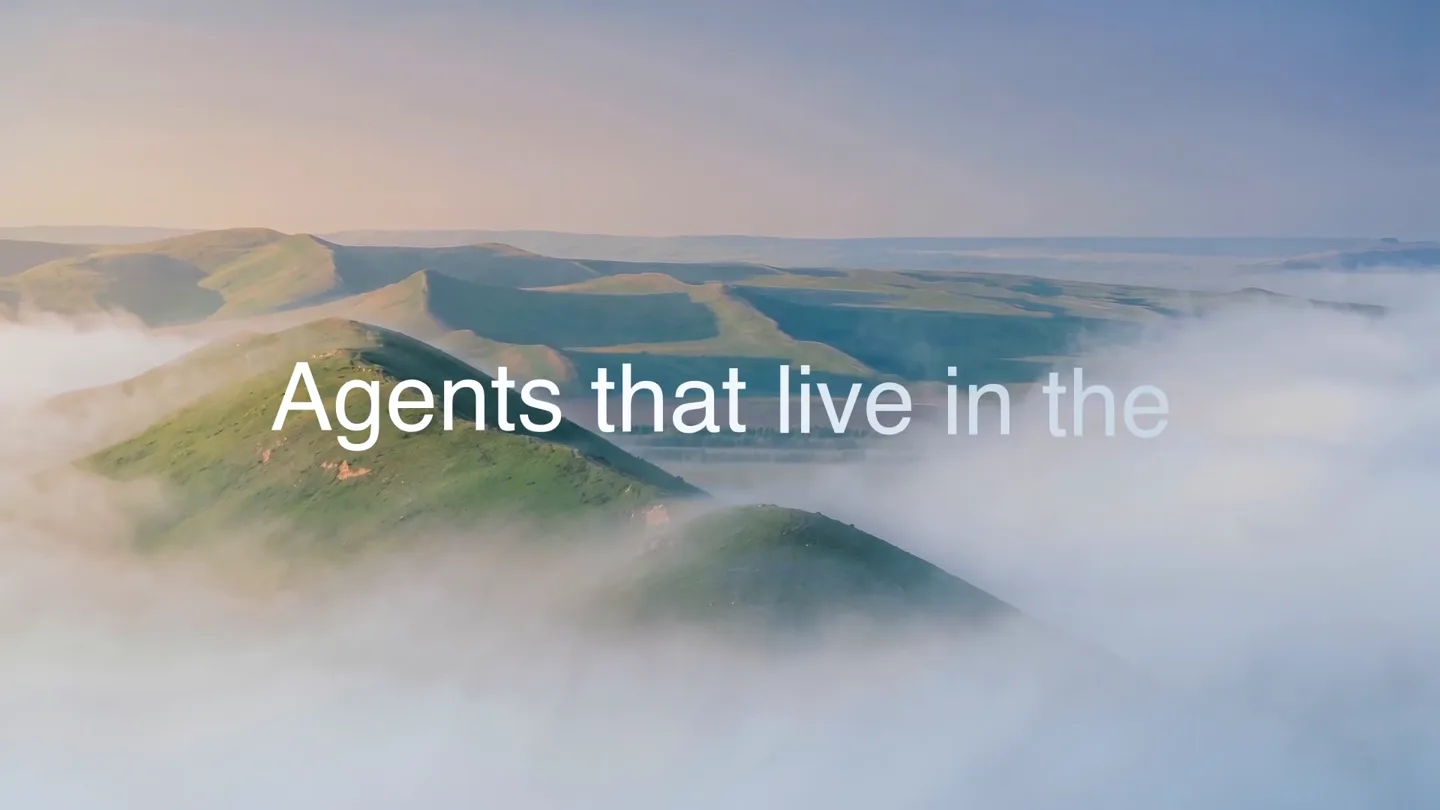
Abstract Landscape & Brand Reveal
“(No spoken dialogue — Ambient electronic score with pizzicato synths and sub-bass, building tension.)”
- On screen
- Agents that live in the
- Camera
- Slow, sweeping aerial shot over misty, rolling hills, transitioning to an abstract, color-gradient landscape.
- Motion
- Seamless morphing transitions, masked text reveal, color gradient animation.
Product Reveal
Introducing Skydive AI Teammates
“(No spoken dialogue — Electronic score continues with a subtle beat, emphasizing the reveal.)”
- On screen
- Meet Skydive
- Camera
- Static shot, then a subtle zoom out to reveal multiple character puppets.
- Motion
- Character reveal with a subtle bounce animation, followed by a radial distribution of characters and their roles.
Feature Teaser
AI Teammates Across Every Channel
“(No spoken dialogue — High-energy audio transitions, risers, and sub-bass drops accompany scene changes.)”
- On screen
- Skydive Ask Emma anything... Opus 4.7 Hey, I'm Emma Support Engineer By Dylan Houston Add me to Slack Add me to Email Customer build issue - Reanimated config Re: Build error in react-native-mtkv Bug triage patterns refactor Re: Missing CodeAscent 1.0.4 submission CodeAscent 1.0.4 build investigation Re: Goofy Ginger account deletion dashboard everywh + The web growth-campaigns Talia Brooks Meta CPA crept up overnight Sol Already on it. The "Ship faster" variant is your top performer this week — 4.2% CTR, CPA down 18%. The other three are underdelivering. Want me to shift budget to the winner? Marcus Reed oh nice. yeah let's reallocate Sol Done. Moved 60% of spend to the top variant and paused the two weakest. I'll keep watching and flag if CPA moves more than 10%. To poppy@skydivemail.com From marcus@getskydive.com Subject Launch recap, can you pull it together? Hey Poppy, Can you put together a recap of last week's product launch? I need the headline numbers (signups, traffic, conversion), which channels drove the most, and the three best-performing posts. Keep it to o Design Q1-Campaign-Creative - Stories Ads File Assets Pages Meta Ads Meta Ad - V1 Meta Ad - V2 Meta Ad - V3 A teammate in the cloud. Cleo Marketing Support Operations Engineering And more.
- Camera
- Dynamic camera pans and zooms across various UI mockups (web app, mobile chat, email, design tool, dashboard, GitHub).
- Motion
- Fast-cut montage, UI element reveals, text wipes, and subtle parallax scrolling within app interfaces. Text overlays animate in and out.
Call to Action
Skydive: Your Business Teammate
“(No spoken dialogue — The electronic score builds to a crescendo with a final sub-bass impact and sustained ambient tones.)”
- On screen
- A teammate for every part of your business. Skydive Let's fly.
- Camera
- Static shot with text overlay, then a final sweeping aerial shot over the misty landscape.
- Motion
- Text reveal with subtle scaling, followed by a smooth transition back to the opening landscape, reinforcing the brand's visual identity.
Motion design primitives
Synthesizable in Remotion · key components of the ai-agent-launch-montage template.
MistyHorizonReveal
A serene, sweeping aerial shot over misty, rolling hills, where text or a logo is revealed through a mask or subtle opacity animation, often with a soft glow.
+ Code construction recipe
Use a `Video` component for the landscape footage. Implement `AbsoluteFill` with a `LinearGradient` or `RadialGradient` for the mist effect. Text/logo reveal can be achieved with `interpolate` on `opacity` and `maskImage` properties, potentially using an SVG path for complex shapes.
RadialCharacterBurst
Multiple character elements or icons emerge from a central point and spread outwards in a radial pattern, often accompanied by connecting lines or a central brand element.
+ Code construction recipe
Utilize `AbsoluteFill` for the canvas. Position characters using `transform` (translate, rotate) and `interpolate` for their initial burst and final positions. SVG `path` elements can draw the connecting lines, animated with `strokeDasharray` and `strokeDashoffset`.
FastCutUIFlow
Rapid, dynamic transitions between various UI mockups (web, mobile, desktop apps), featuring quick pans, zooms, and text overlays that highlight key functionalities or departments.
+ Code construction recipe
Employ `Sequence` for scene management. Each UI mockup is a `Composition` with `Image` or `Video` assets. Animate `transform` (translateX, translateY, scale) for pans and zooms. Text overlays use `interpolate` for `opacity` and `transform` (e.g., slide-in from the side) with `spring` for a snappy feel. Use `OffthreadVideo` for performance.
Style DNA & aesthetic system
Visual aesthetic
Typography
Motion
Special effects
Pacing & rhythm
Conceptual story rhythm
- 1
The Visionary Opening
Purpose. Hook the viewer with an evocative, abstract visual that hints at the product's expansive capabilities.
Execution. Misty, sweeping landscape morphing into abstract gradients, with a masked text reveal.
- 2
Meet the Team
Purpose. Introduce the product's core concept (AI teammates) in a friendly, approachable manner.
Execution. Playful character puppets appearing radially, each representing a different AI agent role.
- 3
Seamless Integration Showcase
Purpose. Demonstrate the product's functionality and ubiquity across various platforms and use cases.
Execution. Fast-cut montage of UI screens (chat, email, design, support, engineering) with dynamic camera work and text overlays.
- 4
The Empowering Conclusion
Purpose. Reinforce the product's value proposition and leave the viewer with a memorable call to action.
Execution. Clear value statement, brand logo reveal, and a return to the inspiring landscape with a final tagline.
Remix in Animatiq Studio
Master remix prompt · agent-ready
Sample remix
Objective
Launch a new AI project management tool called 'Synapse'.How the recipe adapts
The MistyHorizonReveal primitive will open with a sweeping shot over a digital cityscape, subtly revealing 'Synapse' through a data-stream mask. The RadialCharacterBurst will introduce AI project manager avatars (e.g., 'Agile Alex', 'Scrum Sarah') fanning out from a central 'Synapse Core' icon. The FastCutUIFlow will showcase Synapse integrating with Jira, Asana, Slack, and GitHub, with dynamic zooms on task updates and progress reports. The color palette will shift to blues and greens, maintaining the clean white background. The final call to action will be 'Synapse: Orchestrate your projects. Effortlessly.'Remix blueprint · ai-agent-launch-montage
Scene durations (4 scenes, 35s)
Key Remotion components
Related AI Agents Product Launches
Explore all AI Agents launches →
To ensure that artificial general intelligence benefits all of humanity

Gopuff introduces Go, an AI shopping assistant built with SpaceXAI: say what you need and the order is placed.

Iliad (Troy) trailer made by Grok Imagine 1.5, which was just released