
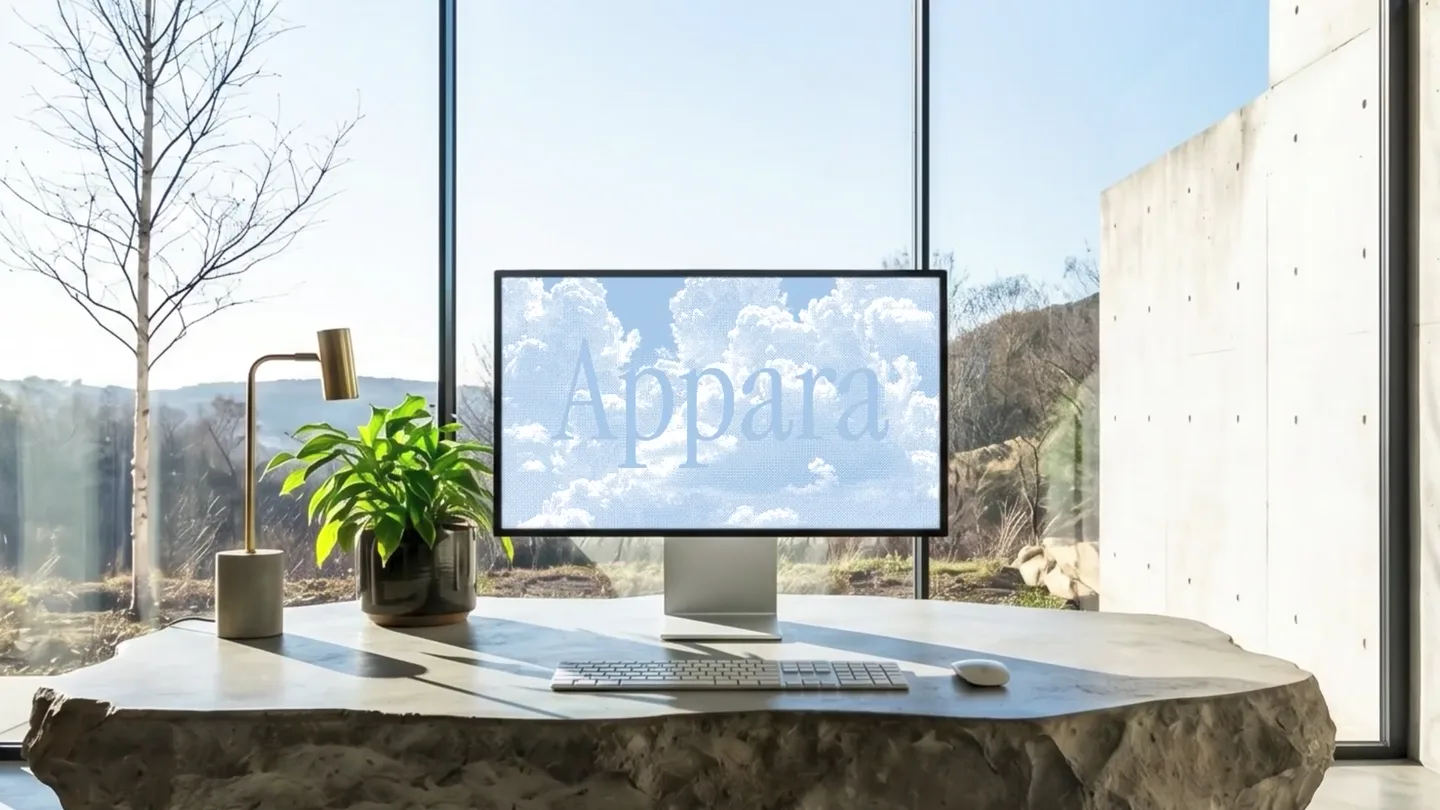
Appara · Launch Video Breakdown: Hook, Pacing & Motion Design
Appara puts your tools in one place. The film shows a prompt becoming generated images, then a canvas of shots and a voiceover.
Scene-by-scene timeline & spoken transcript
The Hook
Abstract Introduction & Problem Setup
“(No spoken dialogue — Driving electronic beat with sub-bass and 808s, atmospheric pads, and pizzicato synths create anticipation.)”
- On screen
- Imagine having all your tools {in} {Introducing}
- Camera
- Static camera, then a quick zoom into a blurred, color-shifted office scene.
- Motion
- Gradient background with blurred human silhouette, text reveals with bracket animations, pixelated blur transition.
Product Reveal
AI Prompt to Image Generation
“(No spoken dialogue — High-energy audio transitions with risers and sweeps accompany visual changes, maintaining a dynamic feel.)”
- On screen
- Appara Cr oth model| Create a neo goth model for a clothing brand. Building Image Processing - Asian neo goth model portrait Generating - Asian neo goth model portrait Image - Asian neo goth model portrait Working gets better
- Camera
- Static view of a search bar, then a series of quick cuts showcasing generated images.
- Motion
- Typing animation in a frosted glass search bar, pixelated cloud background, rapid image carousel with 3D card flip effect, text reveals.
Feature Teaser
Creative Workflow & AI Integration
“(No spoken dialogue — The electronic beat continues, with percussive elements emphasizing the rapid visual changes and UI interactions.)”
- On screen
- you create The AI powered platform for modern creatives Hyper-realistic cinematic lifestyle photography of a young creative professional using macbook pro outside. The person is working calmly, looking natural and focused, with relaxed body language and an aesthetic candid expression. Nano Banana Pro 16:9 4K Kling 3.0
- Camera
- Static view of a UI canvas, then a slight pan and zoom to reveal multiple elements.
- Motion
- Blurred background with gradient overlay, text reveal, UI elements appearing with subtle bounce and connection lines, waveform animation.
Call to Action
Brand Reinforcement & Closing
“(No spoken dialogue — The driving beat builds to a final crescendo, with a sense of resolution and impact.)”
- On screen
- Let your thoughts shape Appar Appara
- Camera
- Static view, then a slow zoom out on the brand name.
- Motion
- Text reveal with image overlay, simple fade to brand name, final brand logo reveal.
Motion design primitives
Synthesizable in Remotion · key components of the appara-ai-agent-launch template.
FrostedSearchBarType
A translucent, frosted glass search bar appears, and text types out character by character with a blinking cursor, followed by an animated upload arrow.
+ Code construction recipe
Use a `Blur` filter for the frosted effect, `opacity` and `x` transforms for the bar entrance. Implement `map` over characters for typing animation with `delay` and `duration` for each character. A `blink` animation for the cursor and `spring` for the arrow's bounce.
ImageCarousel3DFlip
Multiple images rapidly flip and slide into view from the side, creating a dynamic carousel effect, often with a slight 3D perspective shift.
+ Code construction recipe
Utilize `rotateY` and `translateX` CSS transforms for the 3D flip and slide. Orchestrate `sequence` and `delay` for each image's entrance. Apply `perspective` on the parent container for depth.
ConnectedUIReveal
UI cards and elements appear on a canvas, connected by animated lines that draw themselves between related components, often with a subtle bounce.
+ Code construction recipe
Animate `opacity` and `scale` for card entrance with `spring` for bounce. Use SVG `path` elements with `stroke-dasharray` and `stroke-dashoffset` to draw the connecting lines. Coordinate `delay` for sequential reveals.
Style DNA & aesthetic system
Visual aesthetic
Typography
Motion
Special effects
Pacing & rhythm
Conceptual story rhythm
- 1
The Vision
Purpose. Establish the core problem and hint at a powerful solution.
Execution. Abstract gradients and text reveals create an enigmatic opening, followed by a blurred, color-shifted scene suggesting a new perspective.
- 2
The Magic
Purpose. Demonstrate the product's core AI generation capability.
Execution. A user types a prompt, and the system rapidly generates high-quality images, showcasing efficiency and creative power.
- 3
The Ecosystem
Purpose. Illustrate how the product integrates into a creative workflow.
Execution. UI elements connect and expand, showing multiple generated assets and a voiceover waveform, emphasizing a comprehensive platform.
- 4
The Promise
Purpose. Reinforce the brand and its benefit to the user.
Execution. Text highlights the platform's purpose, culminating in a clear brand name reveal, leaving a lasting impression.
Remix in Animatiq Studio
Master remix prompt · agent-ready
Sample remix
Objective
Launch an AI-powered music composition tool named 'Melodia' that helps producers generate unique tracks.How the recipe adapts
The FrostedSearchBarType primitive will be used for typing musical prompts. The ImageCarousel3DFlip will adapt to a 'SoundSnippetCarousel' showing various generated audio waveforms and instrument icons. The ConnectedUIReveal will demonstrate how Melodia's generated tracks integrate into a DAW-like interface, with animated lines connecting different musical layers and effects. The color palette will shift to cooler blues and purples, maintaining the modern, dynamic feel.Remix blueprint · appara-ai-agent-launch
Scene durations (4 scenes, 36.5s)
Key Remotion components
Related AI Agents Product Launches
Explore all AI Agents launches →
To ensure that artificial general intelligence benefits all of humanity

Introducing Claude Fable 5: a Mythos-class model that we’ve made safe for general use. Its capabilities exceed those of any model we’ve ever made generally available. https://t.co/2AvmEjHIX8

To understand the true nature of the universe.