
Romain Torres · Launch Video Breakdown: Hook, Pacing & Motion Design
introducing "Show Your app" Our latest update for app marketers > upload a screenshot of your app > choose an ai actor > generate 100s of ai ugc showing your app... live today on https://t.co/ArtDvdF94A comment "arcads" for a quick tutorial https://t.co/tramD93toK
Scene-by-scene timeline & spoken transcript
The Hook
AI-Generated UGC Intro
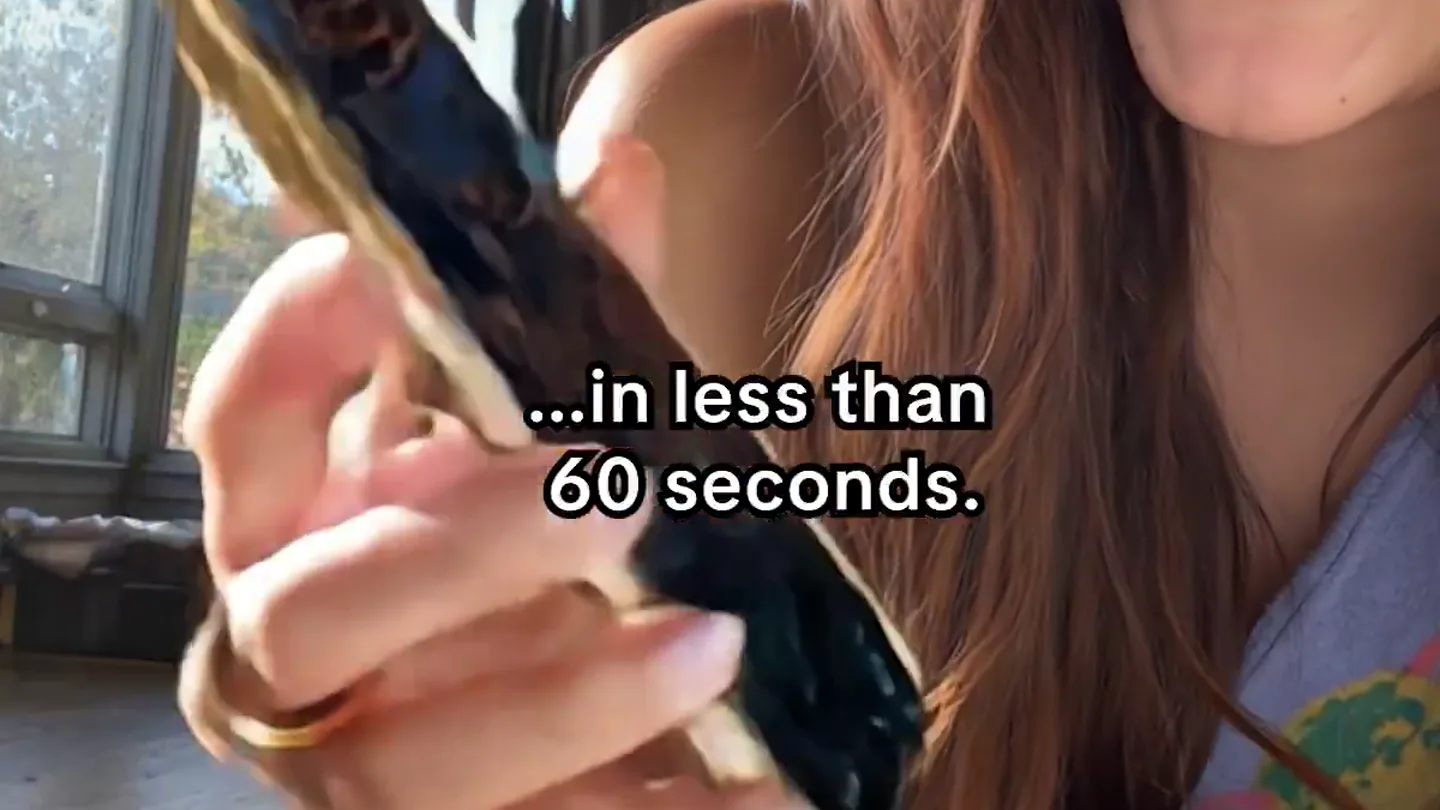
“I was generated with AI in less than 60 seconds.”
- On screen
- i was generated with AI... ...in less than 60 seconds.
- Camera
- Close-up on a person holding a phone, then a quick zoom into the phone screen, followed by a rapid cut to another person holding a phone.
- Motion
- Rapid cuts, screen replacement, and text overlays create a dynamic, attention-grabbing opening. The phone screen acts as a portal for app content.
Problem Agitation
The Pain of Traditional UGC
“Show Your App. Our latest update for app marketers. Upload a screenshot of your app. Choose an AI actor. Generate hundreds of AI UGC showing your app. Live today on ArcAds. How will your customers?”
- On screen
- Show Your App. Our latest update for app marketers. upload a screenshot of your app choose an ai actor generate 100s of ai ugc showing your app... live today on https://t.co/ArtDvdF94A comment "arcads" for a quick tutorial https://t.co/tramD93toK. ...HOW WILL YOUR CUSTOMERS?
- Camera
- Mix of close-ups on individuals holding phones, screen recordings of the ArcAds platform, and a quick cut to a person looking up with 'BLAH!' speech bubbles.
- Motion
- Fast-paced montage of diverse AI actors, intercut with UI demonstrations and a humorous visual metaphor for the tediousness of traditional methods. Radial blur and quick zooms emphasize speed.
Product Reveal
ArcAds: The AI Solution
“I'm not real? Me neither honey. No missing deadlines. No more expensive shoots. No more waiting weeks. No more hiring influencers. No more editing videos. No more paying for ads that don't convert. Create winning ads with AI Actors.”
- On screen
- I'm not real? me neither honey. No Missing Deadlines. No More Expensive Shoots. No More Waiting Weeks. No More Hiring Influencers. No More Editing Videos. No More Paying For Ads That Don't Convert. arcads Create winning ads with AI Actors Generate 100s of winning videos from one screenshot. Get your free video ad generated.
- Camera
- Dynamic cuts between AI actors holding phones, text overlays highlighting pain points, and a hand emerging from water holding a phone displaying the ArcAds landing page.
- Motion
- The 'No More' sequence uses rapid text reveals and cuts to reinforce the problem-solution narrative. The phone emerging from water is a visual metaphor for effortless creation. Screen replacement is heavily used.
Feature Teaser
Effortless UGC Generation
“Upload a screenshot of your app. Choose an AI actor. Generate hundreds of AI UGC showing your app. Live today on ArcAds. Sign up for ArcAds and generate hundreds of UGC videos.”
- On screen
- Upload a screenshot of your app. Choose an AI actor. Generate 100s of AI UGC showing your app... live today on https://t.co/ArtDvdF94A. Sign up for ArcAds and generate hundreds of UGC videos.
- Camera
- Screen recordings of the ArcAds platform demonstrating the workflow (upload, choose actor, generate), intercut with quick shots of AI actors.
- Motion
- UI animations, cursor interactions, and quick transitions between platform steps showcase the product's ease of use. The repetition of the core value proposition reinforces the message.
Call to Action
Final Call to Action
“(No spoken dialogue — Energetic sub-bass drop and outro music with a final impactful beat.)”
- On screen
- arcads.com
- Camera
- Zoom out from the ArcAds logo, revealing the website URL.
- Motion
- Clean, impactful logo reveal with a subtle zoom and fade to the website URL, providing a clear call to action.
Motion design primitives
Synthesizable in Remotion · key components of the ai-ugc-fast-cut-launch template.
ScreenContentSwap
A phone screen rapidly transitions between different app content or text overlays, often accompanied by a quick cut to a new scene or actor. The phone itself remains a consistent prop.
+ Code construction recipe
Utilize `AbsoluteFill` for the phone screen area. Implement `Sequence` and `spring` animations for `opacity` and `scale` on child components representing different screen contents. Use `interpolate` for rapid text reveals or app UI changes. Ensure precise timing with audio cues.
RapidActorMontage
Multiple diverse AI actors are shown in quick succession, each holding a phone displaying an app. Transitions are fast, often with a subtle zoom or radial blur effect.
+ Code construction recipe
Employ `Sequence` with very short `durationInFrames` for each actor clip. Apply `spring` animations for `scale` and `blur` (using `CSSFilter` or `SVGFilter`) on the `Video` components. Coordinate cuts with audio impacts and risers for maximum energy.
UIWorkflowReveal
The user interface of the ArcAds platform is demonstrated through screen recordings, highlighting key actions like uploading, selecting, and generating, with a visible cursor interaction.
+ Code construction recipe
Use `Video` components for screen recordings. Overlay `AbsoluteFill` `div`s with `spring` animations for `opacity` and `translateY` to reveal text or UI elements. Animate a custom `Cursor` component using `interpolate` to simulate user interaction across the UI.
Style DNA & aesthetic system
Visual aesthetic
Typography
Motion
Special effects
Pacing & rhythm
Conceptual story rhythm
- 1
The AI Introduction
Purpose. Immediately hook the viewer by showcasing the product's core magic: AI-generated content that looks real.
Execution. Opening with an AI actor stating her origin, followed by rapid cuts of diverse AI-generated app content on phones.
- 2
Problem & Solution
Purpose. Agitate the pain points of traditional content creation and position ArcAds as the effortless, cost-effective solution.
Execution. Montage of 'BLAH!' for traditional methods, followed by a 'No More' sequence with text overlays and the ArcAds platform reveal.
- 3
How It Works
Purpose. Demonstrate the simplicity and speed of the ArcAds platform, building trust and understanding.
Execution. Screen recordings showing the three-step process: upload, choose actor, generate, with clear UI interactions.
- 4
Call to Action & Urgency
Purpose. Reinforce the value proposition and drive immediate sign-ups.
Execution. Repetition of the core benefit ('hundreds of UGC videos') and a clear, impactful display of the ArcAds website.
Remix in Animatiq Studio
Master remix prompt · agent-ready
Sample remix
Objective
Launch an AI-powered note-taking app that instantly summarizes meetings and generates action items.How the recipe adapts
Remix blueprint · ai-ugc-fast-cut-launch
Scene durations (5 scenes, 47s)
Key Remotion components
Related AI Agents Product Launches
Explore all AI Agents launches →
To ensure that artificial general intelligence benefits all of humanity

Gopuff introduces Go, an AI shopping assistant built with SpaceXAI: say what you need and the order is placed.

Iliad (Troy) trailer made by Grok Imagine 1.5, which was just released