
Berry · Launch Video Breakdown: Hook, Pacing & Motion Design
Claude can now sell for you 🤯 Meet Autosales An AI Employee that sells your Product FOR You 24/7 Just Paste your website URL and watch it sell. Trained on Brain data of a $1.2M/year Sales Guy Comm…
Scene-by-scene timeline & spoken transcript
The Hook
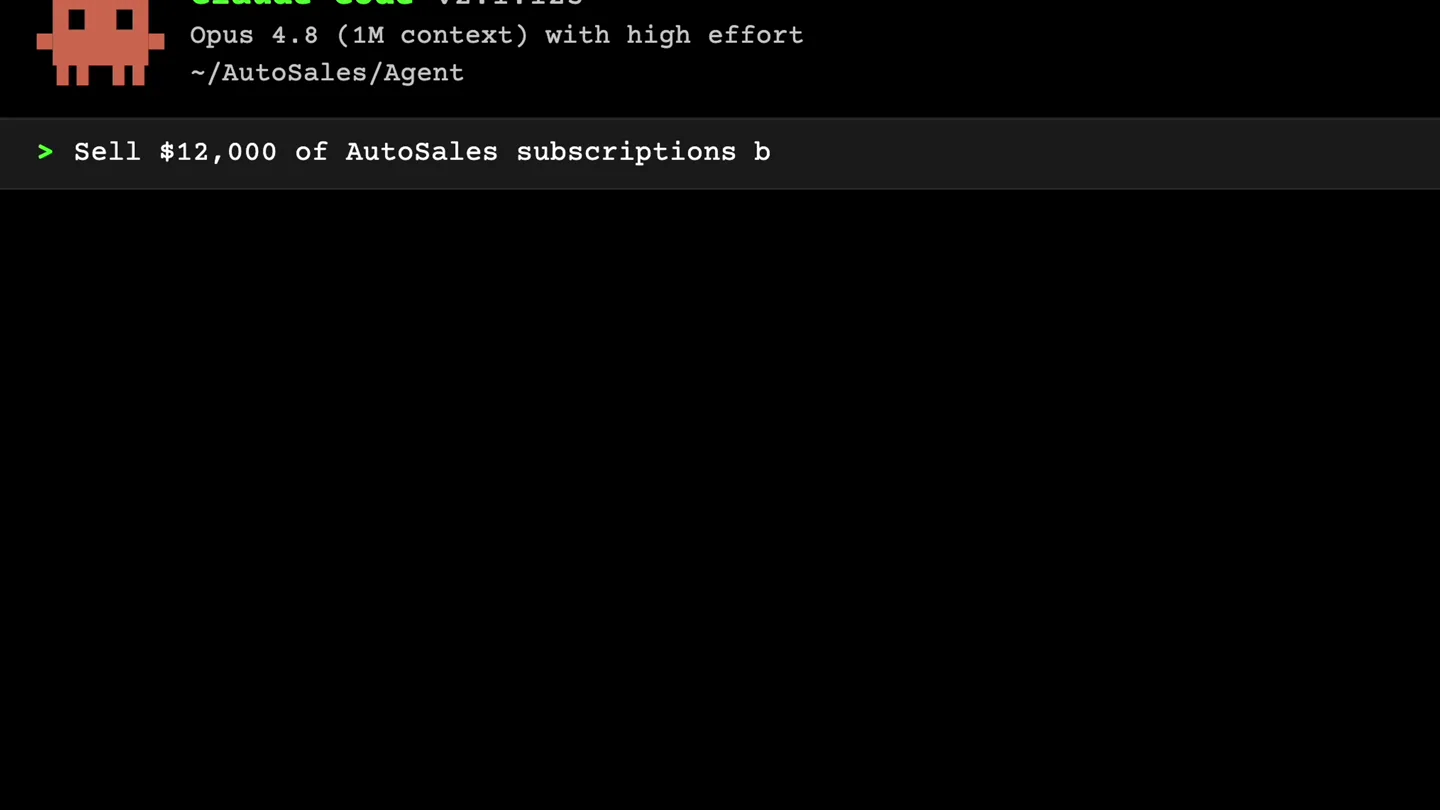
AI Agent Receives Sales Command
“(No spoken dialogue — Driving electronic beat with sub-bass and percussive synths begins, building energy.)”
- On screen
- Claude Code v2.1.123 Opus 4.8 (1M context) with high effort ~/AutoSales/Agent > Sell $12,000 of AutoSales subscriptions by tonight. Use Instagram and Pinterest
- Camera
- Static, fixed terminal view.
- Motion
- Text typing animation, simulating a command-line interface.
Product Reveal
AI Agent Executes Sales Strategy
“(No spoken dialogue — High-energy riser and sweep at 0:06-0:07, culminating in a sub-bass drop/impact at 0:07. Beat maintains consistent energy.)”
- On screen
- Claude Code v2.1.123 Opus 4.8 (1M context) with high effort ~/AutoSales/Agent > Sell $12,000 of AutoSales subscriptions by tonight. Use Instagram and Pinterest + Profiling high-intent audiences on Instagram & Pinterest... (5s • ↑ 247 tokens) Calling Instagram... (ctrl+o to expand) Calling Pinterest... (ctrl+o to expand) * Building campaigns... (1s • 18 tokens) * Dropping offer links... (2s • 30 tokens) * Tracking conversions...
- Camera
- Static, fixed terminal view.
- Motion
- Sequential text reveal, simulating real-time AI process execution with status updates and token counts.
Call to Action
Sales Results & Revenue Exceeded
“(No spoken dialogue — Significant riser builds from 0:17-0:19, leading to a powerful sub-bass impact at 0:19. Energetic pulse continues to end.)”
- On screen
- Claude Code v2.1.123 Opus 4.8 (1M context) with high effort ~/AutoSales/Agent > Sell $12,000 of AutoSales subscriptions by tonight. Use Instagram and Pinterest Agents completed • 47 posts published • 1,240 link clicks • 103 verified conversion • AutoSales Revenue – Closed Today by Region Region Platform Units Sold Revenue Closed North America Instagram 40 $4,800 Europe Pinterest 30 $3,600 South Asia Instagram + Pinterest 21 $2,520 LATAM Pinterest 12 $1,440 TOTAL - 103 $12,360 103 subscriptions sold. $12,360 collected. Revenue target exceeded.
- Camera
- Static, fixed terminal view.
- Motion
- Data table reveal with highlighted values, followed by a final text reveal confirming success. Emphasizes key metrics.
Motion design primitives
Synthesizable in Remotion · key components of the terminal-ai-agent-launch template.
TerminalTypewriterEffect
Text appears character by character, simulating a command-line interface typing. New lines and commands appear sequentially.
+ Code construction recipe
Use Remotion's `Sequence` and `interpolate` functions to reveal text characters over time. Apply a monospace font and a subtle blinking cursor effect using `spring` for realism.
DynamicStatusUpdate
Process updates (e.g., 'Profiling...', 'Calling...') appear with dynamic counters (e.g., '1s • ↑ 24 tokens') that increment in real-time.
+ Code construction recipe
Implement `useCurrentFrame` and `interpolate` to animate numerical values. Use `Sequence` to stagger the appearance of each status line. Text color changes (e.g., red for 'Profiling...') can be achieved with conditional styling.
DataGridReveal
A tabular data structure appears, with rows and columns populating sequentially, highlighting key numerical results.
+ Code construction recipe
Utilize `Sequence` to reveal table rows and cells one by one. Use `spring` for a subtle bounce effect on cell entry. Apply background color changes or text color changes to highlight important data points like 'Units Sold' and 'Revenue Closed'.
Style DNA & aesthetic system
Visual aesthetic
Typography
Motion
Special effects
Pacing & rhythm
Conceptual story rhythm
- 1
The Command
Purpose. Establish the AI's capability by showing a direct, ambitious command given to it.
Execution. Typing animation of a clear, high-value sales target command in a terminal.
- 2
The Process
Purpose. Illustrate the AI's autonomous execution of complex tasks.
Execution. Sequential display of AI 'profiling,' 'calling,' 'building campaigns,' and 'tracking conversions' with real-time token counts.
- 3
The Results
Purpose. Demonstrate the tangible, successful outcome of the AI's work.
Execution. A data table populating with sales figures, highlighting revenue closed by region and platform.
- 4
The Triumph
Purpose. Conclude with a clear statement of success and value proposition.
Execution. Final text reveal: 'Revenue target exceeded,' reinforcing the product's effectiveness.
Remix in Animatiq Studio
Master remix prompt · agent-ready
Sample remix
Objective
Launch a new AI-powered code debugging tool called 'DebugGenie'.How the recipe adapts
The TerminalTypewriterEffect will show a command like '> DebugGenie fix critical bug in main.py'. The DynamicStatusUpdate will display 'Analyzing code structure...', 'Identifying potential vulnerabilities...', 'Generating patch...', with token counts. The DataGridReveal will show a table of 'Files Scanned', 'Bugs Found', 'Fixes Applied', and 'Time Saved', culminating in 'Codebase optimized. Production ready.'Remix blueprint · terminal-ai-agent-launch
Scene durations (3 scenes, 24s)
Key Remotion components
Related AI Agents Product Launches
Explore all AI Agents launches →
To ensure that artificial general intelligence benefits all of humanity

Gopuff introduces Go, an AI shopping assistant built with SpaceXAI: say what you need and the order is placed.

Iliad (Troy) trailer made by Grok Imagine 1.5, which was just released