
Y Combinator · Launch Video Breakdown: Hook, Pacing & Motion Design
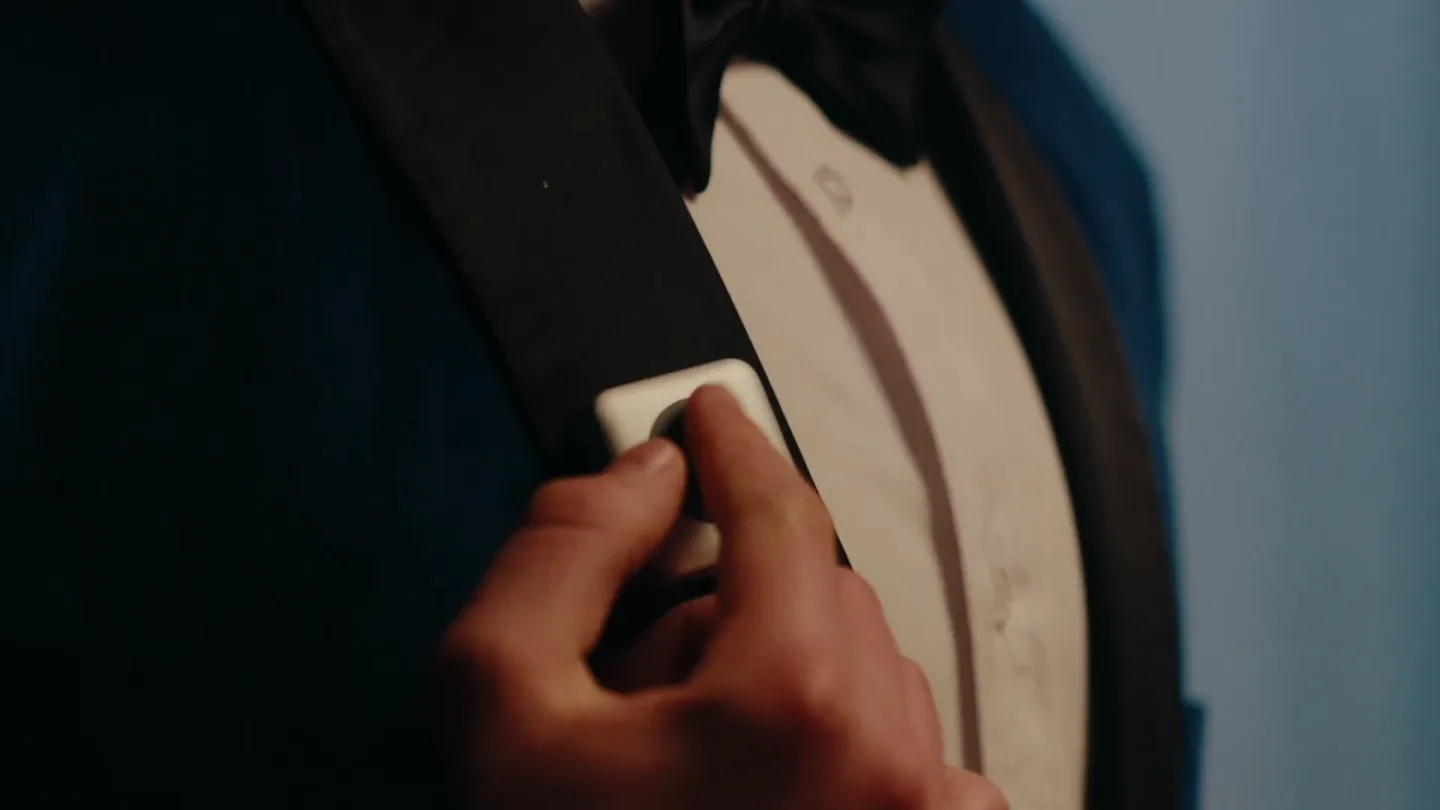
Button (@buttoncomputer) is the wearable AI that can talk. It's the *fastest* way to chat with AI. It's a button that you clip to your shirt. You press to talk, and it responds immediately. It's li…
Scene-by-scene timeline & spoken transcript
The Hook
Everyday Scenarios, Unexpected AI
“Left or right side? On the left, close to the heart, and done. combines my love of finance WHISPERS: What about tax code for dragons WHISPERS: Shhh! this bad boy is ready? it may be well – How do you say Du bist ein blöder Schrottdings! How many fish do you need Depends on the size of the taco.”
- On screen
- (EXHALES)
- Camera
- Varied close-ups and wide shots, often handheld or with subtle pans, focusing on individuals interacting with the Button device in diverse settings.
- Motion
- Rapid scene cuts (approx. 37 cuts/min) with quick, naturalistic camera movements and minimal on-screen graphics, emphasizing real-world application.
Product Reveal
The Button's Moment
“Button, when is (KISSES) Button. And done. Done!”
- On screen
- PROM
- Camera
- Close-up on a couple at a prom, then a tight shot on the male's face, followed by a wider shot of the couple, and finally a close-up on the male's smiling face.
- Motion
- Dramatic lighting (blue/purple hues) and shallow depth of field create a romantic, anticipatory mood, culminating in a clear product name reveal with a subtle text animation.
Feature Teaser
Seamless Integration
“Button. And done.”
- On screen
- Button. And done.
- Camera
- Medium shot of a woman reading, then a close-up on the Button device clipped to a yellow raincoat.
- Motion
- Quick cuts reinforce the product's presence in various contexts, with the on-screen text 'Button. And done.' appearing as a direct response, highlighting its efficiency.
Call to Action
Brand Identity & Call to Action
“(No spoken dialogue — High-energy audio transitions with risers, sweeps, and sub-bass drops punctuate the final brand reveal.)”
- On screen
- BUTTON COMPUTER
- Camera
- Static shot of the brand logo on a black background.
- Motion
- A clean, bold logo reveal with a subtle glow effect, leveraging strong sound design to create a memorable and impactful brand statement.
Motion design primitives
Synthesizable in Remotion · key components of the fast-cut-ai-wearable-launch template.
RapidSceneCut
Quick, almost jarring transitions between diverse live-action scenes, often with a slight camera shake or subtle movement within each shot.
+ Code construction recipe
Utilize Remotion's <Sequence> component with very short durations (e.g., 0.5s - 2s). Implement `spring()` for subtle camera position/rotation changes on mount, and `interpolate()` for quick opacity fades between scenes.
ResponsiveTextReveal
On-screen text appears dynamically, often in response to spoken dialogue, with a clean, sans-serif typeface and a subtle, quick fade-in or scale-up animation.
+ Code construction recipe
Employ Remotion's `spring()` for `scale` and `opacity` properties of text components. Synchronize text appearance with audio cues using `useCurrentFrame()` and `AbsoluteFill` for positioning. Use `z-index` for layering over video.
ProductHighlightPulse
The product (Button device) is shown in close-up, sometimes with a subtle, almost imperceptible glow or focus shift, emphasizing its presence and design.
+ Code construction recipe
Apply a `filter: brightness()` or `box-shadow` CSS property to the product image/video element. Animate these properties using `interpolate()` with an `ease-in-out` curve to create a soft, pulsing effect. Ensure the effect is subtle to maintain realism.
Style DNA & aesthetic system
Visual aesthetic
Typography
Motion
Special effects
Pacing & rhythm
Conceptual story rhythm
- 1
Everyday Integration
Purpose. To establish the product's seamless utility in diverse, relatable daily scenarios, showcasing its versatility and ease of use.
Execution. Rapid montage of various people in different settings (getting ready, studying, cooking, working on a car, fishing) interacting with the device, each scene ending with a quick, affirmative dialogue.
- 2
The 'Aha!' Moment
Purpose. To build anticipation and reveal the product's name and core function in a memorable, emotionally resonant context.
Execution. A dramatic shift to a prom scene with vibrant lighting, focusing on a character's interaction with the device, culminating in the spoken and on-screen reveal of 'Button. And done!'.
- 3
Reinforced Simplicity
Purpose. To reiterate the product's core benefit – quick, effortless interaction – through concise visual examples.
Execution. Short, impactful scenes showing the Button being used, reinforcing the 'press to talk, responds immediately' concept, often paired with the 'Button. And done.' text.
- 4
Brand Consolidation
Purpose. To firmly establish the brand identity and leave a lasting impression of the product's name and purpose.
Execution. A clean, bold display of the 'BUTTON COMPUTER' logo on a black background, accompanied by powerful sound design, serving as a definitive brand statement.
Remix in Animatiq Studio
Master remix prompt · agent-ready
Sample remix
Objective
Launch a new smart home hub called 'Nexus' that simplifies complex routines.How the recipe adapts
The video would open with quick cuts of people struggling with multiple remotes or complex smart home apps. Then, it would transition to them effortlessly using 'Nexus' for tasks like dimming lights, adjusting thermostats, or playing music, each interaction ending with a spoken 'Done.' The product reveal would feature a dramatic close-up of the Nexus hub glowing, followed by the 'NEXUS HOME' logo appearing with a powerful sub-bass drop. The overall pacing would remain rapid, with responsive text highlighting key features.Remix blueprint · fast-cut-ai-wearable-launch
Scene durations (4 scenes, 64.1s)
Key Remotion components
Related AI Agents Product Launches
Explore all AI Agents launches →
To ensure that artificial general intelligence benefits all of humanity

Gopuff introduces Go, an AI shopping assistant built with SpaceXAI: say what you need and the order is placed.

Iliad (Troy) trailer made by Grok Imagine 1.5, which was just released