
Buzzy · Launch Video Breakdown: Hook, Pacing & Motion Design
A vibe video agent that learns your taste from scrolling.
Scene-by-scene timeline & spoken transcript
The Hook
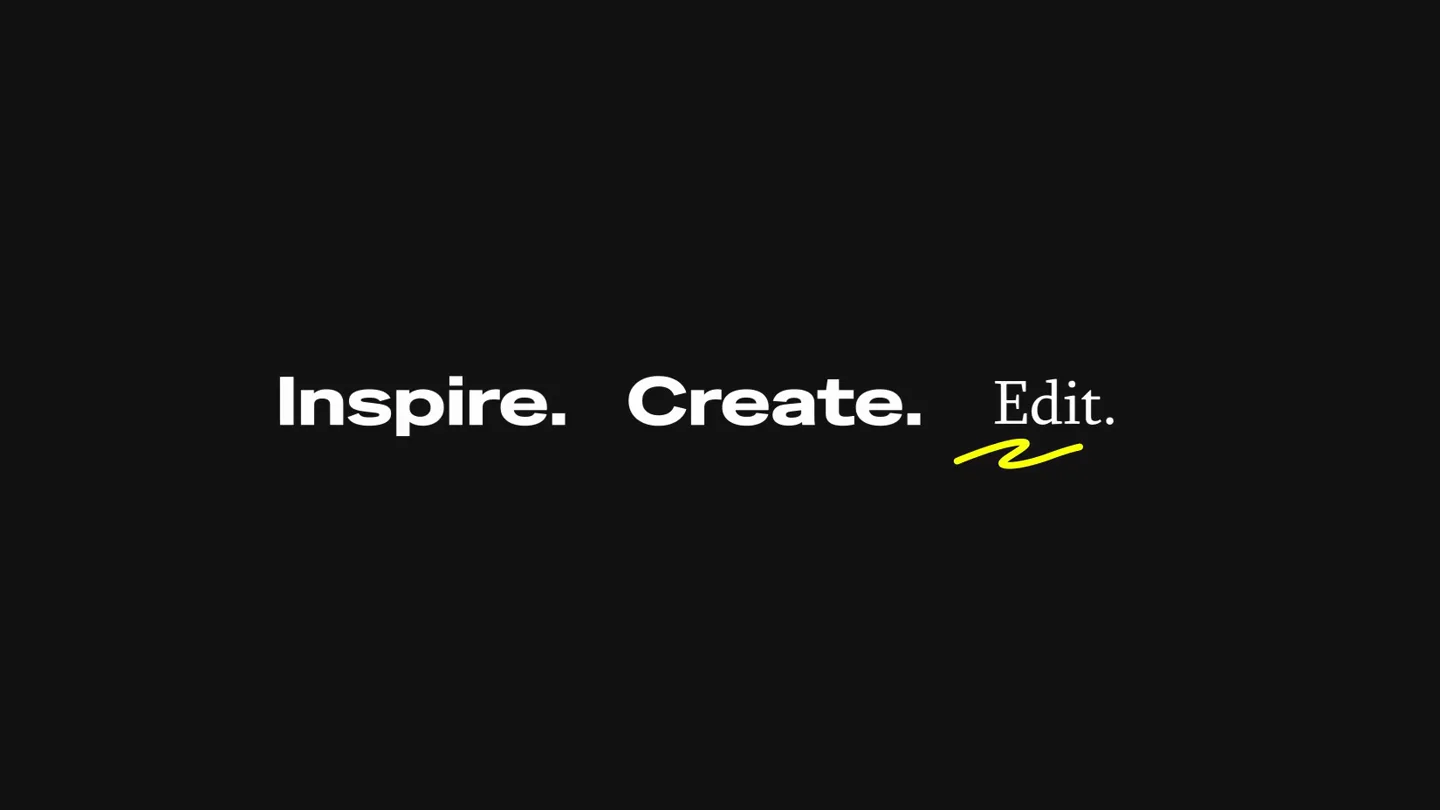
Buzzy AI: Inspire. Create. Edit.
“(No spoken dialogue — High-energy audio transition with sub-bass drop at 0:01.)”
- On screen
- Buzzy AI • Inspire. Create. Edit.
- Camera
- Static shot, text appears and animates.
- Motion
- Text reveal with blur and scale, followed by a cursor interaction.
Problem Agitation
Multi-Platform Content Search
“(No spoken dialogue — High-energy audio transition with sub-bass drop at 0:05.)”
- On screen
- Search viral videos online. Buzzy is searching social media Virals on the Tiktok... Buzzy is searching Brand Ads on the Youtube... Buzzy is searching UGC Ads on the Instagram... Multiple Database
- Camera
- Static shot, UI elements slide in from top and bottom.
- Motion
- Sequential UI element reveals, connected by a vertical line, simulating a search process across platforms.
Product Reveal
AI-Powered Video Editing & Generation
“(No spoken dialogue — High-energy audio transition with sub-bass drop at 0:09, 0:13, 0:17, 0:21.)”
- On screen
- Remove the pedestrians. Buzzy AI Extending Ask Buzzy to generate or edit and try @ to mention elements. Add toy! Add toys to selected area in video.
- Camera
- Close-up on a video player UI, then zooms out to show the full video frame. Static camera on the video content.
- Motion
- Interactive UI elements (text input, timeline scrubber, selection boxes) animate over live video footage, demonstrating AI editing capabilities like object removal and addition.
Feature Teaser
Advanced AI Generation & Style Transfer
“(No spoken dialogue — High-energy audio transition with sub-bass drop at 0:25, 0:29, 0:31, 0:35, 0:40, 0:44.)”
- On screen
- (No on-screen text)
- Camera
- Static camera on the video content, showcasing various AI-generated transformations.
- Motion
- Rapid cuts between different AI-generated video styles and content, demonstrating the breadth of Buzzy's creative capabilities. The transitions are sharp and impactful, synchronized with audio drops.
Motion design primitives
Synthesizable in Remotion · key components of the buzzy-ai-launch-template template.
TextBlurReveal
Text appears with a subtle blur effect, then sharpens and scales into its final position. This is often accompanied by a cursor interaction.
+ Code construction recipe
Use `interpolate` for `opacity`, `scale`, and `filter: blur()` properties. Combine with `spring` for a natural, bouncy cursor animation. Implement a `Sequence` component to orchestrate the text and cursor animations.
VerticalFlowUI
UI elements (search bars, content windows) slide in from the top and bottom, connected by a thin vertical line, simulating a data flow or search process.
+ Code construction recipe
Utilize `spring` for `translateY` on individual UI components. Draw a connecting `SVG Line` that animates its `stroke-dasharray` and `stroke-dashoffset` to appear as the UI elements connect.
InteractiveVideoOverlay
Interactive UI elements like text input fields, selection boxes, and timeline scrubbers animate over a live video, demonstrating real-time editing actions.
+ Code construction recipe
Overlay `Absolute` positioned `div` elements for UI components on top of a `Video` component. Use `interpolate` for `opacity`, `scale`, and `translate` for the UI elements, synchronized with the video timeline. Implement `SVG` for custom cursor and selection box animations.
Style DNA & aesthetic system
Visual aesthetic
Typography
Motion
Special effects
Pacing & rhythm
Conceptual story rhythm
- 1
The AI Introduction
Purpose. Immediately establish the product's core identity and its creative potential.
Execution. Bold text reveal of 'Buzzy AI' and action verbs 'Inspire. Create. Edit.' with a cursor interaction.
- 2
The Search & Discovery
Purpose. Illustrate Buzzy's ability to aggregate content from diverse online sources.
Execution. Sequential UI elements showing Buzzy searching TikTok, YouTube, and Instagram, connected by a vertical line.
- 3
The Editing Power
Purpose. Demonstrate the AI's intuitive and powerful video editing capabilities.
Execution. Interactive UI overlays on a video, showing object removal and addition through text prompts and selections.
- 4
The Creative Showcase
Purpose. Highlight the breadth and quality of AI-generated video content and style transformations.
Execution. Rapid cuts of diverse AI-generated video clips, showcasing various styles and content transformations.
Remix in Animatiq Studio
Master remix prompt · agent-ready
Sample remix
Objective
Launch a new AI-powered music composition tool called 'MelodyMind'.How the recipe adapts
The MelodyMind launch video would adapt the Buzzy AI style by featuring a dark-mode UI with glowing waveform visualizations. Text reveals like 'Compose. Arrange. Master.' would use the same blur and scale effect. Instead of searching social media, the VerticalFlowUI primitive would show MelodyMind searching music libraries and genre databases. The InteractiveVideoOverlay would be replaced with an InteractiveAudioOverlay, demonstrating real-time AI-driven music editing, such as changing instruments or adding harmonies, with UI elements animating over a visual representation of a musical timeline. The Creative Showcase section would feature rapid cuts of diverse AI-generated musical styles and compositions.Remix blueprint · buzzy-ai-launch-template
Scene durations (4 scenes, 49s)
Key Remotion components
Related AI Agents Product Launches
Explore all AI Agents launches →
To ensure that artificial general intelligence benefits all of humanity

Gopuff introduces Go, an AI shopping assistant built with SpaceXAI: say what you need and the order is placed.

Iliad (Troy) trailer made by Grok Imagine 1.5, which was just released