
Cap · Launch Video Breakdown: Hook, Pacing & Motion Design
A teaser for Cap v0.6: this very video was made entirely with Cap in under two minutes.
Scene-by-scene timeline & spoken transcript
The Hook
Interactive Pricing Page Showcase
“(No spoken dialogue — Driving electronic beat with arpeggiated synths and sub-bass.)”
- On screen
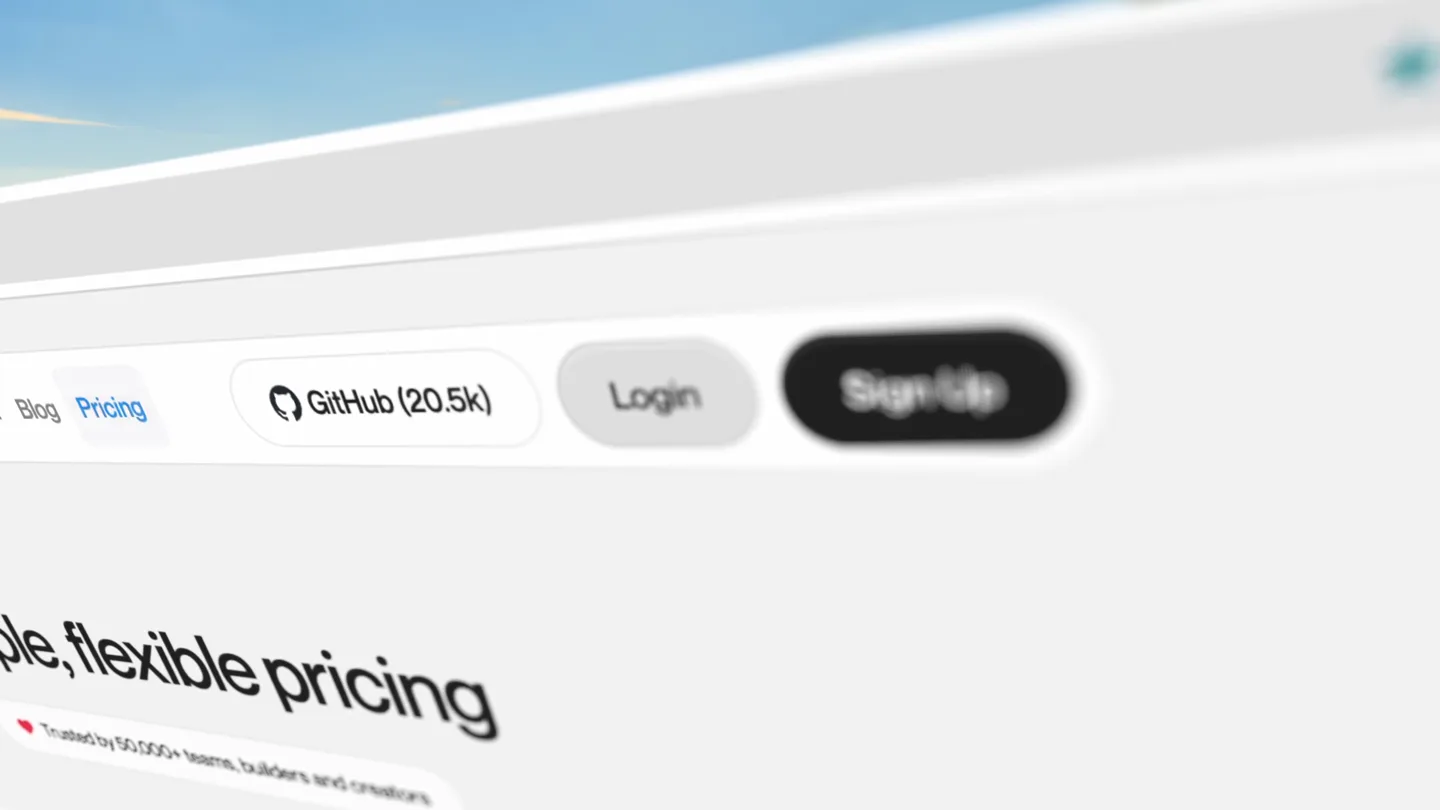
- Pricing Simple, flexible pricing Trusted by 50,000+ teams, builders and creators Monthly Annual Save 32% $12 / user / month billed monthly
- Camera
- Dynamic close-up on a web browser, simulating user interaction with a mouse cursor clicking elements. The camera subtly pans and zooms to follow the cursor's actions.
- Motion
- Simulated UI interaction, cursor animation, subtle camera pan/zoom, content reveal on click.
Feature Teaser
Pricing Plan Interaction
“(No spoken dialogue — Electronic beat continues, building subtly.)”
- On screen
- Pricing Simple, flexible pricing Trusted by 50,000+ teams, builders and creators Monthly Annual Save 32% $12 / user / month billed monthly
- Camera
- The camera maintains a close-up, slightly shifting perspective as the cursor interacts with the 'Annual' button, revealing a pricing change.
- Motion
- UI state change animation, cursor interaction, subtle camera shift.
Product Reveal
Testimonials & Social Proof
“(No spoken dialogue — High-energy audio transition/riser at 0:10 leading into a sub-bass drop/impact at 0:11.)”
- On screen
- Teams & creators love Cap Don't just take our word for it. Here's what our users are saying about their experience with Cap. Bilal Budhani @BilalBudhani Tried @Cap v 0.3.beta and found an issue while exporting video. Wrote to @richiemcilroy about the problem and ~40 mins later the issue is fixed. I'm sold. Checkout Cap.so Hrushi @BorhadeHrushi hey @richiemcilroy, cap is hands down one of the best oss i've used, so much so i've uninstalled loom and screen studio :) can you please bring up the video cut and playback speed adjust feature soon, can't wait to try it on, you guys are doing great cheers! Steven Tey Dub.co Cap is one of my favorite pieces of software I've used in the recent years - best part is you get to own your data since they're fully open-source + via their S3 integration. Incredibly excited for this launch! Geet Khosla proem.ai I tried Cap sometime ago, great product dana @pwnedwith Self-hosted Loom. The future is awesome! Rohan @rohanvk Love the product using it everyday for the past 6 months. Minimal Nerd @minimalnerd This is the Best Open-Source Loom alternative for Mac
- Camera
- A wide shot of the browser window, showcasing multiple user testimonials. The camera subtly pans across the testimonials, mimicking a user scrolling.
- Motion
- Scrolling parallax, content reveal, subtle camera pan, cursor interaction highlighting testimonials.
Call to Action
Product Feature Overview
“(No spoken dialogue — Sub-bass impact followed by the driving electronic beat.)”
- On screen
- Cap Product Download Testimonials Help About Blog Pricing Instant Mode Quick recordings with instant shareable links Studio Mode Professional recordings with advanced editing Download App Downloads for macOS, Windows & Linux Open Source Cap is open source and available on GitHub Self-host Cap Self-host Cap on your own infrastructure Join the community Join the Cap community on Discord Record and share in seconds Cap is the only screen recording tool you need — three modes in one Cap Pro Add to Chrome
- Camera
- The camera quickly zooms out and pans to reveal the main product page, highlighting key features and calls to action. A rapid, almost disorienting blur effect is applied.
- Motion
- Rapid zoom-out, fast pan, motion blur, content reveal, UI dropdown animation.
Motion design primitives
Synthesizable in Remotion · key components of the dynamic-browser-showcase template.
SimulatedCursorInteraction
A realistic mouse cursor moves across the screen, hovering over and clicking UI elements, triggering state changes and content reveals. The cursor's path is smooth and deliberate.
+ Code construction recipe
Use `interpolate` for cursor position (x, y) over time, with `spring` for click animations. Implement conditional rendering or CSS class toggles for UI element states (e.g., `:hover`, `:active`).
DynamicBrowserPerspective
The browser window is presented at a slight angle, with subtle camera pans, zooms, and rotations that follow the user's interaction, creating a sense of depth and engagement.
+ Code construction recipe
Apply CSS `transform` properties (rotateX, rotateY, perspective, scale) to the browser container. Animate these properties using `interpolate` with `ease-in-out` curves for smooth transitions between perspectives.
FastCutContentReveal
Content is revealed through rapid scene cuts and quick camera movements, often accompanied by a strong motion blur effect, creating a high-energy, dynamic transition.
+ Code construction recipe
Utilize `Sequence` and `AbsoluteFill` for scene management. Implement `spring` or `interpolate` with very short durations for `opacity`, `scale`, and `translate` on incoming elements. Apply a `motionBlur` effect via SVG filters or canvas for rapid transitions.
Style DNA & aesthetic system
Visual aesthetic
Typography
Motion
Special effects
Pacing & rhythm
Conceptual story rhythm
- 1
Engage with Interaction
Purpose. Immediately hook the viewer by demonstrating intuitive product interaction and key features.
Execution. Simulated mouse clicks on pricing options, revealing dynamic content changes within the browser UI.
- 2
Build Trust with Proof
Purpose. Establish credibility and social proof by showcasing positive user feedback.
Execution. A wide shot of the testimonials page, with the cursor highlighting specific user reviews.
- 3
Feature Highlight Blitz
Purpose. Rapidly convey the breadth of product capabilities and modes.
Execution. Quick zoom-out and pan to the main product page, revealing a dropdown menu of features with motion blur.
- 4
Call to Action & Clarity
Purpose. Conclude with a clear message about the product's core value proposition and next steps.
Execution. Final shot of the product's main headline and feature list, inviting further exploration.
Remix in Animatiq Studio
Master remix prompt · agent-ready
Sample remix
Objective
Launch video for 'CanvasAI', an AI-powered graphic design tool.How the recipe adapts
The video would open with a simulated cursor interacting with CanvasAI's interface, demonstrating the AI generating a logo from a text prompt. This would transition to a rapid sequence of the AI applying different styles to an image, then a quick pan across a dashboard showing integrations with popular design software. The final shot would highlight the 'Generate' button and a tagline like 'Design at the Speed of Thought'.Remix blueprint · dynamic-browser-showcase
Scene durations (4 scenes, 14.3s)
Key Remotion components
Related Productivity Product Launches
Explore all Productivity launches →
Anthropic introduces Cowork, which brings the Claude Code way of delegating tasks to everyday, non-technical work.

Don't type, just speak. Flawless voice-to-text across every app at 240 WPM.

One workspace for knowledge scattered across Slack, email, Docs, and Notion. Connect your tools and build apps and agents that stay live with your data.