
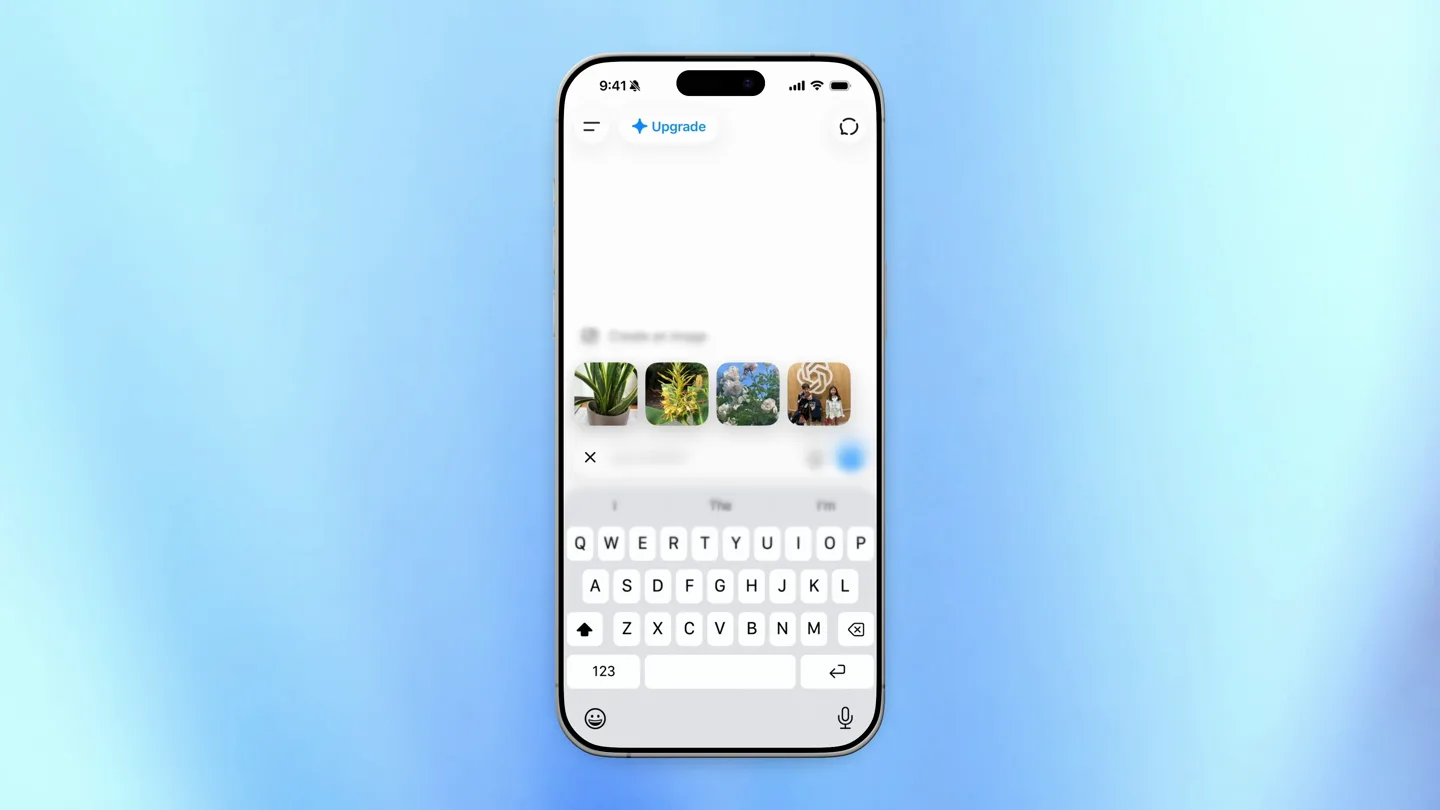
Scene-by-scene timeline & spoken transcript
The Hook
Recent Image Selection
“(No spoken dialogue — High-energy audio riser builds to a sub-bass drop/impact at 0:01.)”
- On screen
- 9:41, Upgrade, Create an Image, Write or edit, Search the web, Ask ChatGPT, I, The, I'm, QWERTYUIOP, ASDFGHJKL, ZXCVBNM, 123
- Camera
- Static overhead shot of an iPhone screen, centered.
- Motion
- Rapid UI element fade-in and selection animation.
Product Reveal
Image-Based Query Input
“(No spoken dialogue — Driving, rhythmic electronic score with prominent sub-bass and percussive synth elements continues.)”
- On screen
- 9:41, Upgrade, Ask ChatGPT, How, to, do, man, often, oftentimes, you, we, I, need, I need, get, do, take, water, waterproof
- Camera
- Static overhead shot of an iPhone screen, centered.
- Motion
- Image thumbnail insertion and rapid text typing animation with predictive text suggestions.
Feature Teaser
Accelerated Typing & Prediction
“(No spoken dialogue — Second, more intense audio riser builds to a significant sub-bass drop/impact at 0:06.)”
- On screen
- 9:41, Upgrade, Ask ChatGPT, How often do I need to water, waterproof
- Camera
- Static overhead shot of an iPhone screen, centered.
- Motion
- Fast-paced text input with dynamic word suggestions appearing and disappearing.
Call to Action
Complete Query & Offline UI Hint
“(No spoken dialogue — Energetic pulse of the electronic score maintains consistency.)”
- On screen
- 9:41, Upgrade, Ask ChatGPT, How often do I need to water, waterproof
- Camera
- Static overhead shot of an iPhone screen, centered.
- Motion
- Final text input completion, subtle cursor blink, and static display of the completed query.
Motion design primitives
Synthesizable in Remotion · key components of the fast-ui-interaction-showcase template.
ImagePromptInsert
A selected image thumbnail rapidly scales down and inserts itself into the chat input field, displacing existing text elements with a smooth, quick transition.
+ Code construction recipe
Use `interpolate` for scale and position, with a `spring` curve for a snappy, responsive feel. Implement `layout animations` for text displacement.
RapidTypeAhead
Text characters appear sequentially at high speed, mimicking fast typing, accompanied by dynamic predictive text suggestions that slide in and out above the keyboard.
+ Code construction recipe
Utilize `Sequence` and `AbsoluteFill` for character-by-character text reveal. Animate predictive text using `translateX` and `opacity` with a `cubic-bezier` ease-out curve.
SubtleUIHighlight
Interactive UI elements, such as the microphone icon or send button, exhibit a brief, subtle glow or pulse upon interaction or readiness.
+ Code construction recipe
Apply a `radial-gradient` or `box-shadow` with `opacity` animation, using `loop` and `spring` for a soft, continuous pulse or a single, quick flash.
Style DNA & aesthetic system
Visual aesthetic
Typography
Motion
Special effects
Pacing & rhythm
Conceptual story rhythm
- 1
Initial Interaction
Purpose. Showcases the ease of initiating a new chat or selecting recent media.
Execution. User taps 'Ask ChatGPT', then quickly selects a recent image from a carousel.
- 2
Contextual Input
Purpose. Demonstrates the ability to combine visual input with text for a richer query.
Execution. The selected image appears in the chat input, followed by rapid typing of a question related to the image.
- 3
Intelligent Assistance
Purpose. Highlights the AI's predictive capabilities and speed of response.
Execution. Fast-paced typing with accurate word suggestions, showing the AI anticipating the user's query.
- 4
Seamless Experience
Purpose. Reinforces the product's efficiency and user-friendliness for complex queries.
Execution. The full query is quickly composed, ready for submission, emphasizing a smooth, uninterrupted workflow.
Remix in Animatiq Studio
Master remix prompt · agent-ready
Sample remix
Objective
Launch a new smart thermostat app, emphasizing quick setup and energy-saving features.How the recipe adapts
The 'ImagePromptInsert' primitive adapts to 'DeviceIconInsert' where a thermostat icon quickly appears in a setup flow. 'RapidTypeAhead' becomes 'RapidSettingInput' for quickly configuring temperature preferences. 'SubtleUIHighlight' is used for the 'Save Energy' button, pulsing when a new energy-saving mode is activated. The overall fast-cut rhythm and electronic score will convey efficiency and modern technology.Remix blueprint · fast-ui-interaction-showcase
Scene durations (4 scenes, 11s)
Key Remotion components
Related AI Agents Product Launches
Explore all AI Agents launches →
To ensure that artificial general intelligence benefits all of humanity

Gopuff introduces Go, an AI shopping assistant built with SpaceXAI: say what you need and the order is placed.

Iliad (Troy) trailer made by Grok Imagine 1.5, which was just released