
OpenAI · Launch Video Breakdown: Hook, Pacing & Motion Design
Introducing ChatGPT Images, powered by our flagship new image generation model. - Stronger instruction following - Precise editing - Detail preservation - 4x faster than before Rolling out today in ChatGPT for all users, and in the API a…
Scene-by-scene timeline & spoken transcript
The Hook
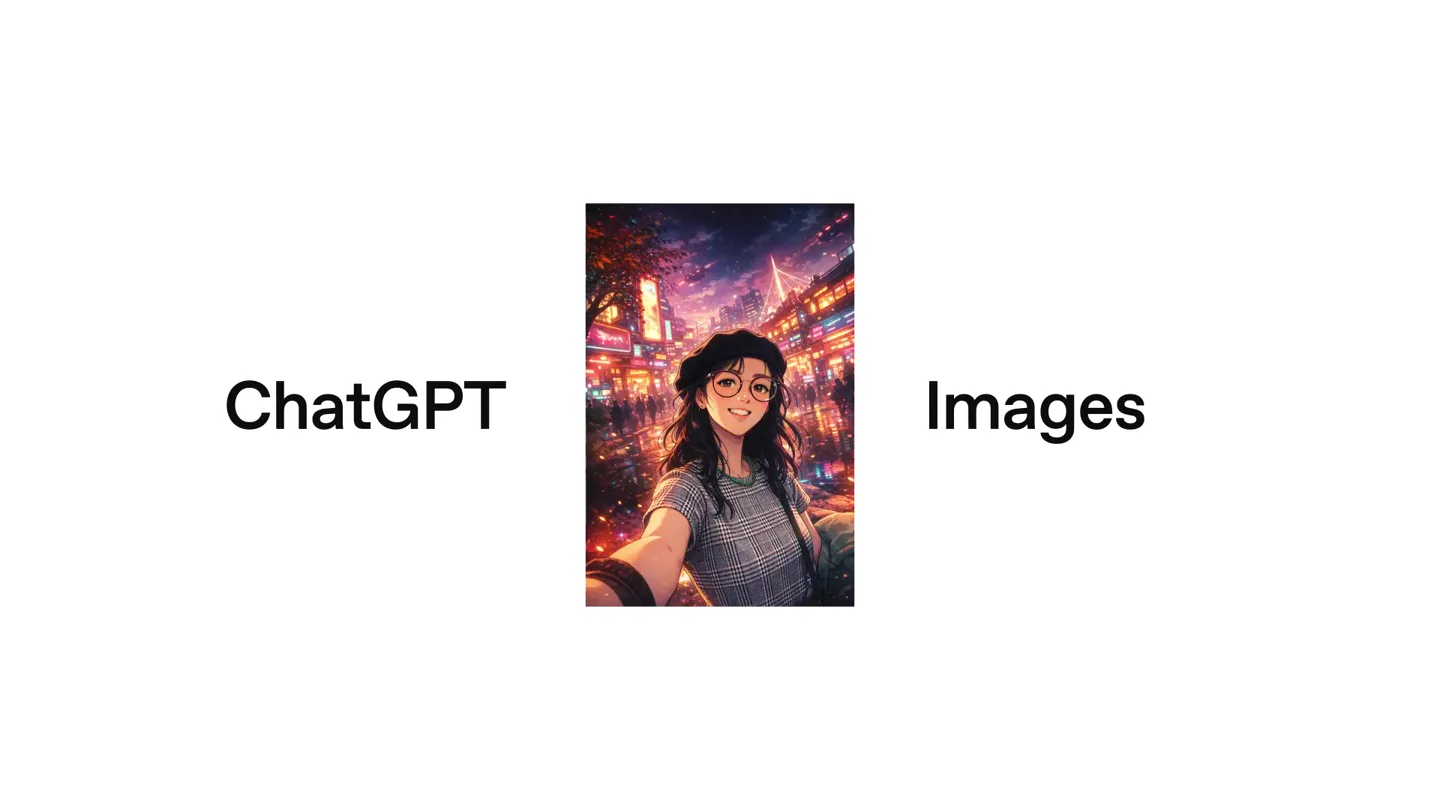
Introducing ChatGPT Images
“(No spoken dialogue — Driving electronic rhythm and ambient sound design.)”
- On screen
- ChatGPT Images
- Camera
- Static shot, centered image with text on either side.
- Motion
- Rapid image cuts, subtle scaling, and text reveal.
Product Reveal
Image Generation Capabilities Showcase
“(No spoken dialogue — Driving electronic rhythm and ambient sound design intensifies.)”
- On screen
- (No on-screen text)
- Camera
- Dynamic, fast-paced cuts, slight zooms, and pans within images.
- Motion
- Rapid-fire image montage, layered image reveals, and stylistic transformations (e.g., photorealistic to cartoon).
Feature Teaser
In-App Experience Preview
“(No spoken dialogue — Electronic rhythm continues, subtle UI sounds.)”
- On screen
- 11:30 Images My images Try a style on an image 3D glam doll Ornament Dramatic Plushie Discover something new Create a professional product photo Remove people in the background Create an album cover My images
- Camera
- Static phone screen, slight zoom on UI elements.
- Motion
- UI element highlights, scrolling simulation, and style selection animation.
Call to Action
OpenAI Branding and Availability
“(No spoken dialogue — Electronic rhythm fades, sound design concludes.)”
- On screen
- (No on-screen text)
- Camera
- Static shot, centered logo.
- Motion
- Logo reveal with subtle animation, followed by a sustained hold.
Motion design primitives
Synthesizable in Remotion · key components of the ai-video-editor-launch template.
RapidImageCarousel
A sequence of images rapidly cuts and scales, often overlapping or transitioning with a quick wipe, creating a dynamic visual rhythm.
+ Code construction recipe
Use a sequence of <Img> components. Control visibility and position with 'interpolate' for opacity and 'spring' for scale/translation. Implement quick 'durationInFrames' for each image and use 'Sequence' to manage timing.
StyleTransformationReveal
An image transforms from one artistic style to another (e.g., photorealistic to cartoon, or different artistic filters) within a single cut or a very quick cross-dissolve.
+ Code construction recipe
Layer two <Img> components with different styles. Use 'interpolate' on the opacity of the top layer to cross-fade. Alternatively, apply SVG filters or Canvas effects to a single image based on a 'progress' value.
LayeredImageStack
Multiple images are presented in a staggered, overlapping stack, often with a slight rotation or offset, then quickly replaced by another stack or a single image.
+ Code construction recipe
Render multiple <Img> components within a 'AbsoluteFill' container. Use 'spring' for 'x', 'y', and 'rotate' properties for each image, with slight delays for a staggered effect. Manage the entire stack's entry/exit with 'Sequence'.
Style DNA & aesthetic system
Visual aesthetic
Typography
Motion
Special effects
Pacing & rhythm
Conceptual story rhythm
- 1
The Grand Introduction
Purpose. Immediately establish the product and its core capability.
Execution. Bold text 'ChatGPT Images' with a striking AI-generated image, followed by a rapid montage of diverse image styles.
- 2
Show, Don't Tell
Purpose. Demonstrate the versatility and quality of the image generation through a wide array of examples.
Execution. Fast-paced cuts showcasing photorealistic edits, stylistic transformations, and imaginative scenarios.
- 3
The User Experience
Purpose. Briefly illustrate how users interact with the product within the app.
Execution. A clean UI walkthrough highlighting image selection and style application.
- 4
Brand Reinforcement & Availability
Purpose. Conclude with brand identity and a clear call to action regarding product access.
Execution. OpenAI logo reveal, followed by text indicating availability.
Remix in Animatiq Studio
Master remix prompt · agent-ready
Sample remix
Objective
Launch a new AI-powered video editing software, 'Animatiq AI Video Editor', showcasing its speed and versatility.How the recipe adapts
The 'RapidImageCarousel' primitive will be adapted to 'RapidVideoClipCarousel', showcasing short, dynamic video clips demonstrating various AI editing features. 'StyleTransformationReveal' will become 'VideoStyleTransferReveal', showing a video clip transforming from one aesthetic to another (e.g., normal to cinematic, or adding a specific filter). The 'LayeredImageStack' will be 'LayeredVideoStack', presenting multiple video previews simultaneously before focusing on one. The UI section will demonstrate the Animatiq AI Video Editor interface, highlighting features like 'one-click color grading' and 'intelligent scene detection'. The overall pacing will remain high-energy with a similar electronic soundtrack.Remix blueprint · ai-video-editor-launch
Scene durations (4 scenes, 55s)
Key Remotion components
Related AI Agents Product Launches
Explore all AI Agents launches →
To ensure that artificial general intelligence benefits all of humanity

Gopuff introduces Go, an AI shopping assistant built with SpaceXAI: say what you need and the order is placed.

Iliad (Troy) trailer made by Grok Imagine 1.5, which was just released