
Scene-by-scene timeline & spoken transcript
The Hook
Initiating Chat Command
“(No spoken dialogue — ambient UI clicks and typing sounds)”
- On screen
- Start new chat
- Camera
- Static close-up on desktop UI, focusing on a search bar area.
- Motion
- Cursor interaction, text input animation.
Problem Agitation
Expressing a Need
“(No spoken dialogue — typing sounds continue)”
- On screen
- I need to focus. Clear my 1:1s
- Camera
- Static, maintaining focus on the text input field.
- Motion
- Real-time typing animation, simulating user input.
Product Reveal
AI Processing and Response
“(No spoken dialogue — subtle processing sounds)”
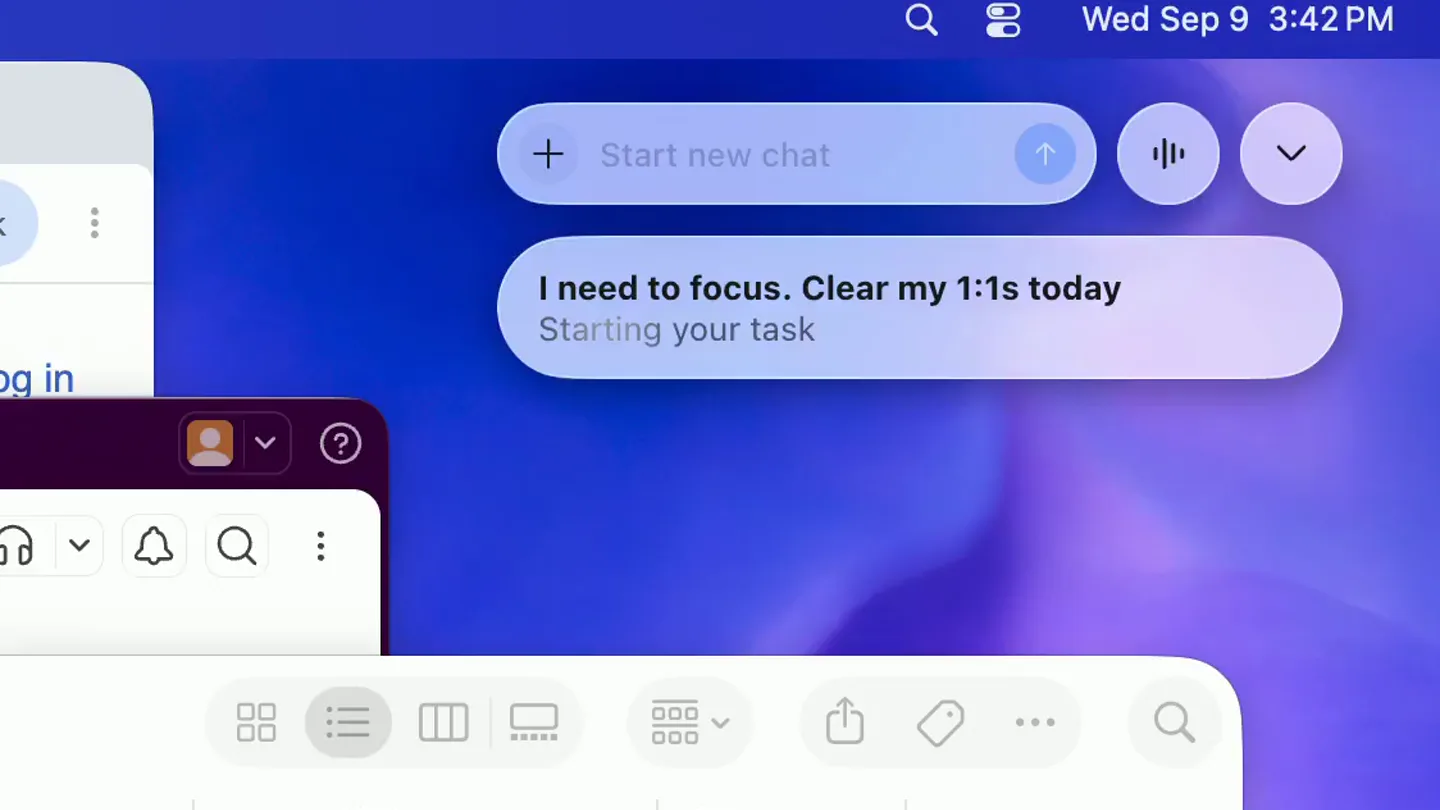
- On screen
- I need to focus. Clear my 1:1s today Starting your task Thinking Clear today's 1:1s
- Camera
- Static, showing the chat bubble expanding and contracting.
- Motion
- Dynamic chat bubble resizing, text reflow, and status updates (e.g., 'Thinking').
Call to Action
Task Confirmation and Completion
“(No spoken dialogue — subtle confirmation chime)”
- On screen
- Clear today's 1:1s OK. I moved your 1:1s to tomorrow.
- Camera
- Static, highlighting the final AI response and confirmation.
- Motion
- Text reveal, checkmark animation, and subtle UI element changes.
Motion design primitives
Synthesizable in Remotion · key components of the ai-desktop-agent-showcase template.
TypingTextReveal
Text appears character by character, simulating real-time user typing, often with a blinking cursor at the end of the input.
+ Code construction recipe
Use `interpolate` to reveal characters of a string based on time. A `spring` animation can control the cursor's blink rate and opacity.
DynamicChatBubble
A rounded rectangular chat bubble dynamically resizes and changes content, often with a subtle bounce or ease-out effect as it expands or collapses.
+ Code construction recipe
Animate `width`, `height`, and `opacity` properties using `spring` for organic resizing. Text content can be updated using `Sequence` and `AbsoluteFill` for smooth transitions.
StatusIndicatorTransition
Small UI elements like a 'Thinking' spinner or a 'Checkmark' icon appear and transition smoothly, indicating processing or completion.
+ Code construction recipe
Utilize `interpolate` for opacity and scale changes. SVG path animations can draw the checkmark, while a rotating `transform` can create a spinner effect.
Style DNA & aesthetic system
Visual aesthetic
Typography
Motion
Special effects
Pacing & rhythm
Conceptual story rhythm
- 1
User Initiates
Purpose. Establish the user's intent and the entry point for AI interaction.
Execution. Cursor clicks on a 'Start new chat' button, followed by typing in a query.
- 2
Problem Statement
Purpose. Clearly articulate the user's need or problem that the AI will solve.
Execution. The user types a specific request: 'I need to focus. Clear my 1:1s'.
- 3
AI Processes & Responds
Purpose. Showcase the AI's intelligence and ability to understand and act.
Execution. The chat bubble displays 'Starting your task' then 'Thinking', followed by a refined understanding of the request.
- 4
Solution & Confirmation
Purpose. Demonstrate the AI's successful execution and provide user reassurance.
Execution. The AI confirms the action: 'OK. I moved your 1:1s to tomorrow.' with a green checkmark.
Remix in Animatiq Studio
Master remix prompt · agent-ready
Sample remix
Objective
Launch a new AI-powered email assistant that summarizes long threads and drafts replies.How the recipe adapts
The TypingTextReveal primitive would show a user typing 'Summarize this thread and draft a polite decline.' The DynamicChatBubble would then expand to show 'Analyzing thread...' and 'Drafting reply...', followed by the AI's generated summary and draft. The StatusIndicatorTransition would confirm the email draft is ready with a checkmark. The overall aesthetic would maintain the clean UI and responsive animations, adapted for an email client interface.Remix blueprint · ai-desktop-agent-showcase
Scene durations (4 scenes, 10.4s)
Key Remotion components
Related AI Agents Product Launches
Explore all AI Agents launches →
To ensure that artificial general intelligence benefits all of humanity

Introducing Claude Fable 5: a Mythos-class model that we’ve made safe for general use. Its capabilities exceed those of any model we’ve ever made generally available. https://t.co/2AvmEjHIX8

To understand the true nature of the universe.