
0xMarioNawfal · Launch Video Breakdown: Hook, Pacing & Motion Design
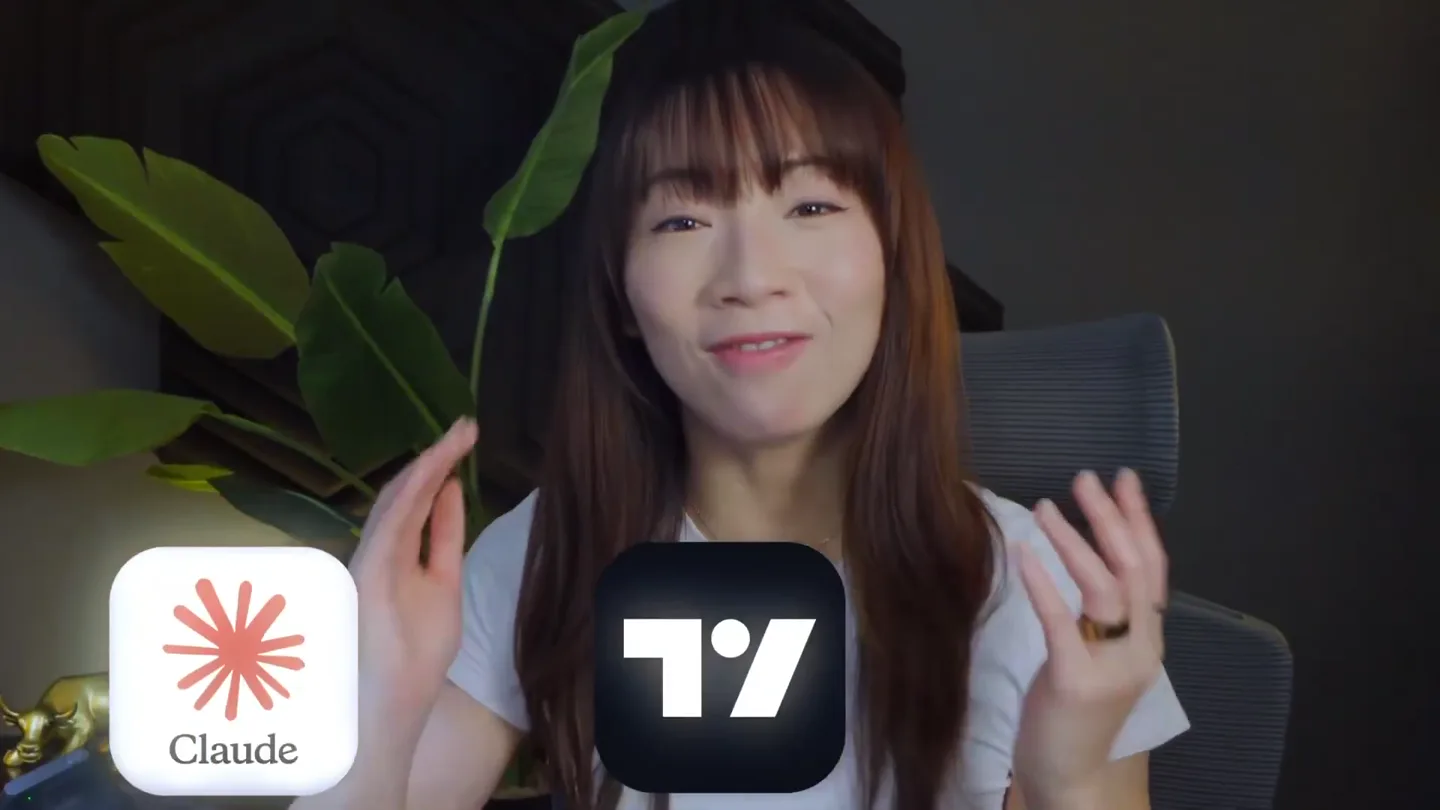
A 31-MINUTE GUIDE TO BUILDING A FULL TRADING BOT WITH CLAUDE 5.0 JUST DROPPED AND IT'S COMPLETELY FREE one watch and you'll never manually place a trade again, covering the full build from scratch…
Scene-by-scene timeline & spoken transcript
The Hook
Performance Dashboard & AI Agent Introduction
“(No spoken dialogue — Driving electronic rhythm and ambient sound design.)”
- On screen
- kinfo Verified Trading Performance Q My Profile My Journal My Trades Reports Leaderboard Spaces Settings PRO+ Humbled Trader ⭐⭐⭐ 493 Followers, 0 Following Vancouver, BC, Canada https://kinfo.com/p/HumbledTrader Verified Follow Profit Year-To-Date 327.90% Fees: 899k Winning Trades Year-To-Date 50.28% Avg Gain in $ Year-To-Date 1.83% Avg Gain in % Year-To-Date 0.27% Latest Trades All Trades Verified 20 May MU Win 106.30% % Gain 40 Transactions 20 May MU Win 96.93% % Gain 10 Transactions Portfolio Performance Profit Drawdown Positions Trades 1m 3m 1y ytd
- Camera
- Static shot of a digital dashboard, then a quick cut to a split screen with the presenter.
- Motion
- Quick cuts, split-screen composition, data visualization with animated progress circles.
Product Reveal
Claude 5.0 Trading Bot Setup Guide
“(No spoken dialogue — Driving electronic rhythm and ambient sound design.)”
- On screen
- Step 1 - Install Claude Code If you're new to Claude Code (the command-line version) - it's what the scanners run on top of. The Claude Chat app on your phone or browser is great for back-and- forth conversations, but for automation, scheduling, and connecting to other apps, you need the command-line version called Claude Code. 1. Open Terminal on your Mac and paste this: curl -fSL https://claude.ai/install.sh | bash Copied! 2. Sign in to a paid Claude account. You'll need a paid plan to use Claude Code (the free tier). The $20/month Pro plan is fine to follow this tutorial and run scanners manually. I personally run Max ($200/month) because I'm using Claude for trading, content, and a bunch of other projects, and I needed the headroom. 3. Open Terminal and confirm it's working: claude --version Copied! If you see a version number, you're good. Heads up on plans: Pro $20 is enough to follow this tutorial step by step. If you want to run the FULL automated daily setup like I do (Scanner B firing 8 times a day from 10am to 2pm), you'll hit Pro's usage caps before lunch. For ongoing daily production use, you'll need at least Max $100/month. Start on Pro to learn it, upgrade to Max when you're ready to deploy. Step 2 - Install TradingView Desktop 1. Click here for $10 off TradingView - this is my affiliate link - some price for you, helps support the channel. 2. For the paid plans: The lowest is Essential ($12.95/month billed annually or $14.95 month-to-month) is enough for the scanner workflow. If you want PineScript backtesting with bar replay, you'll need Pro+ or higher. 3. Download the desktop app from your TradingView account page. Don't skip this step - we're connecting to Claude Code with the MCP. 4. Sign in to the desktop app and join a starter chart (any ticker, any timeframe). Step 3 - Install Tradingview MCP This is the bridge that lets Claude read your live charts. Credit to the developer who built it: @Tradesdontlie on X - full technical breakdown of how it works in his post. The install needs two prompts with a quick Claude restart in between. Prompt 1 - paste this into Claude Code: https://www.humbledtrader.com/blog/tradingview-claude-ai-scanner/ Install the TradingView MCP server from https://github.com/tradesdontlie/tradingview-mcp. Clone it to ~/tradingview- mcp, run npm install, and register it in my Claude MCP config at user scope. Then launch TradingView with the remote debugging port enabled (port 9222). Tell me when you're done. Claude will ask permission to run a few shell commands (git clone, npm install, claude mcp add, the TradingView launch). Just hit Approve on each one. Then: quit Claude Code (Ctrl+C or close the window) and re-launch it. This restart is what loads the new MCP into your session. Prompt 2 - paste this in the new session: Recent Posts How to Build an Automated Day Trading Scanner with Claude AI + TradingView May 21, 2026 Day Trading for Beginners: 4 Lessons I Learned the Hard Way May 21, 2026 How to Use a Trading Journal to Improve Your Trading Performance May 1, 2026 VWAP Strategy: How I Use VWAP for Day Trading Setups May 1, 2026 Categories Trading Tools Trading platforms Trading brokers Best trading tools Stock scanners Trading journals Paper trading Best trading books Charting platforms Day trading strategies Beginner day trading strategies Small account trading strategies Penny stock strategy VWAP Trading Strategy Part time trading strategies Short selling Swing trading strategies Daily breakout swing strategy Long term investing Overnight trading strategy Day trading for beginners Stock splits Trading rules
- Camera
- Split screen with the presenter on the right, and a scrolling web page/document on the left.
- Motion
- Scrolling text animation, presenter overlay, chapter title cards with a hand-drawn aesthetic.
Feature Teaser
AI Agent in Action: Data Analysis & Strategy
“(No spoken dialogue — Driving electronic rhythm and ambient sound design.)”
- On screen
- claude-tv-demo / Check stock performance for multiple tickers Used 12 tools > Fixed - pulled real daily bars by switching the chart to each symbol. Here's Friday 2026-05-15 (close vs Thursday's close): Ticker Open High Low Close Chg % Vol NVDA 229.76 231.50 224.24 224.66 -4.42% MU 732.57 749.59 719.00 724.66 -6.62% TSLA 433.98 434.66 422.00 422.24 -4.75% META 613.99 621.20 609.31 614.23 -0.68% AXTI 110.09 128.50 108.17 123.78 +7.65% MXL 82.86 95.85 80.25 92.04 +4.01% INTC 109.79 110.57 105.02 108.77 -6.18% Headline: semis got hit hard - MU, INTC, NVDA, TSLA all down 4-7% on heavy volume. META barely moved. AXTI (+7.65%), intraday range 108->128) and MXL (+4.01%), also a wide-range day) - both small-caps but with good volume. claude-tv-demo main you draw the levels for intel, um, draw the recent hire days, um, the pre market highs and lows, and the fifty two Auto + Opus 4.7 1M · Extra high +202 -0 Create PR
- Camera
- Split screen, focusing on the AI agent's output and the presenter reacting.
- Motion
- Dynamic text generation, data table display, and subtle presenter gestures.
Call to Action
Full Automation & Community Engagement
“(No spoken dialogue — Driving electronic rhythm and ambient sound design.)”
- On screen
- Chapter 5 Automate the Strategy / Continue backtest implementation UI: 10 runs/day, 0905 > 14:35 ET, exactly 5 min after each >10:00 premarket run Files created/modified: scripts/run_premarket_gappers.sh - now writes timestamped JSON + maintains a "latest" copy; dropped the once- per-day gate scripts/tjl_scanner_auto.py - self-contained scanner; pulls live data via yfinance, applies the 4 TJL checks scripts/run_tjl_scanner.sh - wrapper with weekday + time-window + gappers-file-exists gates scripts/gen_plists.py - plist generator (rerun if you ever change times) ~/Library/LaunchAgents/com.demo.premarket-gappers-scan.plist - reloaded, 60 calendar entries results/tjl_hits_<date>_<HHMM-ET.json per run, plus premarket_gappers_<date>.json results/tjl_scanner_<date>.log and logs/tjl_scanner_<date>.log First fire is Monday 05:30 PT (= 08:30 ET). One thing to know: The TJL scanner uses yfinance for live quotes. yfinance can be flaky and 1-bar delayed. If you want true real-time, we'd swap that for an IBKR/TWS or Polygon later. claude-tv-demo main Okay. Great. Now along with the automation, I want all the runs, the results from both scanners after each scheduled run to be sent to my telegram. In this exact format Auto + Opus 4.7 1M · Extra high +1,447 -0 Create PR App Background Activity "run_premarket_gappers.sh" can run in the background. You can manage background activity in Login Items & Extensions. / Continue backtest implementation thorized token is wrong (typo or extra whitespace) request: chat_not_found you skipped step 2, or copied the wrong number run the smoke test for you once you've populated .env? hot token- ving the token now. Quick heads-up: that token is visible in this chat. After the demo, rotate n the BotFather chat) and update .env. edited a file > d. Now let me try fetching your chat ID directly via getUpdates - if you've already pressed Start getUpdates to find chat ID > ]- the bot has no messages yet. Open Telegram, find your bot, and press Start (or just type e to retry - I'll grab the chat ID and fill in .env. now claude-tv-demo main Start Startfing Starte q w e r t y u i o p a s d f g h j k l z x c v b n m 123 space return Auto + Opus 4.7 1M · Extra high +1,624 -0 Create PR 5:40 Do Not Disturb On Hello 5:39 PM Hello 5:39 PM Bonus Chapter Tradin WDC Western Digital Corporation - 15 - NASDAQ 0476.01 L475.87 -0.14 (-0.03%) 2m 5m 10m 15m 1h Trade TradingView Remix AI Copilot I want you to run the back test on all the stocks in my watch list for the last 90 days on the 15-minute time frame using the current strategy that's loaded, the demo TJL strategy. # THINKING The user wants a single pass - not optimization. Actually, I think the right approach here is to use -delegate-strategy goal that's essentially "run as is and report results." But actual the tool description). Loading ... Strategy Report Demo TJL Strategy Metrics List of trades Total P&L +43,787.50 USD +437.88% Max equity drawdown 10.17 USD 0.10% Total trades Profitable trades Equity chart Active chart: WDC Search Ask anything... Blocks Data is provided for informational purposes only, and is not intended for trading purposes or financial, investment, tax, le Pine Editor Untitled script @version=5 strategy("Trend Join Breakout vs nsDD", overlay=true, initial_capital = 10000, strategy.percent_of_equity = 10, strategy.commission_percent = 0.05, commission_value = 0, calc_on_every_tick = false, process_orders_on_close = false, max_labels_count = 500, multitime_lookback = input.int(30, "Daily uptrend SMA length"), require_above_sma = input.bool(true, "Require prior daily"), require_breakout = input.bool(true, "Require breakout"), regime_check = input.bool(true, "Regime check"), regime_check_min = input.float(0.1, "Regime check min"), partial_1 = input.float(0.1, "Partial 1 at R"), partial_2 = input.float(0.2, "Partial 2 at R"), initial_stop_pct = input.float(0.02, "Stop % PMW min"), trail_ema_length = input.int(10, "Trail EMA length"), pivot_strategy = input.string("Daily pivot strategy"), pivot_keep_count = input.int(5, "Keep last 5 confirmed"), entry_start_hr = input.int(10, "Earliest entry hour"), entry_start_min = input.int(0, "Earliest entry minute"), latest_entry_hr = input.int(15, "Latest entry hour"), latest_entry_min = input.int(30, "Latest entry minute"), force_close_hr = input.int(15, "Force close hour"), force_close_min = input.int(45, "Force close minute"), pre_start_hr = input.int(9, "PM window start hr"), pre_start_min = input.int(30, "PM window start min"), PM_end_hr = input.int(16, "PM window end hr"), PM_end_min = input.int(0, "PM window end min"), tr_hr = input.int(10, "TR hour"), tr_min = input.int(0, "TR minute"), hr_et = input.int(10, "Hour (time, tz)"), min_et = input.int(0, "Minute (time, tz)"), Publish script Option Effect Switch to 1H timeframe Larger bars = more likely to clear multiple levels in one candle - this is the single biggest lever Disable PMHI filter Removes the SPYQQQ gate - roughly doubles eligible days Relax PMHI requirement Allow entry even if pre-market high (many breakouts happen after gap- down) Extend backtest to 12 months My Recommendation Start with 1H timeframe on a few high-volatility names (ARM, NBIS, HO on my list). The strategy was designed for intraday swing breakouts, and more likely to clear all six gates. I want me to run the 1H backtest on the top winners? Or would you prefer 3 parameters (drop the regime filter, widen the entry window, etc.)? Show details 3 tools 4:07 PM Can you create pre-market gap scan of the top 10 gappers percentage change, sorry percentage gap pre-market by the catalyst that they may have. The stock must be above $3 per share and market must be trading at least 20,000 shares. 4:09 PM Active chart: ARM Search Ask anything... Blocks Data is provided for informational purposes only, and is not intended for trading purposes or financial, investment, tax, le Humbled Trader www.humbledtrader.com SUBSCRIBE!
- Camera
- Alternating between split-screen views of the presenter and the AI interface, with occasional full-screen shots of the presenter.
- Motion
- Seamless transitions between UI elements, animated loading indicators, and a clear call to action overlay at the end.
Motion design primitives
Synthesizable in Remotion · key components of the ai-trading-bot-launch template.
SplitScreenPresenterOverlay
A dynamic split-screen layout where the presenter occupies a rounded-rectangle cutout on one side, while the main content (UI, code, or text) fills the rest of the screen. The presenter's window can slide in/out or resize subtly.
+ Code construction recipe
Use Remotion's <AbsoluteFill> and <Sequence> components. Position the presenter's video feed using CSS `position: absolute`, `top`, `right`, `width`, `height`, and `border-radius`. Animate `transform: translateX` or `width` using `interpolate` or `spring` for entry/exit and resizing. The main content area can be a separate <Sequence> with its own animations.
ScrollingContentReveal
Text content or UI elements scroll smoothly into view, often accompanied by a 'typing' or 'generating' effect for code/AI output. This simulates real-time interaction with a terminal or chat interface.
+ Code construction recipe
Implement with `overflow: hidden` on a container and animate the `scrollTop` property of a child element using `interpolate`. For typing effects, use `substring` on text content and animate the `length` of the substring over time, potentially with a blinking cursor component.
ChapterCardTransition
A full-screen transition featuring a hand-drawn notebook paper graphic with a bold, animated chapter title and a pencil icon. The card slides in and out, briefly obscuring the main content.
+ Code construction recipe
Create an SVG or image component for the notebook paper and pencil. Animate its `transform: translateX` or `scale` using `spring` for a bouncy, playful entry and exit. The text can be rendered with a custom font and animated with `opacity` and `transform: translateY` for a reveal effect.
Style DNA & aesthetic system
Visual aesthetic
Typography
Motion
Special effects
Pacing & rhythm
Conceptual story rhythm
- 1
The Performance Promise
Purpose. Immediately showcases the product's efficacy and the founder's credibility through impressive trading results.
Execution. Opens with a high-performing trading dashboard, quickly establishing the 'why' before diving into the 'how'.
- 2
The Technical Deep Dive
Purpose. Guides the viewer through the step-by-step setup and configuration of the AI trading bot.
Execution. Utilizes split-screen views, scrolling code, and UI demonstrations to clearly illustrate the installation and integration process.
- 3
AI in Action
Purpose. Demonstrates the AI agent's capabilities in real-time data analysis, strategy backtesting, and automation.
Execution. Features dynamic text generation, data tables, and interactive chat interfaces, showing the bot processing information and executing commands.
- 4
Empowerment & Community
Purpose. Encourages viewers to implement the solution and join the community for further learning and support.
Execution. Concludes with a clear call to action, including subscription prompts and a glimpse into advanced features or community interaction.
Remix in Animatiq Studio
Master remix prompt · agent-ready
Sample remix
Objective
Launch a new AI-driven personal finance budgeting app that automates expense categorization and investment recommendations.How the recipe adapts
The SplitScreenPresenterOverlay would feature the app's lead developer explaining features while the main screen displays the app's clean, dark-mode UI. ScrollingContentReveal would show AI-generated budget insights and personalized investment advice. ChapterCardTransition would introduce sections like 'Automated Budgeting' or 'Smart Investment Strategies' with a playful, financial-themed icon. The color palette would shift to include deep blues and greens, maintaining the vibrant data visualization accents.Remix blueprint · ai-trading-bot-launch
Scene durations (4 scenes, 1880s)
Key Remotion components
Related AI Agents Product Launches
Explore all AI Agents launches →
To ensure that artificial general intelligence benefits all of humanity

Gopuff introduces Go, an AI shopping assistant built with SpaceXAI: say what you need and the order is placed.

Iliad (Troy) trailer made by Grok Imagine 1.5, which was just released