
Elias · Launch Video Breakdown: Hook, Pacing & Motion Design
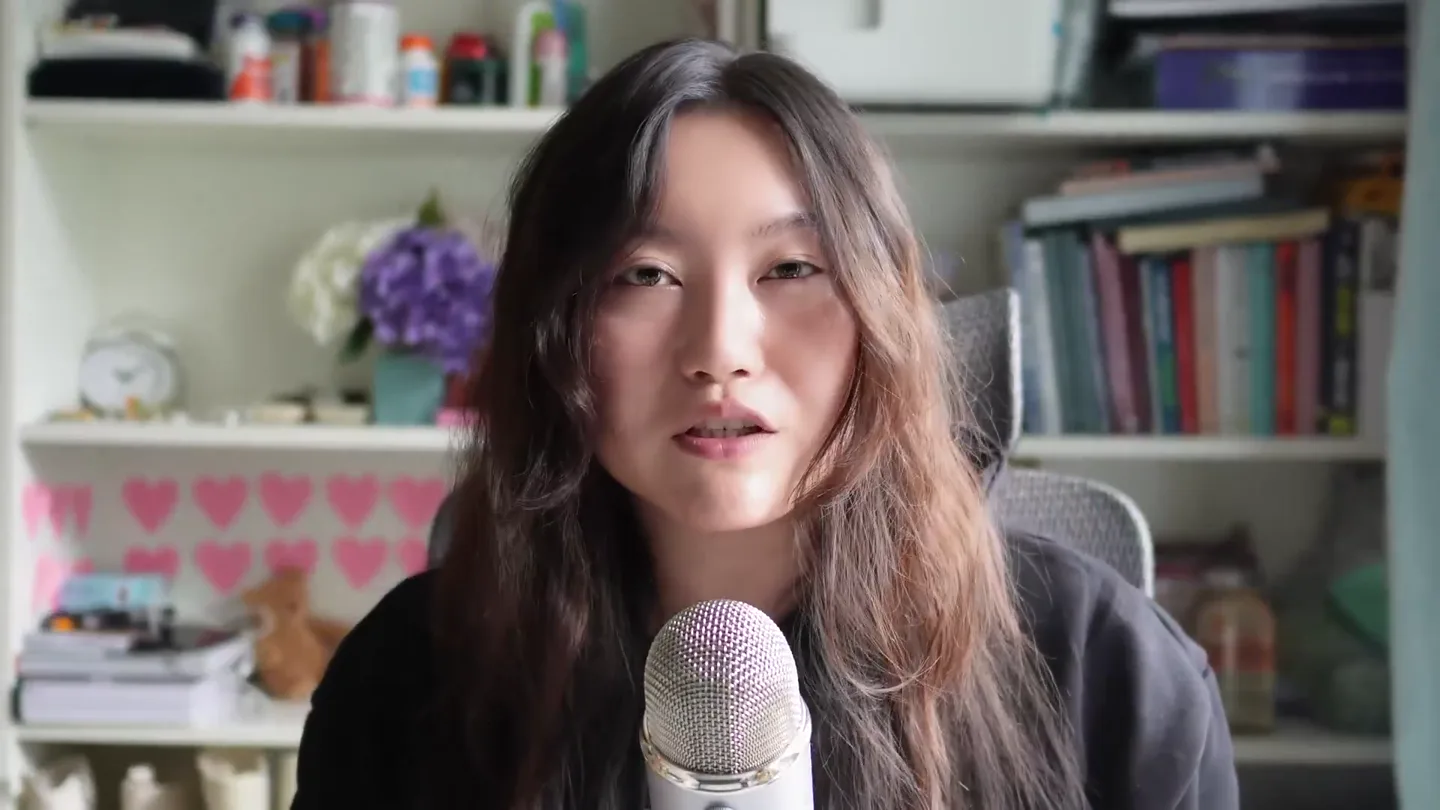
Here's probably the best Claude Cowork tutorial under 25 minutes. It is by Tina Huang ( ex-Meta data scientist).
Scene-by-scene timeline & spoken transcript
The Hook
Pixelated Intro & Founder Reveal
“(No spoken dialogue — Driving electronic rhythm and ambient sound design.)”
- On screen
- CLAUDE COWORK Claude cowork belongs t
- Camera
- Static wide shot of pixel art, then a direct eye-level medium close-up of the founder.
- Motion
- Sudden cut from stylized pixel art to a direct, personal founder shot. Text appears with a retro pixelated animation.
Product Reveal
Claude Cowork in Action: File Organization & Financial Analysis
“(No spoken dialogue — Driving electronic rhythm and ambient sound design.)”
- On screen
- Organize files and folders help me organize these files Ran 10 commands, loaded tools Here's what I'm looking at on your Desktop: 376 files total: 327 PNG screenshots 28 MOV screen recordings 13 JPG video stills (C2730.* and IMG_2160.* — look like Premiere exports) 4 PDFs (Autumn x LO.pdf, Jonathan employment contract) 1 Premiere Pro project (trimmed.prproj) 1 HTML (learn_japanese.html) 2 TXT files (discord.txt, openaikey.txt ← this is sitting exposed on your Desktop) 1 ZIP (credit card.zip) Existing folders: screenshots/, credit card/ Degree Verification.png and degree_verification.png — looks like a re: Claude is AI and can make mistakes. Please double-check responses. Progress See task progress for longer tasks. Desktop - Tina's MacBook Air Instructions - CLAUDE.md Context Track tools and referenced files used in this task. Let's knock something off your list Learn how to use Cowork safely. please analyze my credit card statements and create an interactive dashboard that illustrates my spendings and also surface insights and suggestions Desktop - Tina's MacBook Air +1 Opus 4.7 to start a task and keep going Pinned or active Organize files and folders 2 minutes ago Scheduled Daily portfolio digest 7am hkt Tomorrow at 7:08 AM 00 Portfolio morning digest Guest pass TOTAL SPEND $111,507 1,432 transactions AVG / MONTH $4,460 25 months BUSINESS $65,967 PERSONAL $42,267 38% of total FEES & INTEREST $694 RECURRING (ANNUAL) $43,626 All active subs Insights & suggestions 24-month overview Spent $111,507 across 1,432 transactions over 25 months ($4,460/month avg). Business: $65,967 (59%), Personal: $42,267 (38%). Fees & interest: $694. $694 in fees & interest — biggest easy win You paid $694 in Amex fees and interest charges across 226 transactions. That's ~$28/month. Likely from late payments or carrying a balance. Setting up autopay-in-full and/or addressing the balance carry would eliminate this entirely. 26 previously recurring charges have stopped — confirm each These had a recurring pattern but no charge in 60+ days. Total paid over their lifetime: $11,782. Worth verifying each is actually cancelled (not just card declined or paused) so they don't quietly resume. Top by total paid: Crown LLC (contractor) ($5,400, last 2025-10-02), TRELLIS COWORKING ($904, last 2024-11-01), ApiPay HENDRAUX INTERAUSTIN ($800, last 2025-06-12), SKOOL.COM ($495, last 2025-02-04), LUMA LABS, INC. ($483, last 2026-02-10), VIDIQ ($441, Active business subscriptions: ~$4,884/yr You have 5 active recurring business charges. Top 5: Kit (CoworkH) $3,012/yr, Google $1,888/yr, Bolt (Stackblitz) $2,000/yr, Claude.ai $240/yr, GitHub $144/yr Fastest-growing categories (last 6 mo vs prior 6 mo) Education: +$914 (36%), SaaS - Various: +$576 (37%), Development: +$386 (11%) Categories you cut Travel - Airfare: -$9,8 Possibly overlapping too. Worth checking if any of these ca Developer: GitHub ($144/yr), Bolt (Stackblitz) ($2,000/yr) $7,360 in foreign-merchant charges (likely incurring FX fees) 69 txns across 13 countries (excluding US, HK, and SaaS-billing Top 10 merchants = 48% of all spending Your top 10 merchants account for $53,530. Top 3: Seattle Data Guy (contractor) ($15,601), United Merchants ($6,791), Airbnb
- Camera
- Dynamic screen recordings with picture-in-picture (PIP) of the founder. Camera pans and zooms within the UI.
- Motion
- Seamless screen capture with animated UI elements (cursor movements, text input, scrolling). PIP scales and moves to highlight relevant areas. Text highlights and underlines draw attention.
Feature Teaser
Showcasing Claude Cowork Skills & Use Cases
“(No spoken dialogue — Driving electronic rhythm and ambient sound design.)”
- On screen
- Skills My Favourite Claude Cowork Skills /today TINA /data:build-dashboard DATA PLUGIN /prep [meeting] TINA Pull's overnight portfolio moves, inbox highlights, Slack pings, and today's calendar into one digest. Replace your morning scroll. Build interactive dashboards from any data source - portfolio, metrics, ops. Charts, filters, and live data in one shareable file. Before any call, Claude scans Gmail + Slack for history, context, and action items. Never walk into a meeting call again. /start + /update PRODUCTIVITY PLUGIN /review-contract LEGAL PLUGIN /postiz POSTIZ PLUGIN Bootstrap your task list, then keep it synced - Claude scans email, calendar, and Slack to surface buried action items automatically. Drop in any contract and Claude flags deviations, risk areas, and key clauses to negotiate. A lawyer's first pass, instantly. Write your post, pick your channels, set a time - Claude schedules 28+ platforms including LinkedIn, X, Instagram, and TikTok. /fill-form PDF PLUGIN /build TINA /search [query] ENTERPRISE SEARCH PLUGIN Open any PDF in the viewer, fill fields interactively, sign, and annotate - without ever leaving Cowork. Drop a one-page brief before you sleep. Claude builds the work product - research doc, dashboard, or script - and it's waiting in the morning. One query searches Gmail, Slack, Notion, and Google Drive simultaneously. Find anything across all your docs instantly. BUILT BY TINA ANTHROPIC PLUGIN THIRD-PARTY PLUGIN
- Camera
- Static shots of pixel art UI, then a grid layout of product features. Founder PIP is present.
- Motion
- Pixel art elements animate in. Grid items highlight and expand on hover/click. Smooth transitions between feature cards. Cursor interaction is animated.
Call to Action
Advanced Workflows & Future Potential
“(No spoken dialogue — Driving electronic rhythm and ambient sound design.)”
- On screen
- Lonely-Octopus / Review financial stateme accounts (HKD/USD Current, HKD/USD Savings, CNY Current) and wire-reference patterns • Saves to Lonely-Octopus/monthly- close/YYYY-MM.csv • Each row in its source currency - no FX conversion (you can sum USD and HKD separately) • Cash receipts (Smart Receipts PDF, photos, whatever) become their own rows tagged Source: Cash receipt • I auto-flag if a cash receipt amount matches a bank withdrawal within a few days (possible double-count / already-reimbursed) • Built as a proper Cowork plugin so /monthly-close_2025-11_works from anyw Cont Claude is AI and can make mistakes. Please double-check responses. Lonely octopus october 2025 pl XLSX // Hx0TTZ5#385268 - wire fee October 2025 Transaction Detail - every line with Read Me P&L Summary Transaction Detail Smart Receipts Account Reconciliation Open Questions Cowork-Playground Favorites Recents Downloads On My Mac tinahuang Applications iCloud Documents Desktop Shared Lonely- Octopus Tina's MacB... Locations Investments Content Personal /start Ran 4 commands, loaded tools Fresh setup. I've created TASKS.md, dashboard.html, and the memory/ directory. Dashboard is ready at dashboard.html. In your stock-portfolio folder. Open it from Finder to get started. Since this is a first run, let me bootstrap memory so I can understand your context properly. This is the stock-portfolio project folder, so I already know the domain - but I want to make sure I understand your shorthand, the tickers you're tracking, any nicknames for positions, and how you think about your portfolio. A few quick questions to get started: 1. Where do you currently keep your investment Writing... Write a message... Sonnet 4.6 Queue Claude is AI and can make mistakes. Please double-check responses. Projects New task New project Projects stock-portfolio Investments Content 16 minutes ago 6 days ago 6 days ago Lonely-Octopus Personal 6 days ago 6 days ago + New task Scheduled Daily portfolio digest 7am hkt Daily Morning brief daily digest Dispatch Find linky photo in Downloads Summarize Bali trip recipes Pinned Inbox Triage Apr30 Inbox Triage Recents Start productivity session Organize unread emails by sender Generate financial statement Daily morning briefing to Apple Notes Apply brand to OpenClaw prompts Tina Huang Projects I'm Building with Claude Cowork Built 6 In Progress 2 Pending 4 YouTube topic - script tool Turns any topic idea into a structured script outline ready to film WORK Health tracker Fitness, meals, sleep, and habits in one integrated dashboard PERSONAL FUN Daily digest Morning brief: portfolio moves, inbox highlights, Slack, and calendar WORK PERSONAL Trading bots Automated position triggers based on price thresholds and research signals PERSONAL Team OKR tracker LO team goals, weekly check-ins, and progress vs targets WORK Investment dashboard Live portfolio tracker with research and alerts PERSONAL LO Student Dashboard Cohort progress, engagement, and completion rates per student - live view for the team WORK Life RPG fun Gamify daily tasks, habits, and goals with XP, levels, and streaks PERSONAL Personal productivity skills /today, /prep, /build and more - custom skills for daily ops WORK PERSONAL Autonomous overnight builder Drop a brief before bed, wake up to finished work WORK PERSONAL Accounting LO financial statements, journal entries, and variance analysis WORK Budgeting tool Personal + LO cash flow, savings rate, and net worth tracking PERSONAL Claude Cowork + Claude Code Workflows Trading Bot Chrome Extension Browser tooling Slack / Discord Bot Team automation Algo & quant trading Spec strategy, risk rules, and signal logic in Cowork → Code executes the Python trader with live broker hooks Define features and UX flow in Cowork → Code writes the manifest, content scripts, and popup UI Map out commands and trigger logic in Cowork → Code wires up the event handlers and slash commands Data Pipeline ETL & scripting Full-stack Web App Web development CLI Tool Developer utilities Spec sources, transforms, and output schema in Cowork → Code writes the scraper, parser, and loader Requirements and wireframe in Cowork → Code scaffolds the React frontend and API backend end-to- end Define flags and interface in Cowork → Code builds the utility with argument parsing and shell integration Scheduled Automation Plan the logic and cadence in Cowork → Code runs autonomously in parallel or overnight
- Camera
- Continued dynamic screen recordings with founder PIP. Occasional cuts to stock footage (e.g., person sleeping).
- Motion
- Complex UI interactions, data visualization, and code generation are animated. Stock footage is integrated with quick cuts. Text highlights and cursor animations guide the viewer.
Motion design primitives
Synthesizable in Remotion · key components of the pixel-ai-agent-launch template.
PixelatedIntroReveal
A scene opens with a retro pixel art aesthetic, featuring blocky text and environment. This quickly transitions to a high-fidelity live-action or screen recording shot.
+ Code construction recipe
Use Remotion's `Img` component with a `pixelate` CSS filter for the initial frames. Animate a `scale` and `opacity` transition for the pixelated elements, followed by a hard cut or a quick crossfade to the next scene. Text can be rendered using a pixel font and animated with a `typewriter` effect or `character-by-character` reveal.
DynamicPIPOverlay
A circular picture-in-picture (PIP) of the presenter overlays dynamic screen recordings. The PIP smoothly scales, moves, and changes opacity to avoid obstructing critical UI elements.
+ Code construction recipe
Implement the PIP using a `Video` component with `clipPath: 'circle(50%)'` for the circular mask. Use `interpolate` for `transform: translateX/Y`, `scale`, and `opacity` properties, synchronized with key moments in the main screen recording to ensure optimal visibility of both the presenter and the UI.
InteractiveUIHighlight
Key elements within a screen recording (text, buttons, data points) are dynamically highlighted, underlined, or expanded, often accompanied by an animated cursor interaction.
+ Code construction recipe
Utilize `AbsoluteFill` layers with `Rect` or `Text` components for highlights. Animate `backgroundColor`, `border`, or `transform: scale` using `spring` or `tween` functions. The cursor can be an SVG or image animated along a `path` or `keyframe` sequence, with `opacity` and `scale` changes to simulate clicks/hovers.
Style DNA & aesthetic system
Visual aesthetic
Typography
Motion
Special effects
Pacing & rhythm
Conceptual story rhythm
- 1
The Retro Hook
Purpose. Immediately grab attention with a unique visual style and introduce the founder directly.
Execution. Pixel art intro with product name, followed by a quick cut to a direct-to-camera shot of Tina Huang.
- 2
Problem-Solution Showcase
Purpose. Demonstrate the product's core capabilities by solving common user pain points in real-time.
Execution. Dynamic screen recordings showing Claude Cowork organizing files, analyzing finances, and generating insights, with Tina's PIP guiding the viewer.
- 3
Feature Deep Dive
Purpose. Elaborate on specific features and plugins, highlighting the breadth of the product's utility.
Execution. Grid-based display of 'Skills' and 'Workflows,' with animated highlights and descriptions for each, showing diverse applications.
- 4
Empowerment & Vision
Purpose. Inspire users by showcasing advanced workflows and the potential for autonomous, intelligent assistance.
Execution. Complex multi-step tasks, project management, and code generation demonstrations, interspersed with aspirational stock footage (e.g., sleeping while work gets done).
Remix in Animatiq Studio
Master remix prompt · agent-ready
Sample remix
Objective
Launch a new AI-powered legal assistant called 'LexiBot' that automates contract review and legal research.How the recipe adapts
The pixel art intro will feature 'LEXIBOT' in a retro font, transitioning to a live-action shot of the legal tech founder. Dynamic PIP will show the founder explaining features over screen recordings of LexiBot analyzing legal documents, highlighting clauses, and generating summaries. Interactive UI highlights will animate as LexiBot identifies risks in contracts and pulls relevant case law, with an animated cursor demonstrating user interaction. The fast-cut pacing will maintain engagement through various legal workflow demonstrations.Remix blueprint · pixel-ai-agent-launch
Scene durations (4 scenes, 1369.8s)
Key Remotion components
Related AI Agents Product Launches
Explore all AI Agents launches →
To ensure that artificial general intelligence benefits all of humanity

Gopuff introduces Go, an AI shopping assistant built with SpaceXAI: say what you need and the order is placed.

Iliad (Troy) trailer made by Grok Imagine 1.5, which was just released