
Anthropic · Launch Video Breakdown: Hook, Pacing & Motion Design
New on mobile: Draft and send emails, messages, and calendar invites directly from the Claude app.
Scene-by-scene timeline & spoken transcript
The Hook
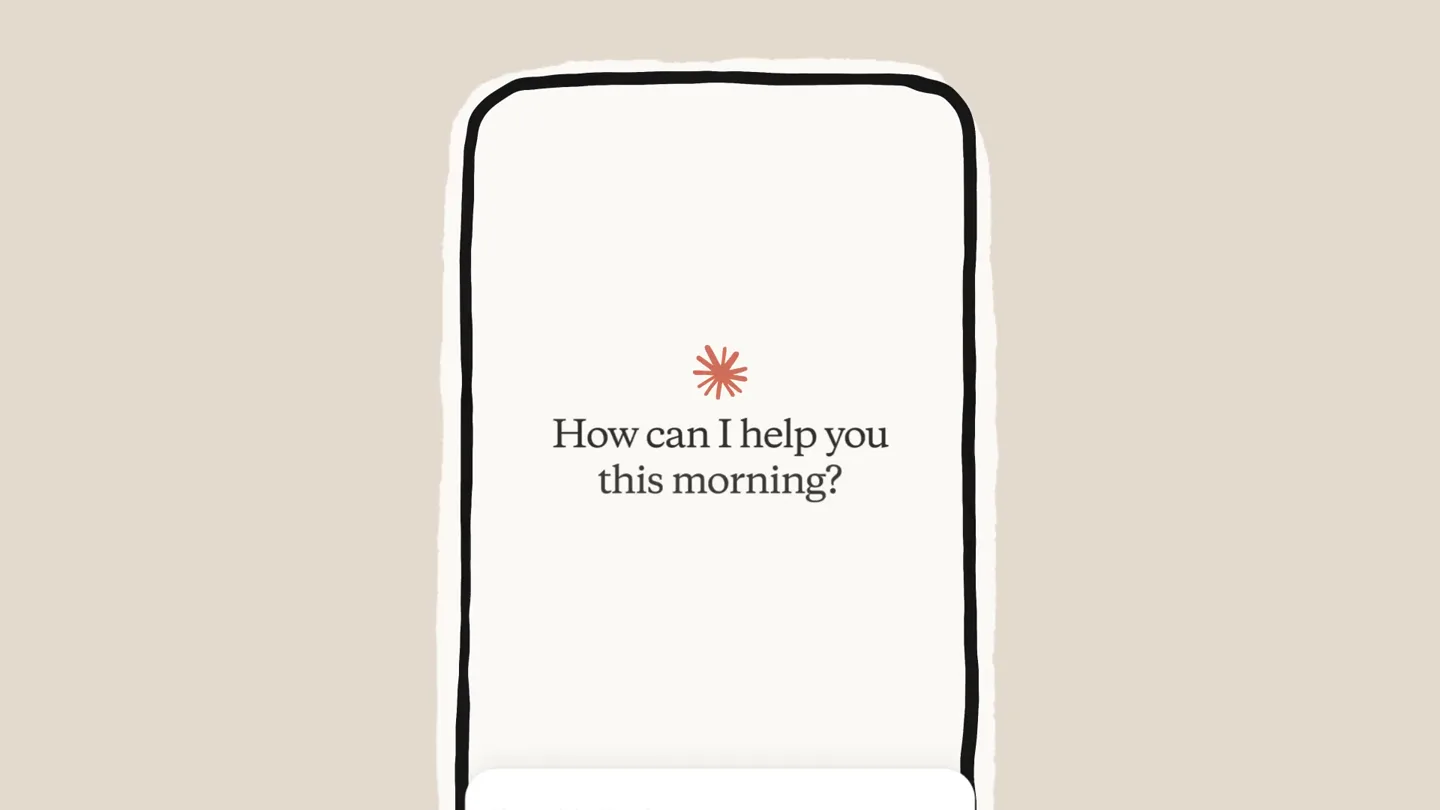
Mobile App Introduction & User Input
“(No spoken dialogue — Ambient electronic score with pizzicato synths and sub-bass establishes a modern, anticipatory mood.)”
- On screen
- How can I help you this morning? I'm on my way to the airport and just found out that Brighten Co wants to schedule an urgent meeting for 2pm tomorrow - can you help me send an email to my team?
- Camera
- Static, centered close-up on a mobile phone screen, simulating a user's perspective.
- Motion
- Hand-drawn sketch animation transitions into a clean UI. Text typing animation (typewriter effect) for user input.
Product Reveal
AI-Powered Email Drafting & Sending
“(No spoken dialogue — The electronic score maintains its driving rhythm, emphasizing the seamless interaction.)”
- On screen
- Reid Absolutely! I'll draft that urgent email for your team right away. Hi team, Brighten Co just requested an urgent meeting for 2:00 PM to discuss time-sensitive matters. Please confirm your availability ASAP. If you cannot make it, let me know immediately. Meeting details: • Date: Tomorrow • Time: 2:00 PM • Duration: 1 hour Thanks for your flexibility on short notice! Best, Reid Send email Perfect! I've drafted your urgent email with a clear subject line that will grab attention. You can now send this email directly to your team using the send action. URGENT: Brighten Co Meeting Tomorrow 2 PM To: Cc/Bcc: From: reid@zenythco.com Subject: URGENT: Brighten Co Meeting Tomorrow 2 PM Hi team, Brighten Co just requested an urgent meeting for 2:00 PM to discuss time-sensitive matters. Please confirm your availability ASAP. If you cannot make it, let me know immediately. Meeting details:
- Camera
- Static, centered close-up on the mobile phone screen.
- Motion
- AI response text generation (typewriter effect), UI element reveals (email draft, share sheet, mail app), and smooth transitions between app screens.
Feature Teaser
Calendar Integration & Event Creation
“(No spoken dialogue — The score continues, building a sense of efficiency and capability.)”
- On screen
- Nice! Can you add that meeting to my calendar before I forget? I'll add the Brighten Co meeting to your calendar right now! Calendar Event Brighten Co Meeting Urgent meeting with Brighten Co to discuss time-sensitive matters. Date: July 30, 2025 Time: 2:00 PM–3:00 PM Add to calendar Done! I've added the Brighten Co meeting to your calendar for tomorrow (July 30) from 2:00 PM–3:00 PM Pacific Time. You can now add this to your calendar! Cancel New Event Add Brighten Co Meeting Location or Video Call All-day Starts Jul 30, 2025 2:00 PM Ends Jul 30, 2025 3:00 PM Travel Time None Repeat Never Calendar Work
- Camera
- Static, centered close-up on the mobile phone screen.
- Motion
- AI response text generation, UI element reveals (calendar event card), and smooth transitions to the native calendar app for event confirmation.
Call to Action
Brand Reveal & Mobile Availability
“(No spoken dialogue — High-energy audio transition and riser at 0:26, followed by a sub-bass drop/impact at 0:27, signaling a significant reveal.)”
- On screen
- Claude New on mobile: Draft and send emails, messages, and calendar invites directly from the Claude app.
- Camera
- Zoom out from the mobile screen to a full-screen brand logo, then a wide shot of the mobile phone with text overlay.
- Motion
- Scale animation for logo reveal, text wipe/fade-in for key features, and a subtle camera push-in on the phone.
Call to Action
Final Call to Action & App Store
“(No spoken dialogue — The driving electronic score continues, with a final high-energy audio transition and riser at 0:38, followed by a sub-bass drop/impact at 0:39, leading to the concluding screen.)”
- On screen
- Download the Claude app. Available on the App Store and Google Play.
- Camera
- Static, centered shot of the mobile phone, then a full-screen graphic with app store badges.
- Motion
- Text fade-in, app store badge reveals with subtle bounce, and a final full-screen graphic with a clean, direct call to action.
Motion design primitives
Synthesizable in Remotion · key components of the ai-mobile-productivity-showcase template.
TypewriterTextReveal
Text appears character by character, simulating real-time typing, often accompanied by a blinking cursor. This creates a dynamic and engaging way to present dialogue or user input.
+ Code construction recipe
Use `interpolate` to animate the `clipPath` or `width` property of a text layer based on `frame` or `progress`. A blinking cursor can be achieved with an `opacity` animation on a separate element.
UISlideUpReveal
UI elements, such as message bubbles, share sheets, or calendar cards, slide smoothly upwards from the bottom of the screen, often with a slight overshoot and bounce.
+ Code construction recipe
Employ `spring` animation for the `translateY` property of the UI component. Combine with `scale` for a subtle 'pop' effect on reveal. Ensure `overflow: hidden` on the parent container.
AppScreenTransition
Seamless transitions between different app screens or views, often involving a quick slide-in/slide-out or a cross-fade, maintaining the context of the mobile device.
+ Code construction recipe
Utilize `interpolate` for `translateX` or `opacity` on the incoming and outgoing screens. For a native feel, consider `cubic-bezier` easing functions that mimic iOS/Android transitions.
Style DNA & aesthetic system
Visual aesthetic
Typography
Motion
Special effects
Pacing & rhythm
Conceptual story rhythm
- 1
User Problem & AI Prompt
Purpose. Establish a relatable user scenario and introduce the AI's capability to understand complex requests.
Execution. Hand-drawn sketch leading to a mobile UI, followed by a user typing a multi-part request into the chat interface.
- 2
AI Solution & Execution (Email)
Purpose. Demonstrate the AI's ability to generate and facilitate actions, specifically drafting and sending an email.
Execution. AI generating a detailed email draft, then seamlessly transitioning to the native mail app for sending confirmation.
- 3
AI Solution & Execution (Calendar)
Purpose. Showcase the AI's versatility in handling different types of tasks, like scheduling and calendar integration.
Execution. AI generating a calendar event, then transitioning to the native calendar app for event creation.
- 4
Brand & Call to Action
Purpose. Reinforce brand identity and guide the user to download the product.
Execution. Brand logo reveal, followed by a clear message about mobile availability and app store badges.
Remix in Animatiq Studio
Master remix prompt · agent-ready
Sample remix
Objective
A new AI assistant, 'Synapse', that summarizes long documents and schedules virtual meetings.How the recipe adapts
The TypewriterTextReveal primitive will be used for the user's prompt asking Synapse to summarize a document. The UISlideUpReveal will animate the summary card appearing from the bottom. When the user asks to schedule a meeting, the AppScreenTransition will smoothly move from the chat interface to a virtual meeting platform's scheduling screen, pre-filled by Synapse. The color palette will shift slightly to a cool blue-grey, but maintain the overall minimalist aesthetic.Remix blueprint · ai-mobile-productivity-showcase
Scene durations (5 scenes, 44s)
Key Remotion components
Related AI Agents Product Launches
Explore all AI Agents launches →
To ensure that artificial general intelligence benefits all of humanity

Gopuff introduces Go, an AI shopping assistant built with SpaceXAI: say what you need and the order is placed.

Iliad (Troy) trailer made by Grok Imagine 1.5, which was just released