
Scene-by-scene timeline & spoken transcript
The Hook
Introducing Claude Tag: Seamless AI Delegation
“(No spoken dialogue — The music features a consistent, driving electronic beat with a prominent sub-bass line and subtle, percussive synth elements. It incorporates various sound design effects to punctuate key moments and transitions. These include: a 'click' sound at 0:01, a 'pop' at 0:02, a 'whoosh' at 0:03, a 'thump' at 0:04, and a 'ding' at 0:06. A significant sub-bass drop and impact occurs at 0:11, marking the transition from instrumental to spoken dialogue.)”
- On screen
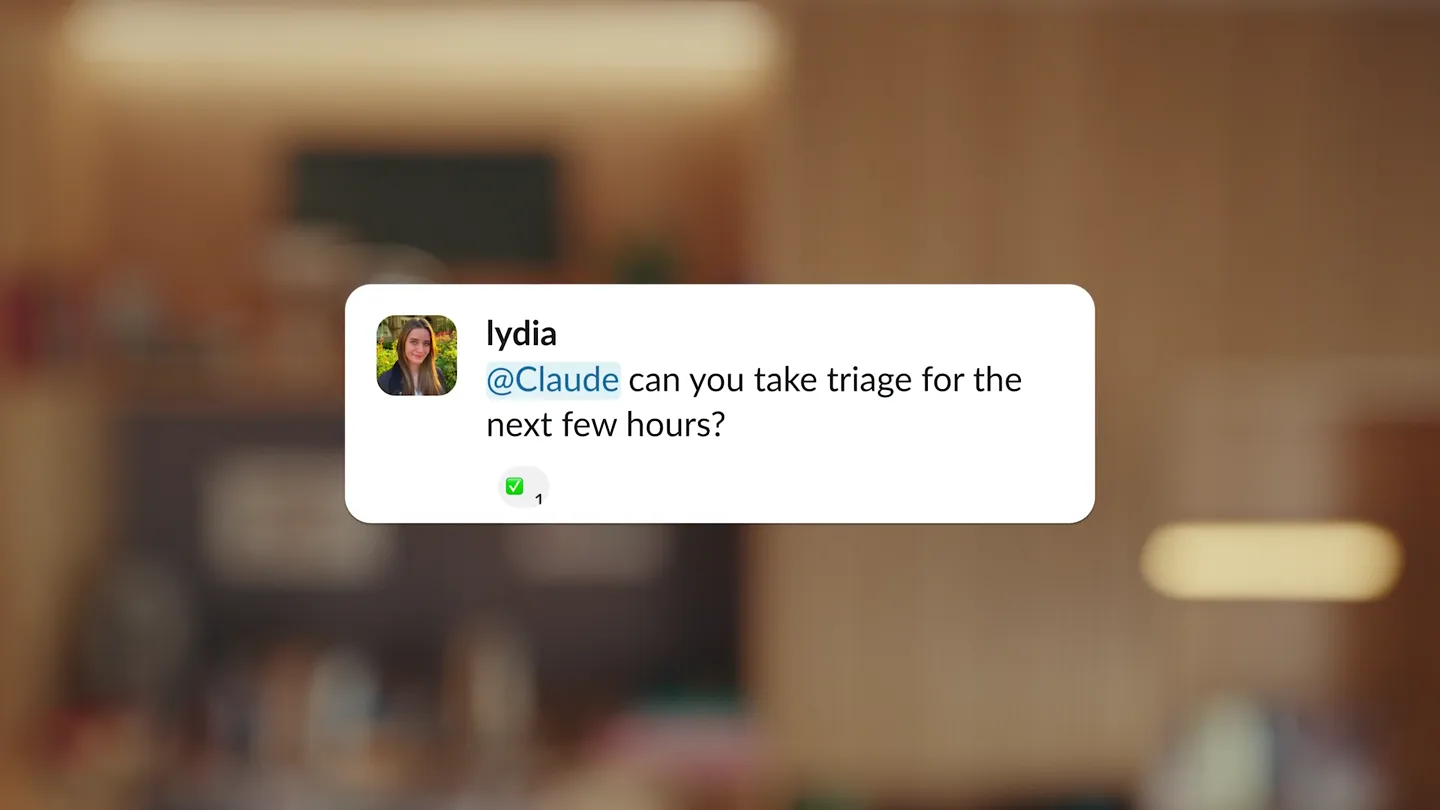
- lydia @Claude can you take triage for the next few hours? 1
- Camera
- The scene opens with a close-up on a Slack message bubble, then cuts to an overhead shot of a person typing on a laptop, followed by a medium shot of the presenter. The camera then zooms in on the presenter's face as a Slack message input field appears, and finally cuts back to the overhead shot of the person typing.
- Motion
- Quick cuts, UI element pop-ins, subtle camera zooms, and a dynamic interplay between live-action and screen capture.
Product Reveal
Claude Tag in Action: Engineering Workflow
“Hi, I'm Lydia, and I'm a product manager at Anthropic. Today, I'm excited to introduce Claude Tag, a new way to collaborate with Claude directly in Slack. Claude Tag adds Claude to Slack as a team member with scoped channels and tools, so teams can delegate by tagging it. Let's see how it works. Here, our engineering team is working on a new feature, scheduled exports. Drew needs to know if scheduled exports have landed. Nadia replies that the backend is half there and not wired up. She then tags Claude, asking it to build scheduled exports. Claude immediately responds, providing a detailed plan for the feature, including per-user toggles, existing job reuse, and line count. Nadia clarifies a detail about workspace-level settings, and Claude quickly adapts, offering options for database migration. Nadia chooses the non-blocking option, and Claude confirms the design of the workspace schedules table, admin panel, cadence picker, cron dispatcher, backfill job, and integration suite. This is a real-time, iterative collaboration.”
- On screen
- Hi, I'm Lydia, and I'm a product manager at Anthropic. Today, I'm excited to introduce Claude Tag, a new way to collaborate with Claude directly in Slack. Claude Tag adds Claude to Slack as a team member with scoped channels and tools, so teams can delegate by tagging it. Let's see how it works. Here, our engineering team is working on a new feature, scheduled exports. Drew needs to know if scheduled exports have landed. Nadia replies that the backend is half there and not wired up. She then tags Claude, asking it to build scheduled exports. Claude immediately responds, providing a detailed plan for the feature, including per-user toggles, existing job reuse, and line count. Nadia clarifies a detail about workspace-level settings, and Claude quickly adapts, offering options for database migration. Nadia chooses the non-blocking option, and Claude confirms the design of the workspace schedules table, admin panel, cadence picker, cron dispatcher, backfill job, and integration suite. This is a real-time, iterative collaboration.
- Camera
- The camera alternates between a medium shot of the presenter and screen recordings of Slack interactions. The screen recordings feature smooth scrolling and zooming to highlight specific messages and Claude's responses.
- Motion
- Seamless transitions between live-action and screen capture, dynamic UI animations within Slack, and text highlights to emphasize key information.
Feature Teaser
Contextual Awareness & Privacy
“Claude Tag is also aware of the channel it's in. So here, Claude is in the launch channel, and it's able to provide an update on scheduled exports, knowing that it's relevant to this channel. Claude Tag also respects your data privacy. It only has access to the channels it's tagged in, and it only uses the information within those channels to respond. This means you can trust Claude Tag with sensitive information.”
- On screen
- Claude AGENT Just now Heads up for this channel — scheduled exports landed this afternoon in #product-eng-launches (#413) merged!). It's now in the beta. Launch date doesn't move. But the blog draft and the beta invite email don't mention it. Want me to add it to both? 1 reply Priya Just now Oh nice, yes to both! Claude AGENT Just now ✓ Grabbed latest blog from Drive ✓ Added line to blog under 'What's in the beta' * Updating feature table o Update beta invite email todos as of 3:51 PM (just now) Open session in Claude
- Camera
- The camera transitions from a screen recording of Slack to a medium shot of the presenter, then to an animated graphic illustrating Claude's channel-specific access, and finally back to the presenter.
- Motion
- Animated flowcharts, screen recording with focused zooms, and a smooth transition between visual metaphors and live presentation.
Call to Action
Delegate with Confidence: Claude Tag
“Claude Tag is a powerful new way to delegate tasks and collaborate with Claude in Slack. It's secure, efficient, and respects your team's privacy. Try Claude Tag today and experience the future of team collaboration.”
- On screen
- #legal ↓ * ↓ Contracts #eng ↓ * ↓ </> Codebase @claud
- Camera
- The camera alternates between a medium shot of the presenter and an overhead shot of the presenter typing. The video concludes with a close-up on the '@claud' text, which then fades out.
- Motion
- Repetitive visual motifs (typing, presenter speaking), a clear call to action through spoken dialogue, and a clean, minimalist end screen.
Motion design primitives
Synthesizable in Remotion · key components of the ai-agent-slack-integration-launch template.
SlackMessagePopIn
A Slack message bubble or input field smoothly scales up and fades in from the center of the screen, often accompanied by a subtle bounce or spring effect.
+ Code construction recipe
Use `spring()` for scale and opacity. Animate `transform: scale()` from 0 to 1 and `opacity` from 0 to 1. Apply a slight `translateY` for a subtle upward movement during the pop-in.
DynamicScreenHighlight
Specific text or UI elements within a screen recording are highlighted with a subtle background color or a soft glow, drawing the viewer's attention.
+ Code construction recipe
Overlay a semi-transparent `div` with a `background-color` and `borderRadius` over the target element. Animate its `opacity` from 0 to 1 and back, or use a `pulse` animation for a subtle glow effect. Position precisely using `absolute` positioning and `top`, `left`, `width`, `height`.
WorkflowDiagramReveal
Flowchart elements (nodes and arrows) appear sequentially, often with a slight delay between each, building out a visual representation of a process.
+ Code construction recipe
Render SVG paths for arrows and `div` elements for nodes. Animate `stroke-dashoffset` for arrows to draw them on, and use `spring()` for `opacity` and `scale` on nodes, with `delay` props for sequential appearance.
Style DNA & aesthetic system
Visual aesthetic
Typography
Motion
Special effects
Pacing & rhythm
Conceptual story rhythm
- 1
The Problem & The Promise
Purpose. Quickly establish the pain point of inefficient team collaboration and introduce Claude Tag as the elegant solution.
Execution. Rapid cuts between a user struggling with a task and a glimpse of Claude Tag's immediate, effective response in Slack, setting up the 'before and after'.
- 2
Deep Dive: Engineering Use Case
Purpose. Demonstrate Claude Tag's core functionality and iterative collaboration in a technical, real-world scenario.
Execution. Extended screen recording of a Slack conversation, showcasing Claude Tag's detailed, context-aware responses and problem-solving capabilities, interspersed with presenter commentary.
- 3
Expanding Horizons: Legal & Privacy
Purpose. Highlight Claude Tag's versatility across different departments and its commitment to data security and channel-specific permissions.
Execution. Animated workflow diagrams illustrating Claude's scoped access for different teams (e.g., #legal, #eng), combined with presenter explanation of privacy features.
- 4
Empower Your Team
Purpose. Reiterate the key benefits and provide a clear call to action, reinforcing the product's value proposition.
Execution. Return to the presenter summarizing benefits, followed by a final, impactful visual of the product name or logo, encouraging viewers to try it.
Remix in Animatiq Studio
Master remix prompt · agent-ready
Sample remix
Objective
Launch a new AI agent, 'Synapse Assist', that integrates with project management tools to automate task delegation and progress tracking.How the recipe adapts
The video would open with a 'Synapse Assist' logo pop-in, followed by a presenter introducing the product. Screen recordings would show 'Synapse Assist' responding to a user's request in a project management tool like Asana or Jira, automatically creating sub-tasks and assigning them. Dynamic screen highlights would draw attention to Synapse Assist's intelligent task breakdowns. Workflow diagrams would illustrate how Synapse Assist integrates with various project phases. The video would conclude with a call to action to try Synapse Assist, maintaining the original's clean UI animations and professional pacing.Remix blueprint · ai-agent-slack-integration-launch
Scene durations (4 scenes, 145s)
Key Remotion components
Related AI Agents Product Launches
Explore all AI Agents launches →
To ensure that artificial general intelligence benefits all of humanity

Gopuff introduces Go, an AI shopping assistant built with SpaceXAI: say what you need and the order is placed.

Iliad (Troy) trailer made by Grok Imagine 1.5, which was just released