
Scene-by-scene timeline & spoken transcript
The Hook
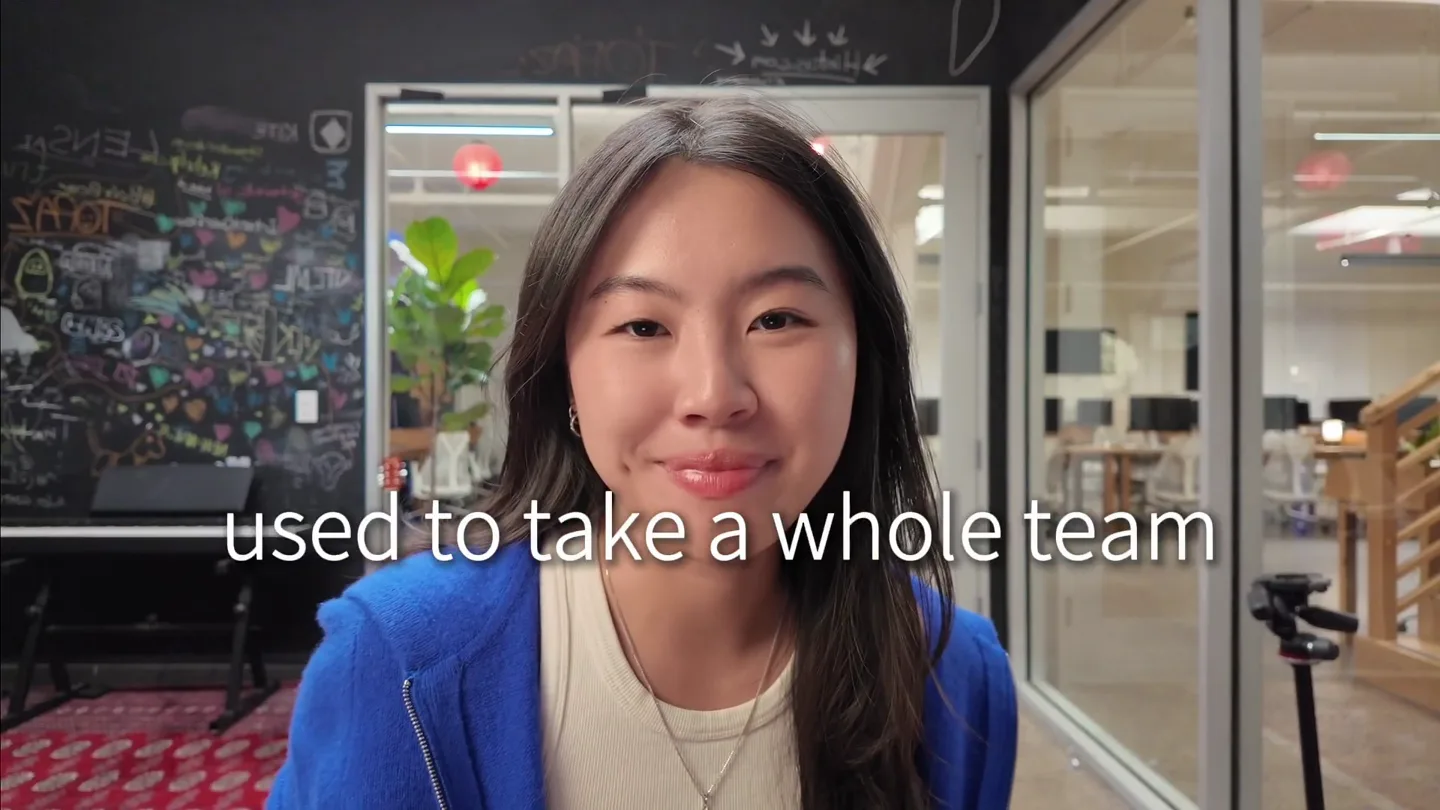
Introducing New Wave: AI-Powered UGC Campaigns
“What if you could run viral UGC campaigns, copy New Wave's MCP link, vet creators, get started with the campaign, what my, for me, views and, okay, payout structures, which New Wave has, applicants here, who to approve, okay, let me, start creating, I'm gonna, actually went, okay”
- On screen
- now?, BETA, New, Copied to clinboa, Run viral UGC cam, in one pl, Add custom, connector, BETA, Connect Claude to your data and tools. Learn more about connectors or get started with pre-built ones., Name, Remote MCP server URL, Advanced settings, OAuth Client ID (optional), OAuth Client Secret (optional), Launch Campaign with, NewWave, Create briefs and outreaches with AI Agent, Promote an Al, Campaign ideas, Analyze creators, Content strategy, Performance review, Campaigns, No campaigns found, Create your first campaign to get started., + New campaign, Thought for 10s >, I'll work through this step by step. First, let me load the Newwave tools so I can access your workspaces., Searching available tools: list workspaces brands >, Write a message..., +, Claude is Al and can, The three viral formats, copied and scripted — to one of your apps and grounded in the real competitor video it's modeled on:, Format 1 - "Wait, this is just an app?" (skeptic-to- believer reveal) -> Pocketshot, ref @kee.glamai (298K), Format 2 - "I used to hate photos of myself" (insecurity storytime -> before/after) -> Pose Genius, ref @lifewithadrienne (327K, 0.64 breakout), Format 3 - "How I actually edit my photos" (result-first tutorial) -> Pic Fix, ref @kee.glamai (125K), Campaign staged (Al Photo Glow-Up - Top 3 Viral Formats): TikTok + Instagram, $5,000 budget, $3 CPM (capped at $1,000/video so spend spreads across creators rather than one viral hit), scheduled June 19 -> July 19. All three reference videos and all three scripts are attached, and the brief, payout, and onboarding guides are in place. At $3 CPM, 1M views costs ~$3,000 - so the budget can with headroom for ~1.67M views at full spend., The brief above lays all of this out in one page you with your team., One thing left: the campaign is a private draft rig not live and no creators have been notified yet. Y have it start running today, and activating it does (goes live and pushes to creators" so I wanted to before pulling that trigger. Wai, to activate I, Publish, Activate Campaign, Archive Campaign, Private Campaign, Only creators with access code can view, Auto-Approve Creators, Automatically approve creators who apply, Get link, https://app.new-wave.ai/campaign..., Paid Creator Opportunity with Pose Ge..., Active - 734 left, Message, Publish, Analytics, Creators, 99, Review, 13, Payments, Scripts, Settings, Your roster, 7 approved 90 applicants 0 invited, 7 new applicants, Review before they lose interest, Review, Approved 7, Applicants 98, Invited, 83, Q Search creators..., Filter, Sort: Applied date, Creator, Status, Performance, Top Video, Deeya Sharma, Brampton, ON, Applied, 70.6K total views, 2.3% engagement, 5.5K, 45, Alicia Engel, Moritzkeuin, Applied, 4.6M total views, 1.4% engagement, 2.0M, 9.2K, Daniel Mollari, Vancouver, Applied, 91.8K total views, 4.3% engagement, 20.6K, 932, Yuvraj Singh Rathore, Melbourne, Applied, 537.9K total views, 138.6K, 13.4K, Jason Hwang, Applied, 53.6K total views, 4.5K, 76, carrying the payoff., The three viral formats, copied and scripted — to one of your apps and grounded in the real competitor video it's modeled on:, Format 1 - "Wait, this is just an app?" (skeptic-to- believer reveal) -> Pocketshot, ref @kee.glamai (298K), Format 2 - "I used to hate photos of myself" (insecurity storytime -> before/after) -> Pose Genius, ref @lifewithadrienne (327K, 0.64 breakout), Format 3 - "How I actually edit my photos" (result-first tutorial) -> Pic Fix, ref @kee.glamai (125K), Campaign staged (Al Photo Glow-Up - Top 3 Viral Formats): TikTok + Instagram, $5,000 budget, $3 CPM (capped at $1,000/video so spend spreads across creators rather than one viral hit), scheduled June 19 -> July 19. All three reference videos and all three scripts are attached, and the brief, payout, and onboarding guides are in place. At $3 CPM, 1M views costs ~$3,000 - so the budget can with headroom for ~1.67M views at full spend., The brief above lays all of this out in one page you with your team., One thing left: the campaign is a private draft rig not live and no creators have been notified yet. Y have it start running today, and activating it does (goes live and pushes to creators" so I wanted to before pulling that trigger. Wai, to activate I, Write a message..., +, Claude is Al and can, Who to pass, Caitlin Rentell (@oceancait_) is the important one. On paper she looked like the #1 by reach, but her videos are inorganic: a 3.1M-view post with only 1.57K likes, and a 21K- view post with 3 likes. That view pattern is not real audience. Pass., Peinda Niang (23K followers, 15.7% engagement) and Maryam Adeyemi (37K followers) both have excellent reach, but their niches are Finance/FinTech and marketing- to-creators. Wrong audience for a consumer selfie app. Pass or hold., Jacob Caudill (2.7K, 1.1% engageme real reach. Pass., The remaining median views o productivity). L, omga, rate,, moni, her fl, deliv
- Camera
- Alternates between a medium close-up of the speaker and a screen recording of the New Wave platform. The screen recording often features a picture-in-picture of the speaker in the bottom right corner.
- Motion
- Rapid cuts between speaker and screen, with UI elements highlighting as the speaker describes actions. Text overlays appear to emphasize key phrases. Sub-bass drops punctuate scene changes.
Product Reveal
AI-Powered Performance Analysis
“Now I need you to create a one-page report in a case study style to see last month's performance summary with the list of best creators based on their performance, CPM, and other important metrics. I also want to see where my money actually went, what scripts are currently working the best, and where to move the budgets for the next month. I want this one page to look pretty. Orchestrated data synthesis to construct visually polished campaign re... > This is a real deliverable, so let me pull the actual numbers first: performance, the spend ledger, and script-level results. Loading the analytics and payout tools. Searching available tools: analytics query views spend CPM payouts led..., really clearly”
- On screen
- okay, CAMPAIGN CASE STUDY - POSE GENIUS, Two creators carried, 10.5M views at a $1.28, CPM., ROLLING 30 DAYS May 21 - Jun 20, 2024, STATUS, Active, BUDGET $15,000, CHANNELS Instagram TikTok, VIEWS, 10.5M, +10.3M vs 7d, SPEND, $13,530, vs $15K budget, BLENDED CPM, $1.28, per 1,000 views, ENGAGEMENT, 2.28, likes/comments/views, VIDEOS LIVE, 138, 9 active creators, 01 Where the money went, Zoe Bennett, 26 videos, $3,480, Mila Foster, 16 videos, $1,400, Ivy Quinn, 12 videos, $1,280, Leo Hayes, 20 videos, $975, Noah Foster, 15 videos, $835, Ruby Bennett, 10 videos, $460, Finn Bennett, 24 videos, $395, Others, 10 videos, $40, 02 Best creators, Zoe Bennett, $218/video, -$1.99 CPM, Hero 92K, Mila Foster, $127/video, -$1.12 CPM, hero 4K, Ivy Quinn, $41/video, -$11 CPM, 31 small posts, Leo Hayes, $31/video, -$14 CPM, Lowest reach/post, 20+ efficiency gap. Videos over 100K views ran at $1.84 CPM. video ran $4. reach and volume, is what pays off under creators., The frames that worked, Cynd Baris - The two creators who returned a sub-$1.1 CPM, Zoe and Mila, 36% of tracked payouts and produced >70% of the views, 20% of the overall spend. This is a great example of how to find creators that are carrying the payoff., Write a message..., +, Claude is Al and can
- Camera
- Primarily screen recording, with the speaker in a picture-in-picture overlay. The camera zooms and pans within the UI to highlight specific data points and sections of the report.
- Motion
- Smooth UI animations, data visualization transitions, and text highlights. Sub-bass drops emphasize the reveal of the detailed report.
Feature Teaser
Optimizing Campaigns with AI Insights
“This is how, that you already use”
- On screen
- (No on-screen text)
- Camera
- Returns to a medium close-up of the speaker, then transitions to a screen recording showcasing further UI interactions.
- Motion
- Quick cuts, text overlays for key phrases, and subtle UI animations. High-energy audio transitions and sub-bass drops mark the shift in focus.
Call to Action
Claude for UGC: Your AI-Powered Growth Partner
“(No spoken dialogue — Upbeat electronic music with pizzicato synths, sub-bass, and percussive elements. High-energy audio transitions, risers, and sweeps at 0:49, 1:05, 1:16, 1:33, and 1:48. Sub-bass drops/impacts at 0:49, 1:05, 1:16, 1:33, and 1:48.)”
- On screen
- (No on-screen text)
- Camera
- A mix of screen recordings demonstrating various UI features and a return to the speaker for a concluding statement.
- Motion
- Dynamic UI animations, highlighting key features with zooms and pans. Text overlays reinforce the product's value proposition. The music builds in intensity, culminating in a final impactful sub-bass drop.
Motion design primitives
Synthesizable in Remotion · key components of the ai-ugc-launch-breakdown template.
SpeakerToScreenCut
A rapid, direct cut from a medium close-up of the speaker to a full-screen UI demonstration, often with the speaker appearing in a picture-in-picture overlay. This transition is typically accompanied by a sharp audio cue.
+ Code construction recipe
Use `Sequence` and `AbsoluteFill` components. Implement `spring` for quick opacity and scale transitions on the picture-in-picture element. Utilize `Audio` component for precise sound effect synchronization with the cut.
UIDataHighlight
Specific UI elements, text, or data points on a screen recording are dynamically highlighted through zooms, pans, or animated overlays to draw the viewer's attention to key information.
+ Code construction recipe
Employ `interpolate` for smooth `scale` and `translate` transformations on `AbsoluteFill` or `Img` components representing UI sections. Use `spring` for subtle `opacity` changes on highlight overlays (e.g., a semi-transparent rectangle) to emphasize data.
TextOverlayReveal
Key spoken phrases or product benefits appear as animated text overlays on screen, often fading in or sliding into position to reinforce the narrative.
+ Code construction recipe
Utilize `Sequence` with `spring` for `opacity` and `translateY` animations on `Text` components. Ensure `durationInFrames` is set for precise timing with spoken dialogue. Consider `delay` for staggered text reveals.
Style DNA & aesthetic system
Visual aesthetic
Typography
Motion
Special effects
Pacing & rhythm
Conceptual story rhythm
- 1
The Problem & The Promise
Purpose. Immediately hook the viewer by presenting a common challenge in UGC management and hinting at an effortless AI-driven solution.
Execution. Rapid cuts between the founder posing a question and quick glimpses of the product UI, demonstrating the speed and ease of initial setup.
- 2
AI-Powered Workflow Demonstration
Purpose. Showcase the core functionality of the AI agent, walking through key steps of campaign creation, creator vetting, and content strategy.
Execution. Detailed screen recordings with UI highlights and picture-in-picture founder commentary, illustrating the intuitive interaction with the AI.
- 3
Impact & Optimization
Purpose. Illustrate the tangible benefits of using the product by demonstrating performance analytics and AI-driven optimization insights.
Execution. Visually rich data dashboards with animated metrics and clear explanations from the founder, emphasizing efficiency and viral potential.
- 4
Call to Action & Future Vision
Purpose. Encourage viewers to adopt the product by summarizing its value and positioning it as an essential tool for modern UGC campaigns.
Execution. A confident closing statement from the founder, reinforced by a final montage of UI features and a strong brand message.
Remix in Animatiq Studio
Master remix prompt · agent-ready
Sample remix
Objective
Launch an AI-powered project management tool called 'FlowState AI' that automates task assignments and progress tracking.How the recipe adapts
The video would open with the founder asking, 'Tired of manual task assignments?' followed by a quick cut to FlowState AI's dashboard. UIDataHighlight would show AI-suggested task breakdowns and automated assignments. TextOverlayReveal would highlight 'Smart Task Allocation' and 'Real-time Progress Tracking.' SpeakerToScreenCut would be used to transition between the founder explaining a feature and the UI demonstrating it. The overall pacing would remain fast, emphasizing FlowState AI's efficiency.Remix blueprint · ai-ugc-launch-breakdown
Scene durations (4 scenes, 113s)
Key Remotion components
Related AI Agents Product Launches
Explore all AI Agents launches →
To ensure that artificial general intelligence benefits all of humanity

Gopuff introduces Go, an AI shopping assistant built with SpaceXAI: say what you need and the order is placed.

Iliad (Troy) trailer made by Grok Imagine 1.5, which was just released