
Riley Brown · Launch Video Breakdown: Hook, Pacing & Motion Design
Learn 95% of Codex in 28 minutes These are the 7 knowledge work capabilities... inside Codex, the super-app 00:00 Intro 02:19 Capability 1 - Full File Access 07:41 Capability 2 - Persistent Memory…
Scene-by-scene timeline & spoken transcript
The Hook
AI Interface Introduction
“(No spoken dialogue — Driving electronic rhythm and ambient sound design.)”
- On screen
- Ready when you are. Hello ChatGPT I want you to Thinking Company knowledge Get started with company knowledge Turn ChatGPT into an informed coworker with smart answers based on your company's knowledge. Get started
- Camera
- Static wide shot of a desktop AI interface, then a quick cut to a slightly different interface view with a picture-in-picture of the presenter.
- Motion
- Rapid scene cuts, UI element reveals, and a picture-in-picture overlay for presenter introduction.
Problem Agitation
Showcasing Codex Capabilities
“(No spoken dialogue — Driving electronic rhythm and ambient sound design.)”
- On screen
- What's on the agenda today? Ask anything Thinking Create an image Write or edit Look something up Analyze receipt transactions Worked for 7m 23s Processed all 53 receipts from Receipts-to-Process into an Excel workbook with a dashboard, receipt-level table, category/payment/monthly summaries, charts, OCR text, and review flags for lower-confidence extractions. Main pattern: retail dominates total spend, while food & dining has the most receipts by count. receipts_analysis.xlsx Spreadsheet - XLSX 3 files changed -736 +0 _receipts_workbook.mdx +383 +0 extract_receipts.py -393 +0 ocr_receipts.swift +60 +0 Ask for follow-up changes 5.5 High Summary receipts_analysis.xlsx Payment Method Spend Count Share of Spend Credit card $13,852.49 1 $13,852.49 45.8% Visa debit $8,005.56 20 $400.28 30.8% Unknown $2,966.44 10 $296.64 11.4% Mastercard $1,038.28 3 $346.09 4.0% Interac $740.16 7 $105.74 2.9% Visa credit $516.97 2 $258.49 2.0% Debit card $91.32 1 $91.32 0.4% Cash $29.82 1 $29.82 0.1% Dashboard Receipts Category Summary Payment Summary Monthly Trends Review Notes OCR Text Say hello 7 Capabilities Type of Video: List Video (This is an example video to look at) Fast Paced under 30 minutes Transition screens between each screen INTRODUCTION You're in the right place. If you use ChatGPT, Claude, Claude Cowork, or Codex but don't know which one you should use for business and how. Because in this video, we're talking about using AI agents effectively. Specifically, we're talking about OpenAI's agent super app, Codex. I'll be using Claude except in an easy to use interface for doing knowledge work and coding work. In this video we're going to be breaking down the seven core capabilities of Codex, OpenAI's AI agent super app, each with real-world use cases, so that by the end, you know exactly what it can do and where it fits in your workflow. Let's get started CAPABILITY 0 - BEFORE WE DIVE IN This is codex A clean interface for AI agents that can control your computer. At first glance it looks like ChatGPT or Claude, because you can create chat but they are... Show more Working for 17s I'll use the .doc skill and turn this into a formatted .docx under /output/doc/ and then render check if the local tools are available. Ran cmd && rg -g "files-q" -l | head -50 Ran command -> soffice; command -> pdftoppm; /users/rileybrown/codex/runtime/codes/primary-runtime[...] Thinking Ask for follow-up changes Full access Work locally 5.5 High Create Codex learning landing page Capabilities learn-90-percent-openai-codex-video-outline.docx please turn this into a landing page and then run it locally make it a good learning resource for my viewers. Working for 11s I'll use the .doc workflow to extract the DOCX content, then build a local landing page around that outline and start a dev server so you can view it. Explored 1 file, ran 1 command. The repo is basically just the source DOCX right now, so I'm going to create a small static learning site next to it instead of trying to fit it into an existing app framework. Next I'm extracting the outline structure from the document. Run python3 -c "PY" from document import pathinfo import Path; Path=Path('/output/doc/learn-90-percent... Thinking Ask for follow-up changes Full access Work locally 5.5 High this table of contents. Summary Learn 90% of OpenAi AGENTS.md 7 Capabilities AGENTS For DOCX/docs outputs, use plain ASCII hyphen bullets ( - ) instead of Word bullet list glyphs, because Word bullet glyphs can render as weird squares. User content: Riley Brown is a content creator whose main focus is educational content. Learning Riley is visual. When creating documents or explanations, use diagrams when you can illustrate a point better than prose alone. In documents, use the excalidraw-diagrams skill to create diagrams, flowcharts, architecture diagrams, decision trees, process flows, data flow, system overviews, or other visual explanations when they would make the material easier to understand. When using excalidraw-diagrams, always provide links to the generated diagrams. If more than one diagram is created, also create and link to one document that contains links to all of the diagrams. When Riley wants to learn something, explain in a clear, patient, visual, first-principles teaching style inspired by Andrey Karpathy's ChatGPT explanation video: build ideas step by step, use simple mental models, and include visuals or diagram suggestions where they help. Do not copy transcript wording. Landing Pages For landing pages made for learning purposes, such as turning a document into a learning landing page, when no styling direction is specified, use the simple text-first format from output/style/ : warm off-white page background, centered readable content column, serif headings, plain paragraph/lists, thin section dividers, no rounded cards/components, no decorative capability maps, and no button-like chrome unless explicitly stated. If there is a lot of text content, include a plain side table of contents with text links. AGENTS.md Document - MD Open 1 file changed AGENTS.md +3 -0 Running 1 terminal Ask for follow-up changes 5.5 High Plugins Skills Make Codex work your way Computer Use Play a playlist to help me lock in Try in chat Featured Computer Use Control Mac apps from Codex Browser Use Control the in-app browser with Codex Spreadsheets Create and edit spreadsheet files Presentations Create and edit presentations Github Manage PRs, issues, CL and publish flows Slack Read and manage Slack Notion Notion workflows for specs, research... Linear Find and reference issues and projects. What should we work on in Brand Deals? I'm making a video on CLIs and MCPs in Codex. Please look at my Notion and find my high quality long form scripts. Then I want you to please write a script on this topic. Use Excalidraw Diagrams Full access Brand Deals Turn the brand-deals demo into a real tracker Prioritize the paid sponsorship backlog Create a reusable rates and deliverables sheet Connect your favorite apps to Codex Plugins Skills Make Codex work your way Computer Use Play a playlist to help me lock in Try in chat Featured Computer Use Control Mac apps from Codex Browser Use Control the in-app browser with Codex Spreadsheets Create and edit spreadsheet files Presentations Create and edit presentations Github Manage PRs, issues, CL and publish flows Slack Read and manage Slack Notion Notion workflows for specs, research... Linear Find and reference issues and projects. Go Back and Forth Get Output Right Iterate More Happy? yes Reverse-engineer Skill One-Click Reusable I want brand d Personalization Personality Pragmatic Choose a default tone for Codex responses Custom instructions Give Codex extra instructions and context for your project. Learn more For DOCX/docs outputs, use plain ASCII hyphen bullets ( - ) instead of Word bullet list glyphs, because Word bullet glyphs can render as weird squares. Enable memories Generate new memories from chats and bring them into new chats Chronicle research preview Augment Codex with screen context so Codex can help with anything you're working on. Learn more Status: Starting Skip tool-assisted chats Do not generate memories from chats that used MCP tools or web search Reset memories Delete all Codex memories 90 Percent Learning Ladder The viewer does not need every edge case. They need the operating model. Bonus: Chronicle Memory Sees everything Automations Crons Browser Control + Computer Use Controls cpu like human Image generation SSOPs for agents Skills SSOPs for agents Plugins Built in Has Persistent Memory automatic + manual Full File Control create edit delete any file
- Camera
- Dynamic cuts between the presenter in a picture-in-picture overlay and full-screen desktop UI demonstrations. The presenter's frame is often a medium shot, looking off-camera.
- Motion
- Fast-paced UI navigation, text input animations, and rapid screen transitions. The picture-in-picture frame of the presenter provides a human element to the technical demonstration.
Product Reveal
Deep Dive into Capability 1: Full File Access
“(No spoken dialogue — Driving electronic rhythm and ambient sound design.)”
- On screen
- (No on-screen text)
- Camera
- Primarily full-screen desktop UI demonstrations, with occasional cuts to the presenter in a picture-in-picture. The UI shows file system interactions and code editing.
- Motion
- Smooth scrolling, file system navigation, and code editor animations. Emphasis on direct manipulation and visual feedback within the application.
Feature Teaser
Capability 2: Persistent Memory & Beyond
“(No spoken dialogue — Driving electronic rhythm and ambient sound design.)”
- On screen
- (No on-screen text)
- Camera
- Continues with full-screen UI demonstrations, focusing on settings and conceptual diagrams. The presenter remains in a picture-in-picture, reacting to the on-screen content.
- Motion
- UI toggles, diagram reveals, and animated connections within flowcharts. The motion highlights the interconnectedness of features and the system's intelligence.
Motion design primitives
Synthesizable in Remotion · key components of the codex-super-app-breakdown template.
DualTerminalRaceSplit
Two distinct terminal or code editor windows animate onto the screen, often side-by-side or in a split view, with text rapidly typing or code lines appearing as if being executed in real-time.
+ Code construction recipe
Utilize Remotion's `Sequence` and `AbsoluteFill` for layout. Implement `TypewriterEffect` for text input, `spring` for window entry/exit, and `interpolate` for cursor blinking. Use `CodeSurfer` or custom `SyntaxHighlighter` components for code display.
CurvedHorizonWarp
A background grid or abstract pattern subtly warps and shifts, creating a sense of depth and dynamic movement, often with a slight curvature, as UI elements transition over it.
+ Code construction recipe
Employ Remotion's `Canvas` or `WebGL` for custom shader effects. Use `noise` functions and `perlin` noise for generating organic distortions. Animate `uniforms` over time to control warp intensity and speed, applying a `perspective` transform for curvature.
PresenterPIPOverlay
A live-action video feed of the presenter is consistently displayed in a small, framed picture-in-picture window, typically in a corner, reacting to the main screen content.
+ Code construction recipe
Use Remotion's `Video` component for the presenter's feed. Position with `AbsoluteFill` and `transform` for scaling and placement. Apply a `border` and `boxShadow` for the framed effect. Ensure `z-index` keeps it above main content.
Style DNA & aesthetic system
Visual aesthetic
Typography
Motion
Special effects
Pacing & rhythm
Conceptual story rhythm
- 1
The AI Canvas
Purpose. Introduce the core AI interface and its potential, immediately hooking the viewer with a glimpse of advanced capabilities.
Execution. Rapid cuts showcasing various AI interface states, from a blank prompt to complex data analysis, with the presenter's reaction in a small frame.
- 2
Capability Unveiling
Purpose. Systematically reveal the key features of Codex, demonstrating each with practical, real-world use cases.
Execution. Detailed UI walkthroughs, animated text inputs, and dynamic data visualizations, interspersed with the presenter's explanations and reactions.
- 3
Deep Dive & Mastery
Purpose. Provide in-depth demonstrations of specific, powerful capabilities, emphasizing the mastery and control users gain.
Execution. Focused screen recordings of file system interactions, code generation, and complex workflow automations, highlighting the seamless integration of tools.
- 4
Future Potential
Purpose. Hint at the broader implications and future possibilities of the super-app, leaving the viewer inspired.
Execution. Conceptual diagrams animating to illustrate system architecture, settings panels showing advanced configurations, and a concluding shot reinforcing the overall power.
Remix in Animatiq Studio
Master remix prompt · agent-ready
Sample remix
Objective
Launch a new cloud-based collaborative coding environment.How the recipe adapts
The DualTerminalRaceSplit primitive would be adapted to show multiple users coding simultaneously in different panes, with real-time cursor movements and code suggestions. The CurvedHorizonWarp would be used as a subtle background for the cloud environment's dashboard, indicating data flow and connectivity. The PresenterPIPOverlay would remain, with the presenter reacting to the collaborative coding sessions and explaining features like version control and live debugging. UI elements would animate in and out quickly, demonstrating seamless project switching and integrated communication tools.Remix blueprint · codex-super-app-breakdown
Scene durations (5 scenes, 1729s)
Key Remotion components
Related Consumer & Apps Product Launches
Explore all Consumer & Apps launches →
Grand Theft Auto VI: An Extended Look premieres on Netflix Thursday, August 27.
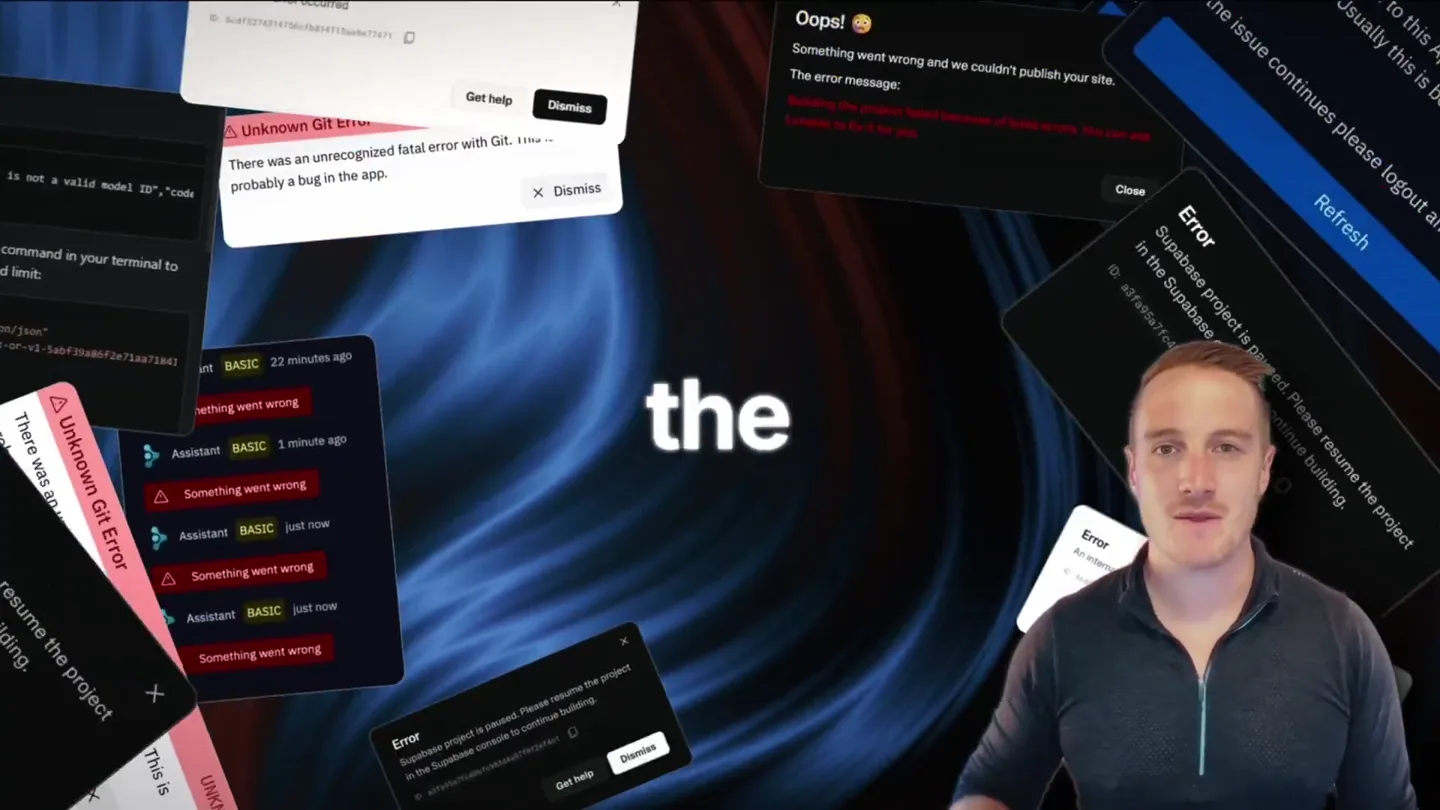
Bolt v2 pairs Claude Code and Codex agents with built-in hosting, database and storage so apps ship without setup.

Making life multiplanetary