
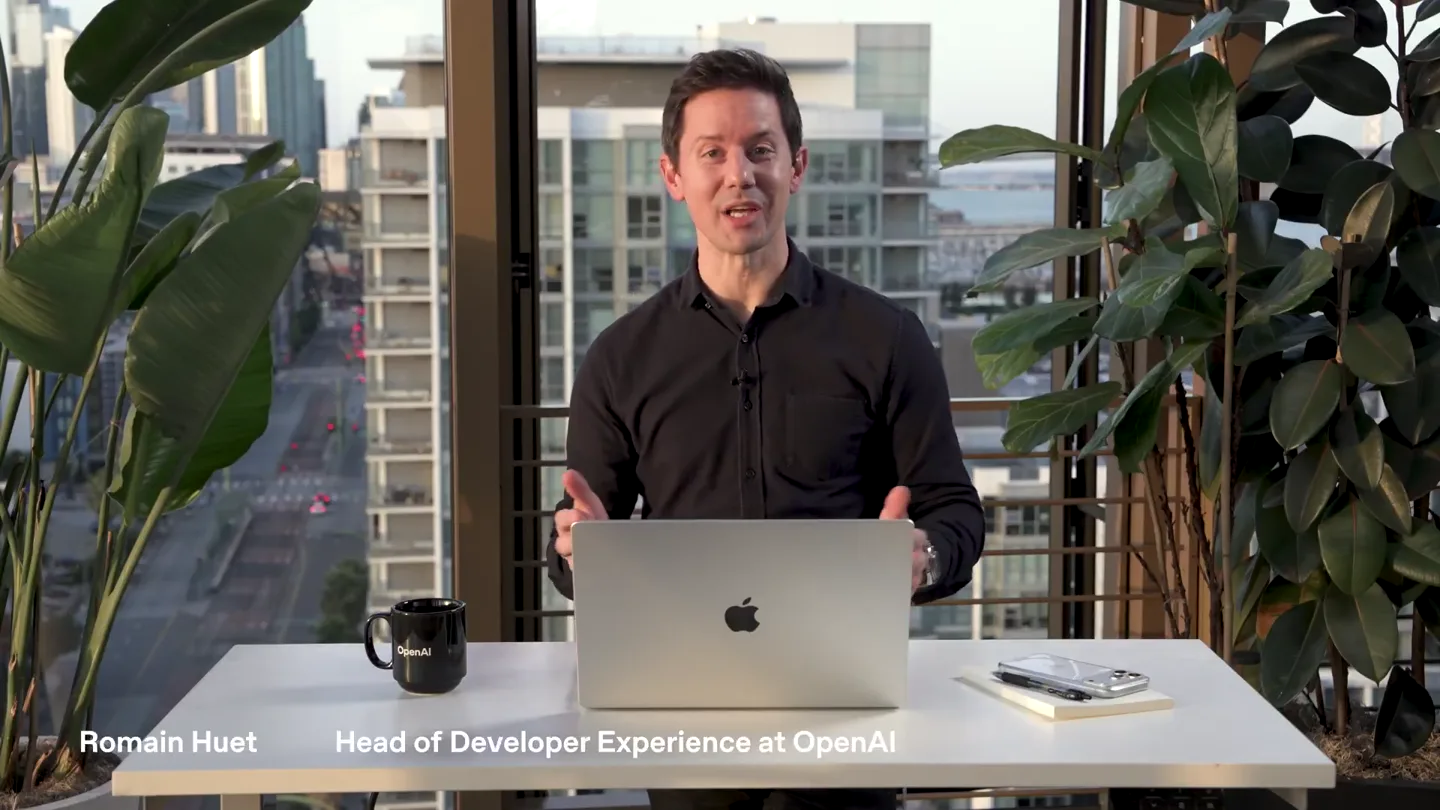
OpenAI Developers · Launch Video Breakdown: Hook, Pacing & Motion Design
We’re excited to launch the Codex app, a command center for building with agents. It gives you a focused space to manage multiple agents at once, run work in parallel, and collaborate with agents o…
Scene-by-scene timeline & spoken transcript
The Hook
Introducing Codex: The Agent Command Center
“We're excited to launch the Codex app, a command center for building with agents. It gives you a focused space to manage multiple agents at once, run work in parallel, and collaborate with agents on projects.”
- On screen
- (No on-screen text)
- Camera
- Medium shot of presenter at a desk, framed centrally with a city backdrop. Slight zoom in on presenter.
- Motion
- Subtle camera push-in, presenter gestures to emphasize points.
Product Reveal
Seamless Agent Interaction & Code Generation
“Let's build AstroScope. I'll ask Codex to update the design for Liquid Glass. It understands the design structure and generates the code. I can also ask it to investigate build errors or create a classic snake game. Codex can find and fix bugs in my code, or summarize this app in a PDF. I can also ask it to add a new screen that shows the Astronomy Picture of the Day from NASA. It creates the necessary files and code, like APODResponse.swift, APODViewModel.swift, and APODScreen.swift. It even writes the documentation. I can then run the app to see the changes. Codex can also help with front-end tasks, like rewriting a subheader to be more motivating. It understands the context and suggests improvements. It can also implement a Figma home screen, generating the CSS and TSX files.”
- On screen
- ChatGPT Atlas, File, Edit, View, History, Bookmarks, Profiles, Tabs, Window, Help, New thread, Automations, Skills, Threads, AstroScope, Update design for Liquid Glass, Investigate build errors, Wanderlust, Migrate Realtime speech-to-speech, Upgrade Next.js and Conversations, Add Travel Log screen, FitnessTracker, Implement Figma home screen, ChatGPT, Codex, Let's build, AstroScope, iPhone 17 Pro Max, iOS 26.0, ISS Tracker, Latitude, Longitude, Range, Live Stream, Add Friends, Summarize this app in a $pdf, Create a classic snake game, Find and fix a bugs in my code, Ask Codex anything, @ to add files, / for commands, Code, GPT-5.2-Codex, Medium, Local, Worktree, Cloud, Uncommitted changes, AGENTS.md, AstroScope.xcodeproj/project.xcuserdat, xcuserdata, openai.xcuserdatad, UserInterfaceSt..., AstroScope, APODResponse.swift, APODScreen.swift, APODViewModel.swift, ContentView.swift, import Foundation, struct APODResponse: Decodable, let date: String, let explanation: String, let mediaType: String, let title: String, let url: String, let hdurl: String?, let copyright: String?, enum CodingKeys: String, CodingKey, case date, case explanation, case mediaType, case title, case url, case hdurl, case copyright, @MainActor, class APODViewModel: ObservableObject, Unstaged, Staged, Filter files..., Explored 4 files, 3 lists, Created APODResponse.swift +28 -0, Explored 2 files, Created APODViewModel.swift +45 -0, Created APODScreen.swift +139 -0, Thinking, Add a new screen that shows the Astronomy Picture of the Day from NASA., Built the app with a dedicated screen, model, and response type so the app fetches NASA's Astronomy Picture of the Day and displays the media plus details. The screen uses your existing glass UI for loading, errors, images, and video links., Next steps:, new Decodable model for NASA's APOD payload., fetches APOD data from the NASA API and exposes loading/error state., new SwiftUI screen with background, glass cards, media rendering, and metadata., added a new "APOD" tab., Check the new APOD tab., If you want, I can check API or caching behavior, tell me and I'll wire it in., Today's Progress, Keep pushing toward your goals!, Steps, Goal: 10,000, Calories, Goal: 2,200, Active minutes, Goal: 60, View all stats, View activity history, Log workout, Recent Activity, Morning Run, Yoga Session, Evening Walk, Rewrite subheader to motivate, Rewrite the subheader to feel quietly motivating and grounded., Ask for follow-up changes, Explored 20 files, 11 searches, 10 lists, Edited progress.css +2 -2, Created homepage.css +157 -143, Edited Homepage.tsx +3 -3, Built the homepage layout to match the Figma frame using existing components. The progress bar stretch to its parent instead of a fixed height. The new homepage.css, and the progress bar fix is in progress.css to satisfy the design., Details:, Implemented the header, hero, progress cards, and recent activity. ProgressCard, Card, ButtonGroup, and text primitives in homepage.tsx., Added layout and spacing rules in homepage.css to align with the design and prevent elements from overlapping., Removed the fixed progress height and let it inherit the parent's height., Next steps (optional):, Run the dev server to visually verify: npm run dev, If you want, I can tweak any spacing/typography after you eyeball it., 3 files changed +302 -3
- Camera
- Dynamic cuts between presenter and screen capture. Screen capture often features a picture-in-picture of the presenter. Focus shifts between different UI elements and code snippets.
- Motion
- Rapid UI element highlighting, text generation animations, smooth transitions between application views, cursor interaction, code diff highlighting.
Feature Teaser
Automating Workflows & Cloud Integration
“Codex can also automate tasks. For example, I can create an automation to triage issues, review PR comments, or summarize release notes. I can set it to run at a specific time, like 9:30 AM, and choose the workspace, like FitnessTracker. Codex can also work in a cloud environment, allowing for seamless collaboration and deployment.”
- On screen
- Create automation, Name, Issue triage, Workspaces, Choose a folder, AstroScope, Wanderlust, FitnessTracker, ChatGPT, Codex, 09:30 AM, Mo, Tu, We, Th, Fr, Sa, Su, Cancel, Create, Review PR comments every hour, Draft release notes every week from, Summarize my team's PRs from, week every Monday morning, Write release notes every week from, the latest build, Summarize CI failures every every, and flag flaky tests, Audit performance regressions every, every week and summarize fixes, Check CI failures every two hours, and summarize causes, Sync roadmap notes every Mon, and flag blockers today, Work in cloud environment, Local, Worktree, Cloud
- Camera
- Alternates between presenter medium shot and detailed screen captures. Screen captures show form filling and menu selections.
- Motion
- UI element focus, dropdown menu animations, form input highlighting, tab switching, subtle background blur on non-active UI elements.
Call to Action
Empowering Developers with AI Agents
“(No spoken dialogue — The audio features a consistent, driving electronic score with a moderate tempo. Instrumentation includes pizzicato synths, a prominent sub-bass, and subtle 808s. High-energy audio transitions, risers, and sweeps are strategically placed to emphasize key points and feature reveals. Sub-bass drops and impacts are used to punctuate significant actions or transitions within the app's demonstration. The overall sound design aims to create a sense of innovation, efficiency, and forward momentum.)”
- On screen
- (No on-screen text)
- Camera
- Returns to a medium shot of the presenter, maintaining eye contact with the viewer. No significant camera movement.
- Motion
- Presenter's natural gestures and expressions convey enthusiasm and confidence. No explicit motion graphics in this final segment, relying on the presenter's delivery.
Motion design primitives
Synthesizable in Remotion · key components of the ai-product-launch-dynamic-demo template.
DynamicScreenPIP
A main screen capture fills the frame, while a smaller, picture-in-picture (PIP) window displays the presenter in the corner. The PIP can dynamically resize or reposition slightly to accommodate UI elements.
+ Code construction recipe
Use Remotion's <AbsoluteFill> for the main screen content and a <spring()> animated <AbsoluteFill> or <View> for the PIP, adjusting its position and size based on scene context. Utilize <interpolate()> for smooth transitions between PIP states.
CodeDiffHighlight
Code snippets are displayed with clear visual indicators for additions (green highlight) and deletions (red highlight), often accompanied by line numbers and file names.
+ Code construction recipe
Render code using a monospaced font. Implement conditional styling (background color, text color) based on diff data. Animate the highlight using <spring()> or <interpolate()> for a subtle fade-in/out effect on changes. Consider using an SVG mask for more complex highlight shapes.
UIGenerationReveal
Text and UI elements appear progressively, simulating real-time generation or typing. This is often used for code output, task lists, or conversational AI responses.
+ Code construction recipe
Utilize <Sequence> and <spring()> or <interpolate()> to reveal text character by character or line by line. For UI elements, animate opacity and scale from 0 to 1, potentially with a slight delay for each element. Use a custom cursor component to simulate typing.
Style DNA & aesthetic system
Visual aesthetic
Typography
Motion
Special effects
Pacing & rhythm
Conceptual story rhythm
- 1
The Visionary Introduction
Purpose. To immediately establish the product's core value proposition and the presenter's authority.
Execution. Presenter directly addresses the camera, setting the stage for the product launch with a confident and engaging demeanor.
- 2
Feature Deep Dive & Demonstration
Purpose. To showcase the product's key functionalities through live, interactive demonstrations, building credibility and understanding.
Execution. Rapid cuts between presenter and detailed screen recordings, highlighting specific UI interactions, code generation, and task automation.
- 3
Problem-Solution Workflow
Purpose. To illustrate how the product solves common developer pain points and streamlines complex workflows.
Execution. Demonstrations focus on specific use cases like bug fixing, design implementation, and task automation, showing the 'before and after' implicitly.
- 4
Future & Empowerment
Purpose. To leave the audience with a sense of the product's transformative potential and a clear call to action.
Execution. Return to the presenter, who reinforces the product's impact on productivity and creativity, concluding with an inspiring tone.
Remix in Animatiq Studio
Master remix prompt · agent-ready
Sample remix
Objective
Launch an AI-powered interior design application that generates room layouts and furniture suggestions in real-time.How the recipe adapts
The DynamicScreenPIP primitive would show the AI design app's interface with the presenter explaining features. The UIGenerationReveal primitive would animate the real-time generation of room layouts and furniture. Instead of CodeDiffHighlight, a 'DesignDiffHighlight' primitive would show AI-suggested changes to a design. The overall pacing and sound design would remain high-energy and innovative, emphasizing the speed and creativity of the AI design tool.Remix blueprint · ai-product-launch-dynamic-demo
Scene durations (4 scenes, 261s)
Key Remotion components
Related Consumer & Apps Product Launches
Explore all Consumer & Apps launches →
Grand Theft Auto VI: An Extended Look premieres on Netflix Thursday, August 27.
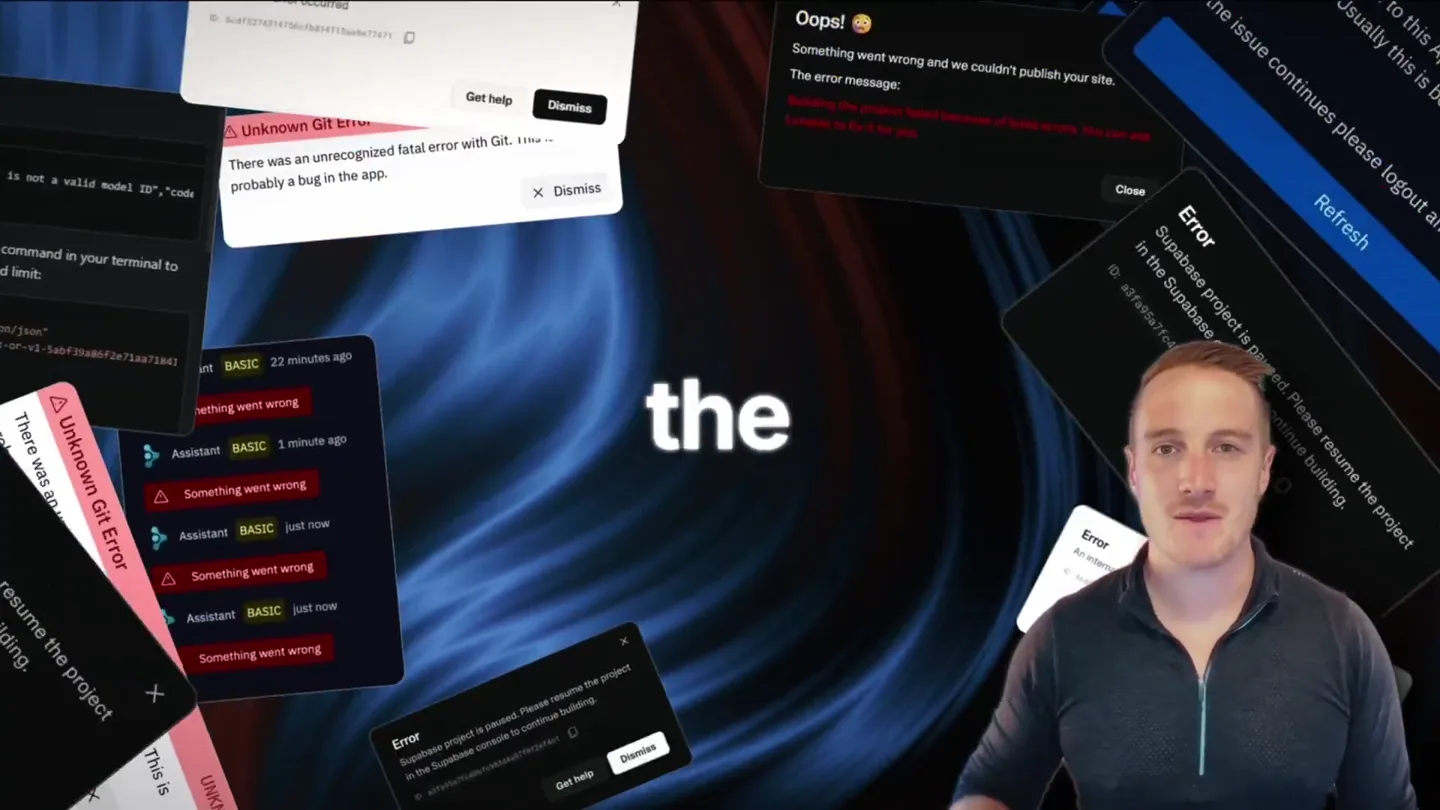
Bolt v2 pairs Claude Code and Codex agents with built-in hosting, database and storage so apps ship without setup.

Making life multiplanetary