
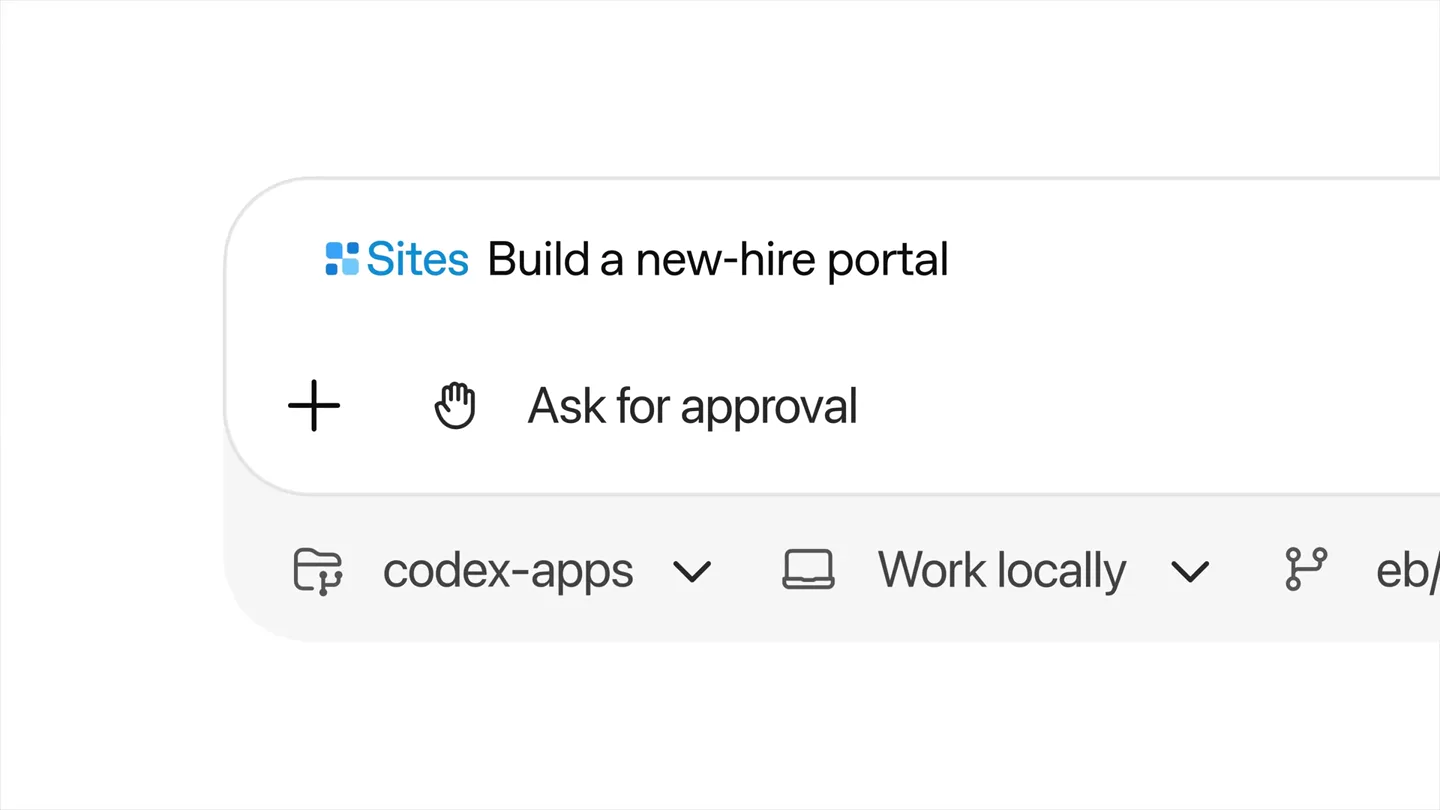
Min Choi · Launch Video Breakdown: Hook, Pacing & Motion Design
This is wild. OpenAI just dropped Codex Sites. Now anyone can give it a plan, dashboard, launch doc or idea, and turn it into an interactive app with a URL. 5 wild examples:
Scene-by-scene timeline & spoken transcript
The Hook
AI-Powered App Creation
“(No spoken dialogue — Driving electronic beat with high-frequency percussion and sub-bass, leading into the main rhythm.)”
- On screen
- Sites Build a launch calendar + Ask for approval codex-apps Work locally Sites Build a new-hire portal Sites Build a revenue dashboard 5.5 Medium
- Camera
- Close-up on a UI element, then a quick zoom out to reveal a full dashboard.
- Motion
- Rapid UI element cycling, quick zoom-out reveal, cursor interaction simulation.
Problem Agitation
Granular Access Control
“(No spoken dialogue — Consistent electronic beat with subtle synth pads.)”
- On screen
- Blossom Bank FY26 Revenue Forecast Scenario Planning SCENARIO Base Case FY26 Forecast $5,894M +6.7% vs FY25 Plan Variance +$284M +5.1% vs plan Confidence Range $5,610M - $6,210M 95% range Upside Stronger growth Conservative Downside risk KEY DRIVERS (FY26) Net Interest Income $2,134M +3.6% Deposit growth 6.2% +80 bps Credit losses 0.42% -8 bps Revenue Forecast Actuals Baseline(Plans) Confidence Range (P10-P90) $ Millions 7000 6000 5000 4000 3000 2000 Jul Aug Sep Oct Nov Dec Jan Feb Mar Apr May Jun FY25 FY26 Strong deposit growth Rate cuts begin FY26 Forecast $5,894M Revenue Forecast by Business Line $ Millions FY25 Actual FY26 Plan FY26 Forecast Plan Variance vs FY25 Q1 FY26 Q2 FY26 Q3 FY26 Q4 FY26 Consumer Banking 1,820 1,980 2,064 +84 +13.4% 498 512 525 529 Commercial Banking 2,310 2,460 2,592 +132 +12.2% 623 643 665 665 Wealth Management 910 980 1,010 +30 +11.0% 239 249 257 265 Total Revenue 5,040 5,420 5,694 +284 +16.9% 1,360 1,403 1,444 1,459 Control [who] can acces Control [who] can access (what) Who has access Only those invited David Rodman drodman@acme.com Jenny Lim jlim@acme.com Owner Can visit Copy link Visit Done Anyone in this workspace with the link Only those invited
- Camera
- Static shot of a dashboard, then a quick cut to a text overlay, followed by a UI interaction demonstrating access control.
- Motion
- Text reveal with bracket animation, simulated cursor interaction with dropdown menus.
Product Reveal
Interactive App Deployment
“(No spoken dialogue — Electronic beat continues, building slightly in intensity.)”
- On screen
- [Build] anyth [Build] anything. (Share) with anyone Launch Tracker @Sites can you make a launch readiness tracker for our product launch Worked for 6m 10s Built and deployed the launch readiness tracker. Live site: blossomwidgets.chatgpt.site Blossom Widgets Private blossomwidgets.chatgpt.site Share
- Camera
- Quick cut to text overlay, then a close-up on a UI showing an AI prompt and a generated live site link.
- Motion
- Text reveal with bracket animation, simulated cursor interaction, UI element highlight.
Feature Teaser
Versatile App Examples
“(No spoken dialogue — Electronic beat intensifies with a sub-bass drop/impact at 0:19, followed by a rhythmic shift.)”
- On screen
- SECTOR TERRAIN SCHEDULE What's happening 10:00 AM Keynote Building for Impact Main Stage 11:30 AM Workshops Round 1 Room A-D 1:00 PM Lunch + Networking Atrium 2:00 PM Workshops Round 2 Room A-D LIVE EVENT IDEAS IN ACTION 2026 MAY 16, 2026 8:00 AM - 6:00 PM LOCATION 123 Community Way Brooklyn, NY 11201 Built for people who build better things. DESIGN TECH COMMUNITY IMPACT Get Your Ticket +30 joining Key insights, performance metrics, and what's next for smarter decisions. TEAM OVERVIEW ANALYSIS AT A GLANCE Revenue $4.82M Net Profit $81.2K Profit Margin 16.8% Operating Expenses $2.71M Actuals 23,842 STEADY GROWTH, STRONG FOUNDATION REVENUE & NET PROFIT OVER TIME HIGHLIGHTS Service catalog atlas Access, risk, spend, ownership. Pulse Dashboard Revenue $4.82M Active users 2.14M Latency (ms) 418ms Incident load 17 Attention 64.7% Support volume 8.9K Find every internal service. Enablement Hub 28-day operating contour Stronger. 25 JUNE 2024 AUSTIN, TX A day of ideas, connections, and action to build a better community. Event Planni VIP Guest Key Speaker REGISTER NOW EARLY MAY 1
- Camera
- Dynamic montage of various app interfaces, rapidly transitioning and overlapping.
- Motion
- Fast-cut montage, layered UI elements, subtle parallax scrolling, and scaling animations.
Call to Action
Codex Sites Availability
“(No spoken dialogue — Rhythmic shift with a more pronounced synth melody, subtle riser around 0:28 leading to the track's conclusion.)”
- On screen
- [] Now in ( Available in preview for ChatGPT Business and Enterprise
- Camera
- Zoom-in on a central logo, followed by a text reveal.
- Motion
- Logo reveal with subtle glow, text animation with bracket and parenthesis effects, fade-in for disclaimer.
Motion design primitives
Synthesizable in Remotion · key components of the ai-app-launch-fast-cut template.
UIRapidCycle
Multiple UI elements rapidly cycle through different states or content within a fixed frame, simulating quick user input or AI generation.
+ Code construction recipe
Use `interpolate` for `opacity` and `transform` properties (e.g., `translateY`) on a sequence of `div` elements, with `durationInFrames` set very low for quick transitions. Employ `sequence` to orchestrate the timing of each UI state.
BracketTextReveal
Text appears with dynamic bracket or parenthesis animations, highlighting specific words or phrases as if being 'coded' or 'filled in'.
+ Code construction recipe
Utilize `spring` for `scale` and `opacity` on individual characters or words. Animate the bracket/parenthesis SVG paths using `stroke-dasharray` and `stroke-dashoffset` or `transform` properties for a drawing effect.
LayeredUIMontage
A dynamic collage of various application interfaces rapidly appears, scales, and overlaps, creating a sense of breadth and versatility.
+ Code construction recipe
Implement a `map` function over an array of UI image/component data. Apply `spring` animations for `x`, `y`, `scale`, and `rotate` properties. Use `z-index` and `opacity` interpolation to manage layering and transitions, creating a sense of depth.
Style DNA & aesthetic system
Visual aesthetic
Typography
Motion
Special effects
Pacing & rhythm
Conceptual story rhythm
- 1
The AI Prompt
Purpose. Introduce the core mechanism: AI-driven app generation from simple prompts.
Execution. Rapid cycling of text inputs (e.g., 'Build a launch calendar', 'Build a new-hire portal') within a UI, simulating quick AI understanding and response.
- 2
Control & Collaboration
Purpose. Highlight key features like access control and sharing capabilities.
Execution. Text overlays (e.g., 'Control [who] can access (what)') followed by a UI demonstration of user permissions and sharing options.
- 3
Instant Deployment
Purpose. Showcase the immediate output of the AI: a live, interactive application.
Execution. A UI sequence demonstrating an AI prompt, a 'Built and deployed' message, and a clickable 'Live site' link, emphasizing speed and functionality.
- 4
Breadth of Possibilities
Purpose. Illustrate the wide range of applications that can be created.
Execution. A dynamic, fast-cut montage of diverse app interfaces (dashboards, event pages, internal tools) rapidly appearing and overlapping.
Remix in Animatiq Studio
Master remix prompt · agent-ready
Sample remix
Objective
Launch a new AI-powered design tool that generates marketing assets from text prompts.How the recipe adapts
The UIRapidCycle primitive would show various text prompts (e.g., 'Generate social media ad for new coffee blend', 'Create banner for summer sale') cycling within the design tool's input field. The BracketTextReveal would highlight key design elements being generated (e.g., '[Image] of coffee beans', '(Headline) 'Summer Refresh'). The LayeredUIMontage would showcase a rapid succession of generated marketing assets (ads, banners, email templates) scaling and overlapping, demonstrating the tool's versatility. The overall pacing would remain fast, driven by an energetic electronic track, with purple accents used for AI-generated elements or interactive buttons.Remix blueprint · ai-app-launch-fast-cut
Scene durations (5 scenes, 27.6s)
Key Remotion components
Related Consumer & Apps Product Launches
Explore all Consumer & Apps launches →
Grand Theft Auto VI: An Extended Look premieres on Netflix Thursday, August 27.
Polymarket Perps is live with up to 20x leverage on crypto, stocks, commodities, and more. Long BTC, predict the Fed, or short the S&P reaction.

Pump.fun launches GO, a marketplace for posting and completing paid bounties for any task.