
Comms · Launch Video Breakdown: Hook, Pacing & Motion Design
Comms MCP lets you give agents a real phone number and handle calls on their own.
Scene-by-scene timeline & spoken transcript
The Hook
The Agent Phone Number Problem
“(No spoken dialogue — Driving electronic beat with pizzicato synths and sub-bass establishes an energetic tone.)”
- On screen
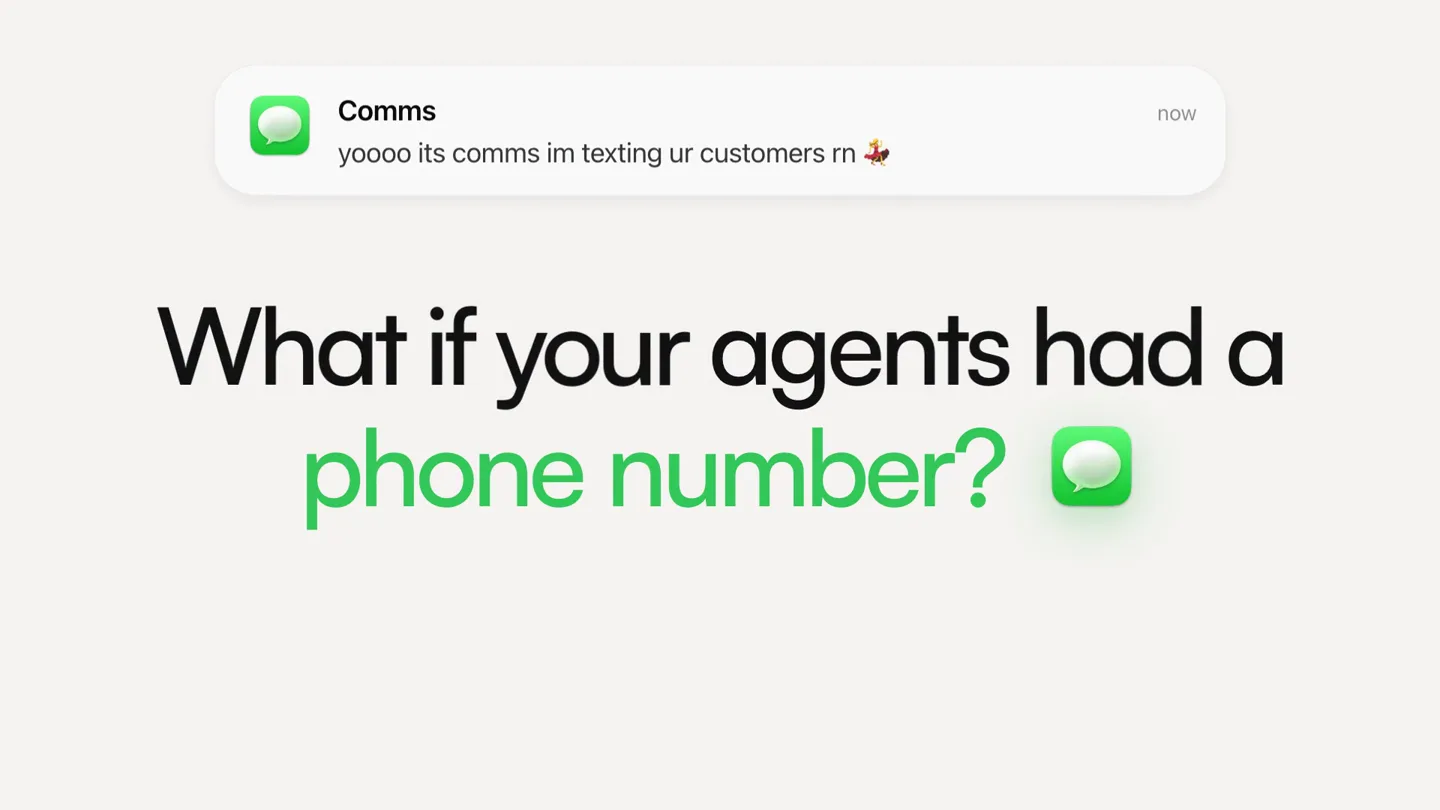
- Comms yoooo its comms im texting ur customers rn now What if your agents had a phone number?
- Camera
- Static shot, then a subtle zoom out to reveal the full question.
- Motion
- Text reveal with a subtle glow effect on the 'phone number' icon, followed by a quick cut.
Product Reveal
Introducing Comms MCP & Agent Creation
“(No spoken dialogue — The electronic beat continues, building in intensity with percussive elements. A significant riser begins at 0:25.)”
- On screen
- Introducing Comms MCP. Let's say you want an inbound agent. 9:41 Comms hey I'm ready to answer and convert customers :) So you Comms MCP capabilities and use cases Demo Agent on a claim keyword. Comms live agent on the shared line). Everything else is paused, including six near-duplicate "Lead qualifier" agents, three of which have no line assigned at all. Worth deleting those. Capability map Messaging: send to a contact, phone number, or conversation. Reply in thread, set conversation state (agent, needs_human, human, waiting, resolved), pull message history. Send a vCard contact card so your number shows up as a name. Agents: create them, write a markdown creed (the persona and rules), edit the settings document, test in a playground without touching a real customer, trigger manually, and read the run log. Snapshot an agent into a template, then publish it so other orgs can install it. Lines: shared line with a claim keyword per agent, or a dedicated number per agent. There's also an api-only claim mode that attaches a line for webhooks without spinning up a no-code agent. Knowledge: upsert docs globally or scoped to a agent, then semantic search over them. Using the shared line, make an agent Opus 5 High Chatbase or Siena engineer asks how integration works you can show a working event stream instead of explaining it. Want me to clean up the dead agents, or build out a demo agent for one of your active targets? 1 minute ago Using the shared line, make an agent that understands everything about Comms. Make sure to tell me my keyword for the line Thinking about a communications agent with line access credentials Osis comms list knowledge Write a message... Opus 5 High
- Camera
- Series of quick cuts, zooms, and pans across UI elements, simulating user interaction.
- Motion
- Rapid UI animation, text typing effects, and screen transitions. The background features a subtle, abstract data pattern with a green/orange gradient overlay.
Feature Teaser
Agent Learning & Real-time Interaction
“(No spoken dialogue — A sub-bass drop/impact at 0:28 follows the riser. The driving beat continues, with sweeps and percussive impacts. Another significant riser occurs at 0:41.)”
- On screen
- It learned your site and docs. A custom agent in minutes. 9:41 New iMessage To: +1 (646) 391-6392 Yo comms comment comments q w e r t y u i o p a s d f g h j k l z x c v b n m 123 Yo - what's going on? What are you building with Comms? Delivered Tryna learn m how to from Tryna learn more about product. How does pricing work? Do they have an MCP?? I The I'm Message Q W E R T Y U I O P unlimited on the shared line), Dedicated ($200/mo, your own number), and Enterprise (custom). Which fits depends on volume and if you need your own number. And yes on MCP - you can register external MCP servers so an agent calls your own company's tools directly. There's also a straight REST API for messages if you want to build against it yourself. Fire. Appreciate the help and man though
- Camera
- Close-up on phone screen, simulating typing and receiving messages, with subtle background movement.
- Motion
- Typing animation, message bubble reveals, and scrolling UI. The background features a soft, organic, blurred gradient.
Call to Action
Seamless Conversion & Sign-up
“(No spoken dialogue — A sub-bass drop/impact at 0:42 follows the riser. The electronic beat maintains its energy, leading to a final impactful sound design element.)”
- On screen
- And yes on MCP - you can register external MCP servers so an agent calls your own company's tools directly. There's also a straight REST API for messages if you want to build against it yourself. Fire. Appreciate the help. Gonna get on a dedicated line rn can u send link? Delivered Here you go: https://whop.com/ checkout/plan_CYHjgnkIDfgYA 9:41 Messages Whop Join the internet economy Update Comms Promo code & details Subscribe to Comms by Osis AI Message and SMS conversations for your business. $200.00 Due today Renews at $200.00 (without tax) every month until you cancel. Email caleoballer@gmail.com Signed in Use a different email VISA Visa **** 0237 08/2030 Mastercard **** 9951 12/2030 VISA Visa **** 5789 02/2029 Card Apple Pay Google Pay whop.com Your agents should have a phone number. Sign up for free. (unlimited messages for $50 a month) osis.co
- Camera
- Zoom into a payment screen, then cuts to full-screen text, and finally the logo.
- Motion
- UI navigation simulation, text reveals, and a final logo animation with a subtle glow.
Motion design primitives
Synthesizable in Remotion · key components of the ai-agent-ui-showcase template.
DynamicTextBubble
Text messages appear and disappear within a phone UI, simulating a real-time conversation. Messages type out character by character or fade in as complete bubbles.
+ Code construction recipe
Use `interpolate` for character-by-character typing animation or `spring` for message bubble entry/exit. Implement a `Sequence` component to manage the timing of multiple messages. SVG paths can be used for the bubble shapes.
InteractiveUISimulation
Simulates user interaction with a software interface, including typing into input fields, clicking buttons, and scrolling through content. Elements highlight or change state dynamically.
+ Code construction recipe
Utilize `AbsoluteFill` for screen layouts. Animate cursor movement and text input with `interpolate`. Use `spring` for button presses or menu expansions. Implement `OffthreadVideo` for pre-rendered UI elements or `Canvas` for complex interactive simulations.
AbstractDataOverlay
A subtle, semi-transparent background layer featuring abstract data patterns, code snippets, or blurred organic gradients that shift and animate gently behind the main UI.
+ Code construction recipe
Employ `Shader` components for generative background patterns or `Image` components with `blendMode` and `opacity` for blurred gradients. Animate `transform` properties (scale, rotation, position) with `interpolate` for subtle movement.
Style DNA & aesthetic system
Visual aesthetic
Typography
Motion
Special effects
Pacing & rhythm
Conceptual story rhythm
- 1
The Provocative Question
Purpose. Immediately hooks the viewer by posing a relatable problem or an intriguing 'what if' scenario.
Execution. A bold, full-screen question with a key phrase highlighted, followed by a quick reveal of the product name.
- 2
Problem-Solution Demonstration
Purpose. Illustrates the product's core functionality by showing how it solves the initial problem through a simulated user journey.
Execution. Rapid-fire UI animations demonstrating agent creation, configuration, and learning, often with abstract data overlays.
- 3
Real-World Impact & Value
Purpose. Showcases the tangible benefits and ease of use in a practical, conversational context.
Execution. Detailed phone UI simulations of an AI agent interacting with a customer, answering questions, and guiding them to a solution.
- 4
Clear Call to Action
Purpose. Directs the viewer on the next steps, reinforcing the product's value proposition.
Execution. Concise text overlays summarizing benefits and a clear call to sign up, culminating in the brand logo and website.
Remix in Animatiq Studio
Master remix prompt · agent-ready
Sample remix
Objective
Launch an AI-powered customer support platform that automates ticket resolution and agent training.How the recipe adapts
The video would open with 'What if your support tickets resolved themselves?' followed by 'Introducing ResolveAI.' Dynamic text bubbles would show an AI agent autonomously resolving common customer queries. Interactive UI simulations would demonstrate the platform's ability to ingest knowledge bases and train new agents in minutes. The vibrant accent color would be a deep blue, highlighting 'Automated Resolution' and 'Instant Training.' The final call to action would be 'Start your free trial today' with the ResolveAI logo.Remix blueprint · ai-agent-ui-showcase
Scene durations (4 scenes, 61s)
Key Remotion components
Related AI Agents Product Launches
Explore all AI Agents launches →
To ensure that artificial general intelligence benefits all of humanity

Gopuff introduces Go, an AI shopping assistant built with SpaceXAI: say what you need and the order is placed.

Iliad (Troy) trailer made by Grok Imagine 1.5, which was just released