
Conductor · Launch Video Breakdown: Hook, Pacing & Motion Design
Claude, Codex, and Cursor agents can create and manage Conductor cloud sessions alongside humans, with OAuth.
Scene-by-scene timeline & spoken transcript
The Hook
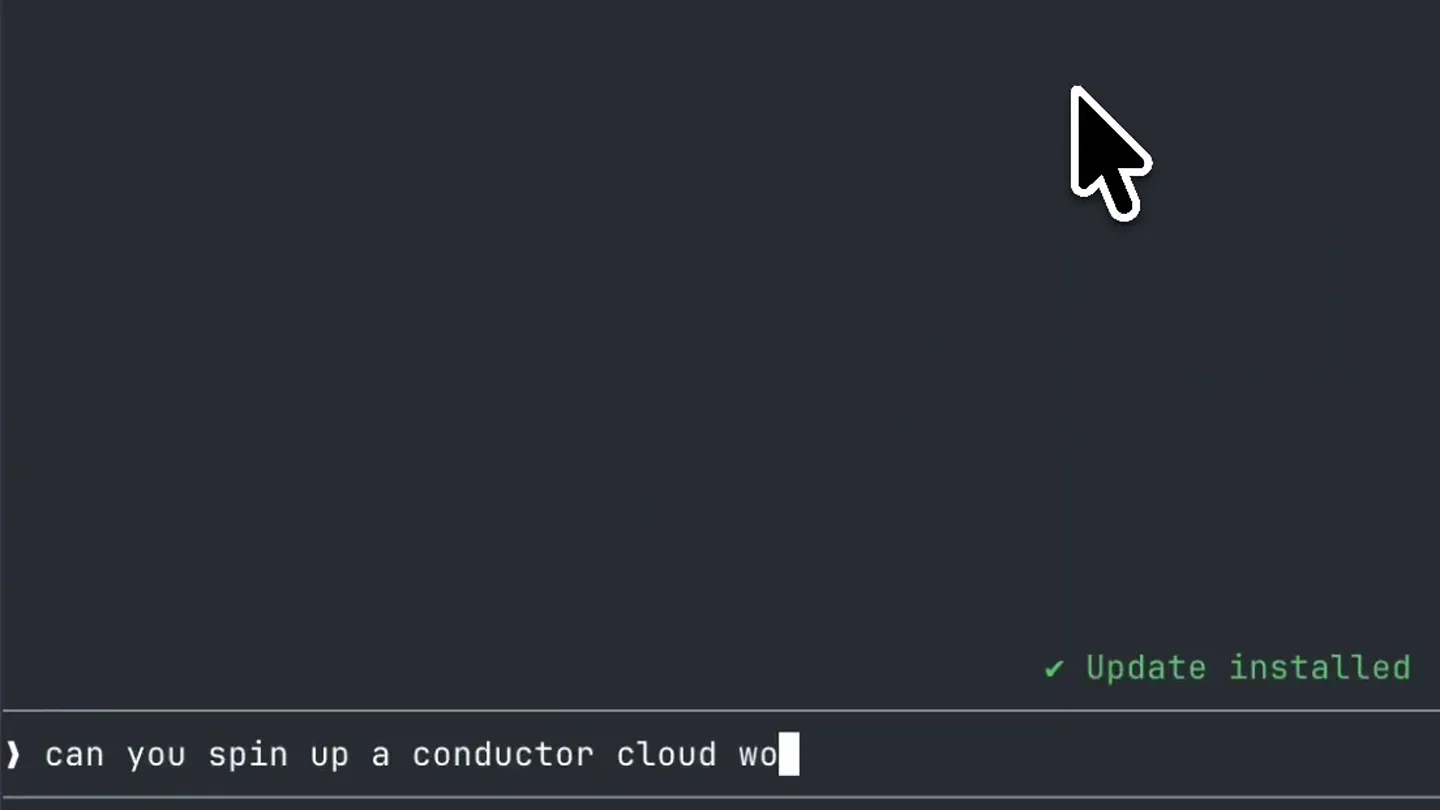
AI-Powered Terminal Interaction
“(No spoken dialogue — silent video with ambient typing sounds implied by visual text input.)”
- On screen
- can you spin up a conductor cloud workspace with that file change?
- Camera
- Static wide shot of a dual-pane developer environment, focusing on a terminal on the left and a file explorer/editor on the right.
- Motion
- Text typing animation, cursor movement, and subtle UI updates (e.g., 'Update installed' notification).
Product Reveal
Automated Workspace Creation
“(No spoken dialogue — silent video with ambient typing sounds implied by visual text input.)”
- On screen
- Called conductor 2 times Project found: conductor. The cloud workspace clones from the remote, and this file is untracked locally — so rather than push a branch, I'll have the workspace's first message create the file verbatim. Calling conductor... Workspace is up and initializing: conductor-mcp-doc Project: conductor, agent: Claude Status: initializing (preparing sandbox); the first message is queued and will run once it's ready That message tells it to write conductor-mcp.md verbatim and not commit or push One note on how I did it: cloud workspaces clone from the GitHub remote, and conductor-mcp.md is untracked locally, so there was no branch to point at. I embedded the file content in the initial message instead of pushing a branch. If you'd rather the workspace start from a real commit, say so and I'll commit it to a branch, push, and recreate the workspace on that branch. Crunch for 48s Update installed excelent. next can you spin up another session to review those changes?
- Camera
- Initial wide shot, then a quick zoom and pan to focus on the terminal output as the AI agent processes the request.
- Motion
- Rapid text output, scrolling terminal content, and a quick, smooth camera pan/zoom to highlight the relevant information.
Feature Teaser
Collaborative AI Review Sessions
“(No spoken dialogue — silent video with ambient typing sounds implied by visual text input.)”
- On screen
- Review session created in the same workspace: review-conductor-mcp-doc Both sessions now live in workspace conductor-mcp-doc, sharing the same files and branch: session 1 — writes conductor-mcp.md (queued, waiting on sandbox init) session 2 — reviews it for tool accuracy against the real MCP server implementation, missing tools, and house style; told to wait for the file and not to commit or push Since the two run independently, I gave the reviewer a wait-and-retry instruction so it doesn't fire before the file exists. Want me to poll and report back what the review finds? Brewed for 31s nice, let me know when the work is done Ruminating... Update installed
- Camera
- Smooth pan from the terminal to the file explorer/editor, then back to the terminal as new AI responses appear.
- Motion
- Seamless horizontal camera pan, text typing, and dynamic content updates in both panes, simulating real-time interaction.
Call to Action
Conductor: AI-Powered Cloud Sessions
“(No spoken dialogue — silent video with ambient typing sounds implied by visual text input.)”
- On screen
- (No on-screen text)
- Camera
- Gradual zoom out to reveal the full dual-pane interface, then a fade to black.
- Motion
- Slow, deliberate zoom out, followed by a clean fade to black, emphasizing the complete system.
Motion design primitives
Synthesizable in Remotion · key components of the ai-dev-workflow-showcase template.
DualTerminalRaceSplit
Two distinct application panes (terminal and editor) are displayed side-by-side, with content dynamically updating in both. The focus shifts between them via smooth camera pans.
+ Code construction recipe
Use <AbsoluteFill> for the overall canvas. Render two child components, <TerminalPane> and <EditorPane>, positioned with `left` and `width` properties. Implement `useCurrentFrame()` and `interpolate()` for camera pan animations, adjusting the `translateX` of the parent container to simulate camera movement.
AITypingResponse
Text appears character by character, simulating real-time typing, often followed by a block of generated text. Cursor blinks at the end of user input.
+ Code construction recipe
Utilize `Sequence` and `spring()` for character-by-character text reveal. For generated blocks, use `interpolate()` to control `opacity` and `height` for a smooth reveal. A blinking cursor can be achieved with `loop()` and `opacity` animation.
DynamicUINotification
Small, contextual UI elements like 'Update installed' or 'Ruminating...' appear and disappear with subtle animations, providing feedback on background processes.
+ Code construction recipe
Render these notifications as `AbsoluteFill` children with `bottom` and `right` positioning. Animate their `opacity` and `translateY` using `spring()` or `interpolate()` for a fade-in/fade-out effect. Use `Sequence` to control their appearance duration.
Style DNA & aesthetic system
Visual aesthetic
Typography
Motion
Special effects
Pacing & rhythm
Conceptual story rhythm
- 1
The Prompt
Purpose. Introduce the user's objective and the AI's capability to understand complex requests.
Execution. User types a natural language command into the terminal, setting up the problem.
- 2
The Execution
Purpose. Demonstrate the AI agent's ability to interpret, plan, and execute tasks within the cloud environment.
Execution. Terminal output rapidly displays the AI's thought process, actions, and confirmation of workspace creation.
- 3
The Collaboration
Purpose. Showcase advanced features like multi-agent collaboration and session management.
Execution. The AI initiates a review session, detailing how multiple agents work together on the same task, with visual updates across both panes.
- 4
The Resolution
Purpose. Conclude the interaction, highlighting the efficiency and completeness of the AI's work.
Execution. The user acknowledges the completed work, and the interface settles, implying a successful outcome.
Remix in Animatiq Studio
Master remix prompt · agent-ready
Sample remix
Objective
A user wants to automate the creation of a real-time data pipeline for streaming sensor data into a dashboard.How the recipe adapts
The DualTerminalRaceSplit primitive will show a terminal on the left and a data visualization/dashboard pane on the right. The AITypingResponse primitive will demonstrate the DataFlow AI interpreting the user's request and outputting the pipeline creation steps. DynamicUINotification will show 'Pipeline building...' and 'Dashboard deployed!' messages. The camera will pan from the terminal to the dashboard as data starts flowing in, showcasing the real-time results.Remix blueprint · ai-dev-workflow-showcase
Scene durations (4 scenes, 30.6s)
Key Remotion components
Related Developer Tools Product Launches
Explore all Developer Tools launches →
Agentic CLI for coding, building apps, and automating workflows.
Sakana AI launches Fugu, a multi-agent orchestration system served through a single model API, led by its Fugu Ultra model.
Get paid to wait The Claude Code spinner might be the most watched line on Earth. So I turned it into an ad marketplace. Advertisers bid on it. You keep 50% of the money. Install the extension → ge…