
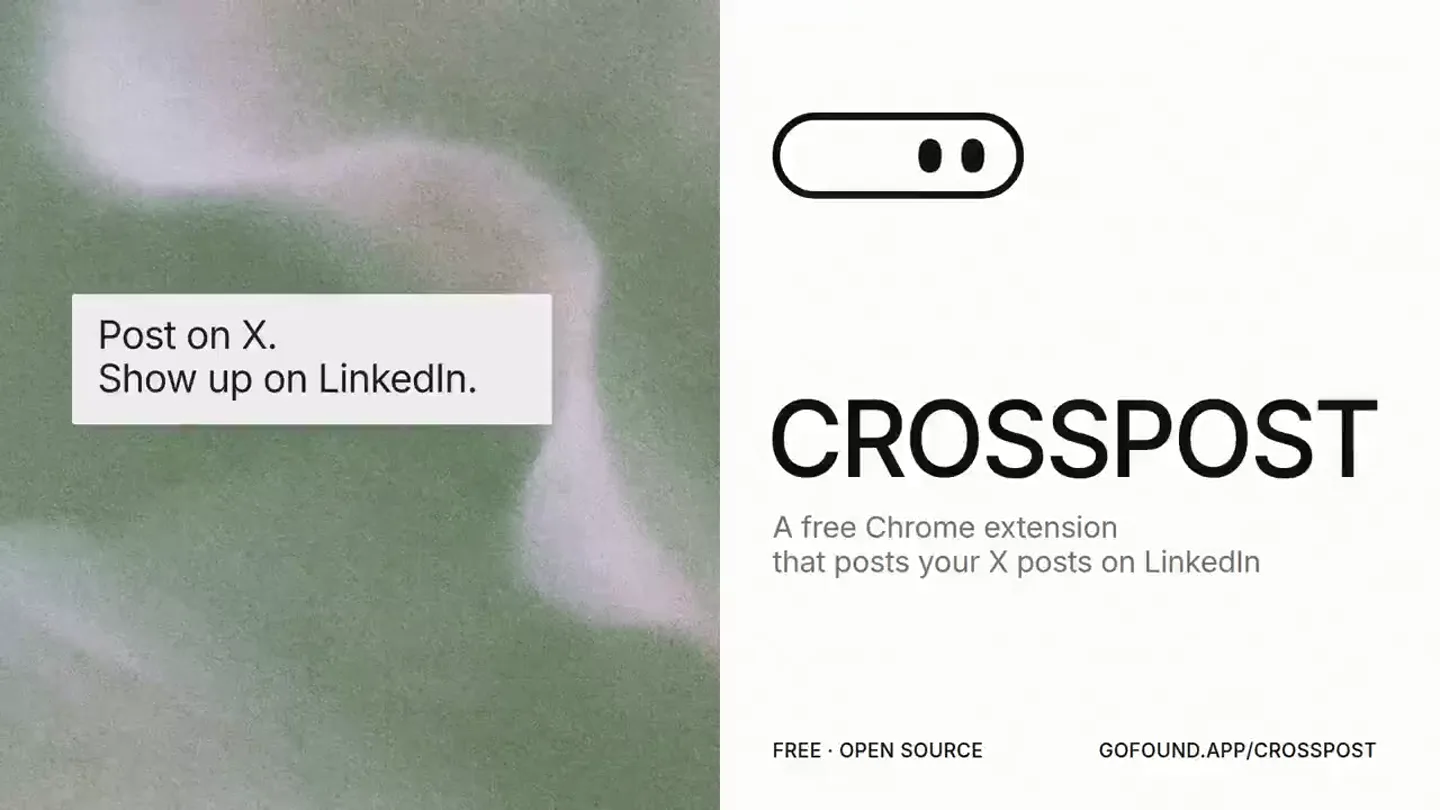
Crosspost · Launch Video Breakdown: Hook, Pacing & Motion Design
Crosspost is a Chrome extension that imports existing posts on X and schedules them for LinkedIn. You can skip, edit, or queue them, and every post keeps its views and likes.
Scene-by-scene timeline & spoken transcript
The Hook
Problem & Solution Intro
“(No spoken dialogue — ambient visual with text overlays)”
- On screen
- Post on X. Show up on LinkedIn. Crosspost. A free Chrome extension that posts your X posts on LinkedIn. FREE · OPEN SOURCE GOFOUND.APP/CROSSPOST. February 2023. $430 IN REVENUE. NO STUDIO. JUST POSTING ON X. Monthly revenue, 2023 $430 Feb. $104K May Jun Jul Aug Sep Oct. Baked. $130K Nov Dec. $502K IN YEAR ONE. $4M+ SINCE. EVERY CLIENT CAME FROM X. 48.3K followers 10.0M impressions this year 32.5K profile visits 13.0K bookmarks. I never found time for LinkedIn. SO I BUILT CROSSPOST. POST ON X SHOW UP ON LINKEDIN
- Camera
- Static camera, split-screen composition, then full-screen text overlays with subtle background movement.
- Motion
- Split-screen reveal, text pop-ins, data visualization with animated bar charts, and a soft, organic background texture that subtly shifts color.
Product Reveal
Core Value Proposition
“(No spoken dialogue — ambient visual with text overlays)”
- On screen
- POST ONCE. SHOW UP TWICE. Nick @nickbakeddesign Founder baked.design - Creative design agency for founder led companies | ex Meta, Netflix, Expo | custom components baked.supply Professional Services baked_design cal.com/baked/30min joined February 2023 > 2,640 following 55.5K followers 3 Subscribers Open to Linkfollower Posts Replies Reposts Subs Media Nick @nickbakeddesign 10h branding & website exploration for a new client Post to LinkedIn Review New client. Branding and a website. Exploration mode. This is the stage before anything gets locked in. Post images 3 images Cancel Queue Post. Post on X like normal. It lands on LinkedIn, photos and all. YOUR BEST OLD POSTS. Top posts first. One key to queue, skip or edit. Crosspost 2 of 44 Covered to Sep 29 new brand work for @homeroom the early internet was made by people. in public. in the open. you could view source. borrow an idea, leave your mark. we are bringing back the retro Y2K vibe for a app building with multiplayer for 2026 - where people build with you and ship! congrats on the launch to Homeroom team @evanaheajiro & our design bakers at @bakedtogether - @designgor on the awe-amazing brand work. @ozbyhub framer build & @jerrythe2d on creating captivating motion design! Skip Edit Personal Queue for Wed 9am
- Camera
- Zoom into product UI, then a panning motion across the interface, followed by a slight tilt and zoom out.
- Motion
- Screen capture with UI highlights, animated text boxes sliding in, and a continuous ticker-tape text animation at the bottom of the screen.
Feature Teaser
Advanced Features & Benefits
“(No spoken dialogue — ambient visual with text overlays)”
- On screen
- A CALENDAR THAT FILLS ITSELF. Crosspost September 2026 0 unposted 2 suggested Posted Suggested Sun Mon Tue Wed Thu Fri Sat 1 2 3 4 5 6 7 8 9 10 11 12 13 14 15 16 17 18 19 20 21 22 23 24 25 26 27 28 29 30 Today > Crosspost Sunday Monday Tuesday Wednesday TUNED FOR LINKEDIN. Edit for LinkedIn LinkedIn preview Inbox (YC S26) came to us with a super tight deadline. 12 days to go from no brand to full branding, content writing, marketing website design, build it, design the web app and code the front-end. 12 days - Branding - Content - Website - Build it - Web app - Rewrite Visual Post images (4) Save copy Tweet card Hook check 5 of 5 Check with Claude Add to queue Thu Oct 1, 9:00 AM Post now. Check your hook before it goes out. NO SERVERS. Crosspost Posted Sep 24 not yet see More can't wait... I make tons of videos with 1-2 line prescripts. No storyboard. And this is the trend it's been going to be... see More 2030 Sep 24 I hate using external social media posting apps, so I never posted consistently other than X Sep 24 longevity brand & marketing
- Camera
- Dynamic camera movements, including a pull-back to reveal multiple UI elements, and a subtle horizontal pan.
- Motion
- Layered UI elements with depth, animated calendar filling, text highlights, and a continuous ticker-tape text animation at the bottom of the screen.
Call to Action
Recap & Final Call
“(No spoken dialogue — ambient visual with text overlays)”
- On screen
- NO SERVERS. Post on X. Show up on LinkedIn. Crosspost. A free Chrome extension that posts your X posts on LinkedIn. FREE · OPEN SOURCE GOFOUND.APP/CROSSPOST
- Camera
- Static camera, then a split-screen reveal, followed by a full-screen product shot.
- Motion
- Minimalist reveal of a single UI element, then a return to the initial split-screen branding, with a final full-screen product logo and call to action.
Motion design primitives
Synthesizable in Remotion · key components of the crosspost-style-productivity-launch template.
OrganicGradientShift
A soft, undulating gradient background that subtly shifts color and form, creating a sense of depth and fluidity. It appears as a blurred, almost liquid texture.
+ Code construction recipe
Implement using Remotion's <AbsoluteFill> with a series of animated SVG filters (e.g., feTurbulence, feDisplacementMap) or a GLSL shader for a more performant and complex effect. Interpolate color values and turbulence parameters over time for smooth transitions.
DataBarChartReveal
Bar charts animate in from the bottom, growing to their final values, with corresponding numerical text updates. A highlight color draws attention to specific data points.
+ Code construction recipe
Use Remotion's <Sequence> and <spring> for each bar's height animation. Interpolate the height property from 0 to its target value. Use <Text> components with interpolated numbers for the data labels. Apply a conditional style for the highlight color.
TickerTapeText
A continuous, horizontally scrolling line of text at the bottom of the screen, repeating key phrases and features.
+ Code construction recipe
Create a <Text> component within an <AbsoluteFill> with overflow: hidden. Animate the transform: translateX property using <interpolate> with a linear easing function, ensuring the text loops seamlessly by calculating the text width and animation duration.
Style DNA & aesthetic system
Visual aesthetic
Typography
Motion
Special effects
Pacing & rhythm
Conceptual story rhythm
- 1
The Origin Story & Problem
Purpose. Establish credibility through personal success and highlight the pain point of managing multiple social platforms.
Execution. Starts with a split-screen showing the problem/solution, then transitions to a data visualization of revenue growth, culminating in the founder's personal struggle with LinkedIn.
- 2
The Solution Revealed
Purpose. Introduce Crosspost as the direct answer to the problem, showcasing its core functionality.
Execution. A dramatic reveal of the Crosspost UI, demonstrating how an X post seamlessly translates to LinkedIn, with clear on-screen text explaining the process.
- 3
Feature Deep Dive
Purpose. Detail the key features that make Crosspost powerful and user-friendly.
Execution. Sequential demonstrations of the 'best old posts' feature, the self-filling calendar, and the LinkedIn-tuned editing capabilities, all within the product UI.
- 4
Trust & Call to Action
Purpose. Reiterate key benefits (no servers) and provide a clear path for users to try the product.
Execution. A quick recap of the 'no servers' benefit, followed by a return to the initial branding split-screen and a final full-screen call to action with the product name and URL.
Remix in Animatiq Studio
Master remix prompt · agent-ready
Sample remix
Objective
Launch a new AI-powered email assistant that summarizes long threads and drafts replies.How the recipe adapts
The organic gradient background would shift from cool blues to warm oranges, symbolizing clarity and efficiency. Split-screen reveals would show a cluttered inbox on one side and the AI-summarized version on the other. Data visualization would animate a bar chart showing 'time saved per week.' UI demonstrations would highlight the email assistant's interface, with text pop-ins explaining features like 'one-click summary' and 'AI-drafted replies.' The ticker-tape would scroll phrases like 'Boost Productivity - Save Time - Smart Replies.'Remix blueprint · crosspost-style-productivity-launch
Scene durations (4 scenes, 46s)
Key Remotion components
Related Productivity Product Launches
Explore all Productivity launches →
AI is already smart enough. Real-world tasks are still slow, expensive and unreliable, because we hand AI a computer built for humans, then wrap it in a heavy harness. AI doesn’t need to get smarter

Big day 🔥 🚀 Introducing Dolphin AI - an agentic AI studio for complete video production. The story of Dolphin is very interesting. It didn’t start as a product. It started as an internal tool. W

Don't type, just speak. Flawless voice-to-text across every app at 240 WPM.