
Ejaaz · Launch Video Breakdown: Hook, Pacing & Motion Design
this is huge news from Cursor, they've pulled of the impossible and turned their ai-wrapper into a in-destructible moat sam altman literally called it <24hrs ago and here we are: > cursor's ai agen…
Scene-by-scene timeline & spoken transcript
The Hook
Local Agent Execution
“(No spoken dialogue — The track begins with a sustained, evolving pad sound, creating an atmospheric and slightly mysterious tone. At 0:03, a subtle, high-frequency riser begins to build, culminating in a soft, ethereal impact at 0:05. This is followed by a rhythmic, arpeggiated synth pattern that establishes a pulse.)”
- On screen
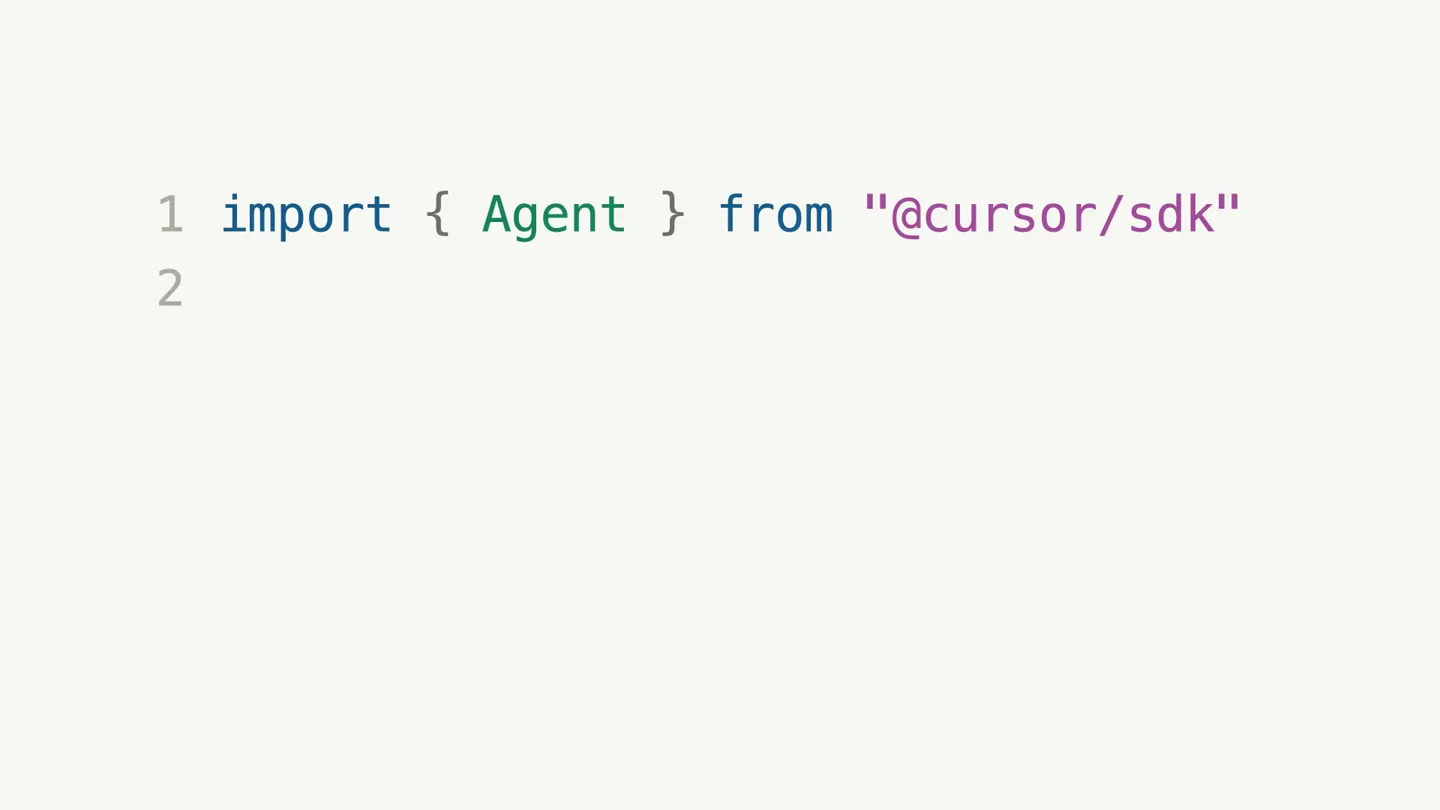
- import { Agent } from "@cursor/sdk" const agent = Agent.create({ name: "Docs improvement agent", model: { id: "composer-2" }, local: { cwd: "apps/docs" }, }) console.log("Running Cursor agent...") const run = await agent.send( "Explore this repo and make one improvement." ) for await (const event of run.stream()) { if (event.type === "tool_call") { console.log(`tool: ${event.name}`) } if (event.type === "assistant") { console.log(event.message) } } await run.wait() console.log("Done") $ bun run ./cursor-agent.ts Running Cursor agent... list_directory apps/docs read_file apps/docs/package.json search_codebase "build-search-index" I found generated docs content and no link validation. I'll add a small checker, wire it into scripts, then verify it. edit_file apps/docs/scripts/check-links.ts edit_file apps/docs/package.json run_command pnpm -F docs docs:check-links run_command pnpm -F docs type-check Added check-links.ts, wired docs:check-links into package.json, and confirmed docs type-check passes. Done $
- Camera
- Static wide shot of a split-screen terminal. The left pane displays code, and the right pane displays terminal output.
- Motion
- Code typing animation, terminal output scrolling, split-screen reveal.
Product Reveal
Cloud Agent Execution
“(No spoken dialogue — A significant high-energy audio transition, characterized by a prominent riser and a sub-bass drop/impact, occurs at 0:10. This transition introduces a more driving, percussive element with a consistent kick drum and a shimmering, high-frequency synth melody. Another impactful sub-bass drop/impact is heard at 0:15, reinforcing the rhythmic energy.)”
- On screen
- import { Agent } from "@cursor/sdk" const agent = Agent.create({ name: "Docs improvement agent", model: { id: "gpt-5.5" }, cloud: { repos: [{ url: "https://github.com/cursor/docs" }], }, }) console.log("Running Cursor Cloud agent...") const run = await agent.send( "Explore this repo and make one improvement." ) for await (const event of run.stream()) { if (event.type === "tool_call") { console.log(`tool: ${event.name}`) } if (event.type === "assistant") { console.log(event.message) } } await run.wait() console.log("Done") $ bun run ./cursor-agent.ts Running Cursor Cloud agent... list_directory apps/docs read_file apps/docs/package.json search_codebase "openGraph" read_file apps/docs/lib/metadata.ts I found several docs pages without tailored social previews. I'll add an OG image helper and wire it into the docs metadata. edit_file apps/docs/app/api/og/route.tsx edit_file apps/docs/lib/metadata.ts run_command pnpm -F docs build:search-index run_command pnpm -F docs type-check Added a generated OG image route, connected docs metadata to it, and verified the docs build still passes. Done $
- Camera
- Static wide shot of a split-screen terminal. The left pane displays code, and the right pane displays terminal output.
- Motion
- Code typing animation, terminal output scrolling, split-screen reveal, text highlight animation.
Feature Teaser
SDK Branding Reveal
“(No spoken dialogue — A sweeping sound effect is present at 0:20, leading into a more intense, layered synth texture.)”
- On screen
- Cursor SDK
- Camera
- Static, centered shot.
- Motion
- Text fade-in, logo reveal.
Call to Action
Brand Logo & Fade Out
“(No spoken dialogue — The energy continues to build with a pronounced riser and sub-bass impact at 0:25, followed by a brief, almost glitch-like sound effect at 0:26. The track concludes with a final, powerful sub-bass impact and a sustained, resonant synth chord at 0:30, fading out with a lingering atmospheric tail.)”
- On screen
- (No on-screen text)
- Camera
- Static, centered shot.
- Motion
- Logo fade-in, sustained presence, fade to black.
Motion design primitives
Synthesizable in Remotion · key components of the developer-terminal-showcase template.
DualTerminalRaceSplit
A split-screen layout where the left pane displays code being typed out, and the right pane displays corresponding terminal output scrolling rapidly. Both panes animate simultaneously, simulating real-time development.
+ Code construction recipe
Use `Sequence` and `AbsoluteFill` for the split layout. Implement `Typewriter` component for code typing with `delay` and `speed` props. For terminal output, use `Scroll` component with `delay` and `duration` to simulate rapid scrolling, potentially with `spring` for a subtle bounce at the end of a scroll block. Text highlighting can be achieved with `interpolateColors`.
CodeLineHighlight
Specific lines of code are highlighted with a subtle background color change, drawing attention to modifications or key parameters.
+ Code construction recipe
Wrap target `Code` lines in a `View` component. Use `interpolate` on `backgroundColor` property from transparent to a light accent color, with a `delay` and `duration` to match the narrative timing. Ensure smooth `easing` for the color transition.
MinimalTextFade
Text elements appear and disappear with a smooth, subtle opacity transition, often centered on a clean background.
+ Code construction recipe
Apply `interpolate` to the `opacity` CSS property of a `Text` component, transitioning from 0 to 1 over a short `duration`. Use `delay` to time its appearance. Can be combined with a slight `scale` or `translateY` for added subtlety.
Style DNA & aesthetic system
Visual aesthetic
Typography
Motion
Special effects
Pacing & rhythm
Conceptual story rhythm
- 1
Local Agent Setup
Purpose. Introduces the core concept of an AI agent by demonstrating its local execution, establishing a baseline for its capabilities.
Execution. Split-screen view with code being typed on the left and local terminal commands/output on the right, showing the agent performing a task.
- 2
Cloud Agent Enhancement
Purpose. Showcases the product's scalability and advanced features by demonstrating cloud-based agent execution, highlighting a more complex task.
Execution. Similar split-screen, but with code changes reflecting cloud integration and terminal output showing more sophisticated operations and results.
- 3
Product Identity Reveal
Purpose. Clearly states the product name and its core offering (SDK), transitioning from technical demonstration to brand recognition.
Execution. A clean, centered text overlay 'Cursor SDK' appears, followed by the brand logo.
- 4
Brand Reinforcement
Purpose. Solidifies brand presence and leaves a lasting impression.
Execution. The brand logo remains centered on a black background, fading out slowly.
Remix in Animatiq Studio
Master remix prompt · agent-ready
Sample remix
Objective
Launch a new API for a serverless function platform.How the recipe adapts
The DualTerminalRaceSplit primitive would show a developer writing serverless function code on the left, and the right terminal would display deployment commands, API endpoint creation, and real-time logs. CodeLineHighlight would draw attention to key API parameters or function triggers. MinimalTextFade would introduce the API name and platform branding. The overall pacing would maintain the rapid, efficient feel of deploying serverless functions, with sound design emphasizing successful deployments and API calls.Remix blueprint · developer-terminal-showcase
Scene durations (4 scenes, 35s)
Key Remotion components
Related AI Agents Product Launches
Explore all AI Agents launches →
To ensure that artificial general intelligence benefits all of humanity

Gopuff introduces Go, an AI shopping assistant built with SpaceXAI: say what you need and the order is placed.

Iliad (Troy) trailer made by Grok Imagine 1.5, which was just released