
Databricks · Launch Video Breakdown: Hook, Pacing & Motion Design
Databricks ships Z.ai GLM 5.3 as a day-zero release, hosted on governed GPUs and routed through Unity Gateway.
Scene-by-scene timeline & spoken transcript
The Hook
Platform Availability Tease
“(No spoken dialogue — Silent video with ambient visual focus.)”
- On screen
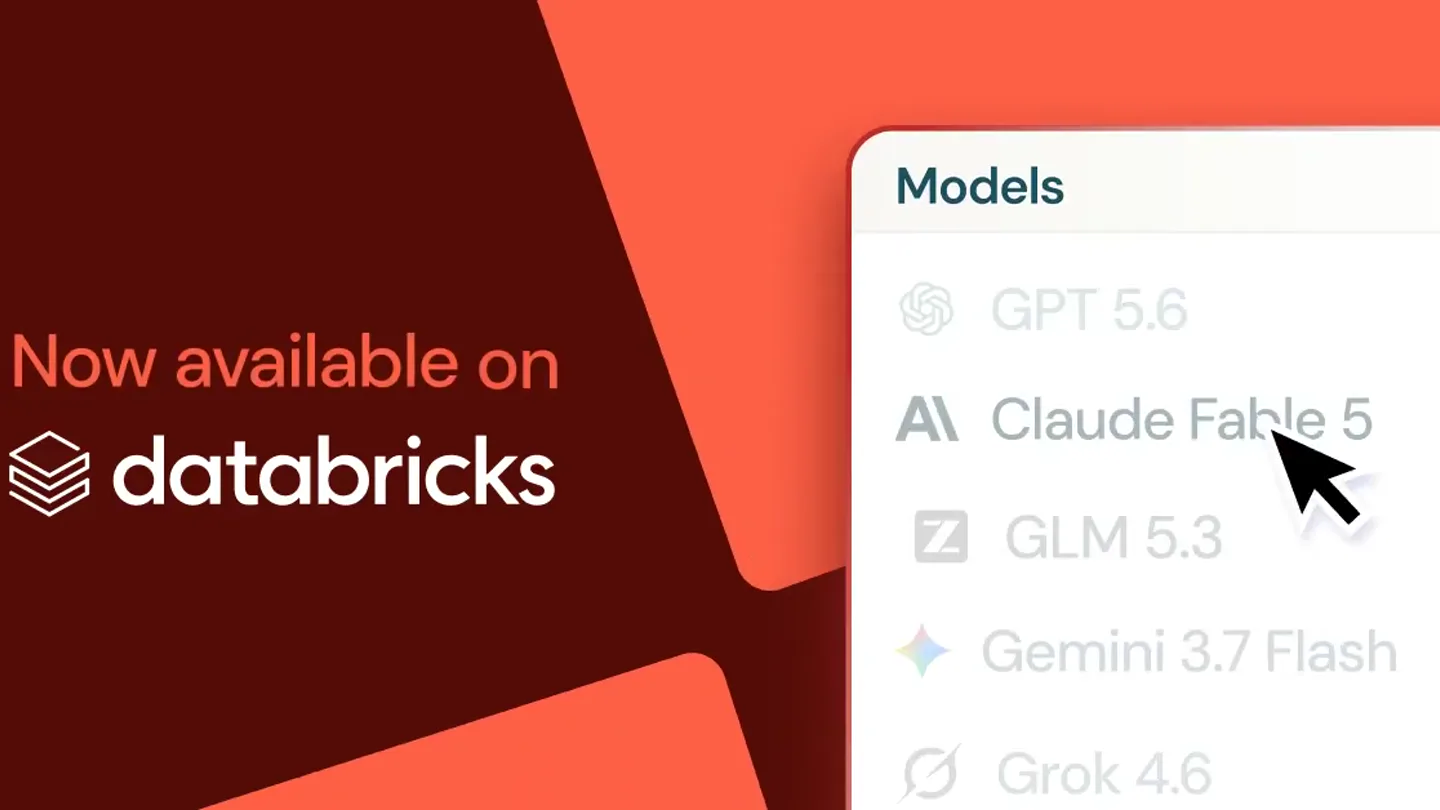
- Now available on databricks Models
- Camera
- Static shot, slightly angled perspective on a UI element.
- Motion
- Subtle background shape animation, UI element appears from right.
Product Reveal
Model Selection Highlight
“(No spoken dialogue — Silent video with ambient visual focus.)”
- On screen
- Now available on databricks Models GPT 5.6 Claude Fable 5 Z GLM 5.3 Gemini 3.7 Flash Grok 4.6
- Camera
- Static shot, focus on a dropdown menu with a mouse cursor.
- Motion
- Mouse cursor animates to hover over 'GLM 5.3'.
Feature Teaser
GLM 5.3 Selection
“(No spoken dialogue — Silent video with ambient visual focus.)”
- On screen
- Now available on databricks Models Z GLM 5.3
- Camera
- Static shot, mouse cursor clicks on 'GLM 5.3'.
- Motion
- Click animation, highlighting the selected item.
Call to Action
Product Name Emphasis
“(No spoken dialogue — Silent video with ambient visual focus.)”
- On screen
- GLM 5.3 Now available on databricks Models Z GLM 5.3
- Camera
- Static shot, with a new text element appearing.
- Motion
- Text box 'GLM 5.3' animates in from the left, emphasizing the product.
Call to Action
Final Product Lockup
“(No spoken dialogue — Silent video with ambient visual focus.)”
- On screen
- GLM 5.3 Now available on databricks Models Z GLM 5.3
- Camera
- Static shot, holding the final composition.
- Motion
- Hold frame, allowing the viewer to absorb the information.
Motion design primitives
Synthesizable in Remotion · key components of the ui-product-launch-reveal template.
UISlideIn
A UI element, such as a dropdown menu or a text box, slides into view from the edge of the screen.
+ Code construction recipe
Use Remotion's 'interpolate' function with a 'translateX' property, animating from an off-screen position to its final resting place. Apply an 'easeOutCubic' easing curve for a smooth deceleration.
CursorHighlightClick
A mouse cursor animates to a specific UI element, hovers over it, and then simulates a click, often accompanied by a subtle highlight or selection state change.
+ Code construction recipe
Animate 'left' and 'top' CSS properties for the cursor image. Implement a 'scale' transform or 'box-shadow' change on the target element using 'spring' for a tactile click feedback.
TextCalloutReveal
A prominent text box or label appears on screen, often with a subtle background shape, to highlight key information.
+ Code construction recipe
Animate 'opacity' and 'scale' properties for the text container. Use a 'delay' to ensure it appears after the relevant UI interaction. A 'spring' animation can give it a satisfying pop.
Style DNA & aesthetic system
Visual aesthetic
Typography
Motion
Special effects
Pacing & rhythm
Conceptual story rhythm
- 1
Platform Context
Purpose. Establish the environment where the product exists.
Execution. Displaying the 'Now available on Databricks' alongside the UI.
- 2
Product Discovery
Purpose. Showcase the ease of finding the new product.
Execution. Animating a mouse cursor selecting 'GLM 5.3' from a list.
- 3
Product Identification
Purpose. Clearly name and highlight the launched product.
Execution. A prominent 'GLM 5.3' text box appearing on screen.
- 4
Reinforcement
Purpose. Solidify the product's presence and availability.
Execution. Holding the final composition with all key information visible.
Remix in Animatiq Studio
Master remix prompt · agent-ready
Sample remix
Objective
Launch 'QuantumFlow 2.0', a new data orchestration tool, emphasizing its availability on 'CloudNexus'.How the recipe adapts
The 'UISlideIn' primitive would be used for the CloudNexus dashboard appearing. 'CursorHighlightClick' would show a user selecting 'QuantumFlow 2.0' from a list of available tools. Finally, a 'TextCalloutReveal' would prominently display 'QuantumFlow 2.0' with the CloudNexus logo, reinforcing its integration.Remix blueprint · ui-product-launch-reveal
Scene durations (4 scenes, 5s)
Key Remotion components
Related AI Agents Product Launches
Explore all AI Agents launches →
To ensure that artificial general intelligence benefits all of humanity

Gopuff introduces Go, an AI shopping assistant built with SpaceXAI: say what you need and the order is placed.

Iliad (Troy) trailer made by Grok Imagine 1.5, which was just released