
Databricks · Launch Video Breakdown: Hook, Pacing & Motion Design
Z.ai GLM 5.3 Flash is now on Databricks with multimodal support, 10% higher OfficeQA quality than 5.2, and 1/10th the cost.
Scene-by-scene timeline & spoken transcript
The Hook
Platform Availability Tease
“(No spoken dialogue — silent video with ambient visual focus.)”
- On screen
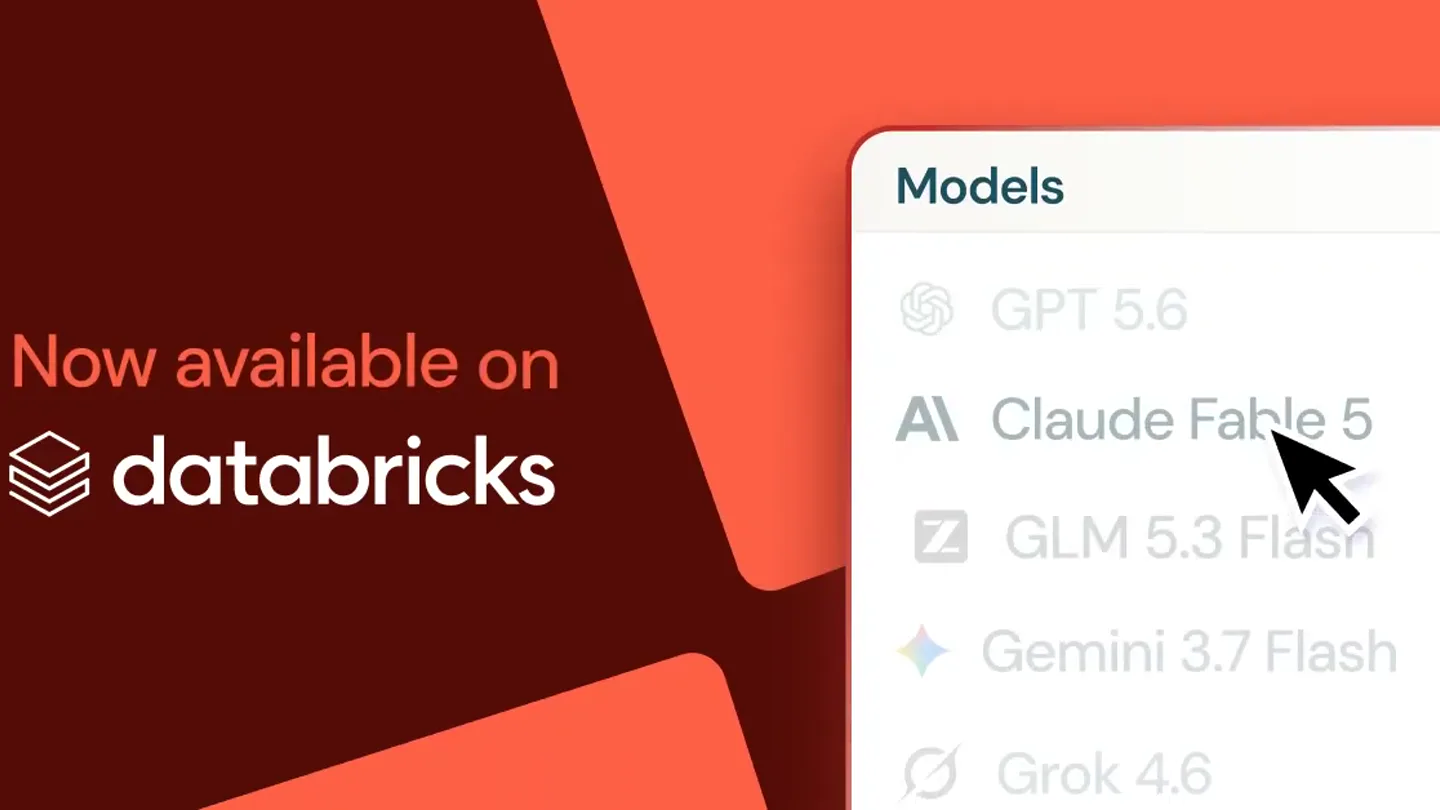
- Now available on databricks Models
- Camera
- Static wide shot, focusing on a split screen with brand messaging on the left and a UI element on the right.
- Motion
- Subtle background gradient animation, UI element appears from the right.
Product Reveal
Model Selection Highlight
“(No spoken dialogue — silent video with ambient visual focus.)”
- On screen
- Now available on databricks Models GPT 5.6 Claude Fable 5 Z GLM 5.3 Flash Gemini 3.7 Flash Grok 4.6
- Camera
- Static shot, a mouse cursor animates to hover over a list item within the UI.
- Motion
- Cursor animation, list items subtly scroll or appear, highlighting the target model.
Feature Teaser
Specific Model Selection
“(No spoken dialogue — silent video with ambient visual focus.)”
- On screen
- Now available on databricks Models GPT 5.6 Claude Fable 5 Z GLM 5.3 Flash Gemini 3.7 Flash Grok 4.6
- Camera
- Static shot, the mouse cursor clicks on 'GLM 5.3 Flash', which then highlights.
- Motion
- Click animation, selection highlight effect on the UI element.
Call to Action
Product Name Emphasis
“(No spoken dialogue — silent video with ambient visual focus.)”
- On screen
- GLM 5.3 Flash Now available on databricks Models GPT 5.6 Claude Fable 5 Z GLM 5.3 Flash Gemini 3.7 Flash Grok 4.6
- Camera
- Static shot, a prominent text box with 'GLM 5.3 Flash' animates into view on the left.
- Motion
- Text box slide-in animation with a subtle bounce, reinforcing the product name.
Motion design primitives
Synthesizable in Remotion · key components of the ai-agent-ui-launch template.
UISplitReveal
A screen is split into two distinct sections, with one side displaying brand information and the other revealing a UI element that slides into view.
+ Code construction recipe
Use Remotion's <AbsoluteFill> with two child <Div> components. Animate the 'right' property of the UI <Div> using `interpolate` with an `easeOutCubic` curve for a smooth slide-in effect.
CursorHoverClick
A mouse cursor animates its path to a specific UI element, hovers briefly, and then simulates a click, triggering a highlight effect.
+ Code construction recipe
Implement a custom SVG cursor component. Animate its `transform` (translate) property along a predefined path using `spring` for natural movement. Apply a `scale` and `opacity` change on the target UI element on click using `useCurrentFrame` and `interpolate`.
FeatureCalloutBox
A rectangular text box containing key product information slides into the frame with a slight overshoot and settle, drawing attention to the product name.
+ Code construction recipe
Create a <Div> for the text box. Animate its `left` and `top` properties using `spring` with a `damping` value for the overshoot effect. Ensure text inside is centered and styled appropriately.
Style DNA & aesthetic system
Visual aesthetic
Typography
Motion
Special effects
Pacing & rhythm
Conceptual story rhythm
- 1
Platform Context
Purpose. Establish the environment where the new product is available.
Execution. Display 'Now available on Databricks' prominently on the left side of the screen.
- 2
Discovery & Selection
Purpose. Guide the viewer through the process of finding and selecting the product within the platform.
Execution. Animate a cursor navigating a UI menu to select 'GLM 5.3 Flash'.
- 3
Product Highlight
Purpose. Emphasize the specific product being launched.
Execution. Visually highlight 'GLM 5.3 Flash' in the UI and introduce a dedicated callout box for its name.
- 4
Reinforcement
Purpose. Solidify the product's identity and availability.
Execution. Maintain the product name and platform availability on screen for the remainder of the short video.
Remix in Animatiq Studio
Master remix prompt · agent-ready
Sample remix
Objective
Launch 'QuantumFlow 2.0' on the 'Synapse AI' platform, highlighting its new 'Predictive Analytics' module.How the recipe adapts
The split-screen layout will feature 'Now on Synapse AI' on the left. The UI on the right will show a list of modules, with a cursor animating to select 'QuantumFlow 2.0: Predictive Analytics'. A callout box will then slide in, displaying 'QuantumFlow 2.0' in a bold, modern font. The color palette will shift to deep blues and electric greens to reflect the 'Quantum' theme.Remix blueprint · ai-agent-ui-launch
Scene durations (3 scenes, 5s)
Key Remotion components
Related AI Agents Product Launches
Explore all AI Agents launches →
To ensure that artificial general intelligence benefits all of humanity

Gopuff introduces Go, an AI shopping assistant built with SpaceXAI: say what you need and the order is placed.

Iliad (Troy) trailer made by Grok Imagine 1.5, which was just released