
David · Launch Video Breakdown: Hook, Pacing & Motion Design
David turned the process he used to make a launch video into a skill, then used that skill to make this promo. It is part of his skills repo.
Scene-by-scene timeline & spoken transcript
The Hook
The Goal is Clear, The Terrain Isn't
“(No spoken dialogue — High-energy audio riser leading into the main beat.)”
- On screen
- ? The goal is clear. ? ? The terrain isn't.
- Camera
- Static, slightly elevated isometric view of a hexagonal grid, then a quick zoom out and fade to white.
- Motion
- Text reveals with subtle bounce, question mark animations, quick fade-out transition.
Problem Agitation
Mapping the Unknowns & Zoning the Plots
“(No spoken dialogue — Driving electronic beat with pizzicato synth melodies.)”
- On screen
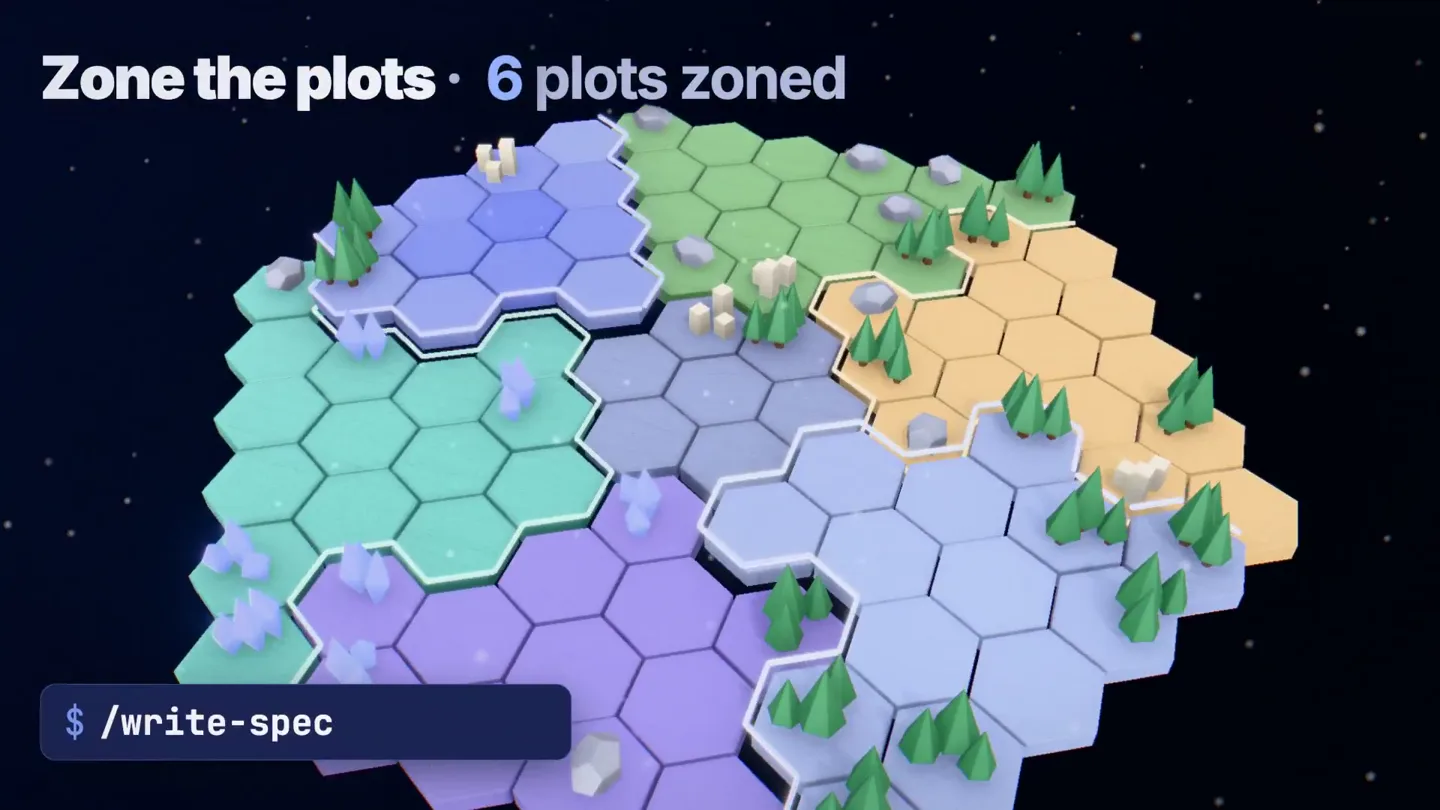
- SKILLS. AI skills for building software factories. $ | npx skills add dzhng/skills ✓ 3 skills installed Survey the land • 34 unknowns left $ /explore-unknowns Survey the land • 18 unknowns left Zone the plots • 0 plots zoned $ /write- Zone the plots • 7 plots zoned Build & inspect • 2/7 passed $ /goal /implement-spec Build & inspect • 5/7 passed UNATTENDED 0d 02h 15m 38s
- Camera
- Isometric camera pans and rotates around a dynamically building hexagonal map, following the 'exploration' and 'zoning' processes.
- Motion
- Procedural generation of map elements (trees, rocks, buildings), animated text counters, command-line interface (CLI) typing animation, glowing scanline effects.
Product Reveal
The Factory Runs Itself: Reviewing Choices
“(No spoken dialogue — Electronic beat continues, sub-bass drop/impact at 0:21.)”
- On screen
- UNATTENDED 0d 12h 49m 35s The factory runs itself. 1d 16h 23m 03s Review the choices not the choices.md ranked least-confident first 1 Kept retry state in one owner 2 Split the sync slice in two 3 Reused the existing cache key 4 Server-side sort for the list Review the choices, not the diff. runs in Claude Code Codex +70 harnesses
- Camera
- Camera zooms out to reveal a fully built 'software factory' city, then transitions to a close-up on a 'choices.md' document, rotating slightly.
- Motion
- Text overlay with a 'reveal' animation, dynamic counter for time, animated checkmarks, document UI animation with scrolling text, subtle camera shake on impact.
Call to Action
Skills: AI for Software Factories
“(No spoken dialogue — Driving electronic beat fades out with a final synth flourish.)”
- On screen
- skills. AI skills for building software factories. $ npx skills add dzhng/skills github.com/dzhng/skills
- Camera
- Static shot of the product logo and tagline, then a slight zoom out to reveal the CLI command and GitHub link.
- Motion
- Bold text reveal, subtle background animation, CLI command typing animation, smooth fade-in for the GitHub link.
Motion design primitives
Synthesizable in Remotion · key components of the flowforge-pipeline-automation template.
HexGridProceduralBuild
A hexagonal grid dynamically generates and populates with 3D assets (trees, rocks, buildings) and visual effects (glowing scanlines, checkmarks) based on simulated progress.
+ Code construction recipe
Utilize Remotion's <AbsoluteFill> and <Sequence> components. Implement a 3D scene using Three.js or R3F. Animate individual hex tiles and their contents (trees, buildings) using `interpolate` for scaling and opacity, triggered by `frame` or `delay`. Use `spring` for subtle bounce on object appearance. Implement a shader for the glowing scanline effect and particle systems for 'unknowns' and 'passed' indicators.
CLITextReveal
Command-line interface text appears character by character, simulating typing, followed by a 'result' text that fades or slides in.
+ Code construction recipe
Use `split` on the text string and map over characters. Animate `opacity` and `transform: translateY` for each character with a staggered `delay` using `spring` or `interpolate`. The 'result' text can use a simple `fadeIn` animation with `interpolate`.
DynamicCounterOverlay
Numerical counters (e.g., 'unknowns left', 'plots zoned', 'time elapsed') animate smoothly, updating their values over time, often accompanied by a descriptive headline.
+ Code construction recipe
Create a custom React component that takes `startValue`, `endValue`, and `durationInFrames`. Use `interpolate` to animate the number from `startValue` to `endValue` over the specified duration. Format the number using `toFixed` or `toLocaleString` as needed. The headline can be a simple text component with a `fadeIn`.
Style DNA & aesthetic system
Visual aesthetic
Typography
Motion
Special effects
Pacing & rhythm
Conceptual story rhythm
- 1
The Challenge
Purpose. Establish the problem of complex software development and the difficulty of navigating it.
Execution. Abstract hexagonal grid with question marks, then a fade to a dark, unknown landscape.
- 2
The Solution Metaphor
Purpose. Introduce the product's core concept (AI skills for building software) through a visual metaphor of mapping and building.
Execution. Hexagonal map being 'explored' and 'zoned' with CLI commands, showing progress and automation.
- 3
The Outcome
Purpose. Demonstrate the efficiency and power of the product in action, leading to an automated 'software factory'.
Execution. Rapid construction of buildings on the map, time lapse, and a focus on 'reviewing choices, not the diff'.
- 4
The Product & CTA
Purpose. Clearly state the product name and provide a direct call to action.
Execution. Bold 'skills.' logo reveal, tagline, and a prominent CLI command with GitHub link.
Remix in Animatiq Studio
Master remix prompt · agent-ready
Sample remix
Objective
Launch a new CI/CD pipeline automation tool called 'FlowForge'.How the recipe adapts
The hexagonal grid would be replaced by a network of interconnected nodes and pipelines, representing the CI/CD flow. Instead of 'unknowns' and 'plots zoned', the dynamic counters would track 'pipelines deployed' and 'tests passed'. The CLITextReveal would demonstrate commands like 'flowforge deploy' and 'flowforge test'. The 'factory runs itself' concept would be adapted to 'the pipeline builds itself', showing automated stages completing rapidly. The color palette would remain similar, emphasizing blue, white, and bright accents for status indicators.Remix blueprint · flowforge-pipeline-automation
Scene durations (4 scenes, 33.9s)
Key Remotion components
Related Developer Tools Product Launches
Explore all Developer Tools launches →
Agentic CLI for coding, building apps, and automating workflows.

New in Claude Code: your sessions can now message each other. Tell Claude to send a summary (not your history or files), and the other session picks it up mid-task.

Meet Qwen3.8-Max: A New Bar for Coding and Cowork. https://t.co/mJaA8vr6xT