
Scene-by-scene timeline & spoken transcript
The Hook
The Uncanny Valley of AI
“(No spoken dialogue — Synth riser leading to a sub-bass drop/impact.)”
- On screen
- (No on-screen text)
- Camera
- Extreme close-up on a woman's face, hand covering mouth, then a quick cut to black.
- Motion
- Rapid cut, jump scare aesthetic, establishing a sense of uncanny transformation.
Problem Agitation
Realtime Video Transformation Showcase
“(No spoken dialogue — Driving electronic beat with arpeggiated synth melodies and percussive stabs. Synth sweep at 0:05, another sub-bass drop/impact at 0:08.)”
- On screen
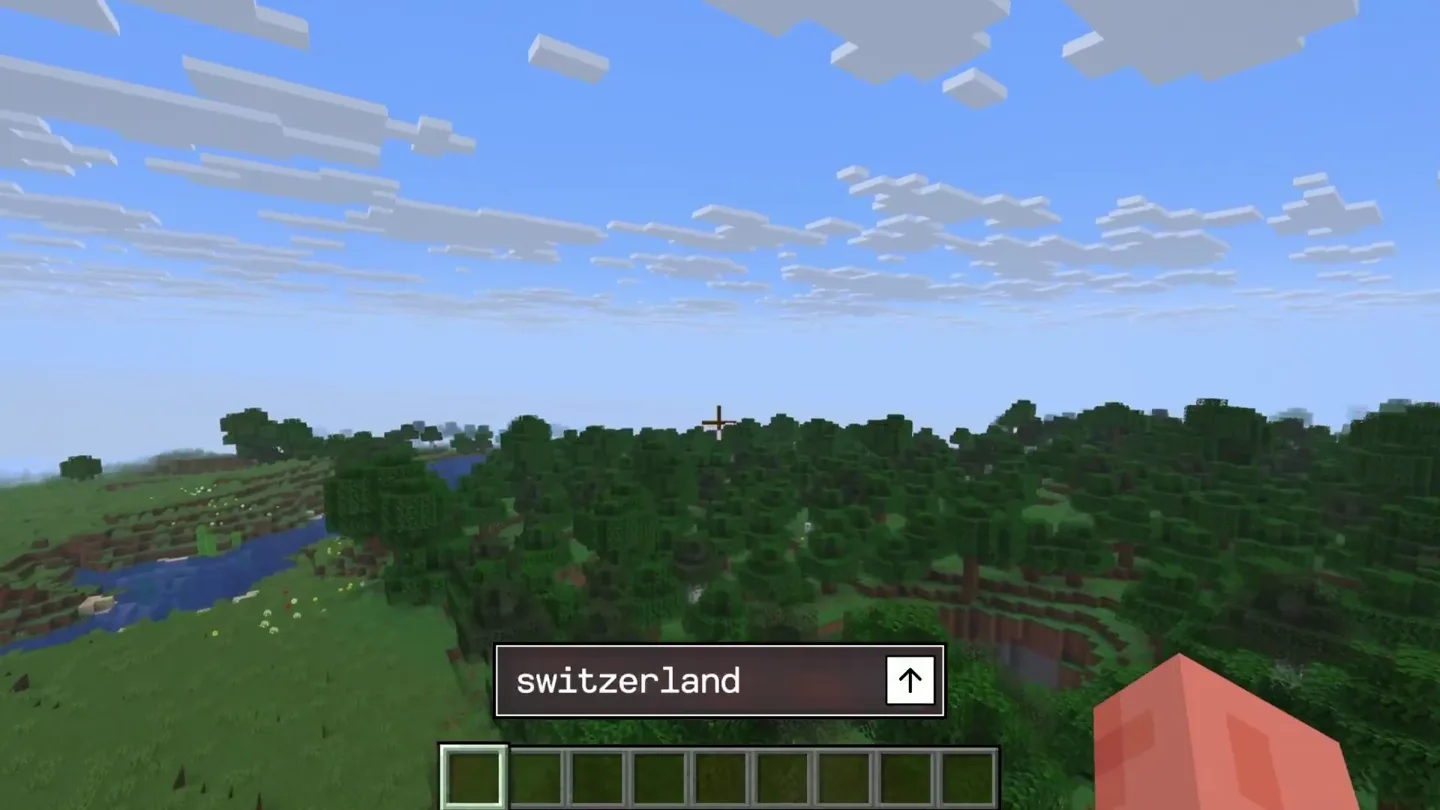
- Realtime Video via API switzerland Obstacle Cours 1
- Camera
- Dynamic cuts between various video transformations: Minecraft to photorealistic, Zoom call with AI-generated faces, 3D animation character changing environments, YouTube video transforming from live-action to AI-generated zombies.
- Motion
- Fast-paced montage of AI video generation examples, demonstrating diverse applications and the 'realtime' aspect through quick, seamless transitions between original and transformed content.
Product Reveal
Decart API Platform in Action
“(No spoken dialogue — Energetic electronic beat continues, building tension towards a final impactful sub-bass drop at 0:15.)”
- On screen
- California decart.ai Press Alt to Switch Worlds or Primary Index Trigger for Custom Prompts Magical Fantasy
- Camera
- Zoom into a glowing, rounded rectangle frame showcasing a user interacting with a virtual environment, transforming it with hand gestures. The camera pans slightly, revealing different AI-generated styles.
- Motion
- Glowing portal effect, holographic UI elements, and real-time style transfer demonstrated through interactive manipulation, emphasizing the platform's magical and intuitive capabilities.
Call to Action
Explore Decart API Platform
“(No spoken dialogue — Final impactful sub-bass drop at 0:15, then the electronic beat fades slightly as the call to action appears.)”
- On screen
- Available now on platform.decart.ai The Most Advanced Real-Time Video AI Platform AI video models and tools powering creators, developers, and enterprises across media, entertainment, and interactive experiences. From instant style transfer to real-time video simulation, Decart makes editing and creation seamless, fast, and AI powered. Get Started Image Creation Live Video Editing Fast Video Creation Lucy Prompt: young artist in a paint stained apron, smiling confidently and flipping her hair, surrounded by colorful abstract and sunset paintings in her studio. Generate Requires 5 Credits Decart View full code examples What you can build Style Transfer Transform videos into any artistic style Object Editing Replace or modify specific elements Real-time Effects Live video transformation via WebRTC Getting started Get API key Sign up at platform.decart.ai
- Camera
- Static shot of the URL, then a dynamic camera pan and zoom across the Decart platform UI, highlighting features and code examples.
- Motion
- Clean text reveal, followed by a smooth, guided tour of the product interface using subtle camera movements and highlights to draw attention to key features and the API integration.
Motion design primitives
Synthesizable in Remotion · key components of the realtime-ai-transform-montage template.
RealtimeStyleSwap
A rapid, almost instantaneous visual transformation of a video clip from its original state to an AI-generated stylized version, often with a subtle flash or glitch effect.
+ Code construction recipe
Use `interpolate` for opacity and scale changes on two overlapping video components. Implement a `spring` animation for a quick, impactful scale-up/down on the incoming video layer. Apply a `shader` or `SVG filter` for the 'glitch' effect during the transition.
HolographicPortalReveal
A central video frame appears with a glowing, rounded-rectangle border, expanding slightly and emitting light rays, suggesting a portal to an AI-generated world.
+ Code construction recipe
Utilize `Canvas` or `SVG` for the rounded rectangle and glowing border. Animate `box-shadow` or `filter: drop-shadow` for the glow. Use `interpolate` for scale and opacity of the frame and radiating light effects. Implement a `noise` or `perlin` shader for the subtle shimmering effect on the glow.
DynamicUIHighlight
The camera smoothly pans and zooms across a product UI, highlighting specific features or text elements with subtle glows or focus shifts.
+ Code construction recipe
Employ `interpolate` for `transform: translateX/Y` and `scale` properties of the main UI component. Use `filter: blur` and `opacity` on background elements to create focus. Animate `box-shadow` or `background-color` on specific UI elements to draw attention as the camera moves.
Style DNA & aesthetic system
Visual aesthetic
Typography
Motion
Special effects
Pacing & rhythm
Conceptual story rhythm
- 1
The AI Uncanny Hook
Purpose. Immediately grab attention by showcasing the transformative, sometimes unsettling, power of AI video generation.
Execution. A rapid cut from a human face to a text reveal, followed by quick, jarring AI transformations of familiar scenes.
- 2
Problem/Solution Montage
Purpose. Demonstrate the breadth of AI video challenges and how Decart's real-time capabilities provide a solution across various use cases.
Execution. A fast-cut montage of diverse video examples (Minecraft, Zoom, 3D animation, YouTube) undergoing instant AI style transfers and content modifications.
- 3
Interactive Platform Showcase
Purpose. Visually explain the core product's interactive nature and ease of use, highlighting the 'realtime' aspect.
Execution. A glowing portal effect framing a user interacting with a virtual environment, changing styles with hand gestures, emphasizing intuitive control.
- 4
Feature & CTA
Purpose. Detail key features and provide a clear call to action for developers and creators.
Execution. A clean text reveal of the platform URL, followed by a guided UI tour highlighting API capabilities, style transfer, object editing, and real-time effects.
Remix in Animatiq Studio
Master remix prompt · agent-ready
Sample remix
Objective
Launch a new AI-powered music generation platform that transforms user-uploaded audio into different genres in real-time.How the recipe adapts
The RealtimeStyleSwap primitive would be adapted to show audio waveforms transforming instantly between genres, with visualizers changing dynamically. The HolographicPortalReveal would frame the music generation interface, showing a user 'conducting' AI-generated music. DynamicUIHighlight would guide viewers through the platform's genre selection and customization options, emphasizing the speed and variety of transformations. The overall pacing would remain fast, driven by a high-energy electronic track, showcasing the platform's instant gratification.Remix blueprint · realtime-ai-transform-montage
Scene durations (7 scenes, 16s)
Key Remotion components
Related AI Agents Product Launches
Explore all AI Agents launches →
To ensure that artificial general intelligence benefits all of humanity

Gopuff introduces Go, an AI shopping assistant built with SpaceXAI: say what you need and the order is placed.

Iliad (Troy) trailer made by Grok Imagine 1.5, which was just released