
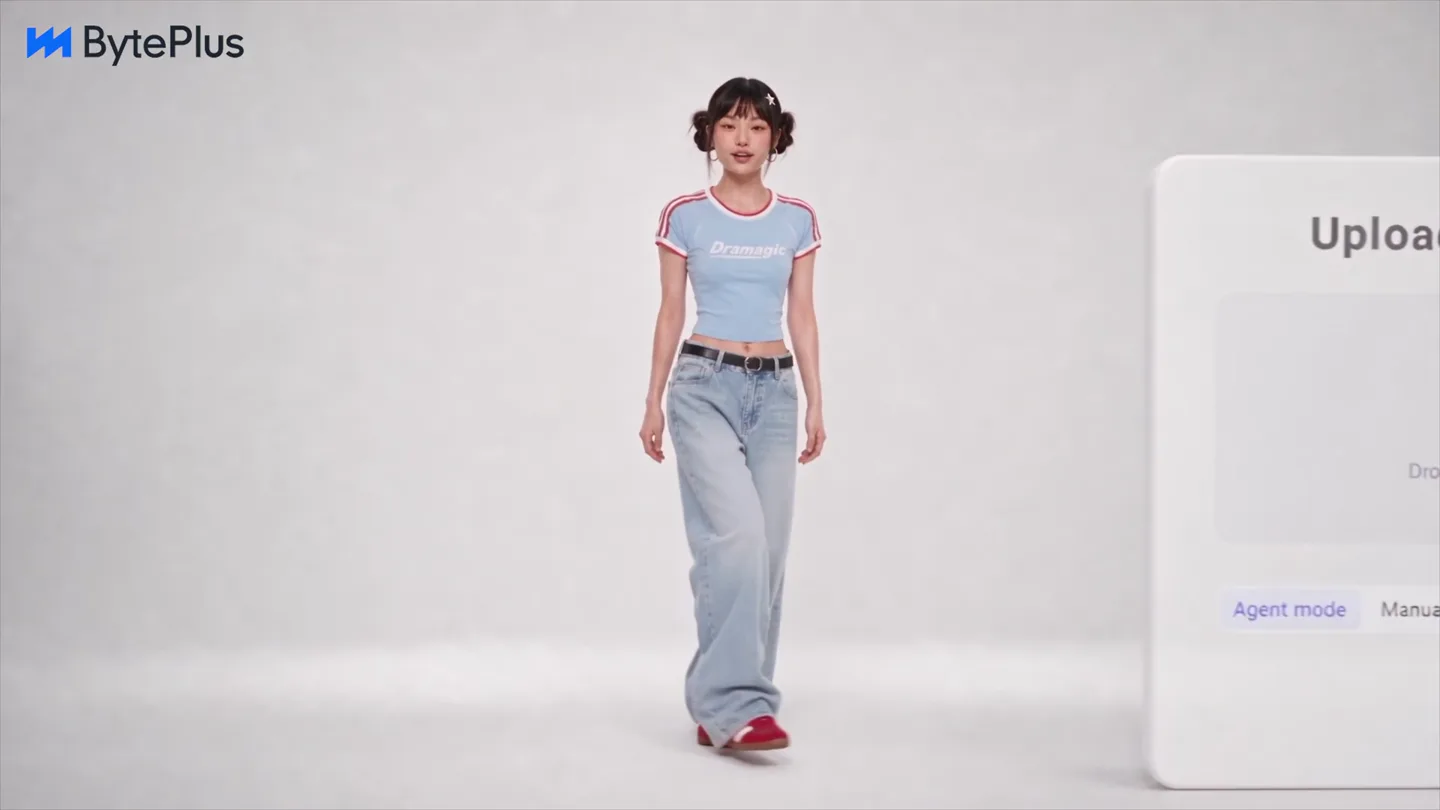
BytePlus · Launch Video Breakdown: Hook, Pacing & Motion Design
Dramagic is an enterprise AIGC platform for short dramas and video production: script analysis, asset setup, storyboard, and video preview.
Scene-by-scene timeline & spoken transcript
The Hook
AI Agent Introduction & Script Upload
“Ok”
- On screen
- BytePlus Dramagic Upload a short drama BEYOND THE HORIZON Drop or click to upload your script (DOC, TXT, PDF, MD) Agent mode Manual mode 9:16 720p Realistic Create p Dramagic Ok
- Camera
- Medium shot of presenter, then wide shot revealing UI. Camera pans slightly to follow hands.
- Motion
- Quick cuts, UI elements animate in with a subtle bounce, presenter's hands interact with virtual elements.
Product Reveal
Asset Extraction & Character Generation
“Extract all the assets from your script. Looks. Catch.”
- On screen
- BytePlus Dramagic Leading man Sidekick Looks Catch
- Camera
- Medium shot of presenter, then over-the-shoulder shot revealing character models. Camera dollies back to reveal full scene.
- Motion
- Seamless transition from UI to 3D environment, character models appear with a subtle glow and scale animation. Dynamic camera movement follows the action.
Feature Teaser
Storyboard & Diverse Style Generation
“Now let's fire. Shot prompts written. Multiple characters.”
- On screen
- BytePlus < Dramagic Script Set Storyboard Video Episode Storyboard Shot ID All-purpose Reference Video Shot Info Shot Description Shot generation Hessa - Hessa Scene Female Voice Now let's fire Multiple characters
- Camera
- Close-up on UI, then dynamic cuts between various animated character styles (realistic, anime, fantasy).
- Motion
- UI elements slide and fade, character transformations use particle effects and glowing outlines. Fast cuts emphasize variety.
Call to Action
Fast Export & Community Engagement
“fast export. And just like that.”
- On screen
- BytePlus 4359 Wonderful ! Nice!! fast export 86014 Wonderful And just like that
- Camera
- Medium shot of presenter, surrounded by a carousel of generated video previews. Camera slowly zooms out.
- Motion
- Generated video previews orbit the presenter, social media reaction bubbles pop up with a spring animation. A robotic hand gives a thumbs up with a mechanical, satisfying motion.
Motion design primitives
Synthesizable in Remotion · key components of the ai-creative-platform-launch template.
UIto3DSeamlessTransition
A 2D UI element, such as a character card or script upload box, smoothly transforms and integrates into a fully rendered 3D environment, often accompanied by a camera push-in or dolly.
+ Code construction recipe
Use `interpolate` for position, scale, and opacity of UI elements. Employ `spring` for a subtle bounce on final 3D element placement. Utilize `AbsoluteFill` for background transitions and `Sequence` to orchestrate UI fade-out and 3D scene fade-in.
CharacterStyleMorph
A character or object rapidly changes its visual style (e.g., realistic to anime) through a burst of particles, glowing outlines, or a digital glitch effect, emphasizing the AI's versatility.
+ Code construction recipe
Implement `Shader` components for particle effects and glowing outlines. Use `interpolate` for color shifts and `spring` for the initial burst. Leverage `Composition` to layer different character renders and animate their opacity and blend modes.
OrbitalContentCarousel
Multiple content previews (e.g., video thumbnails) orbit around a central figure or point, with social media reaction elements appearing and disappearing dynamically.
+ Code construction recipe
Utilize `Path` or `Arc` components for orbital motion, interpolating `transform` properties (rotateY, translateX) for each content card. Employ `spring` for the pop-in and pop-out of reaction bubbles. Use `Sequence` to stagger the appearance of elements.
Style DNA & aesthetic system
Visual aesthetic
Typography
Motion
Special effects
Pacing & rhythm
Conceptual story rhythm
- 1
The Creative Spark
Purpose. Introduce the problem of complex content creation and hint at an effortless solution.
Execution. Presenter introduces the concept, followed by a quick UI demonstration of script upload, setting the stage for AI intervention.
- 2
AI Unleashed
Purpose. Showcase the AI's capability to generate and transform creative assets.
Execution. Seamless transitions from UI to 3D environments, demonstrating character and asset generation, and then dynamic action sequences featuring these assets.
- 3
Infinite Possibilities
Purpose. Highlight the versatility and breadth of creative styles the platform can achieve.
Execution. Rapid-fire montage of characters morphing between different artistic styles (realistic, anime, fantasy), emphasizing the platform's adaptability.
- 4
Effortless Production
Purpose. Conclude by demonstrating the ease of final production and the positive impact on creators.
Execution. Presenter surrounded by a carousel of diverse AI-generated video previews, culminating in a positive affirmation and a robotic thumbs-up, symbolizing efficiency and success.
Remix in Animatiq Studio
Master remix prompt · agent-ready
Sample remix
Objective
Launch an AI platform for interior design that generates photorealistic room concepts from text prompts.How the recipe adapts
The UI-to-3D seamless transition would show a text prompt for 'modern minimalist living room' transforming into a fully rendered 3D space. The character style morph primitive would adapt to 'interior style morph,' showcasing a room changing from industrial to bohemian with particle effects. The orbital content carousel would display various generated room concepts around the presenter, with client feedback bubbles appearing.Remix blueprint · ai-creative-platform-launch
Scene durations (20 scenes, 86s)
Key Remotion components
Related AI Agents Product Launches
Explore all AI Agents launches →
To ensure that artificial general intelligence benefits all of humanity

Introducing Claude Fable 5: a Mythos-class model that we’ve made safe for general use. Its capabilities exceed those of any model we’ve ever made generally available. https://t.co/2AvmEjHIX8

To understand the true nature of the universe.