
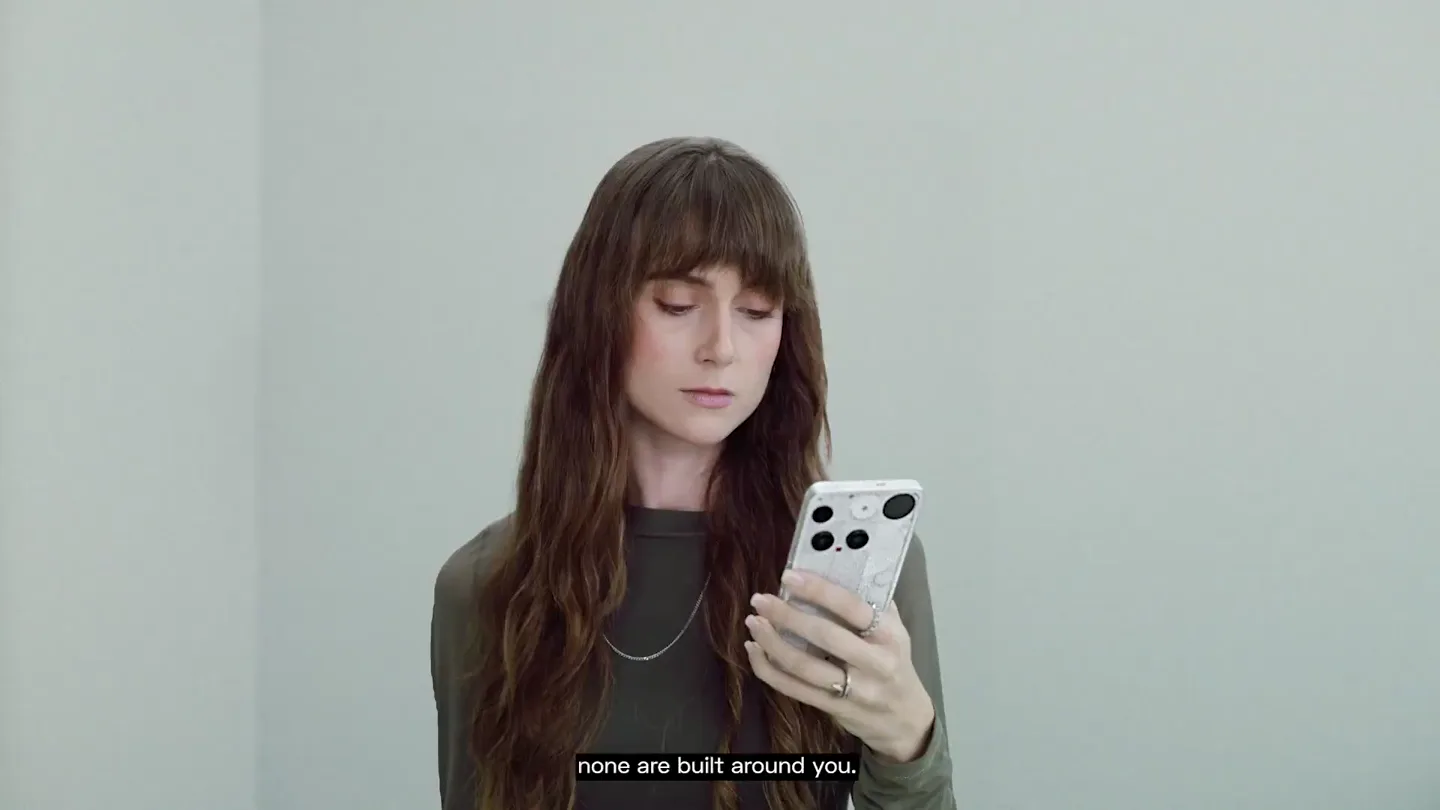
Essential · Launch Video Breakdown: Hook, Pacing & Motion Design
Create apps shaped exactly around your specific needs and context. That's what Essential Apps are. You describe what you need. AI builds it. It appears on your phone's home screen, ready to use. On…
Scene-by-scene timeline & spoken transcript
The Hook
Introducing Essential Apps: Personalized AI
“In a world full of apps, now imagine a world with a billion different apps for a billion different people. Say you're training for the London Marathon and want an app that suggests the best time to run. Creating one is simple.”
- On screen
- In a world full of apps, Now imagine a world with a billion different apps for a billion different people, Say you're training for the London Marathon and want an app that suggests the best time to run, Creating one is simple.
- Camera
- Starts with a close-up over-the-shoulder shot of a hand holding a smartphone, then pulls back to a wide shot of a minimalist room with a person, followed by a medium shot of the person interacting with a laptop.
- Motion
- Smooth camera transitions, subtle character animation (walking, sitting), and a quick zoom-in on the laptop screen to introduce the digital interface.
Product Reveal
Nothing Playground: AI App Creation
“Click "Create your app." AI takes it from there.”
- On screen
- playground| Come to play with Essentials. Your digital Playground awaits. Join thousands of creators to build something uniquely yours, and discover the creativity of the Nothing Community. Create your app See all Click "Create your app." Create an app that suggests the best NOTHING (R) Create an app that suggests the best times to train based on my calendar, the weather, and my training plan. I train four days a week, with one long run of 18 km or | Create AI takes it from there.
- Camera
- Static shots of the UI, with text appearing as if being typed. The camera then zooms out slightly to reveal the full UI.
- Motion
- Typing animation for text input, UI element reveals (buttons, text fields), and a subtle glow effect on the 'Create' button.
Feature Teaser
Instant App Generation & Integration
“(No spoken dialogue — High-energy audio transition with sub-bass drop/impact at 0:11. Music continues with pizzicato synths and 808s.)”
- On screen
- M T W T F S S 18:45 19:30 - 18:30 - 07:30 - Dry weather, perfect for a run No meetings after 5:30 PM Essential Apps 0001 4 X 2 User: Samuel Brown Essential Apps An app. Created by you. For you.
- Camera
- Close-up on the generated app UI, then a top-down shot of the phone and laptop, followed by a medium shot of the person interacting with the phone, and finally a wide shot of the person in the room.
- Motion
- UI elements animate into view, a progress bar fills, and the generated app seamlessly integrates into the phone's home screen with a subtle pop-in effect. The phone screen is composited onto the physical device.
Call to Action
Beyond the Marathon: Diverse App Creation
“(No spoken dialogue — Music continues with pizzicato synths and 808s, with sub-bass drops/impacts at 0:18 and 0:20.)”
- On screen
- Create your app Create your app Suggests my outfit for today Shows vegan-friendly dinner recipes Create Create NOTHING (R)
- Camera
- Wide shot of the person in a new outfit, then a series of quick cuts showcasing different app creation prompts on the UI, ending with a full screen 'NOTHING (R)' logo.
- Motion
- Rapid text typing animations for new app prompts, quick UI transitions, and a final brand logo reveal with a pixelated, glitchy effect.
Motion design primitives
Synthesizable in Remotion · key components of the essential-ai-agent-launch template.
TypingCursorReveal
Text appears character by character as if being typed, accompanied by a blinking cursor at the end of the input. This simulates real-time user input.
+ Code construction recipe
Use `interpolate` to animate the `opacity` and `width` of a text layer, revealing characters sequentially. A separate `spring` animation can control the blinking `opacity` of a cursor element.
SeamlessUIOverlay
Digital UI elements and generated app interfaces seamlessly appear and overlay onto physical device screens or within real-world environments.
+ Code construction recipe
Employ `AbsoluteFill` for the UI components, using `z-index` to layer them over video footage. Utilize `spring` or `interpolate` for scale and position animations to make the UI pop into place on the device screen, potentially with a slight blur or glow effect.
PixelatedGlitchReveal
Text or logos are revealed with a distinct pixelated, blocky, or glitching effect, often accompanied by a subtle distortion or scanline aesthetic.
+ Code construction recipe
Implement a custom `Shader` or `SVG filter` to achieve the pixelation and glitch effects. Animate the `resolution` or `intensity` of the effect using `interpolate` to transition from a distorted state to a clear one. Combine with `dither` or `scanline` overlays for added texture.
Style DNA & aesthetic system
Visual aesthetic
Typography
Motion
Special effects
Pacing & rhythm
Conceptual story rhythm
- 1
The Problem & The Promise
Purpose. Establish the problem of app overload and introduce the vision of personalized, AI-generated apps.
Execution. Opens with a relatable scene of a phone full of apps, transitioning to a minimalist setting where the narrator introduces the concept of 'Essential Apps' for individual needs.
- 2
The Solution Revealed
Purpose. Demonstrate the core functionality of 'Nothing Playground' and the ease of creating a custom app.
Execution. Shows the user typing a prompt into a clean UI, with text appearing dynamically, followed by the 'Create' button being clicked, emphasizing simplicity.
- 3
The Instant Gratification
Purpose. Showcase the immediate and practical results of the AI app generation.
Execution. A quick cut to the generated app's UI, displaying personalized information (e.g., running schedule), and its seamless appearance on the user's phone.
- 4
The Broader Vision
Purpose. Expand on the potential of Essential Apps beyond the initial example, reinforcing the core message.
Execution. Rapid-fire examples of different app prompts and their potential uses, ending with a strong brand statement and call to action.
Remix in Animatiq Studio
Master remix prompt · agent-ready
Sample remix
Objective
An AI-powered smart home hub that learns user routines and proactively manages home environment settings.How the recipe adapts
The video would open with a cluttered smart home setup, then transition to a minimalist home where the user interacts with the AI hub. Typing animations would show prompts like 'Optimize my morning routine for productivity' or 'Create a relaxing evening ambiance'. The SeamlessUIOverlay primitive would display the hub's interface on a physical screen, showing dynamic schedules and environmental controls. PixelatedGlitchReveal would be used for the brand logo and key feature highlights, maintaining the tech-forward feel. The fast cuts and synchronized audio would emphasize the hub's responsiveness and intelligence.Remix blueprint · essential-ai-agent-launch
Scene durations (13 scenes, 68s)
Key Remotion components
Related AI Agents Product Launches
Explore all AI Agents launches →
To ensure that artificial general intelligence benefits all of humanity

Gopuff introduces Go, an AI shopping assistant built with SpaceXAI: say what you need and the order is placed.

Iliad (Troy) trailer made by Grok Imagine 1.5, which was just released