
Factory · Launch Video Breakdown: Hook, Pacing & Motion Design
Designers are doing the best work of their lives at Factory. Join at factory.ai.
Scene-by-scene timeline & spoken transcript
The Hook
Data-Driven AI Insights & Code Generation
“(No spoken dialogue — rapid, percussive sound design with a driving beat.)”
- On screen
- Agent Effectiveness Examine the yield of your software factory. Throughput Output Attribution 102 MERGED PRS 85 COMPLETED ISSUES 3 COMPLETED PROJECTS +160.0K / -53.0K LINES OF CODE STORY POINTS All Intents 12 Intents classified 5,523 sessions Code Generation 36% Code Review 15% Devops 12% Other 9% Debugging 7% Documentation 5% peco 92 100 sox (opus) 70 100 proj 97 99 bedtools2 (opus) 74 98 stgit 93 97 samtools (opus) 62 96 7zip 54 95 svgbob 83 93 lazygit 46 93 delta 68 91 tree-sitter (opus) 55 91 gdal 36 90 scc 73 88 ast-grep 58 87 solar 72 86 pandoc (opus) 19 84 1nav 38 84 duckdb 34 80 typst 67 78 ctags 14 76 doxygen 38 61
- Camera
- Rapid cuts between close-up UI elements, data visualizations, and abstract code representations. Dynamic zooms and pans.
- Motion
- Fast-cut montage, data visualization animation, parallel coordinate plot reveal, text-based data streams.
Problem Agitation
The Software Development Lifecycle Automated
“(No spoken dialogue — continued percussive sound design, building intensity.)”
- On screen
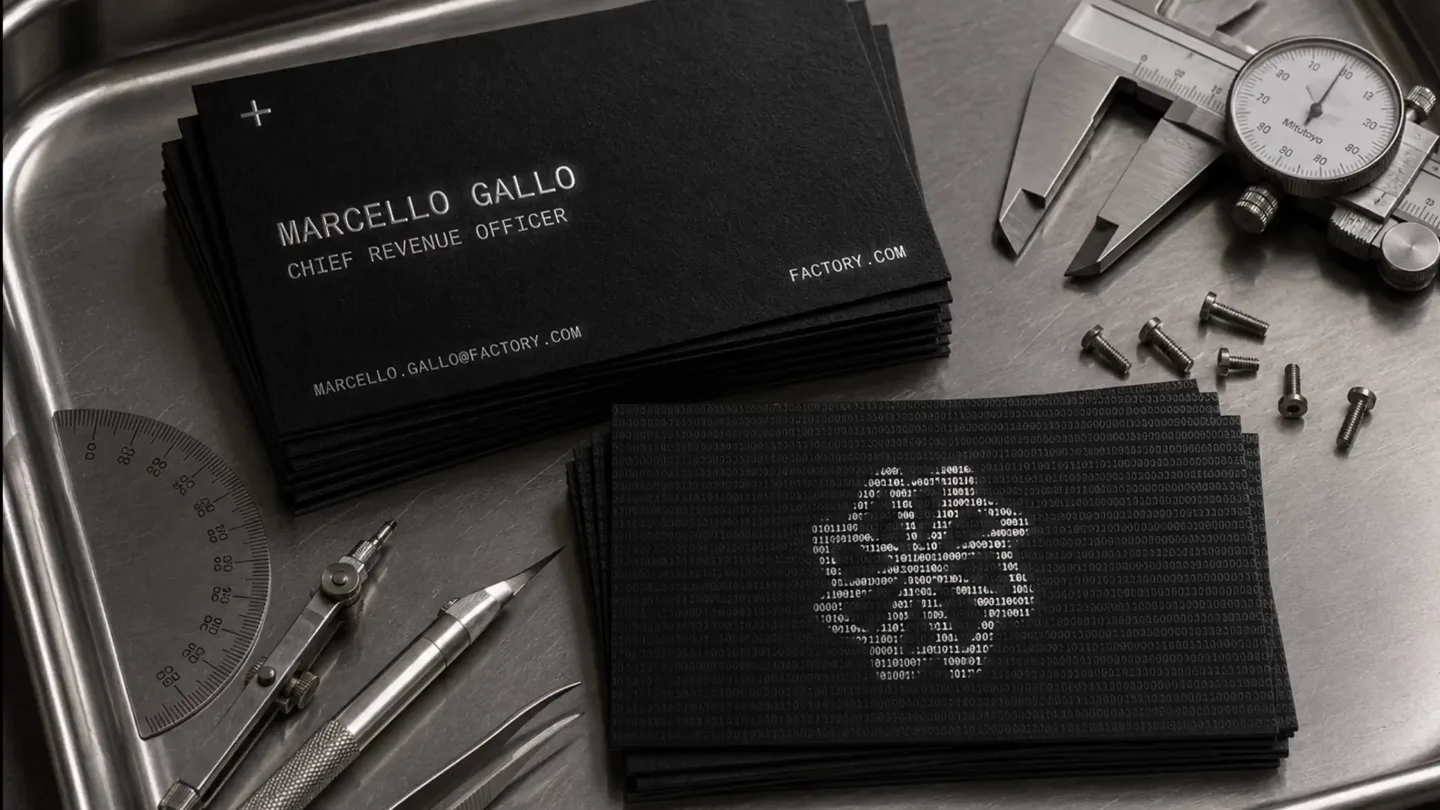
- MARCELLO GALLO CHIEF REVENUE OFFICER FACTORY.COM MARCELLO.GALLO@FACTORY.COM SIGNAL IN TRIAGE PLAN CODE TEST REVIEW MONITOR SHIP AUTOMATE SOFTWARE OUT Documentation Debugging Learning API Reference Research General Knowledge
- Camera
- Overhead shot of physical business cards, then a top-down view of a robotic arm with overlaid process flow, followed by a macro shot of fiber optics and a 3D scatter plot of data points.
- Motion
- Kinetic typography, animated flow diagrams, particle system visualization, depth-of-field rack focus.
Product Reveal
Factory AI: The Core Engine
“(No spoken dialogue — sound design shifts to a more sustained, powerful synth tone with underlying percussive elements.)”
- On screen
- TICKETS TRIAGED 111 TIX +8000% MAX MID MIN T-60 T-30 NOW O PEAK AT 04:20 UTC BASELINE +71 PR VALIDATIONS 3,695 CHK +37% MAX MID MIN T-60 T-30 NOW O VALIDATION LOAD EASING 1.2K CHECKS PRS MERGED 551 PRS -4.3% MAX MID MIN T-60 T-30 NOW O MERGE PRESSURE DOWN MEDIAN 23/DAY INCIDENTS PROCESSED O INC MAX MID MIN Activate monitoring Connect an incident source to start tracking reliability. O MONITORING INACTIVE NO SOURCE CONNECTED CPU 2.7% MEM 333.4MB/8GB DSK 3.1MB/60GB app-server-protocol/ app-server/ apply-patch/ arg0/ ... 22 more, Ctrl+0 to view Execute cd /Users/david/Desktop/dev/codex-rs && cat Cargo.toml | grep "members" -A 50 | head -60 members = { "analytics", "backend-client", "ansi-escape", "async-utils", "app-server", "app-server-protocol", ... 43 more, Ctrl+0 to view Grep 1 search "Target Rust modules under 50# LoC|exceeds roughly 800 LoC|resist adding code to codex-core" in .../dev/co... Thinking... (Press ESC to stop) Auto (Med) - allow reversible commands Opus 4.6 (Medium) > [ 29s, context: 6%]? for help /Users/david/Desktop/dev/codex main 10:58:31 BUILD]87{ SOFTW] 87 FACTO] 8
- Camera
- Dynamic UI dashboards with animated graphs, a 3D render of a sleek, dark computing chip, and a terminal screen with live code execution.
- Motion
- Real-time data visualization, 3D product rendering, terminal UI animation, glitch effects, text reveal.
Call to Action
Join Factory: The Future of Software
“(No spoken dialogue — sound design crescendos with a final impactful synth chord and a subtle whoosh.)”
- On screen
- Time 32h 12m Input 3.0K Cached 221.1M Output 1.3M 16/22 Features scrutiny-validator-display-recording user-testing-validator-display-recording window-management os-actions scrutiny-validator-window-os-actions user-testing-validator-window-os-actions misc-quality-fixes scrutiny-validator-misc-quality-1 user-testing-validator-misc-quality-1 github-repo-setup PLAN LIVE 7d 2 CODE GEN 18 automations 58K / day OPEN PRS 28 CYCLE TIME 7m 30s 3 VALIDATE 11 automations PRS CHECKED 94 / day PASS RATE 98.8% CYCLE TIME 4m 17s 4 RELEASE 5 automations DEPLOYMENTS 35 / week SUCCESS RATE 99.4% CYCLE TIME 1m 43s 5 DOCUMENT 2 automations PAGES WRITTEN 49 / week COVERAGE 96.2% CYCLE TIME 3m 41s 6 OBSERVE 5 automations EVENTS 9k / day UPTIME 99.9% MTTR 21m 52s DEPLOY DEPLOY DEPLOY DEPLOY DEPLOY DEPLOY DEPLOY DEPLOY DEPLOY DEPLOY DEPLOY DEPLOY DEPLOY DEPLOY DEPLOY DEPLOY DEPLOY DEPLOY DEPLOY DEPLOY DEPLOY DEPLOY DEPLOY DEPLOY DEPLOY DEPLOY DEPLOY DEPLOY DEPLOY DEPLOY DEPLOY DEPLOY DEPLOY DEPLOY DEPLOY DEPLOY DEPLOY DEPLOY DEPLOY DEPLOY DEPLOY DEPLOY DEPLOY DEPLOY DEPLOY DEPLOY DEPLOY DEPLOY DEPLOY DEPLOY DEPLOY DEPLOY DEPLOY DEPLOY DEPLOY DEPLOY DEPLOY DEPLOY DEPLOY DEPLOY DEPLOY DEPLOY DEPLOY DEPLOY DEPLOY DEPLOY DEPLOY DEPLOY DEPLOY DEPLOY DEPLOY DEPLOY DEPLOY DEPLOY DEPLOY DEPLOY DEPLOY DEPLOY DEPLOY DEPLOY DEPLOY DEPLOY DEPLOY DEPLOY DEPLOY DEPLOY DEPLOY DEPLOY DEPLOY DEPLOY DEPLOY DEPLOY DEPLOY DEPLOY DEPLOY DEPLOY DEPLOY DEPLOY DEPLOY DEPLOY DEPLOY DEPLOY DEPLOY DEPLOY DEPLOY DEPLOY DEPLOY DEPLOY DEPLOY DEPLOY DEPLOY DEPLOY DEPLOY DEPLOY DEPLOY DEPLOY DEPLOY DEPLOY DEPLOY DEPLOY DEPLOY DEPLOY DEPLOY DEPLOY DEPLOY DEPLOY DEPLOY DEPLOY DEPLOY DEPLOY DEPLOY DEPLOY DEPLOY DEPLOY DEPLOY DEPLOY DEPLOY DEPLOY DEPLOY DEPLOY DEPLOY DEPLOY DEPLOY DEPLOY DEPLOY DEPLOY DEPLOY DEPLOY DEPLOY DEPLOY DEPLOY DEPLOY DEPLOY DEPLOY DEPLOY DEPLOY DEPLOY DEPLOY DEPLOY DEPLOY DEPLOY DEPLOY DEPLOY DEPLOY DEPLOY DEPLOY DEPLOY DEPLOY DEPLOY DEPLOY DEPLOY DEPLOY DEPLOY DEPLOY DEPLOY DEPLOY DEPLOY DEPLOY DEPLOY DEPLOY DEPLOY DEPLOY DEPLOY DEPLOY DEPLOY DEPLOY DEPLOY DEPLOY DEPLOY DEPLOY DEPLOY DEPLOY DEPLOY DEPLOY DEPLOY DEPLOY DEPLOY DEPLOY DEPLOY DEPLOY DEPLOY DEPLOY DEPLOY DEPLOY DEPLOY DEPLOY DEPLOY DEPLOY DEPLOY DEPLOY DEPLOY DEPLOY DEPLOY DEPLOY DEPLOY DEPLOY DEPLOY DEPLOY DEPLOY DEPLOY DEPLOY DEPLOY DEPLOY DEPLOY DEPLOY DEPLOY DEPLOY DEPLOY DEPLOY DEPLOY DEPLOY DEPLOY DEPLOY DEPLOY DEPLOY DEPLOY DEPLOY DEPLOY DEPLOY DEPLOY DEPLOY DEPLOY DEPLOY DEPLOY DEPLOY DEPLOY DEPLOY DEPLOY DEPLOY DEPLOY DEPLOY DEPLOY DEPLOY DEPLOY DEPLOY DEPLOY DEPLOY DEPLOY DEPLOY DEPLOY DEPLOY DEPLOY DEPLOY DEPLOY DEPLOY DEPLOY DEPLOY DEPLOY DEPLOY DEPLOY DEPLOY DEPLOY DEPLOY DEPLOY DEPLOY DEPLOY DEPLOY DEPLOY DEPLOY DEPLOY DEPLOY DEPLOY DEPLOY DEPLOY DEPLOY DEPLOY DEPLOY DEPLOY DEPLOY DEPLOY DEPLOY DEPLOY DEPLOY DEPLOY DEPLOY DEPLOY DEPLOY DEPLOY DEPLOY DEPLOY DEPLOY DEPLOY DEPLOY DEPLOY DEPLOY DEPLOY DEPLOY DEPLOY DEPLOY DEPLOY DEPLOY DEPLOY DEPLOY DEPLOY DEPLOY DEPLOY DEPLOY DEPLOY DEPLOY DEPLOY DEPLOY DEPLOY DEPLOY DEPLOY DEPLOY DEPLOY DEPLOY DEPLOY DEPLOY DEPLOY DEPLOY DEPLOY DEPLOY DEPLOY DEPLOY DEPLOY DEPLOY DEPLOY DEPLOY DEPLOY DEPLOY DEPLOY DEPLOY DEPLOY DEPLOY DEPLOY DEPLOY DEPLOY DEPLOY DEPLOY DEPLOY DEPLOY DEPLOY DEPLOY DEPLOY DEPLOY DEPLOY DEPLOY DEPLOY DEPLOY DEPLOY DEPLOY DEPLOY DEPLOY DEPLOY DEPLOY DEPLOY DEPLOY DEPLOY DEPLOY DEPLOY DEPLOY DEPLOY DEPLOY DEPLOY DEPLOY DEPLOY DEPLOY DEPLOY DEPLOY DEPLOY DEPLOY DEPLOY DEPLOY DEPLOY DEPLOY DEPLOY DEPLOY DEPLOY DEPLOY DEPLOY DEPLOY DEPLOY DEPLOY DEPLOY DEPLOY DEPLOY DEPLOY DEPLOY DEPLOY DEPLOY DEPLOY DEPLOY DEPLOY DEPLOY DEPLOY DEPLOY DEPLOY DEPLOY DEPLOY DEPLOY DEPLOY DEPLOY DEPLOY DEPLOY DEPLOY DEPLOY DEPLOY DEPLOY DEPLOY DEPLOY DEPLOY DEPLOY DEPLOY DEPLOY DEPLOY DEPLOY DEPLOY DEPLOY DEPLOY DEPLOY DEPLOY DEPLOY DEPLOY DEPLOY DEPLOY DEPLOY DEPLOY DEPLOY DEPLOY DEPLOY DEPLOY DEPLOY DEPLOY DEPLOY DEPLOY DEPLOY DEPLOY DEPLOY DEPLOY DEPLOY DEPLOY DEPLOY DEPLOY DEPLOY DEPLOY DEPLOY DEPLOY DEPLOY DEPLOY DEPLOY DEPLOY DEPLOY DEPLOY DEPLOY DEPLOY DEPLOY DEPLOY DEPLOY DEPLOY DEPLOY DEPLOY DEPLOY DEPLOY DEPLOY DEPLOY DEPLOY DEPLOY DEPLOY DEPLOY DEPLOY DEPLOY DEPLOY DEPLOY DEPLOY DEPLOY DEPLOY DEPLOY DEPLOY DEPLOY DEPLOY DEPLOY DEPLOY DEPLOY DEPLOY DEPLOY DEPLOY DEPLOY DEPLOY DEPLOY DEPLOY DEPLOY DEPLOY DEPLOY DEPLOY DEPLOY DEPLOY DEPLOY DEPLOY DEPLOY DEPLOY DEPLOY DEPLOY DEPLOY DEPLOY DEPLOY DEPLOY DEPLOY DEPLOY DEPLOY DEPLOY DEPLOY DEPLOY DEPLOY DEPLOY DEPLOY DEPLOY DEPLOY DEPLOY DEPLOY DEPLOY DEPLOY DEPLOY DEPLOY DEPLOY DEPLOY DEPLOY DEPLOY DEPLOY DEPLOY DEPLOY DEPLOY DEPLOY DEPLOY DEPLOY DEPLOY DEPLOY DEPLOY DEPLOY DEPLOY DEPLOY DEPLOY DEPLOY DEPLOY DEPLOY DEPLOY DEPLOY DEPLOY DEPLOY DEPLOY DEPLOY DEPLOY DEPLOY DEPLOY DEPLOY DEPLOY DEPLOY DEPLOY DEPLOY DEPLOY DEPLOY DEPLOY DEPLOY DEPLOY DEPLOY DEPLOY DEPLOY DEPLOY DEPLOY DEPLOY DEPLOY DEPLOY DEPLOY DEPLOY DEPLOY DEPLOY DEPLOY DEPLOY DEPLOY DEPLOY DEPLOY DEPLOY DEPLOY DEPLOY DEPLOY DEPLOY DEPLOY DEPLOY DEPLOY DEPLOY DEPLOY DEPLOY DEPLOY DEPLOY DEPLOY DEPLOY DEPLOY DEPLOY DEPLOY DEPLOY DEPLOY DEPLOY DEPLOY DEPLOY DEPLOY DEPLOY DEPLOY DEPLOY DEPLOY DEPLOY DEPLOY DEPLOY DEPLOY DEPLOY DEPLOY DEPLOY DEPLOY DEPLOY DEPLOY DEPLOY DEPLOY DEPLOY DEPLOY DEPLOY DEPLOY DEPLOY DEPLOY DEPLOY DEPLOY DEPLOY DEPLOY DEPLOY DEPLOY DEPLOY DEPLOY DEPLOY DEPLOY DEPLOY DEPLOY DEPLOY DEPLOY DEPLOY DEPLOY DEPLOY DEPLOY DEPLOY DEPLOY DEPLOY DEPLOY DEPLOY DEPLOY DEPLOY DEPLOY DEPLOY DEPLOY DEPLOY DEPLOY DEPLOY DEPLOY DEPLOY DEPLOY DEPLOY DEPLOY DEPLOY DEPLOY DEPLOY DEPLOY DEPLOY DEPLOY DEPLOY DEPLOY DEPLOY DEPLOY DEPLOY DEPLOY DEPLOY DEPLOY DEPLOY DEPLOY DEPLOY DEPLOY DEPLOY DEPLOY DEPLOY DEPLOY DEPLOY DEPLOY DEPLOY DEPLOY DEPLOY DEPLOY DEPLOY DEPLOY DEPLOY DEPLOY DEPLOY DEPLOY DEPLOY DEPLOY DEPLOY DEPLOY DEPLOY DEPLOY DEPLOY DEPLOY DEPLOY DEPLOY DEPLOY DEPLOY DEPLOY DEPLOY DEPLOY DEPLOY DEPLOY DEPLOY DEPLOY DEPLOY DEPLOY DEPLOY DEPLOY DEPLOY DEPLOY DEPLOY DEPLOY DEPLOY DEPLOY DEPLOY DEPLOY DEPLOY DEPLOY DEPLOY DEPLOY DEPLOY DEPLOY DEPLOY DEPLOY DEPLOY DEPLOY DEPLOY DEPLOY DEPLOY DEPLOY DEPLOY DEPLOY DEPLOY DEPLOY DEPLOY DEPLOY DEPLOY DEPLOY DEPLOY DEPLOY DEPLOY DEPLOY DEPLOY DEPLOY DEPLOY DEPLOY DEPLOY DEPLOY DEPLOY DEPLOY DEPLOY DEPLOY DEPLOY DEPLOY DEPLOY DEPLOY DEPLOY DEPLOY DEPLOY DEPLOY DEPLOY DEPLOY DEPLOY DEPLOY DEPLOY DEPLOY DEPLOY DEPLOY DEPLOY DEPLOY DEPLOY DEPLOY DEPLOY DEPLOY DEPLOY DEPLOY DEPLOY DEPLOY DEPLOY DEPLOY DEPLOY DEPLOY DEPLOY DEPLOY DEPLOY DEPLOY DEPLOY DEPLOY DEPLOY DEPLOY DEPLOY DEPLOY DEPLOY DEPLOY DEPLOY DEPLOY DEPLOY DEPLOY DEPLOY DEPLOY DEPLOY DEPLOY DEPLOY DEPLOY DEPLOY DEPLOY DEPLOY DEPLOY DEPLOY DEPLOY DEPLOY DEPLOY DEPLOY DEPLOY DEPLOY DEPLOY DEPLOY DEPLOY DEPLOY DEPLOY DEPLOY DEPLOY DEPLOY DEPLOY DEPLOY DEPLOY DEPLOY DEPLOY DEPLOY DEPLOY DEPLOY DEPLOY DEPLOY DEPLOY DEPLOY DEPLOY DEPLOY DEPLOY DEPLOY DEPLOY DEPLOY DEPLOY DEPLOY DEPLOY DEPLOY DEPLOY DEPLOY DEPLOY DEPLOY DEPLOY DEPLOY DEPLOY DEPLOY DEPLOY DEPLOY DEPLOY DEPLOY DEPLOY DEPLOY DEPLOY DEPLOY DEPLOY DEPLOY DEPLOY DEPLOY DEPLOY DEPLOY DEPLOY DEPLOY DEPLOY DEPLOY DEPLOY DEPLOY DEPLOY DEPLOY DEPLOY DEPLOY DEPLOY DEPLOY DEPLOY DEPLOY DEPLOY DEPLOY DEPLOY DEPLOY DEPLOY DEPLOY DEPLOY DEPLOY DEPLOY DEPLOY DEPLOY DEPLOY DEPLOY DEPLOY DEPLOY DEPLOY DEPLOY DEPLOY DEPLOY DEPLOY DEPLOY DEPLOY DEPLOY DEPLOY DEPLOY DEPLOY DEPLOY DEPLOY DEPLOY DEPLOY DEPLOY DEPLOY DEPLOY DEPLOY DEPLOY DEPLOY DEPLOY DEPLOY DEPLOY DEPLOY DEPLOY DEPLOY DEPLOY DEPLOY DEPLOY DEPLOY DEPLOY DEPLOY DEPLOY DEPLOY DEPLOY DEPLOY DEPLOY DEPLOY DEPLOY DEPLOY DEPLOY DEPLOY DEPLOY DEPLOY DEPLOY DEPLOY DEPLOY DEPLOY DEPLOY DEPLOY DEPLOY DEPLOY DEPLOY DEPLOY DEPLOY DEPLOY DEPLOY DEPLOY DEPLOY DEPLOY DEPLOY DEPLOY DEPLOY DEPLOY DEPLOY DEPLOY DEPLOY DEPLOY DEPLOY DEPLOY DEPLOY DEPLOY DEPLOY DEPLOY DEPLOY DEPLOY DEPLOY DEPLOY DEPLOY DEPLOY DEPLOY DEPLOY DEPLOY DEPLOY DEPLOY DEPLOY DEPLOY DEPLOY DEPLOY DEPLOY DEPLOY DEPLOY DEPLOY DEPLOY DEPLOY DEPLOY DEPLOY DEPLOY DEPLOY DEPLOY DEPLOY DEPLOY DEPLOY DEPLOY DEPLOY DEPLOY DEPLOY DEPLOY DEPLOY DEPLOY DEPLOY DEPLOY DEPLOY DEPLOY DEPLOY DEPLOY DEPLOY DEPLOY DEPLOY DEPLOY DEPLOY DEPLOY DEPLOY DEPLOY DEPLOY DEPLOY DEPLOY DEPLOY DEPLOY DEPLOY DEPLOY DEPLOY DEPLOY DEPLOY DEPLOY DEPLOY DEPLOY DEPLOY DEPLOY DEPLOY DEPLOY DEPLOY DEPLOY DEPLOY DEPLOY DEPLOY DEPLOY DEPLOY DEPLOY DEPLOY DEPLOY DEPLOY DEPLOY DEPLOY DEPLOY DEPLOY DEPLOY DEPLOY DEPLOY DEPLOY DEPLOY DEPLOY DEPLOY DEPLOY DEPLOY DEPLOY DEPLOY DEPLOY DEPLOY DEPLOY DEPLOY DEPLOY DEPLOY DEPLOY DEPLOY DEPLOY DEPLOY DEPLOY DEPLOY DEPLOY DEPLOY DEPLOY DEPLOY DEPLOY DEPLOY DEPLOY DEPLOY DEPLOY DEPLOY DEPLOY DEPLOY DEPLOY DEPLOY DEPLOY DEPLOY DEPLOY DEPLOY DEPLOY DEPLOY DEPLOY DEPLOY DEPLOY DEPLOY DEPLOY DEPLOY DEPLOY DEPLOY DEPLOY DEPLOY DEPLOY DEPLOY DEPLOY DEPLOY DEPLOY DEPLOY DEPLOY DEPLOY DEPLOY DEPLOY DEPLOY DEPLOY DEPLOY DEPLOY DEPLOY DEPLOY DEPLOY DEPLOY DEPLOY DEPLOY DEPLOY DEPLOY DEPLOY DEPLOY DEPLOY DEPLOY DEPLOY DEPLOY DEPLOY DEPLOY DEPLOY DEPLOY DEPLOY DEPLOY DEPLOY DEPLOY DEPLOY DEPLOY DEPLOY DEPLOY DEPLOY DEPLOY DEPLOY DEPLOY DEPLOY DEPLOY DEPLOY DEPLOY DEPLOY DEPLOY DEPLOY DEPLOY DEPLOY DEPLOY DEPLOY DEPLOY DEPLOY DEPLOY DEPLOY DEPLOY DEPLOY DEPLOY DEPLOY DEPLOY DEPLOY DEPLOY DEPLOY DEPLOY DEPLOY DEPLOY DEPLOY DEPLOY DEPLOY DEPLOY DEPLOY DEPLOY DEPLOY DEPLOY DEPLOY DEPLOY DEPLOY DEPLOY DEPLOY DEPLOY DEPLOY DEPLOY DEPLOY DEPLOY DEPLOY DEPLOY DEPLOY DEPLOY DEPLOY DEPLOY DEPLOY DEPLOY DEPLOY DEPLOY DEPLOY DEPLOY DEPLOY DEPLOY DEPLOY DEPLOY DEPLOY DEPLOY DEPLOY DEPLOY DEPLOY DEPLOY DEPLOY DEPLOY DEPLOY DEPLOY DEPLOY DEPLOY DEPLOY DEPLOY DEPLOY DEPLOY DEPLOY DEPLOY DEPLOY DEPLOY DEPLOY DEPLOY DEPLOY DEPLOY DEPLOY DEPLOY DEPLOY DEPLOY DEPLOY DEPLOY DEPLOY DEPLOY DEPLOY DEPLOY DEPLOY DEPLOY DEPLOY DEPLOY DEPLOY DEPLOY DEPLOY DEPLOY DEPLOY DEPLOY DEPLOY DEPLOY DEPLOY DEPLOY DEPLOY DEPLOY DEPLOY DEPLOY DEPLOY DEPLOY DEPLOY DEPLOY DEPLOY DEPLOY DEPLOY DEPLOY DEPLOY DEPLOY DEPLOY DEPLOY DEPLOY DEPLOY DEPLOY DEPLOY DEPLOY DEPLOY DEPLOY DEPLOY DEPLOY DEPLOY DEPLOY DEPLOY DEPLOY DEPLOY DEPLOY DEPLOY DEPLOY DEPLOY DEPLOY DEPLOY DEPLOY DEPLOY DEPLOY DEPLOY DEPLOY DEPLOY DEPLOY DEPLOY DEPLOY DEPLOY DEPLOY DEPLOY DEPLOY DEPLOY DEPLOY DEPLOY DEPLOY DEPLOY DEPLOY DEPLOY DEPLOY DEPLOY DEPLOY DEPLOY DEPLOY DEPLOY DEPLOY DEPLOY DEPLOY DEPLOY DEPLOY DEPLOY DEPLOY DEPLOY DEPLOY DEPLOY DEPLOY DEPLOY DEPLOY DEPLOY DEPLOY DEPLOY DEPLOY DEPLOY DEPLOY DEPLOY DEPLOY DEPLOY DEPLOY DEPLOY DEPLOY DEPLOY DEPLOY DEPLOY DEPLOY DEPLOY DESIGNERS ARE DOING THE BEST WORK OF THEIR LIVES AT FACTORY. JOIN AT FACTORY.AI.
- Camera
- Close-up UI interactions, full-screen text reveals, and a final abstract animated graphic.
- Motion
- List item reveals, text scaling and positioning, animated progress bars, radial wipe, abstract generative art.
Motion design primitives
Synthesizable in Remotion · key components of the quantify-ai-launch template.
DataGridReveal
A grid of numerical data and labels appears with a subtle fade-in and scale-up effect, often accompanied by a highlight or line animation to draw attention to specific metrics or trends.
+ Code construction recipe
Utilize `spring` for scale and opacity, `interpolate` for sequential text/number reveals. SVG lines can be animated with `stroke-dasharray` and `stroke-dashoffset` for drawing effects. Use `map` to render grid items with staggered delays.
ProcessFlowOverlay
Text labels representing steps in a process are overlaid onto a relevant background image (e.g., a robotic arm), connected by animated lines that draw between the steps, indicating flow.
+ Code construction recipe
Position text elements absolutely over a background image. Use `spring` for text pop-in. SVG paths for connecting lines can be animated using `stroke-dasharray` and `stroke-dashoffset` to create a drawing effect, with `delay` for sequential reveals.
TerminalCodeTypewriter
Lines of code or terminal commands appear character by character, simulating a live typing effect, often with a blinking cursor and dynamic scrolling.
+ Code construction recipe
Implement a `sequence` component to reveal text character by character using `substring` and `delay`. A blinking cursor can be achieved with `opacity` animation. Scrolling can be simulated by adjusting `scrollTop` of a container or using `transformY` on text blocks.
Style DNA & aesthetic system
Visual aesthetic
Typography
Motion
Special effects
Pacing & rhythm
Conceptual story rhythm
- 1
The Data Deluge
Purpose. Immediately immerse the viewer in the complexity and volume of data that Factory AI processes and optimizes.
Execution. Rapid-fire montage of intricate data visualizations, dashboards, and code snippets, establishing the product's technical depth.
- 2
The Automated Workflow
Purpose. Illustrate how Factory AI streamlines and automates the entire software development lifecycle.
Execution. Animated process flow diagrams overlaid on industrial robotics, showing the transformation of manual steps into an intelligent, connected system.
- 3
The Core Intelligence
Purpose. Showcase the underlying AI engine and its real-time impact on development metrics and code generation.
Execution. Sleek 3D renders of a 'brain-like' chip, dynamic terminal interactions demonstrating AI-assisted coding, and live-updating performance dashboards.
- 4
The Future of Work
Purpose. Conclude with a vision of empowered developers and an invitation to join the Factory ecosystem.
Execution. Full-screen, bold typography with the call to action, combined with abstract generative art that symbolizes innovation and connectivity.
Remix in Animatiq Studio
Master remix prompt · agent-ready
Sample remix
Objective
Launch a new AI-powered financial analytics platform called 'Quantify'.How the recipe adapts
The DataGridReveal primitive will be adapted to show stock market tickers and portfolio performance metrics. The ProcessFlowOverlay will illustrate the flow from raw market data to AI-driven predictive models. The TerminalCodeTypewriter will display simulated Python or R scripts for algorithmic trading strategies. The color palette will shift to deep blues and greens, maintaining the dark mode aesthetic. The abstract generative art will be re-imagined as interconnected nodes representing neural networks processing financial data.Remix blueprint · quantify-ai-launch
Scene durations (4 scenes, 15.5s)
Key Remotion components
Related Creative AI & Video Product Launches
Explore all Creative AI & Video launches →
Figma's Made in Figma 2025 reel, a showcase film of work designed in the tool.
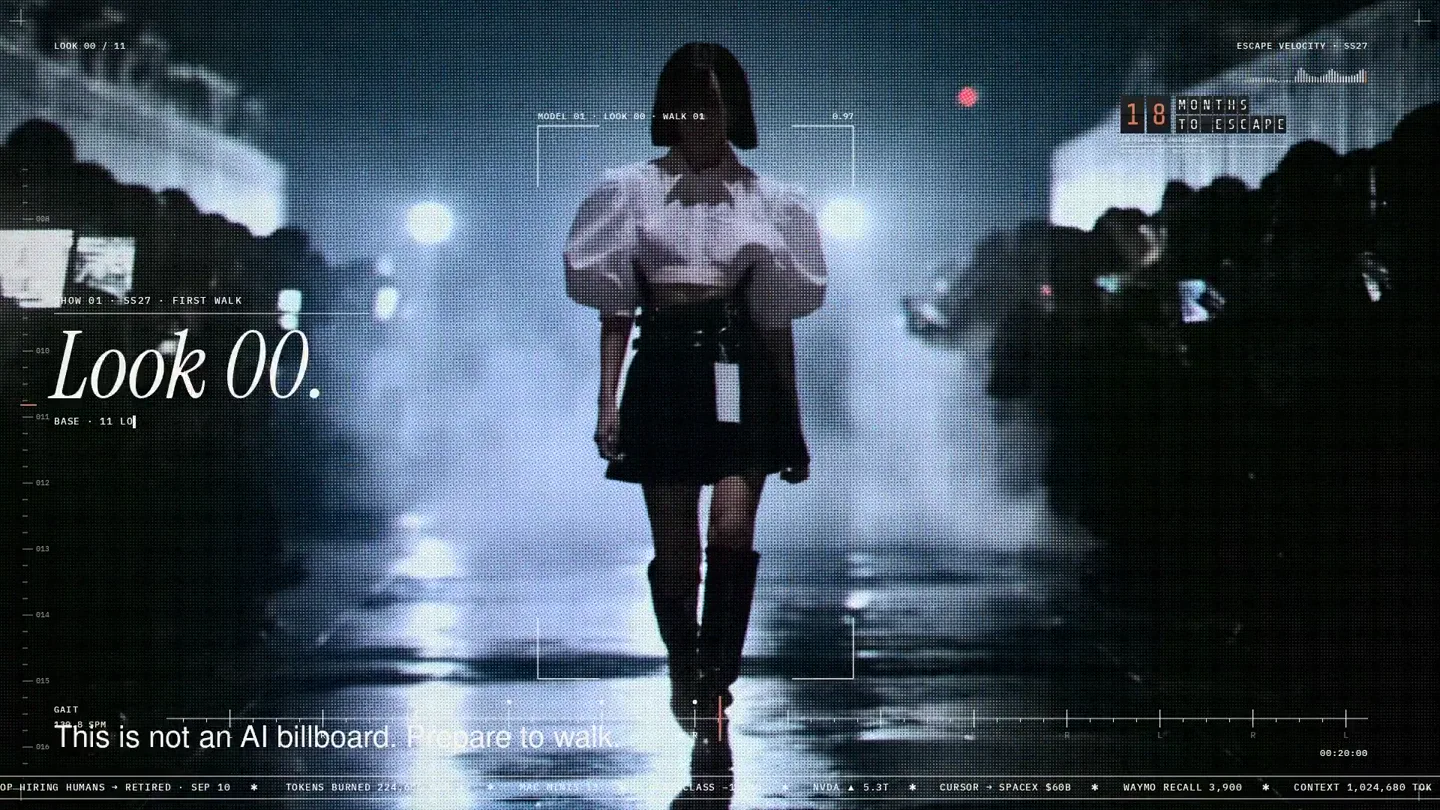
An overnight film made by giving Opus 5.5 Donald's prompt, Midjourney, and a moodboard. The piece is titled Look 00.

The new Grok Bot icon animated entirely in code — every state, shape and expression morphs smoothly into the next. Made with Grok Build.