
Scene-by-scene timeline & spoken transcript
The Hook
Text-to-Video Generation Showcase
“(No spoken dialogue — High-energy audio transition with pizzicato synths and sub-bass at 0:00, building to a riser at 0:07.)”
- On screen
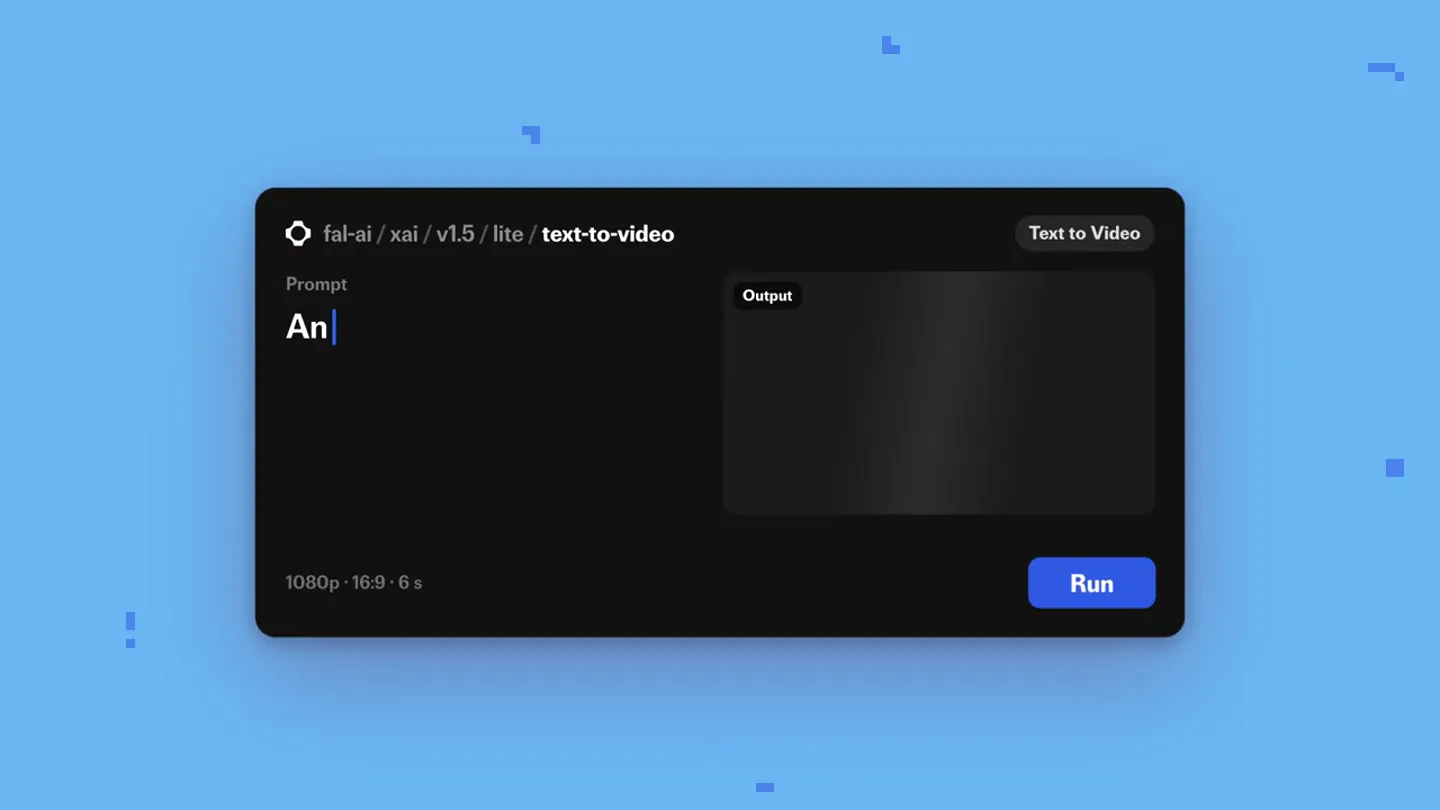
- fal Grok Imagine Video 1.5 Lite Now on fal fal-ai / xai / v1.5 / lite / text-to-video Prompt An astronaut does a cannonball Output Text to Video Generating 1080p · 16:9 · 6 s Run
- Camera
- Static UI shots, followed by dynamic, wide-angle cinematic shots of generated video content.
- Motion
- Rapid cuts between UI and generated video, showcasing diverse and imaginative outputs.
Feature Teaser
Image-to-Video & Aspect Ratio Flexibility
“(No spoken dialogue — Energetic synth and percussion continue, with a sweep at 0:14.)”
- On screen
- xai / grok-imagine-video / v1.5 / lite / image-to-video Input Prompt The cat wakes up, stretches Run 1080p · 6 s Image Video 16:9 3:2 4:3 1:1 3:4 2:3 7 aspect ratios
- Camera
- Static UI shots, followed by a dynamic zoom-out to reveal multiple aspect ratios.
- Motion
- UI demonstration of image-to-video, then a grid-based reveal of various aspect ratios with a smooth, synchronized animation.
Feature Teaser
Native Audio & Extended Duration
“(No spoken dialogue — Pizzicato synths and 808 percussion continue, with risers and sweeps at 0:21 and 0:26, culminating in a sub-bass drop/impact.)”
- On screen
- Native audio Up to 15 seconds 0:06 0:14
- Camera
- Static shot of a cat playing piano, then a slow, sweeping drone shot over an icy landscape.
- Motion
- Text overlay revealing features, followed by a continuous, smooth camera movement over a generated video, emphasizing duration.
Call to Action
Full Showcase & Brand Integration
“(No spoken dialogue — Sub-bass drop/impact at 0:26, followed by a sustained orchestral synth pad and piano melody. Final sweep and impact at 0:37.)”
- On screen
- Now on fal fal
- Camera
- Dynamic grid of generated videos, then a static shot of the brand logo and partner logo.
- Motion
- Grid animation of diverse video clips, followed by a clean, minimalist reveal of the brand and partner logos with subtle pixel-like background elements.
Motion design primitives
Synthesizable in Remotion · key components of the fal-grok-imagine-lite-launch template.
TextToVideoUIFlow
A clean, dark-themed UI for text-to-video generation, where a prompt is typed, a 'Generating' state appears, and then the generated video plays within the 'Output' window.
+ Code construction recipe
Use `Sequence` for typing animation, `AbsoluteFill` for UI layout, `interpolate` for progress bar/generating state, and `Video` component for playing generated content. Implement `spring` for button presses.
DynamicAspectRatioGrid
A single video clip smoothly transitions and duplicates into a horizontal grid, showcasing the same content rendered in multiple aspect ratios simultaneously.
+ Code construction recipe
Utilize `Map` to render multiple `Video` components with different `aspectRatio` props. Animate `x` and `scale` properties using `spring` or `interpolate` to create the grid expansion effect from a single source.
PixelatedBrandReveal
A subtle background of small, randomly appearing and disappearing pixel-like squares accompanies the main brand logo and partner logo reveal.
+ Code construction recipe
Create a `Canvas` or `SVG` layer for the background pixels, animating their `opacity` and `scale` with `random` delays and `spring` curves. Use `AbsoluteFill` for logo placement and `Fade` or `Slide` transitions for their appearance.
Style DNA & aesthetic system
Visual aesthetic
Typography
Motion
Special effects
Pacing & rhythm
Conceptual story rhythm
- 1
The Creative Prompt
Purpose. Immediately showcases the core functionality and creative potential of the product.
Execution. Starts with a UI demonstrating text-to-video input, quickly cutting to the fantastical generated output.
- 2
Feature Deep Dive
Purpose. Highlights key differentiating features like image-to-video, aspect ratio flexibility, and native audio.
Execution. Sequential UI demonstrations followed by visual examples of each feature, maintaining a fast pace.
- 3
Scale & Capability
Purpose. Emphasizes the product's capacity for longer, high-quality video generation.
Execution. A continuous, longer generated video clip with an 'Up to 15 seconds' text overlay, showcasing smooth motion.
- 4
Ecosystem & Call to Action
Purpose. Reinforces brand presence and encourages user engagement.
Execution. A montage of diverse generated videos, concluding with the brand logo and partner integration, and a clear 'Now on fal' message.
Remix in Animatiq Studio
Master remix prompt · agent-ready
Sample remix
Objective
Launch a new AI-powered recipe generation and cooking instruction platform.How the recipe adapts
The video would open with a clean UI where users input ingredients or dietary preferences. This would quickly cut to hyper-realistic, mouth-watering generated videos of dishes being prepared and served. Instead of aspect ratios, it would showcase different cooking styles or cuisine types. The 'Native audio' segment would be replaced by AI-generated voiceovers giving cooking instructions. The final montage would feature a diverse array of generated food videos, culminating in the platform's logo and a 'Start Cooking Now' call to action, all set against a vibrant, energetic electronic soundtrack.Remix blueprint · fal-grok-imagine-lite-launch
Scene durations (4 scenes, 41s)
Key Remotion components
Related AI Agents Product Launches
Explore all AI Agents launches →
To ensure that artificial general intelligence benefits all of humanity

Introducing Claude Fable 5: a Mythos-class model that we’ve made safe for general use. Its capabilities exceed those of any model we’ve ever made generally available. https://t.co/2AvmEjHIX8

To understand the true nature of the universe.