
Scene-by-scene timeline & spoken transcript
The Hook
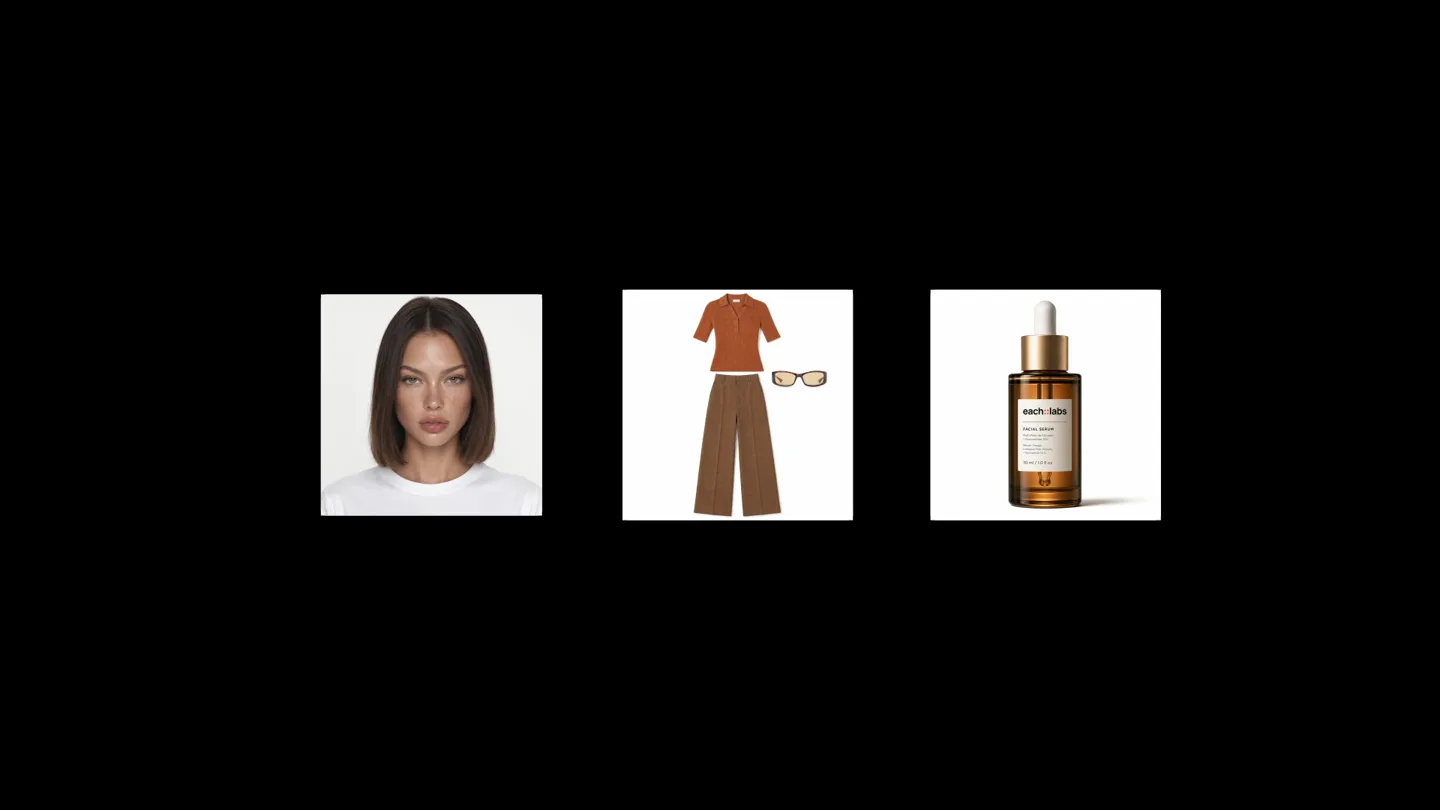
Visualizing the Input: Reference Images
“(No spoken dialogue — The track features a consistent, driving rhythm with a walking bass line and a light, airy synth melody. The sound design is smooth and continuous, maintaining a steady, upbeat mood throughout.)”
- On screen
- Your images in
- Camera
- Static wide shot of a model's face, then a quick cut to a black background with three product-related images appearing. The camera then zooms into a UI element.
- Motion
- Rapid cuts, object pop-in, UI element zoom, text reveal with a typing cursor effect.
Problem Agitation
Prompting the AI: Blending References
“(No spoken dialogue — The track features a consistent, driving rhythm with a walking bass line and a light, airy synth melody. The sound design is smooth and continuous, maintaining a steady, upbeat mood throughout.)”
- On screen
- Blend references into retro-chic beauty camp
- Camera
- Close-up on a UI text input field, then a slight pan to reveal more of the UI. The camera then cuts to a full shot of a model with a product.
- Motion
- Typing text animation, cursor blink, UI element interaction (clicking 'Attach'), image thumbnail reveal, quick cuts between UI and product shots.
Product Reveal
The Output: Multiple Edited Versions
“(No spoken dialogue — The track features a consistent, driving rhythm with a walking bass line and a light, airy synth melody. The sound design is smooth and continuous, maintaining a steady, upbeat mood throughout.)”
- On screen
- One prompt to edit Four different versions for the price of one About 67% less than standard generation
- Camera
- Static wide shot of a model and product, then a quick cut to a different pose. The camera then cuts to a text overlay, followed by a product shot with multiple layered versions.
- Motion
- Quick cuts between model poses, text overlay with fade-in, layered image reveal with a subtle parallax effect.
Feature Teaser
Quality and Economics: Flint Image Edit
“(No spoken dialogue — The track features a consistent, driving rhythm with a walking bass line and a light, airy synth melody. The sound design is smooth and continuous, maintaining a steady, upbeat mood throughout.)”
- On screen
- Generate Generate with frontier quality and production economics Flint Image Edit powered by Gemini each::labs
- Camera
- Static black background with text reveal, then a cut to a product shot with text overlay. The camera then cuts to the company logo.
- Motion
- Text reveal with a subtle fade, text highlight effect, logo reveal with a quick cut.
Motion design primitives
Synthesizable in Remotion · key components of the ai-video-edit-launch template.
TypingCursorReveal
Text appears character by character as if being typed, followed by a blinking cursor. This simulates real-time user input in a UI.
+ Code construction recipe
Use `interpolate` to animate the `opacity` and `width` of a text layer, revealing characters sequentially. A separate `spring` animation can control the blinking `opacity` of a cursor element.
LayeredImageStack
Multiple versions of an image appear stacked with a slight offset, creating a sense of depth and demonstrating variations.
+ Code construction recipe
Render multiple `Image` components, each with a slightly different `transform` (e.g., `translateX`, `translateY`, `rotateZ`) and `opacity` animated using `spring` or `interpolate` to fan out or stack up.
UIElementPopIn
UI elements, such as buttons or image thumbnails, quickly scale up and fade in from a small size or zero opacity.
+ Code construction recipe
Apply a `spring` animation to the `scale` and `opacity` properties of the UI element. Ensure a slight overshoot for a more dynamic 'pop' effect.
Style DNA & aesthetic system
Visual aesthetic
Typography
Motion
Special effects
Pacing & rhythm
Conceptual story rhythm
- 1
Input & Intent
Purpose. Introduce the user's starting point (images) and the desired action (prompting the AI).
Execution. Show raw input images, then a UI with typing animation for the prompt.
- 2
Transformation & Output
Purpose. Demonstrate the AI's capability to generate multiple, varied outputs.
Execution. Show a model in a scene, then reveal multiple layered versions of the same image, implying different edits.
- 3
Value Proposition
Purpose. Highlight the key benefits: quality and cost-effectiveness.
Execution. Text overlays emphasizing 'frontier quality' and '67% less than standard generation'.
- 4
Brand & Call to Action
Purpose. Reinforce the product name and company, and subtly encourage engagement.
Execution. Product name reveal ('Flint Image Edit') followed by the company logo ('each::labs').
Remix in Animatiq Studio
Master remix prompt · agent-ready
Sample remix
Objective
Launch a new AI video editing tool called 'FrameFlow' that transforms raw footage into various cinematic styles with a single text prompt.How the recipe adapts
The 'TypingCursorReveal' primitive will be used for the user entering a prompt like 'Transform into a cyberpunk noir film'. The 'LayeredImageStack' will adapt to 'LayeredVideoStack', showing multiple stylistic variations of the same raw video clip. 'UIElementPopIn' will highlight buttons for 'Apply Style' and 'Generate Variations'. The overall fast-cut rhythm and clean sans-serif typography will be maintained, but the color palette will shift to include more blues and purples to reflect a cinematic, futuristic theme.Remix blueprint · ai-video-edit-launch
Scene durations (8 scenes, 32s)
Key Remotion components
Related AI Agents Product Launches
Explore all AI Agents launches →
To ensure that artificial general intelligence benefits all of humanity

Gopuff introduces Go, an AI shopping assistant built with SpaceXAI: say what you need and the order is placed.

Iliad (Troy) trailer made by Grok Imagine 1.5, which was just released