
Pylon · Launch Video Breakdown: Hook, Pacing & Motion Design
Flip is a free Mac note-taking app that lives on the backside of your window.
Scene-by-scene timeline & spoken transcript
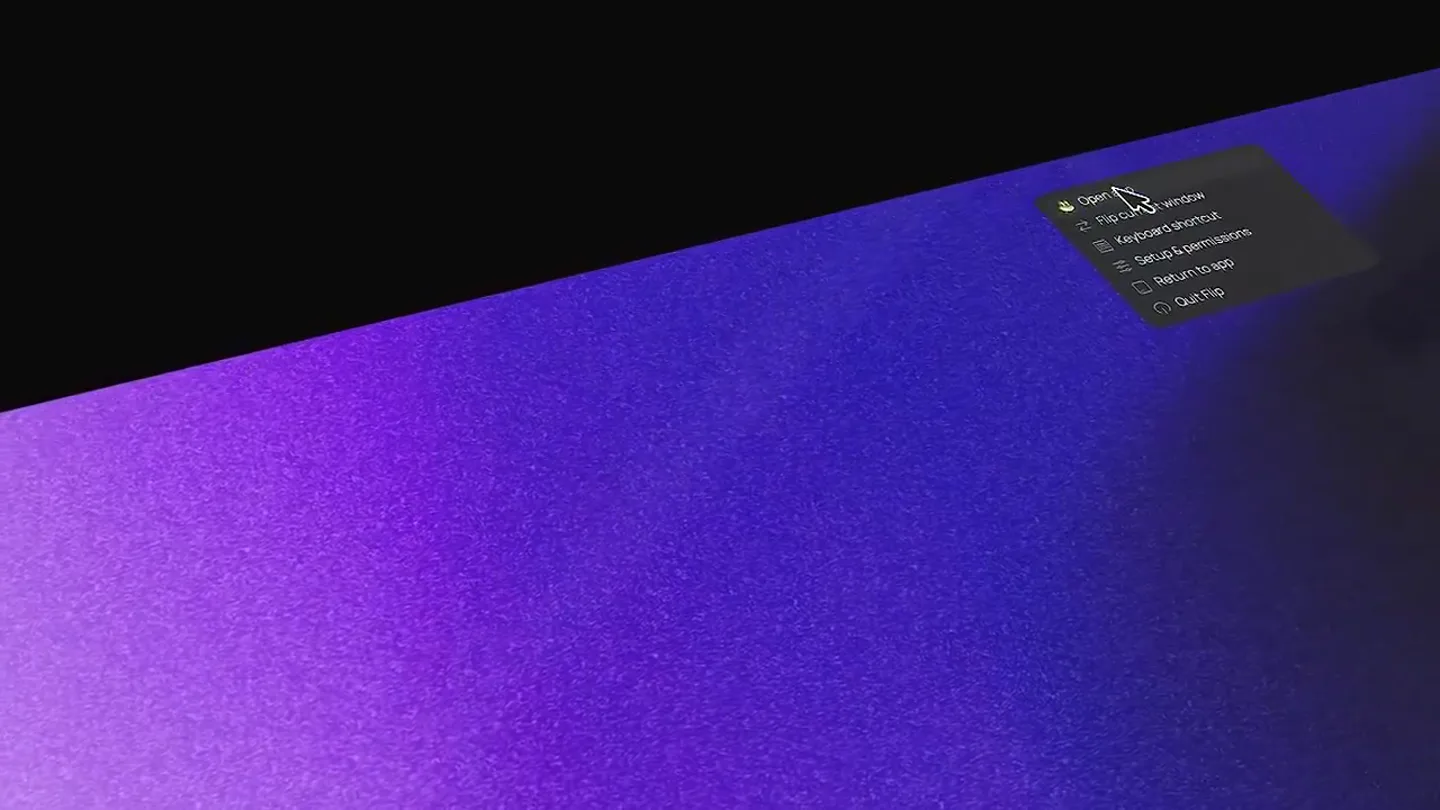
The Hook
Introducing Flip: The Backside Window Note-Taker
“(No spoken dialogue — subtle UI clicks and ambient hum)”
- On screen
- Open app Flip current window Keyboard shortcut Setup & permissions Return to app Quit Flip
- Camera
- Dynamic isometric perspective, slowly rotating and zooming in on a Mac desktop environment.
- Motion
- 3D camera pan and zoom, UI element reveal with subtle scaling and opacity transitions.
Product Reveal
Seamless Note-Taking Behind Your Windows
“(No spoken dialogue — typing sounds and UI interactions)”
- On screen
- Write notes. Just behind your windows. Use on next flip Edit Markdown source Export Markdown... Export rich text... Send to Obsidian Update linked Obsidian file Send to Notion Update linked Notion page
- Camera
- Slight camera tilt and zoom, focusing on the note-taking interface and its integration options.
- Motion
- Smooth camera movements, text typing animation, and menu dropdown reveals with easing.
Feature Teaser
Customization and Integration Deep Dive
“(No spoken dialogue — UI clicks and subtle ambient sounds)”
- On screen
- Flip All notes Today Search notes... Archive Trash Google Chrome Apple Settings Scratchpad appearance System Dark Light Liquid Glass Shortcut Keyboard shortcut and title-bar click. Open setup Integrations Notes Changes save automatically on this Mac. Empty trash Storage Notes and window previews stay local. Show in Finder Export all Window previews Screenshot saved with each new note. Format PNG JPEG Size 960 px 1600 px Full size Markdown Import and export your notes as Markdown. Import... Export all... Flip v0.2.0 by alishan Follow on X Set Up Flip Window access Lets Flip attach each note to the right window. Ready Screen access Lets Flip see the window before it turns. Ready Shortcut Keyboard ^⌥⌘F Record shortcut Option-click
- Camera
- Controlled camera pan and zoom, highlighting specific settings and integration options within the app.
- Motion
- Precise UI element highlighting, modal window transitions, and interactive button states.
Call to Action
Experience Flip: Download Now
“(No spoken dialogue — concluding ambient sounds)”
- On screen
- Flip v0.2.0 by alishan Follow on X
- Camera
- Slow zoom out, revealing the full application interface and branding.
- Motion
- Subtle camera pull-back, final branding reveal with a gentle fade-in effect.
Motion design primitives
Synthesizable in Remotion · key components of the pylon-flip-inspired-flow-launch template.
IsometricWindowFlip
A window or UI element rotates along its Y-axis, revealing a 'backside' or new content, often accompanied by a slight scale change.
+ Code construction recipe
Use Remotion's `interpolate` for `transform: rotateY()` and `scale` properties. Implement a `spring` for a natural, bouncy feel on the rotation and scale. Utilize `perspective` on the parent container for the 3D effect.
DynamicUIHighlight
Specific UI elements (buttons, text fields, menu items) are highlighted through a combination of subtle scaling, color change, and a glowing or pulsing effect.
+ Code construction recipe
Apply `spring` animations to `scale`, `opacity`, and `box-shadow` (for glow) properties. Use `interpolate` for color transitions. SVG filters or canvas effects can enhance the glow.
TextTypewriterReveal
Text appears character by character, simulating a typewriter effect, often with a blinking cursor at the end of the typed phrase.
+ Code construction recipe
Use `Sequence` and `AbsoluteFill` to control character visibility. Animate `width` or `clip-path` for the text reveal. A separate `spring` animation for the cursor's `opacity` creates the blinking effect.
Style DNA & aesthetic system
Visual aesthetic
Typography
Motion
Special effects
Pacing & rhythm
Conceptual story rhythm
- 1
The 'Aha!' Moment
Purpose. Immediately showcase the core innovative feature of the product.
Execution. The initial window flip animation, revealing the note-taking interface on the 'backside' of a standard window.
- 2
Problem Solved
Purpose. Demonstrate how the product seamlessly integrates into a user's workflow.
Execution. Typing notes directly behind an active browser window, showing the convenience and unobtrusiveness.
- 3
Empowerment & Customization
Purpose. Highlight the depth of features and user control.
Execution. Navigating through settings, showing integrations with other apps like Notion and Obsidian, and customization options.
- 4
Final Impression
Purpose. Reinforce branding and encourage engagement.
Execution. The final shot of the app's branding and a call to follow on social media, with a subtle zoom out.
Remix in Animatiq Studio
Master remix prompt · agent-ready
Sample remix
Objective
Launch a new Mac task management app, 'Flow', that allows users to manage tasks directly from the menu bar, with a 'focus mode' that appears behind their active windows.How the recipe adapts
The IsometricWindowFlip primitive would be adapted to show the 'Flow' menu bar icon expanding into a full task list that then 'flips' to reveal a minimalist focus mode behind the active window. DynamicUIHighlight would emphasize task completion and priority changes. TextTypewriterReveal would introduce key features like 'Smart Reminders' or 'Contextual Grouping'. The dark-mode aesthetic with purple gradients would be maintained, and the camera would smoothly pan and zoom to highlight task creation, organization, and focus mode activation.Remix blueprint · pylon-flip-inspired-flow-launch
Scene durations (4 scenes, 38s)
Key Remotion components
Related Productivity Product Launches
Explore all Productivity launches →
Don't type, just speak. Flawless voice-to-text across every app at 240 WPM.

One workspace for knowledge scattered across Slack, email, Docs, and Notion. Connect your tools and build apps and agents that stay live with your data.

Notion positions itself as the backbone of your dock — a brand film of the Notion icon among everyday apps, ending on “Works with everything.”