
Flora AI · Launch Video Breakdown: Hook, Pacing & Motion Design
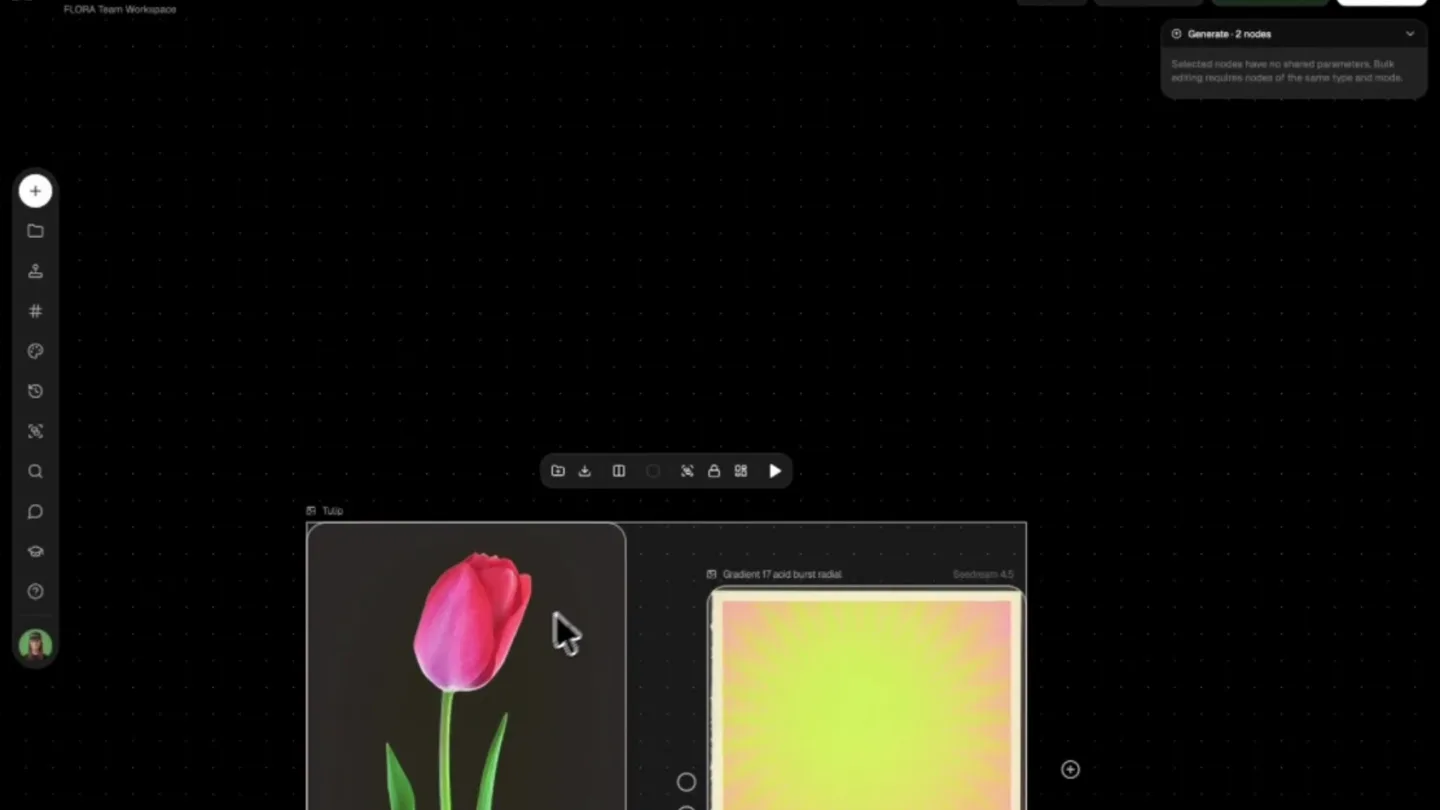
Agents are now live on the Flora AI canvas, shown running in realtime on the board.
Scene-by-scene timeline & spoken transcript
The Hook
Introducing Flora AI Canvas
“(No spoken dialogue — driving, four-on-the-floor kick drum, prominent sub-bass, rhythmic filtered vocal sample 'Where are you?' or 'Where are you now?', shakers, hi-hats, energetic and danceable groove)”
- On screen
- Flora Pixels FLORA Team Workspace Double-click anywhere to create a node or use X+Y for FAUNA. Describe an Image Combine ideas Make a video from an image Explore Flows Open in Agent Build Technique Share Project Queue 0 active
- Camera
- Static wide shot of the Flora AI canvas interface, then a slight zoom into a modal window.
- Motion
- UI element reveal, modal window animation, subtle cursor interaction.
Problem Agitation
Agent Integration & Workflow
“(No spoken dialogue — driving, four-on-the-floor kick drum, prominent sub-bass, rhythmic filtered vocal sample 'Where are you?' or 'Where are you now?', shakers, hi-hats, energetic and danceable groove)”
- On screen
- Chrome File Edit View History Bookmarks Profiles Tab Window Help Open In Agent — Beta Generates a link that signs a browser-using agent into your account and opens this project with FLORA's in-page tools (WebMCP) enabled. Claude's Code (desktop) typically works best. If it works once, the session lasts 24 hours and acts as you — don't share the link. Copy Paste this to your agent Open this link in a browser tab first — it si gns you in and loads the FLORA project with W ebMCP enabled. The link works once, so don't reload it; navigate within the tab instead. https://clerk.flora.ai/v1/agents/tasks/ticket eyJhbGciOiJIUzI1NiIsInR5cCI6IkpXVCJ9.eyJ1aW Queue 0 active
- Camera
- Rapid zoom out from the modal to reveal a full desktop environment, then a quick cut to a new application interface.
- Motion
- Fast cut, screen transition, application window reveal.
Product Reveal
Realtime Agent Execution on Canvas
“(No spoken dialogue — driving, four-on-the-floor kick drum, prominent sub-bass, rhythmic filtered vocal sample 'Where are you?' or 'Where are you now?', shakers, hi-hats, energetic and danceable groove)”
- On screen
- Home Code New Artifacts Customize More MCP FLORA project WebMCP setup FLORA WebMCP canvas integration (fork) FLORA WebMCP canvas integration Testing project (fork) 25 gradients for Flora V2 FLORA WebMCP canvas integration /home Open this link in a browser tab first — it signs you in and loads the FLORA project with WebMCP enabled. The link works once, so don't reload it; navigate within the tab instead. https://clerk.flora.ai/v1/agents/tasks/ ticket-eyJhbGciOiJIUzI1NiIsInR5cCI6IkpXVCJ9. Show more I'll open the sign-in link in the in-app browser now. Using Claude Browser: preview start > 4s - 39 tokens - thinking. Type / for commands Auto + 0 - 0 - Fauna 5 High FLORA - Flora Pix... app.flora.ai/ Opened... Open Used 4 tools > The FLORA project is open and signed in. Let me verify the WebMCP tools are available in the page. Ran page script > Put the pixel tulip on the pixel background, no text anywhere, 3-4, and animate it assembling pixel by pixel locked camera, background static. Running skill > 45s - 280 tokens - thinking some more... Read flora-api.md, used 4 tools > The skill is loaded. Note the WebMCP tool names in the page map to this lane (flora_generate etc...). Let me check my memory notes and get the current canvas state. Reading flora-qa-text-node.md > 54s - 3.3k tokens - Waiting for Claude... FLORA Pixels FLORA Team Workspace Open in Agent Build Technique Share Project Tools Tulip Gradient 7.7 and burst radial FAUNA Your AI assistant lives here. X Queue active Tulip on Gradient 3:4 Naru Banana Pro Tulip Pixel Assem... Seedance 2.0 Referen... QA Au you are a truth, no photo, @i @image/t animation matches stem, lea @image/ portrait 3 watermar no text, assembly block; (7 camera (9) zero numbers each FA Under 2 Used 2 tools > The zoom fell back to full screenshot. Let me download the tulip asset to check its actual style before writing the composite prompt. Ran a command, read tulip.png... > add_nodes has no edge support - let me check flora_apply_changeset for wiring. Ran page script > flora_apply_changeset supports atomic add+connect. Before writing the video prompt, let me read the directing reference as the skill requires. Read directing.md, used 4 tools > Chain-built n3 composite, n4 animation, n5 QA auditor, all wired. Generating the composite first, and checking that n4 resolved to first- frame-last-frame mode. Used 2 tools > Composite is rendering, and n4 confirmed in firstFrameLastFrame mode (3-4, 5s, 1080p). Waiting on the composite now. Running page script > 4m 33s - 3k tokens - thinking for 2s Composite is done. Quick visual check before spending on the video generation. Ran 2 commands, used 4 tools > Composite looks right – tulip preserved exactly, gradient and cream border intact, no text, 3-4. Firing the video generation. Used 2 tools > Video is rendering (typically 3-6 minutes). Polling until it's done. Failed to wait 2 minutes for vid... 6m 5s - 3.5k tokens - almost done thinking. Generation and QA Used 2 tools > Background shell completed 90s t... Ran a command, used 3 tools > Background shell completed 90s t...
- Camera
- Split-screen view showing a code editor on the left and the Flora AI canvas on the right. The canvas dynamically updates as the agent executes commands.
- Motion
- Split-screen composition, real-time UI updates, node-based graph animation, text typing simulation.
Call to Action
Flora AI Logo Reveal
“(No spoken dialogue — driving, four-on-the-floor kick drum, prominent sub-bass, rhythmic filtered vocal sample 'Where are you?' or 'Where are you now?', shakers, hi-hats, energetic and danceable groove)”
- On screen
- (No on-screen text)
- Camera
- Rapid zoom into a specific node on the canvas, then a quick cut to a black screen with the Flora AI logo.
- Motion
- Fast zoom, hard cut, logo reveal animation (subtle pulsing).
Motion design primitives
Synthesizable in Remotion · key components of the flora-ai-canvas-launch template.
SplitScreenCodeCanvas
A vertical split-screen layout where the left panel displays a code editor or terminal output, and the right panel shows a dynamic graphical canvas or UI. Content in both panels updates in real-time, simulating an interactive development environment.
+ Code construction recipe
Utilize Remotion's <AbsoluteFill> and <Sequence> components. Implement two child components for the left (e.g., <CodeEditor />) and right (e.g., <CanvasUI />) panels. Use CSS `width` and `flex` properties for layout. Animate text typing with `interpolate` and `substring` for the code editor, and use `spring` or `tween` for UI element reveals and node connections on the canvas.
NodeGraphFlow
Interconnected nodes on a canvas, representing a workflow or data flow. Nodes appear, connect, and update their content or state dynamically, often with subtle animations indicating processing or data transfer.
+ Code construction recipe
Render nodes as individual React components. Use SVG paths for connections, animating `stroke-dasharray` and `stroke-dashoffset` to simulate drawing. Node appearance can use `spring` for scale and opacity. Content updates within nodes can be handled by state changes and re-renders, with `tween` for text or image transitions.
DynamicModalReveal
A modal window that smoothly appears over the main interface, often with a slight blur or dimming of the background. Content within the modal can animate in after the modal itself is fully visible.
+ Code construction recipe
Use a parent component for the main UI and a conditionally rendered modal component. Animate the modal's `opacity` and `transform` (e.g., `translateY`) using `spring` for a natural bounce. Apply a CSS `backdrop-filter: blur()` to the background layer, animating its `opacity` or `blur` value with `tween`.
Style DNA & aesthetic system
Visual aesthetic
Typography
Motion
Special effects
Pacing & rhythm
Conceptual story rhythm
- 1
Canvas Introduction
Purpose. Introduce the core product interface and its initial state, hinting at its capabilities.
Execution. Static wide shot of the Flora AI canvas, followed by a modal window appearing to guide user interaction.
- 2
Agent Activation
Purpose. Demonstrate the mechanism for integrating and activating AI agents within the platform.
Execution. Rapid transition from the canvas to a desktop environment, then to a code editor/terminal, showing the agent activation process.
- 3
Realtime Agent Workflow
Purpose. Showcase the AI agent actively working on the canvas, illustrating its real-time impact and capabilities.
Execution. Split-screen view with code execution on the left and dynamic node-based canvas updates on the right, demonstrating the agent generating and manipulating content.
- 4
Brand Reinforcement
Purpose. Conclude with a strong brand identity, leaving a lasting impression of the product's innovation.
Execution. Fast zoom into a key canvas element, followed by a hard cut to a black screen revealing the Flora AI logo with a subtle pulse.
Remix in Animatiq Studio
Master remix prompt · agent-ready
Sample remix
Objective
Launch a new AI-powered collaborative design tool, 'Synapse Studio', emphasizing its real-time co-creation features and seamless AI integration.How the recipe adapts
The SplitScreenCodeCanvas primitive would show a user's code input on the left and the Synapse Studio design canvas on the right, with multiple users' cursors and AI-generated elements appearing simultaneously. The NodeGraphFlow primitive would illustrate how AI suggestions and user edits flow through the design process, with nodes representing design components or AI models. The DynamicModalReveal would be used for onboarding prompts or AI assistant pop-ups, maintaining the clean, dark-mode aesthetic. The overall pacing would remain fast and energetic, aligning with the collaborative and AI-driven nature of Synapse Studio.Remix blueprint · flora-ai-canvas-launch
Scene durations (4 scenes, 51.5s)
Key Remotion components
Related AI Agents Product Launches
Explore all AI Agents launches →
To ensure that artificial general intelligence benefits all of humanity

Gopuff introduces Go, an AI shopping assistant built with SpaceXAI: say what you need and the order is placed.

Iliad (Troy) trailer made by Grok Imagine 1.5, which was just released