
Flux · Launch Video Breakdown: Hook, Pacing & Motion Design
Flux links your phone to Omarchy: clipboard sync, fingerprint sudo, file transfer, and desktop notifications you can reply to.
Scene-by-scene timeline & spoken transcript
The Hook
Seamless Device Integration Showcase
“(No spoken dialogue — The audio track features an ambient electronic score with a melancholic and reflective mood.)”
- On screen
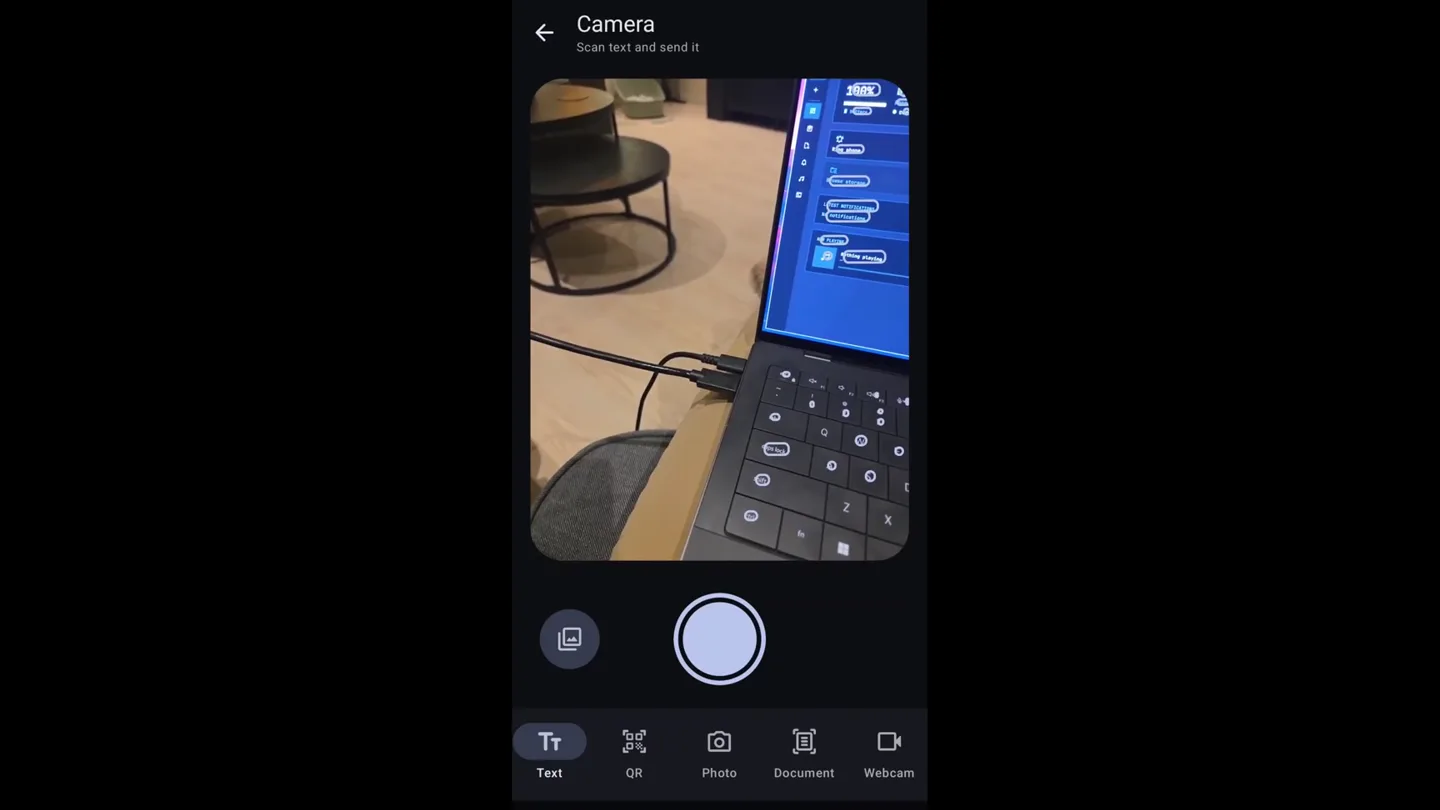
- Camera, Scan text and send it, Text, QR, Photo, Document, Webcam, Overview, 100%, Bjarnes S25, Phone paired 2026-09-25, connected discharging, Ping phone, Send file, Browse storage, Media, LATEST NOTIFICATIONS, No notifications, NOW PLAYING, Nothing playing, Flux, hemmeLig, Share secrets that self-destruct after being read., Encrypted in this tab before upload. The server stores ciphertext it has no key for., Title (optional, encrypted), hi om, + Attach file max 100.0 MB, 7 days 1 view, Options, Create link Ctrl J, Secret created, QR code: Link, Copy, Hide QR, Expires in 7 days, 1 view, Copy on omarchy-xps, Burn now, Scan again, Skanner... hold enheten stadig, MOONSHOTS-METODEN, Yngvar Ugland, Manuelt, Autoutløser, Flux har bare tilgang til bildene du skanner, Scan a document, The scanner finds the page edges. You can add pages or import from the gallery. Flux sends 1 PDF to omarchy-xps., Scan document, Sent scan-20260925-210717.pdf, 1 page, to omarchy-xps, Use this phone as a webcam, Ready. Press Start webcam to use this phone as a webcam on omarchy-xps., Front camera, Rotate, Settings, Start webcam, Google Meet, LIVE, You live on omarchy-xps as Flux Camera, Stop webcam, Ready to join?, Join now, Phone commands, Your phone lists these commands under Run commands. A tap on the phone runs the command on this computer., Next Background, S omarchy theme bg next, + Add command, Remove, screenshots, IMG_20260925_2143, IMG_20260925_11590, Browse PC, Downloads, go, Music, OmarcyCore, Pictures, Projects, Videos, Wallpapers, Work, Ringing from omarchy-xps, Connected, 87% charging, Send clipboard, Paste it on the computer, Send files, To the Downloads folder, Camera, Scan, photo, or webcam, Microphone, Use as a mic on the PC, Mirror screen, Show this screen on th..., Media, Control what plays, Run commands, Commands you added, Open and get files, sudo su, Approve on Bjarnes S25, or wait for the password prompt.
- Camera
- The camera primarily uses static, eye-level shots of screen recordings, occasionally zooming in slightly on specific UI elements. There are no dynamic camera movements or rotations.
- Motion
- The video employs a split-screen technique, showcasing both phone and desktop interfaces simultaneously. UI elements animate with subtle fades and slides, emphasizing interaction flows. Text appears with a typewriter effect or a quick fade-in.
Product Reveal
Core Features in Action
“(No spoken dialogue — The audio track features an ambient electronic score with a melancholic and reflective mood.)”
- On screen
- (No on-screen text)
- Camera
- Continues with static screen recordings, maintaining a clear, direct view of the software in use. Focus remains on the interaction between devices.
- Motion
- Transitions are clean cuts between different feature demonstrations. UI elements respond to user input with smooth, quick animations, highlighting the responsiveness of the Flux system.
Feature Teaser
Advanced Productivity Workflows
“(No spoken dialogue — The audio track features an ambient electronic score with a melancholic and reflective mood.)”
- On screen
- (No on-screen text)
- Camera
- The camera remains static, capturing the full screen or a focused portion of the application. The perspective is consistently from the user's point of view interacting with the software.
- Motion
- Animations are subtle and functional, guiding the viewer's eye through complex workflows. Elements like file transfers and command executions are visualized with progress indicators and confirmation messages that fade in and out.
Call to Action
Empowering Cross-Device Control
“(No spoken dialogue — The audio track features an ambient electronic score with a melancholic and reflective mood.)”
- On screen
- (No on-screen text)
- Camera
- The camera maintains a consistent, static shot of the screen, allowing the software's functionality to be the primary focus. No external camera movements are observed.
- Motion
- The motion design emphasizes clarity and directness. UI elements animate with precise, quick movements, reinforcing the idea of efficient and immediate control across devices. The overall pacing is steady, matching the calm audio track.
Motion design primitives
Synthesizable in Remotion · key components of the flux-interconnectivity-showcase template.
SplitScreenUI
Two distinct UI interfaces (phone and desktop) are displayed side-by-side, often with one taking up a larger portion of the screen. Interactions on one screen are reflected or complemented on the other.
+ Code construction recipe
Use Remotion's <AbsoluteFill> and <Sequence> components. Position two child components, each rendering a screen recording or UI mock-up, using CSS grid or flexbox for layout. Animate width/height properties with `interpolate` for dynamic resizing.
TypewriterTextReveal
Text appears character by character, simulating a typewriter effect, often accompanied by a subtle cursor animation.
+ Code construction recipe
Render text using a <Text> component. Use `interpolate` on the `clipPath` or `width` CSS property, or iterate over characters and animate their `opacity` and `transform` (e.g., `translateY`) with a slight delay for each character.
SubtleUIFadeSlide
UI elements (buttons, notifications, text blocks) appear or disappear with a gentle fade and a slight translational movement (e.g., sliding up or down a few pixels).
+ Code construction recipe
Apply `interpolate` to `opacity` from 0 to 1 and `transform: translateY` from a small offset (e.g., 10px) to 0. Use a `spring` animation for a more natural, bouncy feel on the `translateY` property.
Style DNA & aesthetic system
Visual aesthetic
Typography
Motion
Special effects
Pacing & rhythm
Conceptual story rhythm
- 1
Introduction to Interconnectivity
Purpose. Establish the core problem of device silos and introduce Flux as the solution for seamless integration.
Execution. Opening with split-screen views of phone and desktop UIs, demonstrating initial interactions like scanning text or browsing files across devices.
- 2
Feature Deep Dive
Purpose. Showcase Flux's key functionalities in detail, highlighting practical use cases.
Execution. Sequential demonstrations of clipboard sync, file transfer, webcam integration, and remote command execution, each with clear UI animations.
- 3
Advanced Control & Automation
Purpose. Illustrate more powerful features like fingerprint sudo and custom phone commands.
Execution. Visualizing the 'sudo su' approval process and the creation/execution of custom phone commands to control desktop functions.
- 4
The Unified Experience
Purpose. Conclude by reinforcing the overall benefit of a unified, efficient workflow.
Execution. A montage of various features working together, emphasizing the fluidity and ease of use, leading to a final product title card.
Remix in Animatiq Studio
Master remix prompt · agent-ready
Sample remix
Objective
A smart home hub app that controls various devices, demonstrating how a user can adjust lighting and thermostat settings from their phone, with real-time feedback on a wall-mounted display.How the recipe adapts
The SplitScreenUI primitive would show the phone app on one side and the smart display UI on the other. SubtleUIFadeSlide would animate changes in temperature or light intensity on both screens. TypewriterTextReveal could introduce feature names like 'Adaptive Climate Control' or 'Mood Lighting Presets'. The dark aesthetic and calm pacing would be maintained, focusing on the ease of control and the seamless synchronization between the phone and the smart display.Remix blueprint · flux-interconnectivity-showcase
Scene durations (4 scenes, 168s)
Key Remotion components
Related Productivity Product Launches
Explore all Productivity launches →
Don't type, just speak. Flawless voice-to-text across every app at 240 WPM.

One workspace for knowledge scattered across Slack, email, Docs, and Notion. Connect your tools and build apps and agents that stay live with your data.

Notion positions itself as the backbone of your dock — a brand film of the Notion icon among everyday apps, ending on “Works with everything.”