
Scene-by-scene timeline & spoken transcript
The Hook
Voice Query Initiation
“Hi Camille, what's on your mind? I'm studying abroad in Vienna and want to understand the influence of the city on classical music and its global impact. Can you run a deep research report on that?”
- On screen
- 9:30 Gemini Flash Hi Camille, what's on your mind? + Ask Gemini I'm studying abroad in Vienna and want to understand the influence of the city on classical music and its global impact. Can you run
- Camera
- Static, centered phone screen perspective.
- Motion
- Text input animation, simulating real-time typing and voice-to-text conversion.
Product Reveal
Background Research & Lock Screen Notification
“I'll start looking into that for you now. I'll work on it in the background.”
- On screen
- 9:30 I'll I'll start looking into that for you now. I'll work on it in the background. Classical Music in Vienna and it's Historical Influence Starting research... 9:33 Tue, Aug 25 76°F • 4 degrees warmer today 9:35 Tue, Aug 25 76°F • 4 degrees warmer today Report ready Classical Music in Vienna Swipe up to unlock
- Camera
- Static phone screen, then a subtle zoom into the lock screen notification.
- Motion
- Seamless transition from in-app UI to lock screen, with a notification pop-up animation.
Feature Teaser
Report Delivery & Follow-up Question
“Your research report is ready! Can you explain how the city's history before the classical wave created the environment for it to happen?”
- On screen
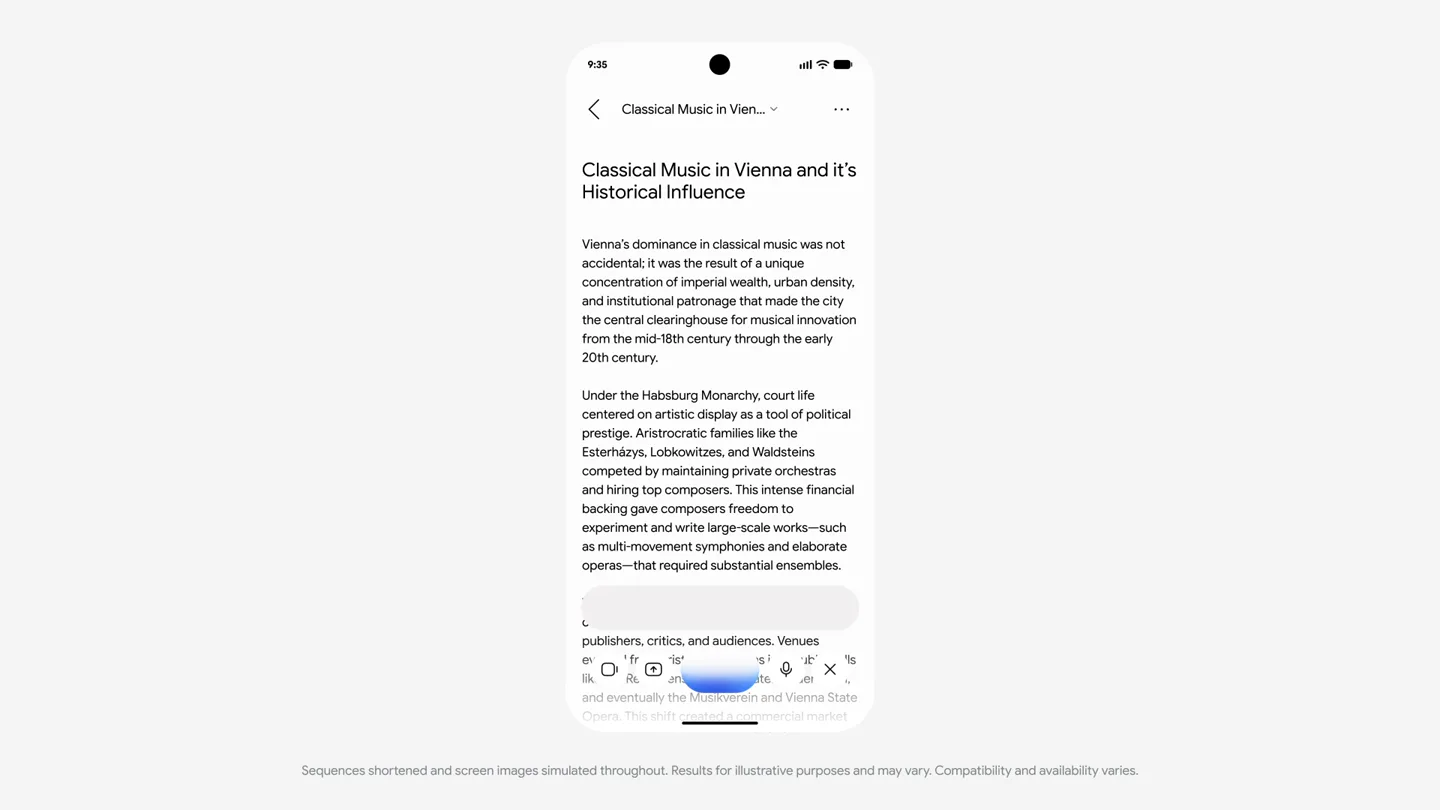
- 9:35 Your research report is ready! Classical Music in Vienna and it's Historical Influence Aug 25, 9:35 AM Open Classical Music in Vienna and it's Historical Influence Vienna's dominance in classical music was not accidental; it was the result of a unique concentration of imperial wealth, urban density, and institutional patronage that made the city the central clearinghouse for musical innovation from the mid-18th century through the early 20th century. Under the Habsburg Monarchy, court life centered on artistic display as a tool of political prestige. Aristocratic families like the Esterházys, Lobkowitzes, and Waldsteins competed by maintaining private orchestras and hiring top composers. This intense financial backing gave composers freedom to experiment and write large-scale works—such as multi-movement symphonies and elaborate operas—that required substantial ensembles. Vienna's compact geography encouraged constant interaction among musicians, publishers, critics, and audiences. Venues like the Burgtheater, Kärntnertortheater, and eventually the Musikverein and Vienna State Opera. This shift from a financial market Can you explain how the city's history before the classical wave created the environment
- Camera
- Static phone screen, scrolling down the report content.
- Motion
- Smooth vertical scroll animation, revealing the full report and then a new voice query input.
Feature Teaser
Contextual AI Response
“Long before the classical period, Vienna's rise as the center of the Habsburg Empire and the Imperial Court's deep commitment to the arts, combined with the wealth and influence of the aristocracy, created the foundations for a powerful patronage system.”
- On screen
- 9:35 Long before the classical period, Vienna's rise as the center of the Habsburg Empire and the Imperial Court's deep commitment to the arts, combined with the wealth and influence of the aristocracy, created
- Camera
- Static phone screen, with text appearing dynamically.
- Motion
- Dynamic text reveal, simulating AI generating a response in real-time within the report context.
Motion design primitives
Synthesizable in Remotion · key components of the gemini-live-ui-showcase template.
VoiceToTextBubble
A chat bubble expands and fills with text as spoken dialogue is transcribed, then shrinks or fades as the next speaker responds.
+ Code construction recipe
Use `spring` for bubble expansion/contraction. `interpolate` opacity and `scale` for text reveal. `Sequence` for timing dialogue segments.
LockScreenNotification
A notification card slides in from the top of a lock screen, displaying a summary and an action button.
+ Code construction recipe
Employ `spring` for the notification card's entrance. `interpolate` opacity for text and icon reveals. `AbsoluteFill` for the lock screen background.
DynamicReportScroll
A long-form text report scrolls smoothly, with new content appearing as the user asks follow-up questions, simulating an interactive document.
+ Code construction recipe
Utilize `interpolate` for vertical `translateY` to simulate scrolling. `Sequence` to time the appearance of new text blocks and the subsequent voice input.
Style DNA & aesthetic system
Visual aesthetic
Typography
Motion
Special effects
Pacing & rhythm
Conceptual story rhythm
- 1
Initial Query
Purpose. Introduce the product's core voice interaction capability and its ability to understand complex requests.
Execution. User types/speaks a detailed query into the app, which is transcribed and displayed in a chat bubble.
- 2
Background Processing
Purpose. Demonstrate the product's ability to perform tasks asynchronously, even when the app is closed or screen is locked.
Execution. The app transitions to a lock screen, and a notification appears indicating the report is ready.
- 3
Report & Follow-up
Purpose. Showcase the depth of the research and the AI's contextual understanding for subsequent questions.
Execution. The user opens the report, scrolls through it, and asks a follow-up question based on the content.
- 4
Contextual Response
Purpose. Highlight the AI's ability to provide relevant, detailed answers within the context of the ongoing research.
Execution. The AI generates a new text response directly within the report, expanding on the user's follow-up query.
Remix in Animatiq Studio
Master remix prompt · agent-ready
Sample remix
Objective
A new smart home assistant app that allows users to control devices and get information via voice, even when the phone is locked.How the recipe adapts
The VoiceToTextBubble primitive would show a user asking to dim lights and play music. The LockScreenNotification primitive would display a confirmation that the actions were performed. The DynamicReportScroll primitive would be adapted to show a dynamically generated summary of home energy usage or a recipe, with follow-up questions answered in real-time.Remix blueprint · gemini-live-ui-showcase
Scene durations (4 scenes, 51s)
Key Remotion components
Related AI Agents Product Launches
Explore all AI Agents launches →
To ensure that artificial general intelligence benefits all of humanity

Introducing Claude Fable 5: a Mythos-class model that we’ve made safe for general use. Its capabilities exceed those of any model we’ve ever made generally available. https://t.co/2AvmEjHIX8

To understand the true nature of the universe.