
Google · Launch Video Breakdown: Hook, Pacing & Motion Design
The upgraded Gemini Notebook experience is now available to all users, with AI Mode in Search, better math, and RTL number fixes.
Scene-by-scene timeline & spoken transcript
The Hook
Personalized AI Notebook Setup
“(No spoken dialogue — ambient visual with UI clicks)”
- On screen
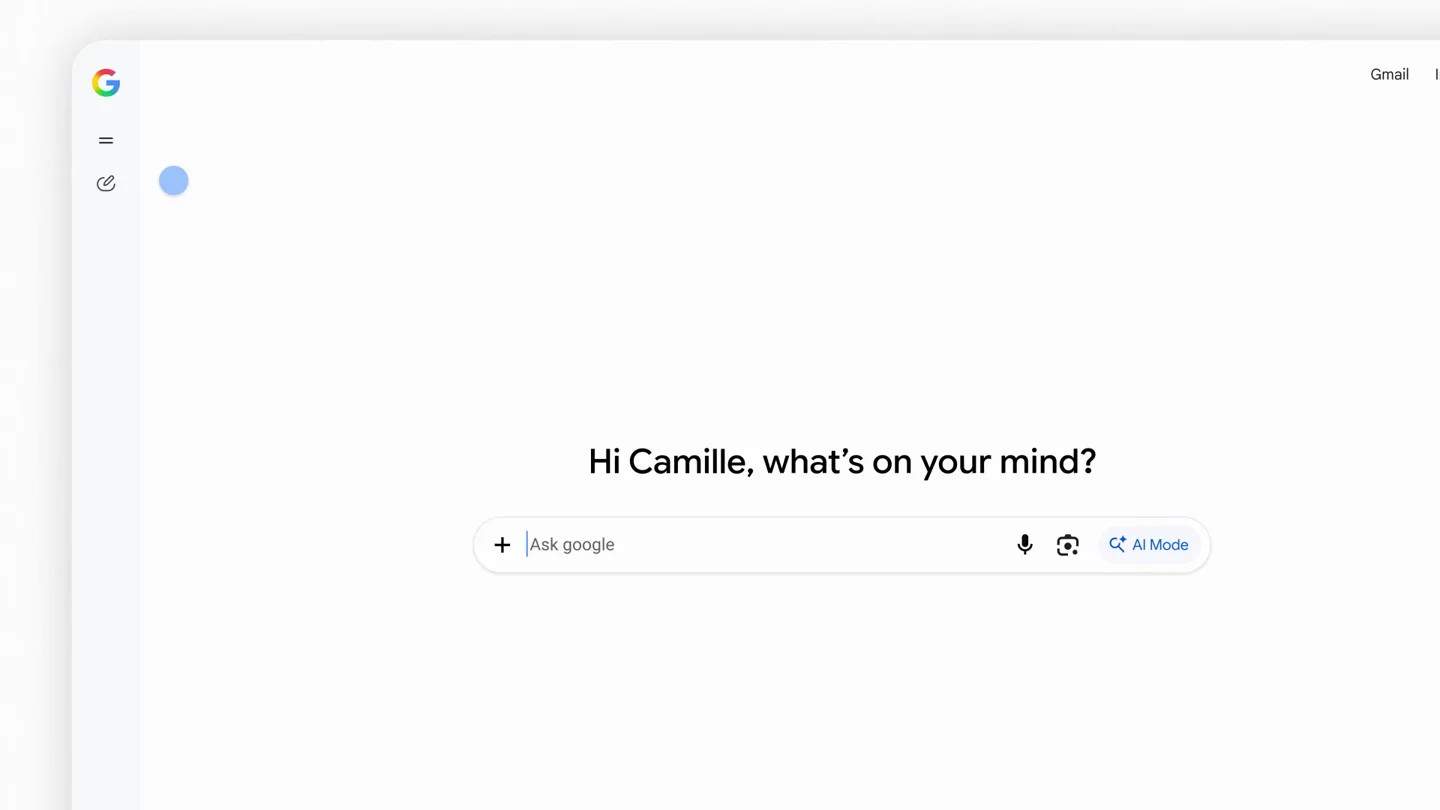
- Hi Camille, what's on your mind? Ask google AI Mode New thread Search threads Notebook Add notebook Economics 204 Enzyme Comparison Recent Reflective Pavement Study Air Temperature Impact Comparative Data on Pavern... My Notebook Name your notebook Ask anything about this notebook Threads Add a thread or upload a source to get started with your notebook. Environmental Science
- Camera
- Static screen capture, focusing on UI interactions.
- Motion
- Rapid UI element transitions, text input simulation, and icon changes.
Product Reveal
Seamless Source Integration & Customization
“(No spoken dialogue — ambient visual with UI clicks)”
- On screen
- Environmental Science Add Sources Select one or more files Recent My Files > Downloads Files PDF env_sci_class_syll... env_sci_class_not... env_sci_lecture_sli... Google Drive Custom Files Cancel Open Sources Add files that can be referenced in this notebook Files Websites Copied text env_sci_class_syllabus.pdf Uploading env_sci_class_notes.pdf Uploading 3 Sources Instructions Customize how Google helps with this notebook Describe your goals, what tone to use, and any other preferences Cancel Save Keep track of course materials. Cross-reference c Keep track of course materials. Cross-reference course syllabus materials with my class notes and web sources. I want to go deeper on topics that mi Sequences shortened and results for illustrative purposes throughout. Screen images simulated.
- Camera
- Static screen capture, with modal windows appearing and disappearing.
- Motion
- Modal pop-up animations, simulated file uploads, and text typing effects.
Feature Teaser
AI-Powered Research & Analysis
“(No spoken dialogue — ambient visual with UI clicks)”
- On screen
- Environmental Science 3 Sources help me analyze how commercial zoning rules impact local temperatures AI Mode / Environmental Science / Commercial Zoning Impact Searching • • • Commercial zoning rules significantly elevate local temperatures compared to residential zones by mandating up to 90% impervious surface coverage, whereas residential zones preserve cooling green spaces. Academic studies published in journals like ScienceDirect and reports by the U.S. Environmental Protection Agency (EPA) confirm that commercial districts exhibit the highest Urban Heat Island (UHI) intensity due to extensive parking lots, low-albedo pavement, and massive HVAC cooling loads. PubMed Central (PMC) .gov +1 Zoning Framework Comparison Metric / Feature Commercial Districts Residential Districts Impervious Surfa env_sci_class_notes.pdf env_sci_syllabus.pdf env_sci_lecture_sli... 30% to 50% lower ratio. Dominant Materia Landscaping, grass, and trees. Primary Energy C Latent heat via evapotranspiration. Summer Surface Temperatures Peaks at 135°F to 145°F. Cools to 85°F to 90°F. How Commercial Zoning Spikes Heat Low Albedo Absorption: Dark asphalt features a very low albedo fraction of 0.05 to 0.12. 12 sources Multidisciplinary Understanding of the Urban Heating Problem and ... The density, height, and configuration of buildings are linked with the land use in urban areas where the bui... PubMed Central (PMC) .gov Impact of Building Design and Operating Strategies on Urban ... Specifically, the study evaluates the impacts of indoor temperature settings, precooling strategies, and air infilt... ASME Digital Collection Urban Heat Island Effect: How Cities Impact Community Health What Causes Urban Heat Islands? + Loss of Vegetation. Trees, parks and other green spaces naturally cool the a... Texas A&M University Show all
- Camera
- Static screen capture, with dynamic content generation and scrolling.
- Motion
- Typing animation, loading indicators, dynamic content generation, and interactive hover states.
Call to Action
Google Search Integration & Branding
“(No spoken dialogue — silent video with brand reveal)”
- On screen
- Google Google Search
- Camera
- Zoom out to full screen, then static brand display.
- Motion
- Logo reveal, text fade-in, and subtle background gradient animation.
Motion design primitives
Synthesizable in Remotion · key components of the ai-notebook-launch-template template.
UIDynamicInput
Simulates user typing into an input field, with a blinking cursor and text appearing character by character. Includes a subtle glow or color change on the input field border to indicate activity.
+ Code construction recipe
Use `interpolate` for cursor opacity (blink effect) and `spring` for text character appearance with a slight delay. Implement a `linear-gradient` CSS property for the input field border, animating its `background-position` or `color-stop` values.
ModalStackTransition
A new modal window slides in from the bottom or fades in with a slight scale-up, while the background content dims. Subsequent modals can stack or replace previous ones with similar smooth transitions.
+ Code construction recipe
Utilize `spring` for `translateY` and `scale` properties for the modal entry/exit. Animate a `backgroundColor` with `rgba` for the overlay dimming effect. Manage z-index for stacking.
ContentGenerationFlow
Displays a 'Searching...' animation with pulsating dots, followed by a rapid, smooth reveal of generated text and structured data, often with elements fading or sliding into place.
+ Code construction recipe
Animate dot `opacity` and `scale` with `loop` for the searching state. For content reveal, use `interpolate` on `opacity` and `translateY` for text blocks and table rows, staggering their appearance with `delay`.
Style DNA & aesthetic system
Visual aesthetic
Typography
Motion
Special effects
Pacing & rhythm
Conceptual story rhythm
- 1
Introduction to Notebook
Purpose. Showcases the ease of creating and naming a new AI-powered notebook.
Execution. Quick UI navigation from search to 'My Notebook', followed by typing a notebook name.
- 2
Data Ingestion
Purpose. Demonstrates the seamless process of adding diverse sources (files, web) to the notebook.
Execution. Clicking 'Add Sources', opening a file picker, and showing files uploading with progress indicators.
- 3
AI Interaction & Output
Purpose. Highlights the AI's ability to process information and generate structured, insightful responses.
Execution. Typing a query, 'Searching...' animation, and then the rapid display of a detailed, sourced answer.
- 4
Brand Reinforcement
Purpose. Connects the advanced AI features back to the core Google brand and its search capabilities.
Execution. Transition to a clean white screen with the Google logo, then 'Google Search' text reveal.
Remix in Animatiq Studio
Master remix prompt · agent-ready
Sample remix
Objective
Launch a new AI-powered code assistant that integrates with IDEs and provides real-time suggestions and refactoring.How the recipe adapts
The UIDynamicInput primitive would simulate typing code into an IDE, with the AI assistant's suggestions appearing as a ModalStackTransition. The ContentGenerationFlow would show the AI generating code snippets or refactoring suggestions, with a 'Processing...' animation. The overall aesthetic would retain the clean UI and fast pacing, adapting the color palette to match the new product's branding while keeping the subtle background gradients.Remix blueprint · ai-notebook-launch-template
Scene durations (4 scenes, 54s)
Key Remotion components
Related AI Agents Product Launches
Explore all AI Agents launches →
To ensure that artificial general intelligence benefits all of humanity

Gopuff introduces Go, an AI shopping assistant built with SpaceXAI: say what you need and the order is placed.

Iliad (Troy) trailer made by Grok Imagine 1.5, which was just released