
Scene-by-scene timeline & spoken transcript
The Hook
Introducing AI Agent Skill Creation
“(No spoken dialogue — A driving, rhythmic electronic beat with pizzicato synths and a pulsating sub-bass begins, setting an energetic tone.)”
- On screen
- What can I help with, Megan? create a skill to help me get ready for class presenta Flash Skill Saved: Presentation Prep Your new skill has been saved under the name presentation-prep. You can now use across your conversations. What This Skill Does The presentation-prep skill provides a complete, structured approach to build and refine class presentations, project pitches, and academic talks. Slide-by-Slide Outlines: Structures your presentation into logical sections, offering recommendations, and guiding talking points.
- Camera
- Close-up on a chat interface, then a quick zoom out to reveal a 'Skill Saved' confirmation screen. The camera remains static, focusing on the UI elements.
- Motion
- UI element reveals, text typing animation, subtle cursor interaction, and a quick, clean transition to a confirmation screen.
Problem Agitation
Effortless Skill Recall and Application
“(No spoken dialogue — The electronic beat continues, maintaining its driving rhythm. A high-energy audio transition/riser occurs at 0:10.)”
- On screen
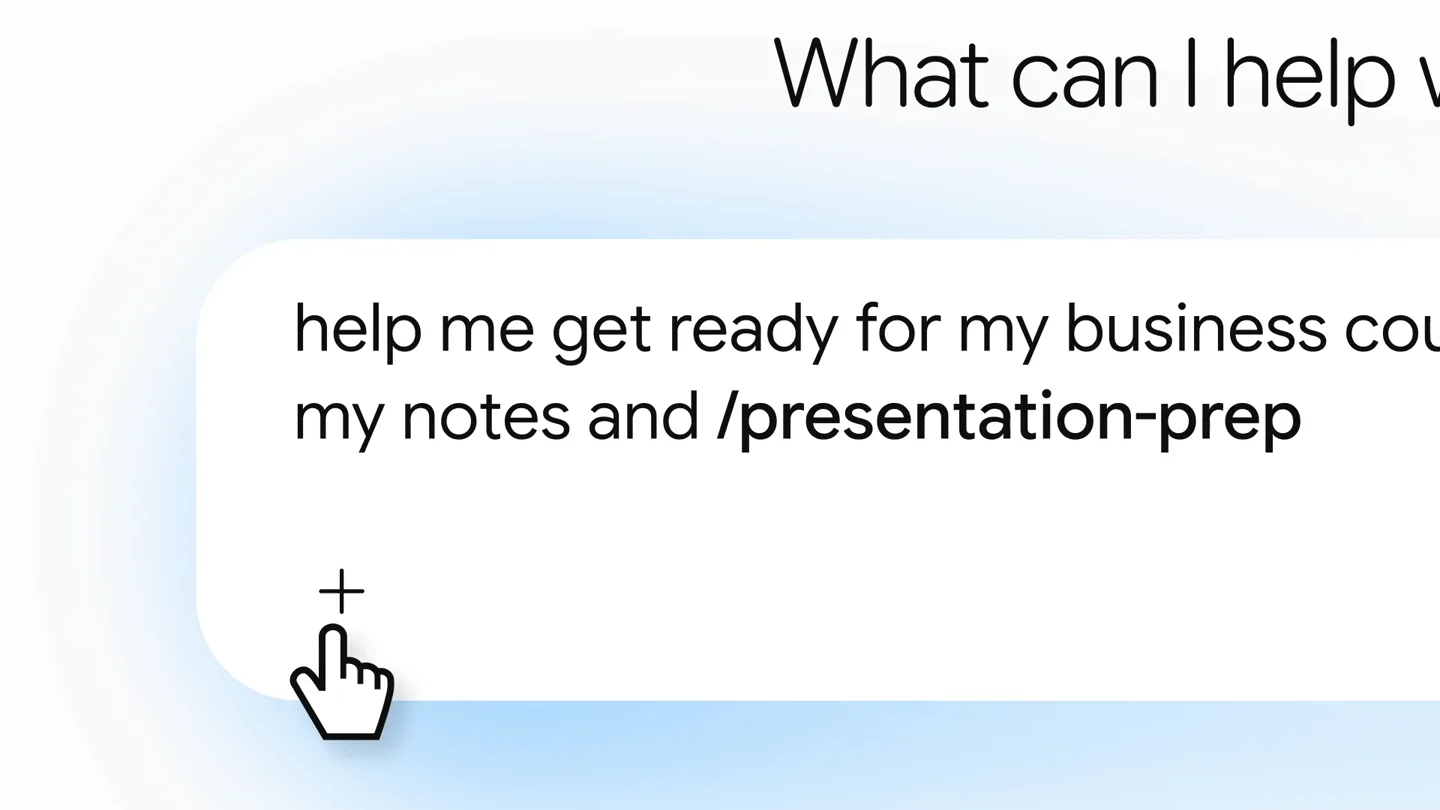
- Less prompting, What can I help with, Megan? help me get ready for my business course and review my notes and /p presentation-prep
- Camera
- Static shot on a text prompt, then a slight pan to the right as the '/presentation-prep' skill is suggested and selected. The camera focuses on the interaction.
- Motion
- Text typing animation, dynamic suggestion pop-up, and a smooth cursor click interaction, emphasizing ease of use.
Product Reveal
Comprehensive Presentation Outline Generation
“(No spoken dialogue — The electronic beat intensifies slightly. Another high-energy audio transition/riser occurs at 0:20.)”
- On screen
- segmentation using Skills: presentation-prep Sequences shortened and screen images simulated. Results for illustrative purposes and may vary. Step 1: Understand the Context and Scope Course Context: Introduction to Business Principles & Management (Core Marketing Dynamics & Strategic Value Creation). Audience: Professor and undergraduate classmates. Topic: Market Segmentation (Foundations, Bases, Evaluation, and Strategic Implementation). Assumed Constraints:: A standard 6–8 minute academic presentation spanning 6 core slides (aiming for roughly 1 slide per minute). Focus: Helping you understand the conceptual framework and defend your ideas without memorizing a script. Step 2: Slide-by-Slide Outline Slide 1: Introduction to Market Segmentation & Strategic Fit Key Visual / Content Suggestion: A high-level visual funnel illustrating an undifferentiated broad market narrowing into distinct, homogenous customer groups. Talking Points to Prepare: Define market segmentation: dividing a heterogeneous market into smaller, meaningful groups with shared needs or characteristics. Contrast mass marketing with segmented marketing; explain why trying to serve “everyone” often results in satisfying no one effectively. Preview the presentation’s roadmap: criteria bases, segment evaluation criteria, and strategic positioning. Slide 2: The Four Primary Segmentation Bases Key Visual / Content Suggestion: A 2×2 matrix or 4-quadrant diagram detailing Demographic, Geographic, Psychographic, and Behavioral dimensions. Market Segmentation Pillars Core customer categorization frameworks & applications Demographic Geographic Psychographic Behavioral WHO Demographic Age • Income • Education Life Stage • Gender • Occupation WHERE Geographic Region • Density • Climate Urban vs. Rural • Zip Code WHY Psychographic Lifestyle • Core Values Interests • Social Class HOW Behavioral Usage Rate • Brand Loyalty Benefits Sought • Readiness
- Camera
- A rapid zoom-out reveals a detailed, scrolling document outlining a presentation. The camera then pans down to highlight key sections and visual elements within the document.
- Motion
- Fast zoom-out, smooth vertical scrolling, and subtle highlight animations on key text and diagram elements, conveying information density and utility.
Feature Teaser
Seamless Integration with Presentation Tools
“(No spoken dialogue — The electronic beat continues, building energy. A high-energy audio transition/riser occurs at 0:30, followed by a significant sub-bass drop/impact at 0:31.)”
- On screen
- Talking Points to Prepare: Demographic & Geographic: Explain that these are observable and easy to measure, but do not necessarily explain why people purchase. Psychographic & Behavioral: Emphasize that behavioral variables (e.g., benefits sought, product usage rate) and lifestyle values often yield much stronger predictors of actual buying intent. Slide 3: Criteria for Effective Segmentation (The Evaluation Filter) Key Visual / Content Suggestion: An evaluation checklist or scorecard showing whether a segment meets the classic academic standards: Measurable, Accessible, Substantial, Differentiable, and Actionable. Not every identified group is viable. Clarify why a business cannot pursue an arbitrary cluster of consumers. Explain Substantiality (is it profitable enough to justify unique product development?) and Accessibility (can our distribution and marketing channels physically reach them?). Discuss Actionability (does our hypothetical business have the operational capabilities to serve them?). Step 4: Delivery & Practice Tips Question 1: “Why shouldn’t a young startup just target as large a market as possible to maximize potential sales?” Pacing & Transitions: Allocate roughly 60–75 seconds per slide. Use transition phrases to bridge ideas (e.g., “Now that we know the bases for segmenting customers, how do we evaluate whether a segment is actually worth pursuing?”). Slide Discipline: Keep slide bullet points under 6–8 words each. Avoid reading directly from the screen; look at the audience and use your slides as anchors for your spoken concepts. Handling Questions: Pause for two seconds before answering, to frame your thoughts. If a question is unclear, restate it briefly before answering (e.g., “To ensure I address your point, are you asking about the micro-segmentation?”). Want to create a slide deck from this outline? create a slide deck from this outline Open Market Segmentation Presentation File Edit View Insert Format Slide Arrange Tools Extensions Help Menus Precision Over Proliferation: Market Segmentation Market Segment Core customer categorization frameworks & applications WHO Demographic WHERE Geographic WHY Psychographic HOW Behavioral
- Camera
- Continues scrolling through the document, then transitions to a prompt asking to create a slide deck. A cursor clicks 'Open', leading to a full-screen view of a presentation software interface.
- Motion
- Smooth scrolling, interactive button highlight, and a seamless transition from document view to a fully functional presentation application, showcasing product integration.
Motion design primitives
Synthesizable in Remotion · key components of the ai-agent-skill-showcase template.
TypingCursorReveal
Text appears character by character as if being typed, accompanied by a blinking cursor. This simulates real-time user input in a chat interface.
+ Code construction recipe
Use `interpolate` for character opacity and position, combined with a `spring` animation for the blinking cursor's opacity. Implement a `sequence` to reveal text progressively.
ContentScrollZoom
A rapid zoom-out from a focused UI element to reveal a larger document, followed by smooth vertical scrolling to expose more content. Key elements within the document subtly highlight.
+ Code construction recipe
Utilize `spring` for the initial zoom-out and `interpolate` for smooth vertical `transform` on the document container. Apply `opacity` and `scale` animations for highlighting specific text blocks or diagrams.
InteractiveButtonHighlight
A button or interactive element receives a subtle glow or scale animation upon simulated cursor hover/click, followed by a quick transition to a new screen or state.
+ Code construction recipe
Employ `spring` for `scale` and `box-shadow` (or `filter: drop-shadow`) properties on the button element. Use `sequence` to trigger a scene change or content swap after the click animation.
Style DNA & aesthetic system
Visual aesthetic
Typography
Motion
Special effects
Pacing & rhythm
Conceptual story rhythm
- 1
Skill Creation & Confirmation
Purpose. Introduce the core product functionality: creating and saving AI agent skills.
Execution. User types a prompt, skill is created, and a 'Skill Saved' confirmation appears with a smooth transition.
- 2
Skill Recall & Application
Purpose. Demonstrate the ease of reusing saved skills to streamline complex tasks.
Execution. User types a new prompt, the saved skill is suggested and applied with a quick interaction.
- 3
Detailed Output Generation
Purpose. Showcase the comprehensive and structured output generated by the AI agent.
Execution. A detailed, scrolling document with a presentation outline, including context, slides, and tips, is revealed.
- 4
Seamless Tool Integration
Purpose. Highlight the product's ability to integrate with other applications for practical use.
Execution. The generated outline is seamlessly converted into a presentation within a familiar software interface.
Remix in Animatiq Studio
Master remix prompt · agent-ready
Sample remix
Objective
A new AI-powered code generation tool that creates and saves custom code snippets, then integrates them into an IDE.How the recipe adapts
The TypingCursorReveal primitive would show a user typing a code request. The ContentScrollZoom would reveal the generated code snippet with explanations. The InteractiveButtonHighlight would be used for a 'Deploy to IDE' button, leading to a simulated IDE interface. The overall flow would maintain the clean UI, fast transitions, and continuous scene approach, with the electronic soundtrack emphasizing the speed and efficiency of code generation.Remix blueprint · ai-agent-skill-showcase
Scene durations (5 scenes, 47s)
Key Remotion components
Related AI Agents Product Launches
Explore all AI Agents launches →
To ensure that artificial general intelligence benefits all of humanity

Introducing Claude Fable 5: a Mythos-class model that we’ve made safe for general use. Its capabilities exceed those of any model we’ve ever made generally available. https://t.co/2AvmEjHIX8

To understand the true nature of the universe.