
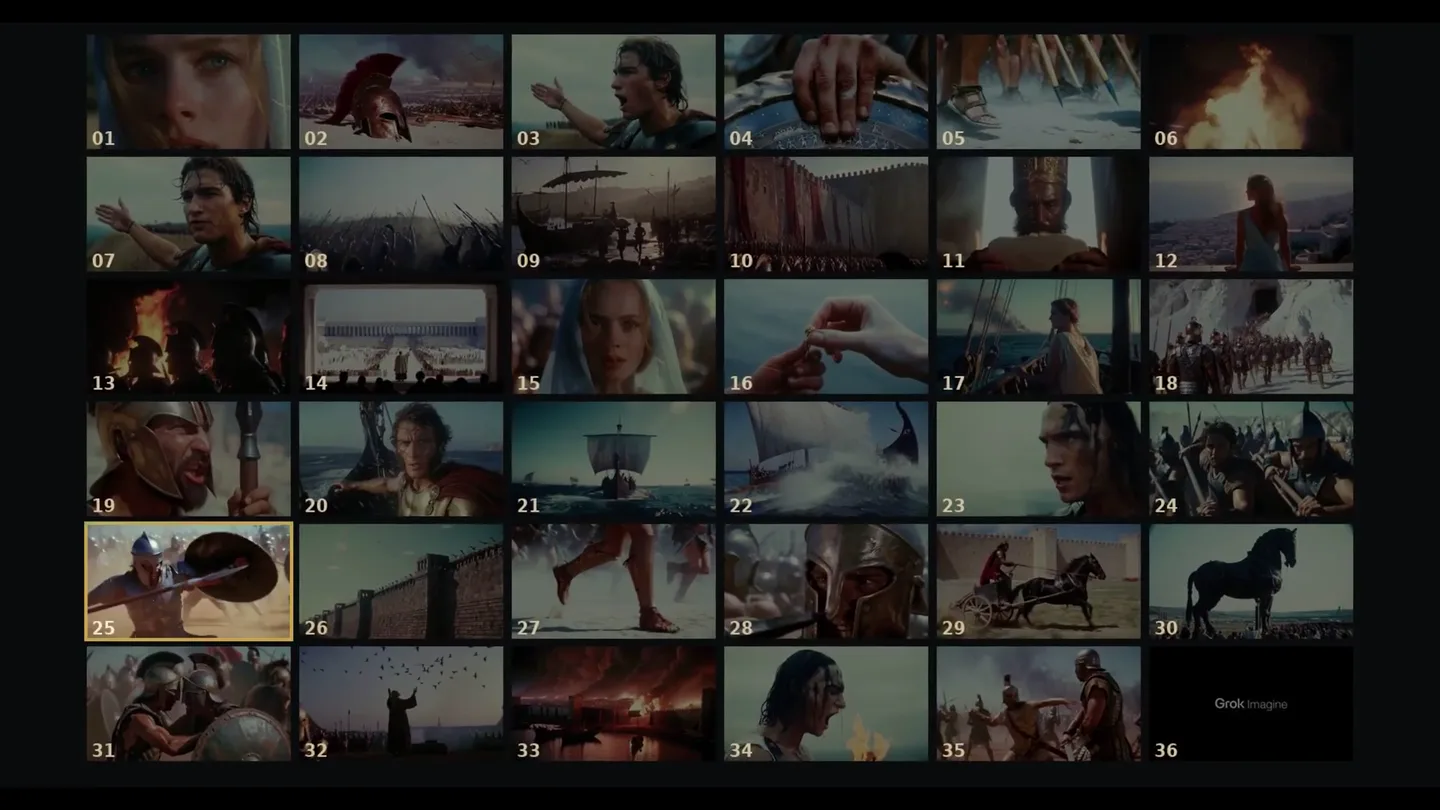
Scene-by-scene timeline & spoken transcript
The Hook
Grok as a Virtual Camera
“when I'm creating a project like the Odyssey trailer, the biggest takeaway is that I'm really treating Grok like a camera. I'm treating Grok like a raw footage generating machine, which is what it really excels at.”
- On screen
- Grok Imagine START-FRAME PROMPT SHOT 02 35mm film photograph, cinematic 1970s classical epic film still...
- Camera
- Static storyboard mosaic zooming into single full-screen helmet shot
- Motion
- UI screen-record with HUD text overlay and start-frame generation
Problem Agitation
Consistency Framework
“I usually start with a rough concept. You know, that could be a shot list, a style template, and this will help keep the visual style consistent throughout the entire piece.”
- On screen
- CONCEPT SHOT LIST STYLE TEMPLATE CHARACTER REFS
- Camera
- Pan across floating UI cards over dark canvas
- Motion
- Minimalist card layout with smooth tracking camera
Product Reveal
Start-Frame to Video
“Once you've generated your start frames, and they're storyboard worthy, then you can start generating your video clips from those start frames. And many times if you just click the generate video button, Grok will understand the context of that start frame. If you nail all these things with your start frames, then the video model has a smaller job. And now you're just prompting the specific things that you want to happen in that video clip.”
- On screen
- just animate this quickly Thinking Generating 75% he slowly looks up from the tablet. slow zoom in, subtle flickering of the flame
- Camera
- Screen capture viewport zoom onto canvas node
- Motion
- Interactive canvas node UI transition into full-frame generation
Feature Teaser
Camera Direction & Takes
“For example, the speech shot, you know you do have to type in what you want your character to say and adding a description of the emotion and the pauses and the beats that you want the character to hit really helps. So Grok is the camera, and you have to prompt it like a camera... And much like real filmmaking, take one is not always going to be the best take... It's a creative collaborative process with Grok Imagine as your camera.”
- On screen
- EMOTION CUES BEATS TAKE 01 TAKE 02 TAKE 03 Delete video
- Camera
- Dynamic push-ins and multi-take card comparison swiping
- Motion
- Text highlight parsing, UI dialog prompts, and filmstrip wipes
Call to Action
NLE Assembly & Outro
“Once you've finally gotten all your video clips, I batch download them from Grok Imagine page and bring them into my editing software. And that's where the film starts coming together for me... you still do have to think through the story you want to tell and then use the tools like Grok Imagine to create the visuals you want for your story.”
- On screen
- Grok Imagine
- Camera
- Pan across NLE timeline into cinematic montage, resolving to centered logo
- Motion
- Timeline playback sync with full-bleed letterboxed trailer cuts and minimalist title resolve
Motion design primitives
Synthesizable in Remotion · key components of the director-ai-workflow-breakdown template.
StoryboardGridMatrix
Multi-cell video thumbnail grid with active cell zoom transition.
+ Code construction recipe
Map array of video URLs inside a CSS grid layout, animating scale and opacity via Remotion interpolate on frame selection.
PromptTokenHighlighter
Monospace prompt string with labeled syntax tags appearing above key phrases.
+ Code construction recipe
Render styled pill tags with spring transforms keyed to text segment highlight timestamps.
MultiTakeCarousel
Horizontal film strip presenting multiple generative takes with center focus.
+ Code construction recipe
Use spring translation on an X-axis flex container displaying numbered take badges.
Style DNA & aesthetic system
Visual aesthetic
Typography
Motion
Special effects
Pacing & rhythm
Conceptual story rhythm
- 1
Philosophy Hook
Purpose. Reframe AI generation as camera directing.
Execution. Thumbnail mosaic expanding to full-frame hero asset.
- 2
Prompt Anatomy
Purpose. Demonstrate precise director prompt control.
Execution. Split UI showing annotated camera and dialogue cues.
- 3
Curation & Assembly
Purpose. Validate creative agency through multiple takes and NLE editing.
Execution. Film strip selection cards into DaVinci Resolve timeline.
Remix in Animatiq Studio
Master remix prompt · agent-ready
Sample remix
Objective
Showcasing a sci-fi game cutscene workflow in Grok Imagine.How the recipe adapts
Replace classical antiquity assets with cyberpunk spaceships, swap dialogue prompts for sound design cues, and show timeline mixing in DaVinci.Remix blueprint · director-ai-workflow-breakdown
Scene durations (5 scenes, 90s)
Key Remotion components
Related AI Agents Product Launches
Explore all AI Agents launches →
To ensure that artificial general intelligence benefits all of humanity

Gopuff introduces Go, an AI shopping assistant built with SpaceXAI: say what you need and the order is placed.

Iliad (Troy) trailer made by Grok Imagine 1.5, which was just released