
Scene-by-scene timeline & spoken transcript
The Hook
Introducing Harness-1: A New Paradigm for AI Search Agents
“(No spoken dialogue — Ambient electronic score with pizzicato synths and sub-bass, building energy with a riser and culminating in a sub-bass drop.)”
- On screen
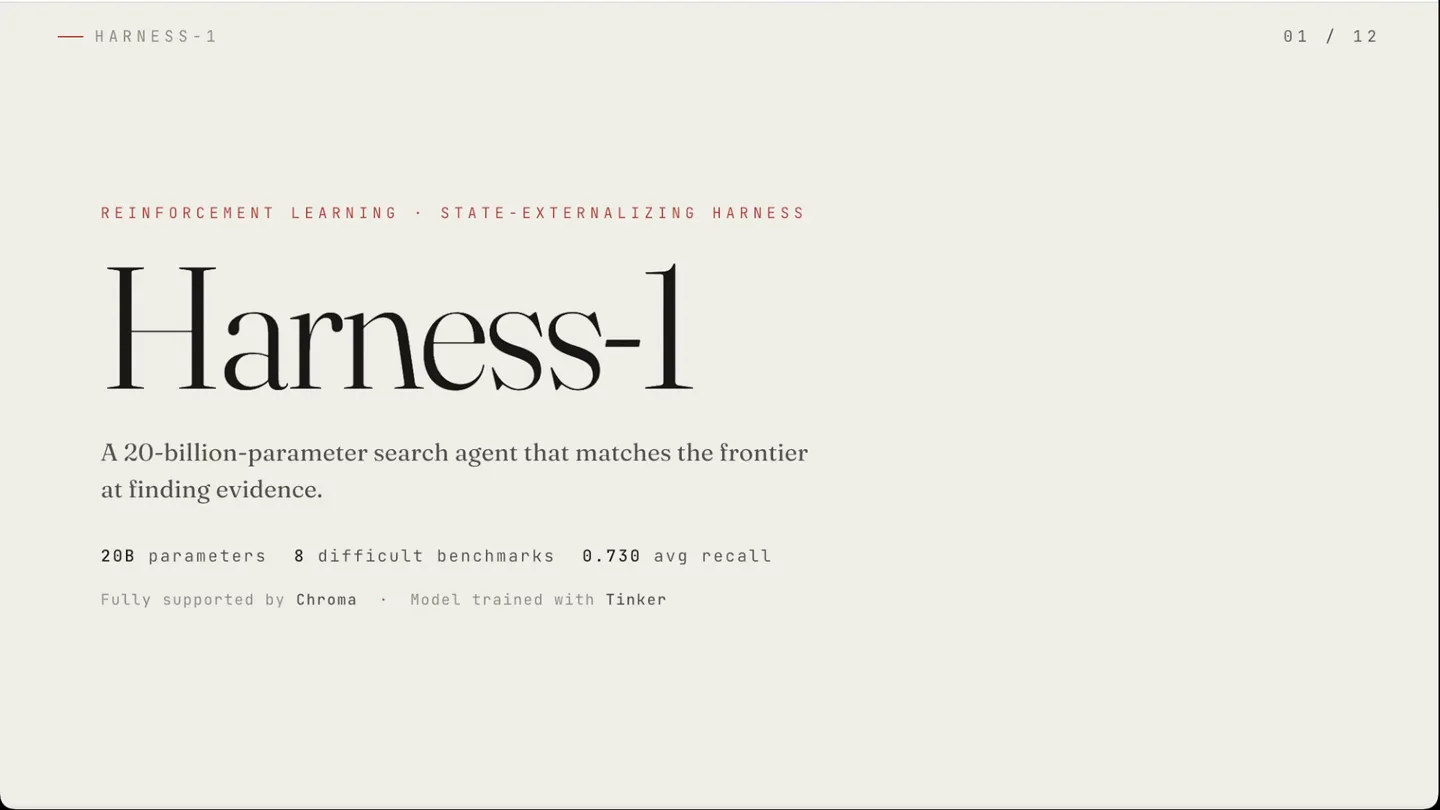
- HARNESS-1 REINFORCEMENT LEARNING · STATE-EXTERNALIZING HARNESS Harness-1 A 20-billion-parameter search agent that matches the frontier at finding evidence. 20B parameters · 8 difficult benchmarks · 0.730 avg recall Fully supported by Chroma · Model trained with Tinker
- Camera
- Static, wide shot of a digital slide presentation.
- Motion
- Text reveals with subtle fades and scale animations, icon animations, and progress bar fills.
Problem Agitation
The Dual Burden of Traditional Search Agents
“(No spoken dialogue — The electronic score continues, maintaining a steady rhythm with the 808-style drum beat. Subtle sound effects accompany on-screen text reveals.)”
- On screen
- HARNESS-1 THE PROBLEM A search agent is asked to do two jobs at once. 01 Decide what to search for. 02 Remember everything it has seen. As the transcript grows, the model spends its attention rebuilding its own memory every turn. For RL, the signal becomes poorly conditioned.
- Camera
- Static, wide shot of a digital slide presentation.
- Motion
- Sequential text reveals, icon animations (e.g., search icon appearing), and line drawing animations to illustrate connections.
Product Reveal
Harness-1: Splitting the Cognitive Load
“(No spoken dialogue — The music gains intensity with a high-energy audio transition, risers, and sweeps, leading into a more complex and driving section of the score.)”
- On screen
- HARNESS-1 THE IDEA Split the two jobs. POLICY the decisions what to search · what to keep what to verify · when to stop HARNESS the state candidate pools · curated evidence · links · memory · budget The paper calls it stateful cognitive offloading. HARNESS-1 THE HARNESS + WORKING MEMORY Search state, kept by the environment. Candidate pool every document retrieved so far Curated set kept docs, tagged by importance · cap 30 Evidence graph entities bridging documents Verification claims checked against source text Compression observations deduplicated and shrunk Budget render kept within the context limit the model keeps only the decisions → search keep verify stop
- Camera
- Static, wide shot of a digital slide presentation.
- Motion
- Split-screen conceptualization with animated icons and text, followed by a grid layout reveal with individual card animations and icon fills. Animated flow diagrams with connecting lines and highlighted elements.
Feature Teaser
The Recipe for Trainable Search and Unseen Environment Transfer
“(No spoken dialogue — The electronic score maintains its driving energy, with a final build-up and impactful sub-bass drop to conclude the video.)”
- On screen
- HARNESS-1 HOW IT WORKS · ONE TURN The policy decides. The harness remembers. action — curate( add, importance:high ) HARNESS environment side working memory Candidate pool all retrieved Curated set cap 30 · evict lowest Evidence graph bridges + hops Verification yes / no on claim Compression top-4 BRCS · dedup 10 Budget render 88,720 tokens POLICY 20B model reasons + decides emit 1 action / turn observation — working memory + recent turns (state, action) → (state', observation) — not just action → observation. Free-form reasoning stays in the model; bookkeeping moves to the harness. Retrieve fan_out · search · grep Inspect read · review Curate add / remove · tag Verify claim End submit set HARNESS-1 HOW IT WORKS · WHAT THE MODEL SEES Not a transcript — a structured state. == Working Memory · summarizing turns 0-12 == Query "Which Brussels synagogue, completed in 1878, was designed by Désiré De Keyser?" Curated Set [14 / 30] very_high [+] 22816: Grande Synagogue · ✓ verified high [+] 91442: Désiré De Keyser, architect high [+] 62390: Brussels synagogue fair [*] 88114: 19th-c Brussels architecture low [ ] 30119: Belgian heritage list · evicts first at 30 Document Pool — 31 total · 17 uncurated [ ] 99012: synagogues of Belgium [ ] 50441: De Keyser family records Earlier uncurated (15): 7712, 6655, 6201, 7457 (+11) [Evidence Graph] bridges Brussels — 22816, 62390, 88114, 91442 1878 — 22816, 91442, 62390 De Keyser — 22816, 91442 bridge docs: 22816, 91442 5 singletons — hops Verification claim: 1878 — De Keyser — Brussels synagogue 4 22816 yes — states 1878, De Keyser 4 62390 no — register, architect unnamed Search History T9 fan_out_search — 11 new · +6 curated [TIP] use grep_corpus for exact names T10 grep_corpus "De Keyser" — 3 hits T11 verify — 1 yes, 1 no Six kinds of state — extracted, ranked, verified, deduped, budgeted — re-derived for the model every single turn. None of it belongs in the policy's head. HARNESS-1 THE RECIPE The harness makes search trainable. 01 Warm-started curation The first good search seeds the set with its top 8 — the model is always editing, never starting from a blank page. 02 Compact state Importance tags, the evidence graph, verification records — all rendered small enough to fit. 03 Diversity incentives Reward a rhythm, not just discovery: search → curate → review → verify. A short supervised phase teaches the interface. Reinforcement learning teaches the decisions. HARNESS-1 THE RESULT · AVERAGE EVIDENCE RECALL, 8 DIFFICULT BENCHMARKS (%) 76.4 73.0 78.9 68.8 64.7 61.6 60.3 49.6 28.9 26.2 Opus-4.6 Harness-1 GPT-5.4 Sonnet-4.6 Kimi-K2.5 Tongyi DR Context-1 GPT-OSS Search-R1 GPT-OSS-20B frontier 20B frontier frontier 30B 20B 120B 32B OUR BASE 20B parameters — above the previous best open agent by +11.4 recall, and competitive with much larger frontier searchers. GPT-OSS-20B is Harness-1's own base model — the same 20B weights, untrained. The harness and RL add +46.8 recall. HARNESS-1 THE DATA Trained on about 4k examples. 4,352 221,328 HARNESS-1 A TYPICAL SEARCH AGENT Most of the behavior lives in the interface, not in the weights. HARNESS-1 TRANSFER · UNSEEN ENVIRONMENTS The biggest gains appear where it never trained. Source-family benchmarks +7.9 Held-out transfer benchmarks +17.0 2.2x larger improvement on unseen tasks than Context-1 It didn't memorize domains. It learned a reusable search workflow: plug in your corpus, retriever, and verifier — the trained policy can operate through the same harness interface. HARNESS-1 THE LESSON The interface is the method. Don't just train a bigger brain on a thin interface. Shape the interface itself — move the bookkeeping out, and the learned search behavior can transfer to new tasks and environments. HARNESS-1 small model 20B stateful harness WORKING MEMORY frontier search 0.730 RECALL Harness-1 arXiv 2606.02373 github.com/pat-jj/harness-1 huggingface.co/pat-jj/harness-1 This work is fully supported by Chroma Model trained with Tinker
- Camera
- Static, wide shot of a digital slide presentation.
- Motion
- Complex data visualizations with animated bar charts and numerical counters, highlighting key metrics. Animated progress bars and text highlights emphasize performance gains. Final summary slide with icon-based equation and fading text reveals.
Motion design primitives
Synthesizable in Remotion · key components of the editorial-tech-launch template.
SlideDeckReveal
A full-screen slide transitions in with a subtle fade and slight scale, revealing new content. Elements within the slide animate sequentially, often with a slight delay.
+ Code construction recipe
Use `AbsoluteFill` for the slide background. Animate `opacity` and `scale` of the main slide container using `interpolate` with `easeOutCubic`. Child elements (text, icons, charts) should have their own `interpolate` animations for `opacity`, `translateY`, or `scale` with staggered `delay` values.
IconGridPop
A grid of content cards or icons appears, with each element animating into view sequentially or in a wave-like pattern, often accompanied by a subtle bounce or spring effect.
+ Code construction recipe
Render a `Grid` component. For each grid item, use `spring` for `scale` and `opacity` with a `delay` calculated based on its position in the grid (e.g., `rowIndex * delayPerItem + colIndex * delayPerItem`). Icons within the cards can have a separate `fill` or `stroke` animation.
DataBarHighlight
A bar chart or progress bar animates its fill level, often highlighting a specific bar with a distinct color and revealing associated numerical values with a counting animation.
+ Code construction recipe
Use an `SVG` `rect` for the bar, animating its `width` property with `interpolate` from 0 to its target value. The highlighted bar can have a `backgroundColor` change. Numerical values can be animated using `interpolate` on a number, formatted as a string, or a custom `Counter` component.
Style DNA & aesthetic system
Visual aesthetic
Typography
Motion
Special effects
Pacing & rhythm
Conceptual story rhythm
- 1
The Grand Introduction
Purpose. Immediately establish the product's name, core innovation, and impressive capabilities to hook the audience.
Execution. Full-screen title card with the product name in a large, elegant serif font, accompanied by a concise tagline and key performance metrics, revealed with a smooth fade and scale.
- 2
Unpacking the Problem
Purpose. Clearly articulate the existing challenge or limitation that the product addresses, building empathy and context.
Execution. Sequential bullet points or numbered lists detailing the problem, with icons animating to visually represent each point, creating a sense of a structured argument.
- 3
The Elegant Solution
Purpose. Introduce the product's core mechanism or breakthrough idea as the solution to the agitated problem.
Execution. Conceptual diagrams or split-screen layouts with animated icons and connecting lines, visually explaining the 'how' of the solution in a clear, digestible manner.
- 4
Proof and Promise
Purpose. Present compelling data, results, and the broader implications or benefits of the product.
Execution. Dynamic data visualizations like animated bar charts, numerical counters, and progress bars, highlighting superior performance, followed by a concise summary of the product's impact and future potential.
Remix in Animatiq Studio
Master remix prompt · agent-ready
Sample remix
Objective
Launch a new quantum computing framework called 'EntangleOS' that simplifies complex quantum algorithm development.How the recipe adapts
The 'EntangleOS' launch video would open with a 'SlideDeckReveal' introducing the framework's name and its core promise of simplifying quantum algorithms. The 'Problem Agitation' phase would use sequential text reveals to explain the current complexities of quantum programming. The 'Product Reveal' would leverage 'IconGridPop' to showcase EntangleOS's modular components and an animated flow diagram to illustrate how it streamlines algorithm development. Performance benchmarks would be presented using 'DataBarHighlight' to compare EntangleOS's efficiency against traditional methods, all set to a cinematic electronic score with subtle sound design.Remix blueprint · editorial-tech-launch
Scene durations (4 scenes, 56s)
Key Remotion components
Related AI Agents Product Launches
Explore all AI Agents launches →
To ensure that artificial general intelligence benefits all of humanity

Gopuff introduces Go, an AI shopping assistant built with SpaceXAI: say what you need and the order is placed.

Iliad (Troy) trailer made by Grok Imagine 1.5, which was just released