
Nous Research · Launch Video Breakdown: Hook, Pacing & Motion Design
Hermes Agent now has a built-in MCP Catalog
Scene-by-scene timeline & spoken transcript
The Hook
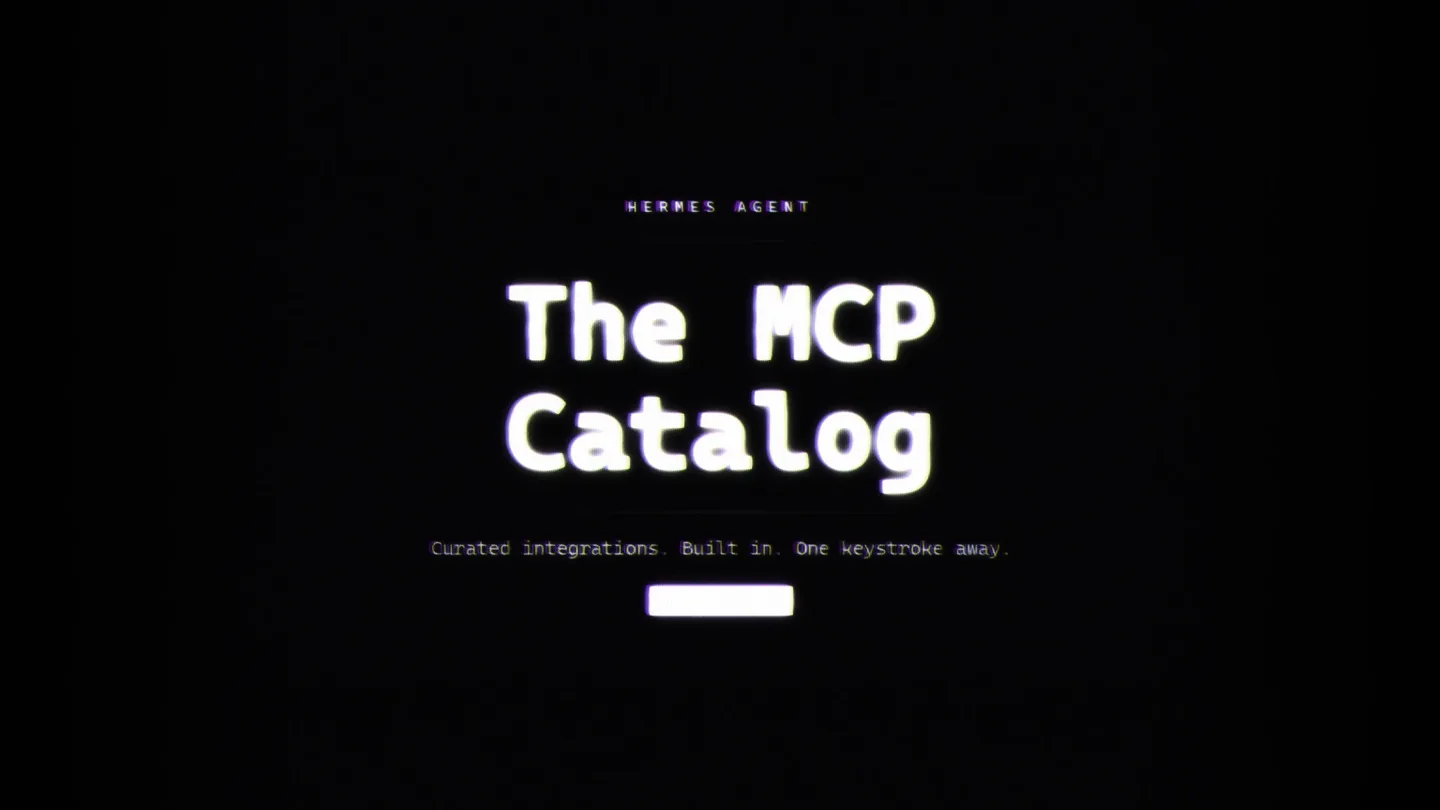
Introducing the Hermes Agent MCP Catalog
“Hermes Agent now has a built-in MCP Catalog.”
- On screen
- HERMES AGENT The MCP Catalog Curated integrations. Built in. One keystroke away.
- Camera
- Static, centered view on text, with subtle CRT screen distortion.
- Motion
- Text reveal with glitch/CRT effect, followed by a sub-bass drop and impact.
Product Reveal
Seamless Catalog Access and Installation
“You can type Hermes MCP and the catalog opens. You can see all the different MCPs that are available. We have n8n, Linear, Slack, and you can even add custom MCPs like GitHub. You can install in one keystroke. It clones the repository, saves the credentials, and then it's installed and ready to use. Every entry lands through a merged pull request. What you install is what Nous reviewed.”
- On screen
- TYPE HERMES MCP - CATALOG OPENS $ hermes mcp - MCP CATALOG - Reviewed by Nous - > n8n Workflow automation - hundreds of services installed Linear Issue tracking & project management not installed slack-mcp Slack messages, channels, threads not installed + github-mcp GitHub Issues, PRs, code review [custom] [ENTER] Install [SPACE] Toggle [/] Search [Q] Quit INSTALL IN ONE KEYSTROKE $ hermes mcp install n8n Cloning github.com/n8n-io/n8n-mcp_ ✓ Repository cloned ? N8N_API_URL = https://n8n.mycompany.com ? N8N_API_KEY = ************ ✓ Credentials saved -> ~/.hermes/.env Probing server for available tools. ✓ 42 tools discovered ✓ INSTALLED - ready to use CURATED, NOT CROWDSOURCED • PR #38870 feat(mcp): add n8n to Nous-approved catalog merged Files changed: optional-mcps/n8n/manifest.yaml # manifest.yaml name n8n version 1.0.0 transport stdio auth.type api_key default_on get_* list_* execute_* ✓ All checks passed 33 tests E2E lint ✓ Approved by Nous Research No anonymous submissions Every entry lands through a merged pull request what you install is what Nous reviewed
- Camera
- Static, centered view on a terminal interface, with subtle camera shake on key actions.
- Motion
- Typing animation, dynamic UI element reveals (e.g., 'installed' status, checkmarks), and text fades, all within a CRT-style terminal.
Feature Teaser
Unified Management of Curated and Custom MCPs
“We have two MCPs available now, n8n and Linear. And custom MCPs show up in the same picker. One menu, everything in one place.”
- On screen
- TWO MCPS. AVAILABLE NOW. n8n WORKFLOW AUTOMATION Hundreds of services One bridge hermes mcp install n8n Linear ISSUE TRACKING Project management Sign in. Nothing to install. [ENG-342] Feat: dark mode toggle In Progress [ENG-343] Fix: search regression on mobile In Progress [ENG-344] Chore: bump all deps Done [ENG-345] Feat: MCP catalog In Review hermes mcp install linear CUSTOM MCPS SHOW UP IN THE SAME PICKER hermes mcp - ALL MCPs catalog - custom - • n8n Workflow automation hundreds of services catalog • Linear Issue tracking & project management catalog + github-mcp GitHub Issues, PRs, code review custom + comfyui-mcp ComfyUI image generation custom + slack-mcp Slack messages, channels, threads not installed [ENTER] Install [SPACE] Toggle [/] Search [Q] Quit One menu - everything in one place
- Camera
- Static, centered view, with elements sliding in from the sides or fading in.
- Motion
- Split-screen reveal, text typing, and UI element animations, maintaining the CRT aesthetic. A riser and impact at 0:38 mark a transition.
Call to Action
Simplify Your Workflow with Hermes Agent
“Pick what you want, skip the setup. Hermes MCP.”
- On screen
- HERMES AGENT The MCP Catalog Pick what you want Skip the setup hermes mcp NOUS
- Camera
- Zoom out from the terminal, then a final reveal of the Nous logo.
- Motion
- Text reveal with glitch, followed by a stylized logo animation with a strong glow and scanline effect. A subtle riser and sub-bass drop lead into this final section.
Motion design primitives
Synthesizable in Remotion · key components of the crt-terminal-tech-launch template.
CRTTypingReveal
Text appears character by character with a distinct monospace font, accompanied by a subtle horizontal scanline and RGB chromatic aberration effect, mimicking an old CRT monitor. A blinking cursor often follows the typing.
+ Code construction recipe
Use Remotion's `Sequence` and `spring` for character-by-character opacity and position. Apply `interpolate` for `text-shadow` (RGB split) and `filter: url(#scanline)` SVG filter. Implement a blinking cursor with `loop` and `opacity` animation.
GlitchTransition
Elements or entire scenes transition with a sudden, digital distortion effect, characterized by color shifts, pixelation, and horizontal line displacement, often synchronized with an audio impact.
+ Code construction recipe
Utilize Remotion's `AbsoluteFill` with a `Shader` component. Implement a custom GLSL shader that manipulates UV coordinates based on time and random noise for pixel displacement and color channel splitting. Trigger with `spring` on `progress` for intensity.
TerminalUIReveal
Complex terminal-like UI elements, such as lists, checkboxes, and status messages, animate into view with a combination of typing, fading, and subtle horizontal slide-ins, maintaining the overall CRT aesthetic.
+ Code construction recipe
Combine `CRTTypingReveal` for text. For lists and status, use `Sequence` with `spring` for `opacity` and `translateX` or `translateY`. Apply `filter: url(#crt-screen)` SVG filter to the parent container for consistent styling. Use `delay` for staggered reveals.
Style DNA & aesthetic system
Visual aesthetic
Typography
Motion
Special effects
Pacing & rhythm
Conceptual story rhythm
- 1
The Digital Gateway
Purpose. Hook the audience with a clear, concise statement of the new feature and its core benefit, establishing the technical aesthetic.
Execution. Main title text with CRT glitch effect, followed by a sub-bass drop and the first glimpse of the terminal interface.
- 2
Interactive Demonstration
Purpose. Showcase the product's functionality through a step-by-step, simulated user interaction within the terminal, emphasizing ease of use and key features.
Execution. Typing animations, dynamic UI updates (install status, checkmarks), and text reveals, all within the command-line interface.
- 3
Feature Expansion & Validation
Purpose. Highlight additional benefits like curated content and customizability, reinforcing trust and versatility.
Execution. Split-screen comparison of integrated MCPs, followed by a demonstration of custom MCPs appearing in the same unified picker.
- 4
Brand Reinforcement & Call to Action
Purpose. Reiterate the core value proposition and conclude with strong brand presence.
Execution. Final summary text with glitch effect, leading to a stylized, glowing Nous Research logo reveal.
Remix in Animatiq Studio
Master remix prompt · agent-ready
Sample remix
Objective
Launch a new decentralized cloud storage solution, 'VaultGuard', emphasizing security and ease of use.How the recipe adapts
The 'CRTTypingReveal' primitive will be used to show commands like 'vaultguard upload [filename]' and 'vaultguard share [fileid] --peer [address]'. The 'GlitchTransition' will punctuate successful uploads or secure connection establishments. The 'TerminalUIReveal' will display file lists, encryption statuses, and peer connection logs, all rendered with the signature CRT scanlines and chromatic aberration. The overall pacing will remain deliberate, allowing the technical details of the decentralized storage to be absorbed, culminating in a glowing 'VaultGuard' logo with the same retro-futuristic treatment as the Nous logo.Remix blueprint · crt-terminal-tech-launch
Scene durations (4 scenes, 75s)
Key Remotion components
Related AI Agents Product Launches
Explore all AI Agents launches →
To ensure that artificial general intelligence benefits all of humanity

Gopuff introduces Go, an AI shopping assistant built with SpaceXAI: say what you need and the order is placed.

Iliad (Troy) trailer made by Grok Imagine 1.5, which was just released