
Nous Research · Launch Video Breakdown: Hook, Pacing & Motion Design
Hermes now ships first-class in Omarchy — install the desktop app from the AI menu or make Hermes your default terminal agent.
Scene-by-scene timeline & spoken transcript
The Hook
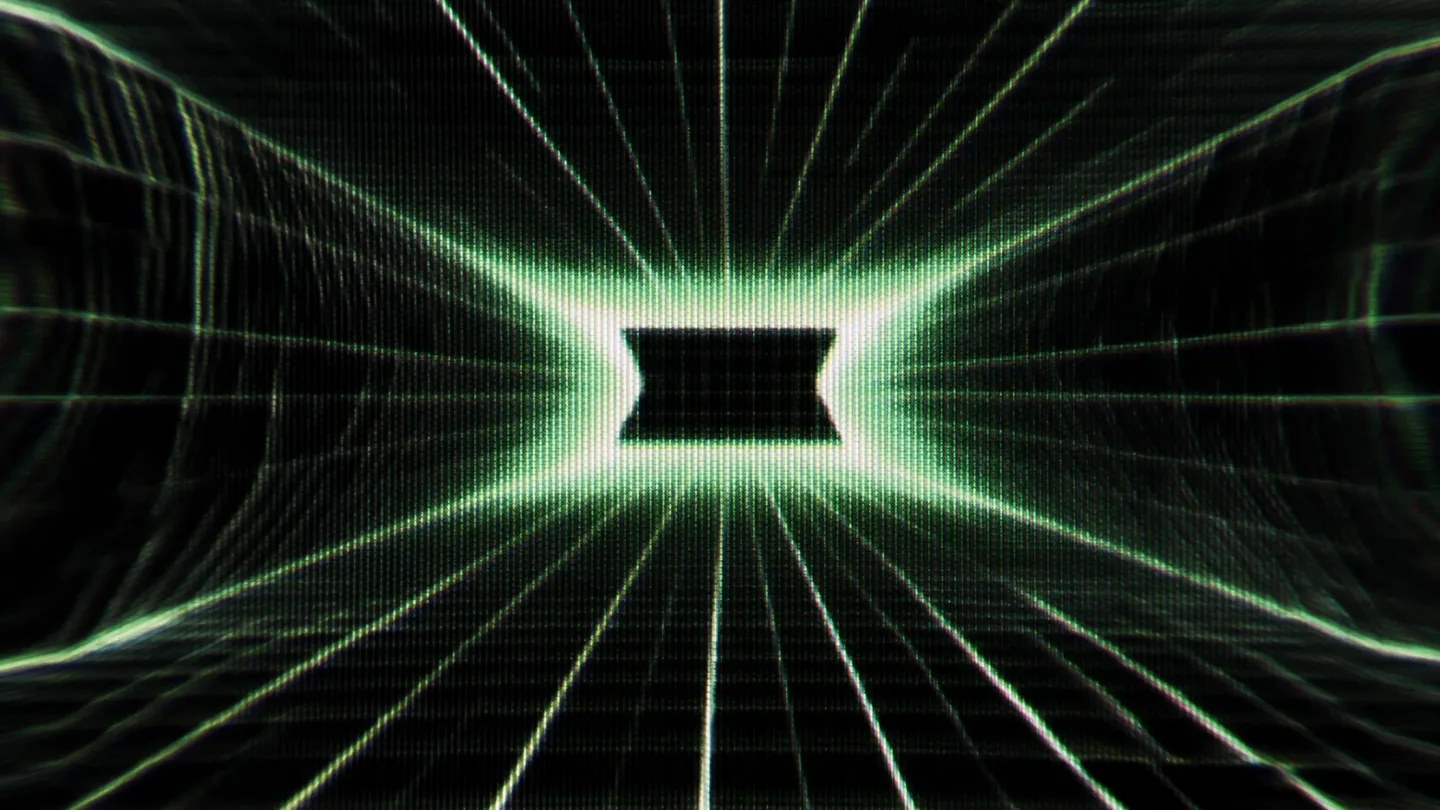
Digital Tunnel Emergence
“(No spoken dialogue — A driving, rhythmic electronic pulse with pizzicato synths and a deep sub-bass establishes a high-energy tone.)”
- On screen
- (No on-screen text)
- Camera
- Camera pushes forward through a digital tunnel, creating a sense of rapid progression and immersion.
- Motion
- Perspective warp, grid animation, scanline overlay, and chromatic aberration create a retro-futuristic tunnel effect.
Product Reveal
Brand Identity Split Reveal
“(No spoken dialogue — The electronic pulse continues, maintaining a consistent, driving tempo.)”
- On screen
- OMARCHY, NOUS
- Camera
- Static, centered view on two distinct brand logos, allowing for clear visual focus.
- Motion
- A split-screen transition reveals two distinct brand logos, 'OMARCHY' and 'NOUS', with a glitching, CRT-like effect.
Feature Teaser
Abstract Data Flow
“(No spoken dialogue — A prominent audio riser builds tension at 0:19, leading into a sub-bass drop/impact at 0:20.)”
- On screen
- (No on-screen text)
- Camera
- Static, centered view on two evolving abstract shapes, emphasizing their dynamic interaction.
- Motion
- Two abstract, organic shapes on either side of the screen pulse and distort, suggesting data processing or interaction, with a strong visual response to the audio impact.
Call to Action
Return to Digital Core
“(No spoken dialogue — The electronic pulse continues, with a significant sub-bass impact at 0:24.)”
- On screen
- (No on-screen text)
- Camera
- Camera pulls back into a receding digital tunnel, creating a sense of conclusion and depth.
- Motion
- The digital tunnel effect returns, receding into the distance, reinforcing the tech-centric theme and concluding the visual journey.
Motion design primitives
Synthesizable in Remotion · key components of the retro-ai-code-editor-launch template.
RetroTunnelWarp
A perspective-warped grid tunnel with scanline and chromatic aberration effects, giving the impression of rapid forward movement through a digital space.
+ Code construction recipe
Utilize Remotion's <AbsoluteFill> with a Canvas component. Implement a GLSL shader for the grid, perspective warp, scanlines, and chromatic aberration. Animate camera Z-position and FOV for the forward motion. Interpolate shader uniforms for dynamic effects.
GlitchSplitReveal
Two distinct visual elements are revealed on a split screen, accompanied by a CRT-like glitch and distortion effect during the transition.
+ Code construction recipe
Use Remotion's <Sequence> and <AbsoluteFill>. Create two child components for the left and right content. Animate their opacity and position with a custom easing curve. Apply SVG filters for glitch, scanlines, and color separation during the reveal, interpolating filter values.
OrganicDataPulse
Two abstract, organic shapes on opposite sides of the screen dynamically pulse, distort, and react to audio cues, suggesting complex data interaction.
+ Code construction recipe
Implement a Canvas component with a GLSL shader. Use noise functions (e.g., Perlin noise) to generate and animate the organic shapes. Link shader uniforms (e.g., distortion strength, color intensity) to audio analysis data (e.g., amplitude, frequency bands) using Remotion's audio hooks.
Style DNA & aesthetic system
Visual aesthetic
Typography
Motion
Special effects
Pacing & rhythm
Conceptual story rhythm
- 1
Immersion
Purpose. Immediately captivate the viewer with a high-energy, visually stimulating digital environment.
Execution. Rapid camera push through a glowing green grid tunnel with heavy retro effects.
- 2
Introduction
Purpose. Clearly present the key brand entities or product names.
Execution. Split-screen reveal of 'OMARCHY' and 'NOUS' logos with glitching transitions.
- 3
Interaction
Purpose. Visually represent the dynamic, interconnected nature of the product's functionality or data flow.
Execution. Abstract organic shapes pulsing and distorting in response to audio cues.
- 4
Conclusion
Purpose. Provide a sense of completion and reinforce the core digital theme.
Execution. Receding digital tunnel, fading to black, leaving a lasting impression of depth and technology.
Remix in Animatiq Studio
Master remix prompt · agent-ready
Sample remix
Objective
Launch a new AI-powered code editor called 'SyntaxMind' that integrates seamlessly with 'DevFlow' for collaborative development.How the recipe adapts
The RetroTunnelWarp primitive would be adapted to represent navigating through lines of code. The GlitchSplitReveal would introduce 'SyntaxMind' and 'DevFlow' logos. The OrganicDataPulse would visualize AI code completion and real-time collaboration, with the shapes representing code blocks or data streams. The final tunnel would symbolize entering the 'SyntaxMind' environment.Remix blueprint · retro-ai-code-editor-launch
Scene durations (4 scenes, 25s)
Key Remotion components
Related Developer Tools Product Launches
Explore all Developer Tools launches →
Agentic CLI for coding, building apps, and automating workflows.

New in Claude Code: your sessions can now message each other. Tell Claude to send a summary (not your history or files), and the other session picks it up mid-task.

Meet Qwen3.8-Max: A New Bar for Coding and Cowork. https://t.co/mJaA8vr6xT