
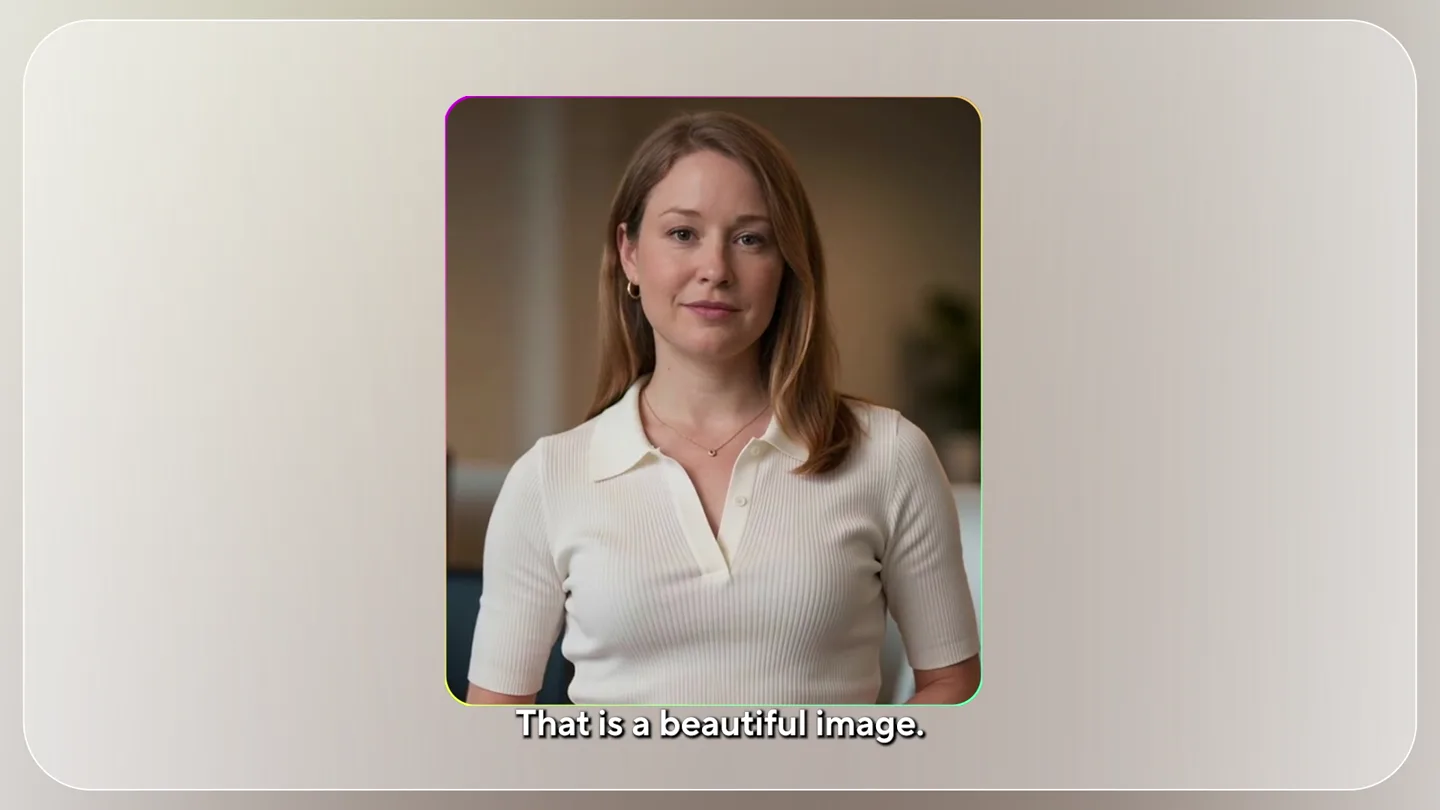
Scene-by-scene timeline & spoken transcript
Problem Agitation
The Inconsistent AI Face Problem
“That is a beautiful image. It's just not you. And every retry seems to invent a new version of your face.”
- On screen
- You Nano banana Deep AI Kling AI
- Camera
- Static medium shot of presenter, then split screen with AI-generated faces, then a blurred AI face.
- Motion
- Split-screen comparison, subtle text animation, blur effect for visual distortion.
Product Reveal
Introducing Look Packs: Consistent Digital Twins
“So we built Look Packs for the job you were trying to do in the first place. It creates premium look packs for your HeyGen digital twin. Not one off images. A set of looks designed to feel like the same person across different outfits and context.”
- On screen
- Look Packs Remix a look pack Real estate 5 looks Podcast 6 looks Healthcare 5 looks Lawyer 6 looks Educator 5 looks Presenter 6 looks Generate
- Camera
- Zoom out to reveal product name, then grid of diverse AI-generated 'look packs', followed by a single AI-generated person in various consistent looks.
- Motion
- Text reveal with glowing elements, grid layout animation, smooth carousel-like scrolling of images, UI element interaction (button press).
Feature Teaser
Versatile Looks for Every Video Need
“Then choose the look that fits the video you want to make. A legal explainer, a lesson, a wellness tip, a listing video, different moments, different looks.”
- On screen
- Other image generators HeyGen Look Packs Use in video Legal Compliance Overview Longevity 90-days program INTEGRATED OVERVIEW PROJECT FUSION LUMINATECH + DYNAMICS Body management 101 History of Literature
- Camera
- Split screen comparing 'Other image generators' with 'HeyGen Look Packs', then a rapid montage of the AI presenter in various professional and casual settings.
- Motion
- Side-by-side comparison, rapid-cut montage, animated text overlays for video titles, dynamic grid transitions.
Call to Action
Consistent Identity is Here. Create Your First Look Pack.
“Consistent identity is here. Create your first Look Pack.”
- On screen
- (No on-screen text)
- Camera
- Medium shot of presenter, then a zoom into the HeyGen logo.
- Motion
- Direct address, logo reveal with 3D rotation and glowing effect, final brand identity presentation.
Motion design primitives
Synthesizable in Remotion · key components of the ai-product-launch-dynamic-grid template.
SplitScreenComparison
Two video feeds or images are displayed side-by-side, often with labels, to highlight differences or comparisons. One side may show a 'problem' while the other shows the 'solution'.
+ Code construction recipe
Use Remotion's <Absolute> component to position two <Video> or <Img> components. Animate their width and x-position using `interpolate` with `spring` for a smooth reveal. Overlay text labels with `interpolate` for opacity and y-position.
DynamicGridMontage
Multiple video clips or images are arranged in a dynamic grid, often with elements sliding in or out, resizing, and transitioning rapidly to showcase variety and versatility.
+ Code construction recipe
Utilize Remotion's <Sequence> and <Absolute> components. Each grid item can be a <Video> or <Img> wrapped in a container. Animate `x`, `y`, `width`, `height`, and `opacity` using `interpolate` with `easeOutCubic` for quick, snappy transitions. Consider a staggered reveal for individual grid items.
GlowingLogoReveal
A 3D-rendered logo or icon rotates and expands, featuring a subtle, iridescent glow that highlights its edges and surfaces, culminating in a full brand reveal.
+ Code construction recipe
Implement a 3D model (e.g., using Three.js within Remotion's <Canvas>). Animate rotation, scale, and position using `spring` for a natural feel. Apply a custom shader or SVG filter for the iridescent glow effect, animating its intensity and color shift over time.
Style DNA & aesthetic system
Visual aesthetic
Typography
Motion
Special effects
Pacing & rhythm
Conceptual story rhythm
- 1
The Problem
Purpose. Establish the core pain point of inconsistent AI-generated faces.
Execution. Presenter directly addresses the camera, then split-screen comparisons show the problem visually.
- 2
The Solution
Purpose. Introduce 'Look Packs' as the innovative solution to the problem.
Execution. Product name reveal with glowing effects, followed by a dynamic grid showcasing diverse, consistent 'look packs'.
- 3
The Versatility
Purpose. Demonstrate the wide range of applications and contexts for the product.
Execution. Rapid montage of the AI presenter in various professional settings, with animated text overlays for different video types.
- 4
The Call to Action
Purpose. Reinforce the product's value proposition and prompt user engagement.
Execution. Presenter's concluding statement, followed by a clean, impactful logo reveal.
Remix in Animatiq Studio
Master remix prompt · agent-ready
Sample remix
Objective
Launch an AI-powered interior design tool that generates consistent room styles across different furniture sets.How the recipe adapts
The SplitScreenComparison primitive would show a user struggling with inconsistent AI room designs versus the new tool's cohesive outputs. The DynamicGridMontage would display various room styles (e.g., 'Modern Minimalist', 'Bohemian Chic', 'Industrial Loft') generated by the tool, each with consistent aesthetic elements. The GlowingLogoReveal would be used for the new design tool's brand at the end. The iridescent gradients would be adapted to reflect interior design color palettes, and the sound design would maintain the driving electronic beat with impactful transitions.Remix blueprint · ai-product-launch-dynamic-grid
Scene durations (4 scenes, 49.3s)
Key Remotion components
Related AI Agents Product Launches
Explore all AI Agents launches →
To ensure that artificial general intelligence benefits all of humanity

Gopuff introduces Go, an AI shopping assistant built with SpaceXAI: say what you need and the order is placed.

Iliad (Troy) trailer made by Grok Imagine 1.5, which was just released