
iMessage Apps API · Launch Video Breakdown: Hook, Pacing & Motion Design
The world's first iMessage Apps API built for scale.
Scene-by-scene timeline & spoken transcript
The Hook
Interactive iMessage Apps Introduction
“(No spoken dialogue — Driving electronic beat with sub-bass drop and high-energy riser/sweep.)”
- On screen
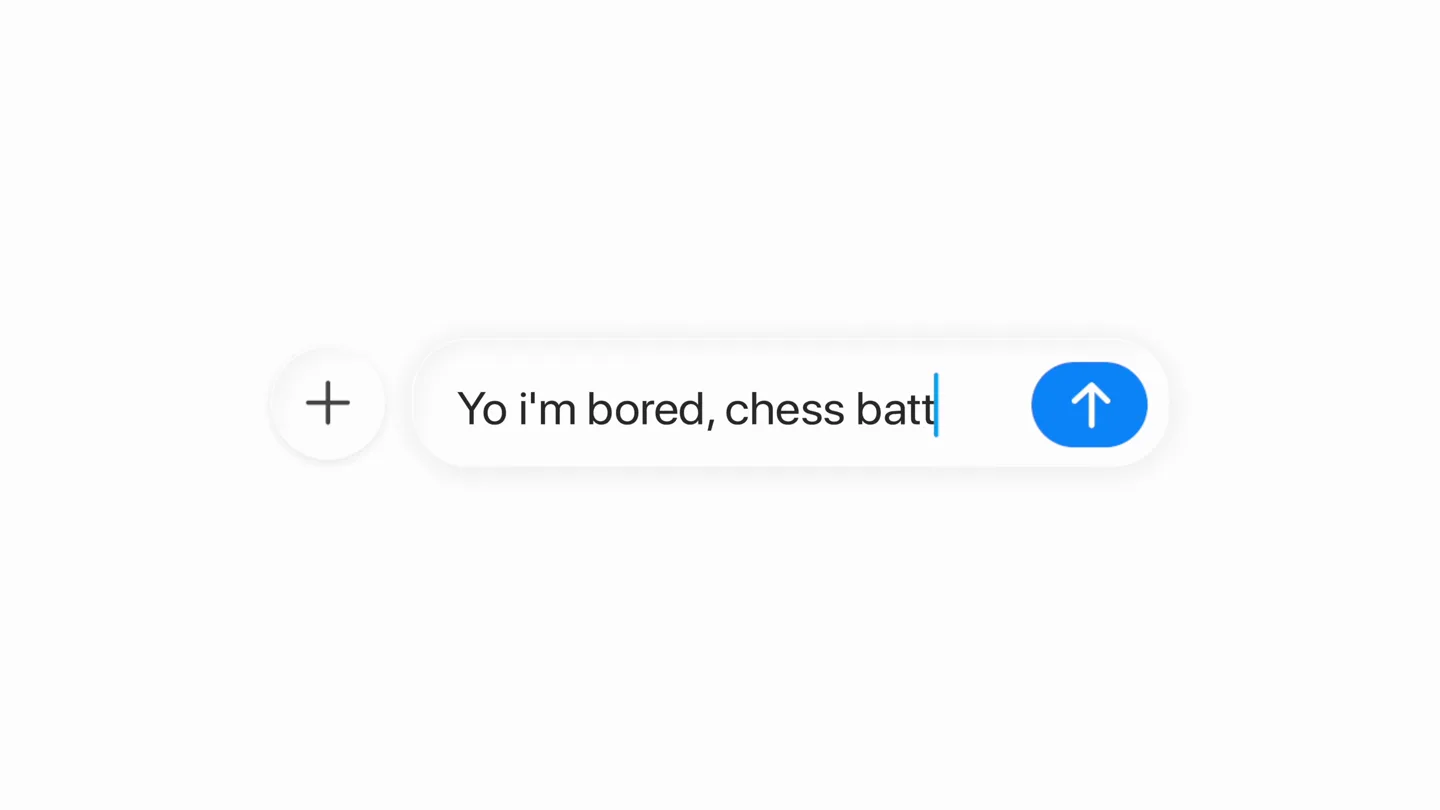
- Yo i'm bored, chess battle?
- Camera
- Static, close-up on an iMessage chat interface, then zooms out slightly to reveal a chess game.
- Motion
- UI element animation, text typing simulation, app card reveal, and a quick zoom out.
Product Reveal
Seamless Travel Booking Integration
“(No spoken dialogue — Driving electronic beat with sub-bass drop and high-energy riser/sweep.)”
- On screen
- On it! 👀 Found a few options, here's the cheapest one way: 5h 35m(non stop) $199 Flight Details Economy Cabin: Coach Baggage Personal item included Carry-on bag for a fee* First checked bag for a fee* Second checked bag for a fee* Third checked bag for a fee* Seat Seat selection for a fee* Voluntary Change Changeable* Select
- Camera
- Static, close-up on an iMessage chat interface, then scrolls down to reveal flight details.
- Motion
- UI element animation, text typing simulation, vertical scroll, and card-based information display.
Feature Teaser
Shopping and Grocery Ordering
“(No spoken dialogue — Driving electronic beat with sub-bass drop and high-energy riser/sweep.)”
- On screen
- Here's what's hot right now 🔥 Men's Jewelry Tap for details can you order my weekly groceries? Pay Got it, ordering now 🛒
- Camera
- Static, close-up on an iMessage chat interface, then scrolls to reveal shopping and grocery messages.
- Motion
- UI element animation, text typing simulation, vertical scroll, and product image display.
Feature Teaser
Diverse App Capabilities Showcase
“(No spoken dialogue — Driving electronic beat with sub-bass drop and high-energy riser/sweep.)”
- On screen
- YOU WON!! You MyAI You Red Friday Yellow Dillion Veggie Shack Priya is choosing... Carlos is choosing... Siobhan is choosing... Subtotal(3 orders) $45 Tips $0 Continue Boqueria Soho Open now 4.6 (3,893) • $$ • Spanish Restaurant Directions Overview Reserse Menu Reviews 171 Spring St, New York, NY 10012 Atlanta, GA Terminal B San Francisco, CA Terminal D ATL ✈ SFO Passenger Nikki Hanse Gate 37 Seat 10C Date 2 July 2026 Boarding 2:50pm
- Camera
- Rapid cuts between various iMessage app interfaces, including games, group orders, restaurant info, and flight passes.
- Motion
- Fast-paced scene cuts, UI element animation, and dynamic content updates within app interfaces.
Call to Action
Build Your Own iMessage App
“(No spoken dialogue — Driving electronic beat with sub-bass drop and high-energy riser/sweep, fading out towards the end.)”
- On screen
- iMessageApps What will you build? linq
- Camera
- Zoom out from a blurred 'iMessageApps' text, then a static shot of 'What will you build?' followed by a logo reveal.
- Motion
- Text reveal with blur, subtle camera push, and a final logo animation with a slight bounce.
Motion design primitives
Synthesizable in Remotion · key components of the imessage-api-style-showcase template.
TypingMessageBubble
Simulates real-time text input within an iMessage bubble, followed by the bubble expanding to contain the full message. This is often accompanied by a subtle bounce or spring effect.
+ Code construction recipe
Use `interpolate` for character opacity and position for typing effect. Apply `spring` for the message bubble's scale and position as it appears and expands. Ensure `overflow: hidden` on the bubble container during typing.
AppCardScrollReveal
An iMessage app card or content block slides into view, often from the bottom or side, revealing detailed information or interactive elements. This is frequently combined with a vertical scroll.
+ Code construction recipe
Utilize `interpolate` for `translateY` or `translateX` to slide elements into view. Implement `spring` for a smooth, natural stop. For scrolling, animate the `scrollTop` property of a scrollable container.
RapidUIContextSwitch
Quick, impactful cuts between different iMessage app interfaces, showcasing a variety of functionalities in rapid succession. Each cut is often synchronized with an audio beat or impact.
+ Code construction recipe
Employ `Sequence` and `AbsoluteFill` for rapid scene transitions. Use `spring` or `interpolate` with `easeOutCubic` for quick, decisive entrance/exit animations of UI elements within each scene. Synchronize scene changes precisely with audio cues using `Audio.getCurrentFrame()`.
Style DNA & aesthetic system
Visual aesthetic
Typography
Motion
Special effects
Pacing & rhythm
Conceptual story rhythm
- 1
Engaging Problem/Opportunity
Purpose. Immediately demonstrates the interactive potential of iMessage apps by showing a common scenario (boredom) solved by an in-chat game.
Execution. A message bubble types out a query, followed by an interactive chess game appearing directly in the chat.
- 2
Diverse Solution Showcase
Purpose. Highlights the breadth of possibilities with the API by rapidly cycling through various app categories (travel, shopping, utilities, games).
Execution. Fast cuts between different iMessage app interfaces: flight booking, product browsing, grocery ordering, and other games.
- 3
Seamless Integration
Purpose. Emphasizes how these apps feel native and integrated into the iMessage experience, rather than separate applications.
Execution. All app interactions occur within the familiar iMessage chat bubble and interface, maintaining a consistent user experience.
- 4
Empowering Call to Action
Purpose. Invites developers to build their own innovative solutions using the API, positioning it as a powerful tool for creation.
Execution. A clear, direct question 'What will you build?' followed by the API's branding, encouraging developer engagement.
Remix in Animatiq Studio
Master remix prompt · agent-ready
Sample remix
Objective
Launch a new AI-powered productivity tool called TaskFlow.How the recipe adapts
The video would open with a simulated TaskFlow interface, showing an AI assistant typing out a task suggestion. This would transition rapidly to different screens demonstrating features like drag-and-drop task reordering, AI-driven deadline adjustments, and real-time team updates, all within a clean, minimalist UI. The fast cuts and energetic electronic music would highlight the tool's efficiency and modern feel. The final scene would display 'Streamline your workflow. What will you achieve?' before revealing the TaskFlow logo.Remix blueprint · imessage-api-style-showcase
Scene durations (5 scenes, 49s)
Key Remotion components
Related Developer Tools Product Launches
Explore all Developer Tools launches →
Agentic CLI for coding, building apps, and automating workflows.
Sakana AI launches Fugu, a multi-agent orchestration system served through a single model API, led by its Fugu Ultra model.
Get paid to wait The Claude Code spinner might be the most watched line on Earth. So I turned it into an ad marketplace. Advertisers bid on it. You keep 50% of the money. Install the extension → ge…