
Infragrid · Launch Video Breakdown: Hook, Pacing & Motion Design
Infragrid watches the work you repeat every day and learns to do it for you.
Scene-by-scene timeline & spoken transcript
The Hook
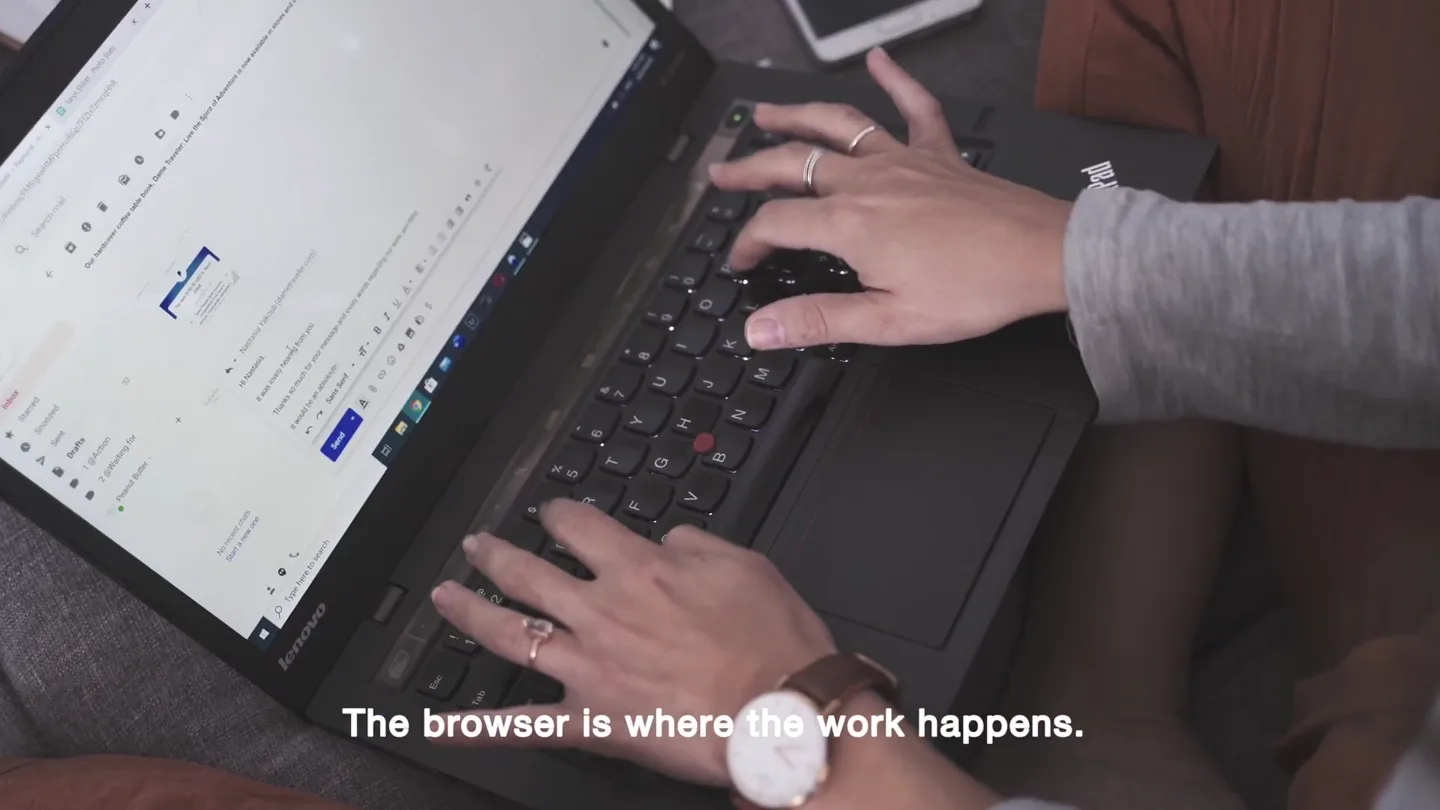
The Browser Problem
“The browser is where the work happens. But it still waits for you. Every single form, every single account, every single time. We thought your browser should be able to do the work with you.”
- On screen
- The browser is where the work happens. But it still waits for you. Every single form Ashwin Kodibagkar co-founder Ephraim Sun co-founder
- Camera
- Close-up shots of a laptop screen displaying various browser tabs and forms, followed by a medium shot of two co-founders speaking directly to the camera.
- Motion
- Quick cuts between screen captures and live-action founder shots. Subtle camera movements on screen captures to simulate user interaction.
Product Reveal
Introducing Infragrid: AI Browser
“So we built Infragrid. A browser for people and agents. Pull last month's receipts. File expense reports. Infragrid turns what you just did into a workflow. Every step is yours to name and change. It runs in the browser you already use. And you can watch every single step.”
- On screen
- Infragrid 10:05 am 11:52 am 10:40 am 1:05 pm 1:44 pm 2:10 pm 9:48 am LISTENING what did that meeting 3 days ago with Maya tell me? ANSWER She needs the revised pricing sheet by Friday, and flagged the security review as the one blocker. Rollout slips a week if it is not signed off. Infragrid Dev File Edit View Activity History Tab Window Timeline Search All Fraud Investigation Bank KYC - AML, Workweek - [AML_2020-0321B - javier williams] 01 - Alert Information Customer Information Risk Indicators Investigation Notes Audit History Trigger Reason Transaction Activity Add to Queue Work New Chrome available! Infragrid Dev File Edit View Activity History Tab Window Timeline Search All Fraud Investigation Bank KYC - AML, Workweek - [AML_2020-0321B - javier williams] 06 - Investigation Notes Analyst Notes No notes can be entered here. Add to Queue Work New Chrome available! Infragrid Dev File Edit View Activity History Tab Window Timeline Search All Fraud Investigation Bank KYC - AML, Workweek - [AML_2020-0321B - emily rodriguez] 04 - Research Findings Alert Info Customer Information Risk Indicators Investigation Notes Audit History Blueprint Progress 1/10 Steps Open research findings Open the '01 Risk Indicators' section Open the 'Investigation Decision' section (URL suffix [decision]) Open the '06 Audit History' section (URL suffix [audit]) Apply illustrative SAR heuristic and form draft recommendation Compile findings into HTML report and render in new tab Add a task to the queue, @ for context Work New Chrome available! Infragrid Dev File Edit View Activity History Tab Window Timeline Search All Fraud Investigation Bank KYC - AML, Workweek - [AML_2020-0321B - emily rodriguez] 09 - Audit History Public Information Status Check Type Source Date AML Due Diligence Bank KYC Jan 3, 2020 Customer Summary Narrative of Activity Risk Indicators Transaction Activity Add to Queue Work New Chrome available!
- Camera
- Zoom out from a central Infragrid logo to reveal a circular arrangement of floating browser windows, then a close-up on a simulated Infragrid browser interface demonstrating automation.
- Motion
- Circular array animation of UI elements, animated lines connecting a central chat bubble to surrounding browser windows, and screen recording with animated UI overlays.
Feature Teaser
Seamless Integration & Control
“Take over whenever you want. Or let Infragrid keep going. This isn't a browser that tells you how to do the work. It's a browser that learns from you. It integrates with all your existing accounts. And it's built for high accuracy.”
- On screen
- (No on-screen text)
- Camera
- Medium shots of the co-founders speaking, intercut with dynamic UI animations showcasing Infragrid's capabilities.
- Motion
- Fast-paced cuts between live-action and animated UI. Animated lines and highlights within the UI to demonstrate interaction and data flow.
Call to Action
Infragrid: Turn Your Screen into Agents
“Infragrid watches the work you repeat every day and learns to do it for you. Infragrid. Turn your screen into agents. Link below!”
- On screen
- Infragrid turn your screen into agents link below! https://infragrid.ai
- Camera
- Zoom out from a central Infragrid logo, revealing the tagline and website URL against a dark background.
- Motion
- Simple, clean logo reveal with text fade-ins. The final shot is static, holding the brand message and call to action.
Motion design primitives
Synthesizable in Remotion · key components of the infragrid-ai-agent-launch template.
CircularUIOrbit
Multiple browser-like windows orbit a central point, with animated lines connecting them to a dynamic chat bubble or data source. Elements appear and disappear with soft fades and scale transitions.
+ Code construction recipe
Use `spring` for position and scale animations. Implement `interpolate` for opacity. Utilize SVG paths for animated connecting lines, drawing them with `stroke-dasharray` and `stroke-dashoffset` over time. Position elements dynamically in a circular path using trigonometric functions (sin/cos) based on an animated `rotation` value.
WorkflowHighlight
Within a simulated browser interface, specific UI elements (text fields, buttons, sections) are highlighted and animated to show automated interaction, such as typing, clicking, or data entry.
+ Code construction recipe
Overlay transparent `Rect` components with `background-color` and `opacity` animated using `interpolate` to create highlight effects. Simulate typing with `typewriter` effect on text components. Use `scale` and `translate` with `spring` for button click animations. Masking techniques can be used to reveal content progressively.
BrandLogoReveal
A simple, clean logo (a green square) appears and scales up from the center, accompanied by the brand name and tagline fading in below it.
+ Code construction recipe
Animate `scale` and `opacity` of the logo image using `spring` for a smooth, impactful reveal. Text elements (brand name, tagline) should `fade` in using `interpolate` on `opacity` and `translateY` for a subtle upward motion.
Style DNA & aesthetic system
Visual aesthetic
Typography
Motion
Special effects
Pacing & rhythm
Conceptual story rhythm
- 1
The Manual Grind
Purpose. Establish the problem: repetitive, tedious browser tasks that waste time and effort.
Execution. Close-ups of a user manually interacting with various browser interfaces, highlighting the monotony of forms and accounts.
- 2
The AI Solution
Purpose. Introduce Infragrid as the intelligent browser that automates and learns from user actions.
Execution. Transition from manual interaction to dynamic motion graphics showing Infragrid's AI agents working across multiple browser windows, connected by animated lines.
- 3
Empowered Control
Purpose. Emphasize user control and customization within the automated workflow, building trust and flexibility.
Execution. Detailed UI animations demonstrating how users can modify, review, and oversee Infragrid's automated steps, intercut with founders explaining the benefits.
- 4
Future of Work
Purpose. Conclude with a powerful vision of Infragrid transforming the user's screen into a team of agents.
Execution. A clean, impactful brand logo reveal with the core message and a clear call to action, reinforcing the product's innovative promise.
Remix in Animatiq Studio
Master remix prompt · agent-ready
Sample remix
Objective
Launch a new AI-powered data integration platform called 'DataFlow' that automates data pipeline creation and management.How the recipe adapts
The 'CircularUIOrbit' primitive will be adapted to show data sources and destinations as orbiting nodes around a central 'DataFlow Core' processing unit. Animated lines will represent data streams, dynamically connecting and transforming between nodes. The 'WorkflowHighlight' primitive will demonstrate data transformation steps within a simulated DataFlow interface, showing data being cleaned, merged, and routed. The 'BrandLogoReveal' will be used for the DataFlow logo and tagline at the end, maintaining the clean, impactful aesthetic.Remix blueprint · infragrid-ai-agent-launch
Scene durations (4 scenes, 53s)
Key Remotion components
Related AI Agents Product Launches
Explore all AI Agents launches →
To ensure that artificial general intelligence benefits all of humanity

Gopuff introduces Go, an AI shopping assistant built with SpaceXAI: say what you need and the order is placed.

Iliad (Troy) trailer made by Grok Imagine 1.5, which was just released