
invideo · Launch Video Breakdown: Hook, Pacing & Motion Design
Connect Claude, GPT, or another agent and control the editor from your own console.
Scene-by-scene timeline & spoken transcript
The Hook
Pixelated Product Intro
“(No spoken dialogue — Vintage-sounding pizzicato synths and walking bassline with a scratchy vinyl-like intro.)”
- On screen
- invideo Color grade Captions Cut Remo01 11 Export
- Camera
- Static wide shot, then a quick zoom into a browser search bar.
- Motion
- Pixelated text reveal, floating UI elements, quick cuts, and a subtle camera push-in.
Product Reveal
AI-Powered Editing Workflow
“(No spoken dialogue — The vintage soundscape continues, building anticipation.)”
- On screen
- invideo. Codex Edit professional NLE timelines, color correct footage, generate images, video and audio with the invideo MCP from Claude, ChatGPT, Cursor or any MCP o Copy prompt for your agent Claude ChatGPT Claude Code Codex Cursor invideo Editor in Claude Add invideo as a cust connector in claude.ai or Claude Desktop, then ask Claude for the edit and watch it land in invideo Editor. Let Claude set it up Set it up yourself Set up invideo's video editor as an MCP server for yourself, Claude, so we How can I help you today? Chat Cowork Opus 5.5 Medium https://drive.google.com/drive/folders/1QxT5N1Y0xS-mN4pTz8RbLw2Hcjj9aFuE0g From this Drive link extract my skydiving footage and build cinematic well directed montage. Scanned the Drive folder. 38 clips found. Okay, found some footage. These are the strongest skydiving shots. Reply to Claude... Opus 5.5 Medium Now building the edit in invideo editor Extracting the clips from the drive link. Placing on to the invideo editor. Creating a music bed with SFX. Timeline Semantic V4 V3 V2 V1 A1 A2 A3 Blur & S Box Blur Do the Color Corrections and Grade, also bring the CinemaScope. Opus 5.5 Medium Monitor Edit Audio Color Preview Structure Share Export Color Grading Reset All GRADES QUALIFIER MASK BASIC CORRECTION Brightness Contrast Exposure Highlight Shadow Sharpness COLOR CONTROL Hue Offset Saturation Vibrance TEMPERATURE AND TINT Temperature Tint VIGNETTE Vignette Radius Vignette Color TONE CURVE R G B Color Wheels Lift Gamma Gain Global Scopes Waveform R G B Overlay Working in the invideo editor Opening the color panel and fixing the saturation, moving toward a cinematic tone. Reply to Claude... Opus 5.5 Medium
- Camera
- Series of screen recordings, simulating user interaction with a browser and the invideo editor. Camera pans and zooms to highlight specific UI elements.
- Motion
- Seamless UI transitions, cursor animations, text typing effects, and dynamic content loading within the application interface.
Feature Teaser
Multi-Platform Export & AI Magic
“Ah, the cookie!”
- On screen
- Upload to YouTube 21:9 - YouTube 9:16 - TikTok 4:5 - Facebook 1:1 - Instagram 16:9 9:16 - Reels 21:9 - X
- Camera
- A quick zoom out reveals multiple video aspect ratios, then a rapid sequence of cuts showcasing different video clips.
- Motion
- Sub-bass drop/impact at 00:16. Rapid montage of video clips, aspect ratio overlays, and a high-energy riser building from 00:37 to 00:38.
Call to Action
MCP is Live Now
“(No spoken dialogue — Another sub-bass impact at 00:38, followed by a driving beat and modern electronic soundscape.)”
- On screen
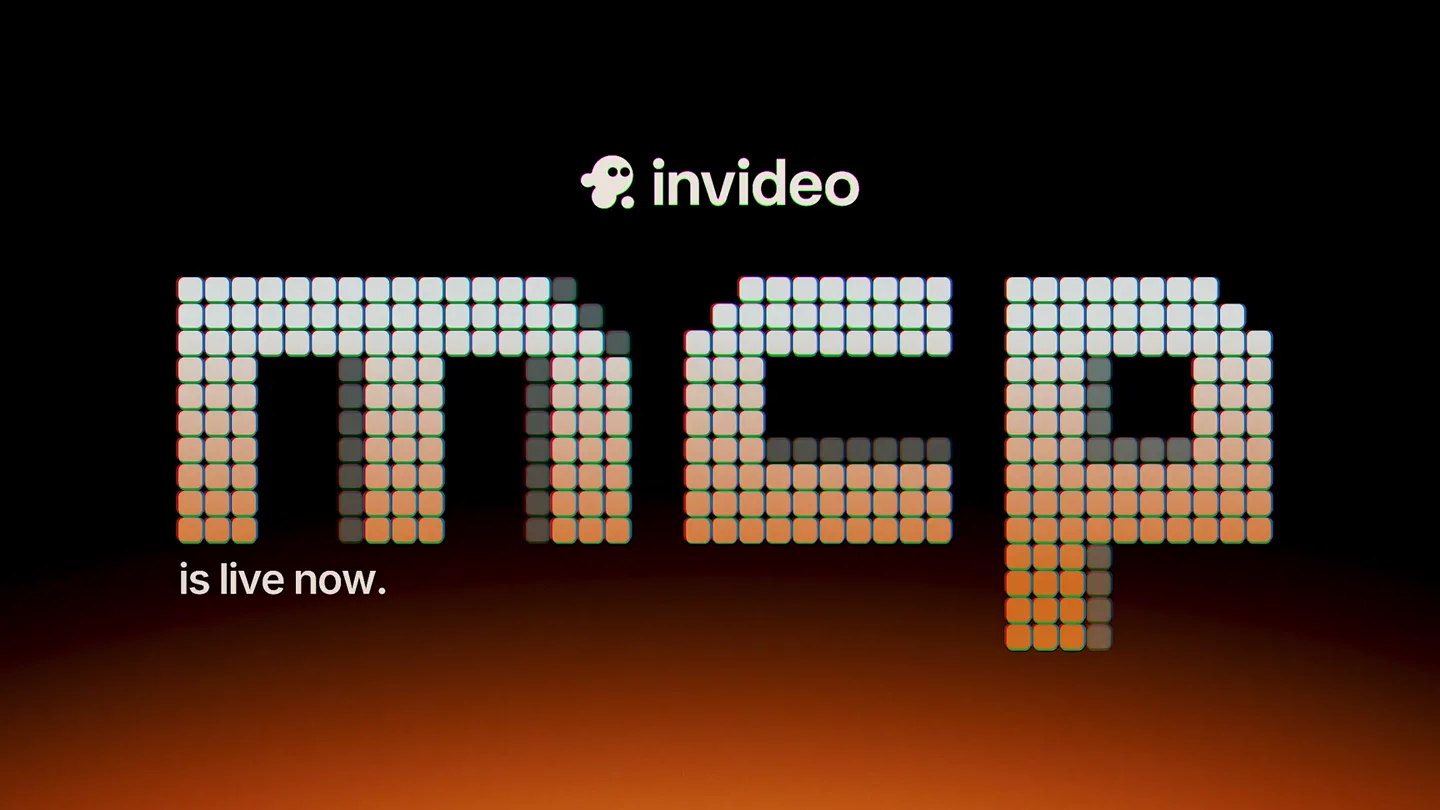
- invideo mcp is live now.
- Camera
- Static shot of the pixelated 'mcp' text, with subtle light shifts.
- Motion
- Sub-bass impact, pixelated text animation, and a subtle glow effect on the text, maintaining an upbeat tempo.
Motion design primitives
Synthesizable in Remotion · key components of the pixelated-ui-montage template.
PixelatedTextReveal
Text appears by animating individual pixels or blocks, creating a retro, digital aesthetic. The pixels can shift color or opacity as they form the letters.
+ Code construction recipe
Use a Remotion <Sequence> with a <Grid> component. Each grid cell renders a small <Rect> or <Square> component. Animate the opacity and position of these squares using `interpolate` or `spring` functions based on their position relative to the text characters. Apply a `delay` to each pixel's animation for a staggered reveal.
DynamicUIPanZoom
Simulates user interaction with a software interface, featuring smooth camera pans, zooms, and cursor movements to highlight specific elements or actions.
+ Code construction recipe
Employ a parent <AbsoluteFill> or <Composition> with a `scale` and `translate` transform. Animate these properties using `spring` or `interpolate` with `ease-in-out` curves. Overlay a custom cursor component that animates its position to mimic clicks and typing, using `interpolate` for smooth pathing.
MultiAspectRatioMontage
Multiple video clips are displayed simultaneously in various aspect ratios (e.g., 16:9, 9:16, 1:1), often with subtle animations or checkmark overlays.
+ Code construction recipe
Create multiple <Video> components, each wrapped in a <AbsoluteFill> or <Div> with specific `width`, `height`, and `aspectRatio` styles. Position them using `x`, `y` coordinates. Animate their `opacity` or `scale` using `spring` for a pop-in effect. Overlay SVG checkmarks or text elements with `delay` and `opacity` animations.
Style DNA & aesthetic system
Visual aesthetic
Typography
Motion
Special effects
Pacing & rhythm
Conceptual story rhythm
- 1
The Digital Gateway
Purpose. Immediately grabs attention with a unique visual style and introduces the product name in a memorable way.
Execution. Pixelated 'invideo MCP' text reveal, surrounded by floating UI elements and a quick zoom into a browser search bar.
- 2
Agent-Controlled Creation
Purpose. Demonstrates the core value proposition: controlling video editing with AI agents like Claude.
Execution. Screen recordings showing a user typing prompts into Claude, Claude processing, and the invideo editor automatically generating timelines, applying color grades, and adding effects.
- 3
Effortless Multi-Platform Export
Purpose. Highlights the product's ability to adapt content for various social media platforms with ease.
Execution. A dynamic montage of video clips displayed in different aspect ratios (YouTube, TikTok, Instagram, Facebook, Reels, X), with checkmark overlays, synchronized with a high-energy audio riser.
- 4
The Future is Now
Purpose. Concludes with a strong call to action, reinforcing the product's availability and impact.
Execution. A final, impactful display of the pixelated 'invideo MCP is live now.' text, accompanied by a sub-bass impact and driving beat.
Remix in Animatiq Studio
Master remix prompt · agent-ready
Sample remix
Objective
Launch a new AI-powered code refactoring tool called 'CodeFlow AI'.How the recipe adapts
The 'PixelatedTextReveal' primitive would introduce 'CodeFlow AI' at the beginning, with individual code characters pixelating into existence. The 'DynamicUIPanZoom' primitive would showcase a developer typing a refactoring prompt into CodeFlow AI's terminal, followed by the tool automatically highlighting code sections and applying changes, with the camera smoothly zooming into the relevant code blocks. The 'MultiAspectRatioMontage' could be adapted to show the refactored code being deployed to different environments (e.g., web, mobile, backend) with varying code editor layouts. The color palette would shift to a dark blue/green theme with bright yellow accents, maintaining the technical yet vibrant feel. The fast-paced editing and impactful sound design would emphasize the speed and efficiency of the refactoring process.Remix blueprint · pixelated-ui-montage
Scene durations (4 scenes, 48s)
Key Remotion components
Related Developer Tools Product Launches
Explore all Developer Tools launches →
Agentic CLI for coding, building apps, and automating workflows.

New in Claude Code: your sessions can now message each other. Tell Claude to send a summary (not your history or files), and the other session picks it up mid-task.

Meet Qwen3.8-Max: A New Bar for Coding and Cowork. https://t.co/mJaA8vr6xT