
Keep · Launch Video Breakdown: Hook, Pacing & Motion Design
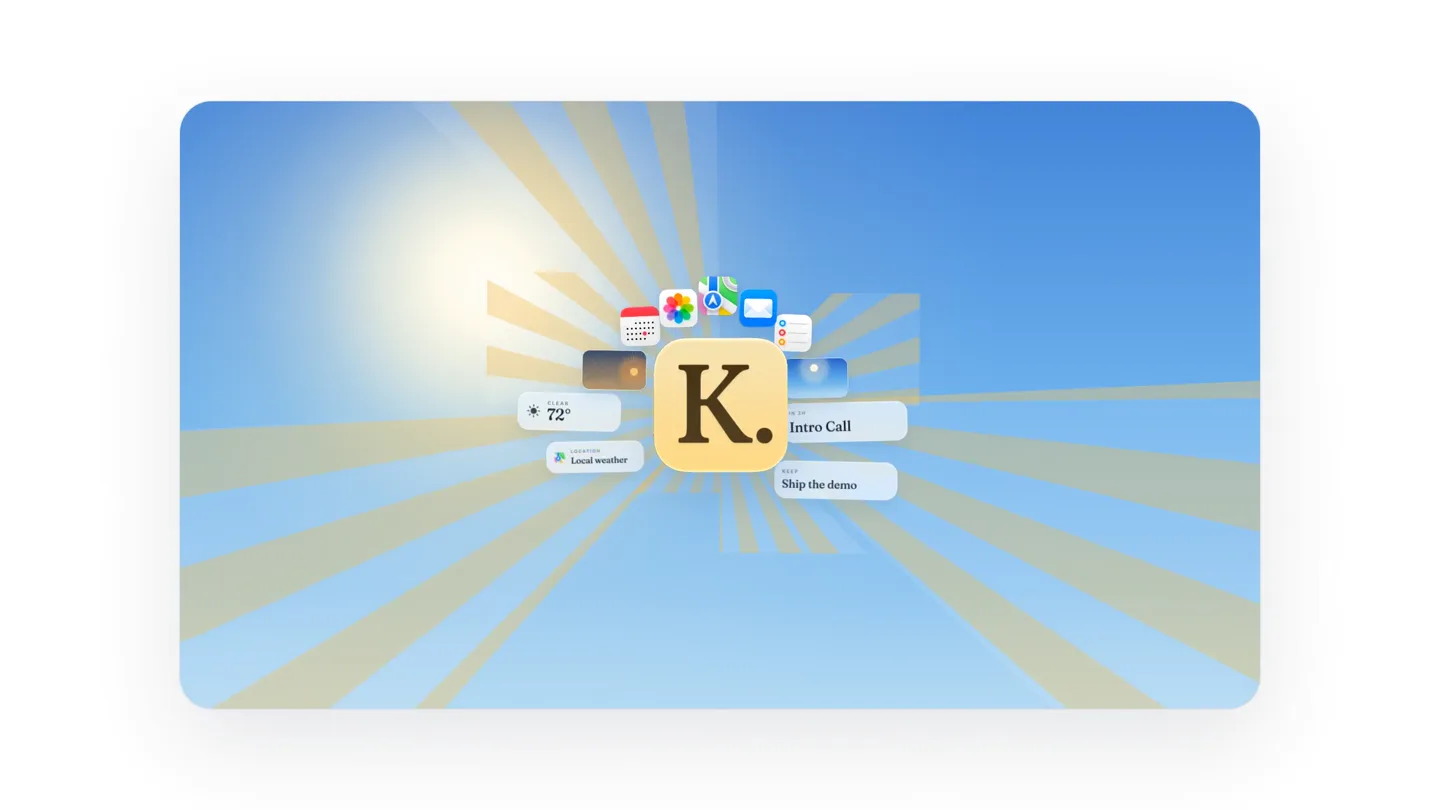
Keep is a macOS menu bar agent with local light, live weather, and the next Calendar event on a living sky.
Scene-by-scene timeline & spoken transcript
The Hook
Product Logo & Feature Tease
“This is Keep.”
- On screen
- K.
- Camera
- Static shot, centered on the product logo. Subtle zoom out.
- Motion
- Radial wipe effect revealing app icons and information cards. Subtle sparkle animation.
Product Reveal
Keep's Core Function
“It's a macOS menu bar agent.”
- On screen
- K. Keep Today on Desktop
- Camera
- Static shot, centered on the product logo, then a quick cut to a full desktop view.
- Motion
- Quick cut, then a subtle fade-in of text elements. App icons retract and disappear.
Feature Teaser
Menu Bar Integration
“With local light, live weather, and the next Calendar event.”
- On screen
- IN 2 H Intro Call
- Camera
- Static desktop view, then a subtle pan to the top right menu bar.
- Motion
- Text elements animate in from the left. The 'K.' icon appears in the menu bar with a subtle bounce.
Feature Teaser
Interactive Input & Placement
“You type today's line. It sits on the desktop.”
- On screen
- Keep IN 2 H Intro Call Today's Keep Ship the demo Settings Lab Quit Keep You type today's line It sits on the desktop
- Camera
- Static desktop view, with a focus on the menu bar dropdown and a floating text bubble.
- Motion
- Typing animation within the 'Today's Keep' input field. Text bubbles animate in with a subtle pop.
Call to Action
Living Sky & Time Progression
“The day keeps moving.”
- On screen
- IN 2 H Intro Call KEEP Ship the demo The day keeps moving
- Camera
- Static desktop view, with the background sky subtly transitioning from day to night.
- Motion
- Smooth, slow color gradient animation of the background sky. Moon appears with a gentle fade-in.
Motion design primitives
Synthesizable in Remotion · key components of the keep-macos-utility-launch template.
RadialWipeReveal
A central element emits a radial wipe, revealing surrounding UI elements and information cards with a subtle sparkle effect.
+ Code construction recipe
Utilize Remotion's `interpolate` for radial mask expansion and opacity. Implement a `spring` for the sparkle scale and opacity, triggered by the radial wipe completion.
TypingTextBubble
Text appears character by character within an input field, simulating live typing, accompanied by a floating explanatory text bubble that pops into view.
+ Code construction recipe
Use `Sequence` and `spring` for the text bubble's entrance. For typing, use `splitText` and `map` over characters, animating `opacity` and `x` position with `delay` for each character.
LivingSkyGradient
The background sky smoothly transitions through a day-to-night color gradient, with celestial bodies (sun/moon) fading in and out.
+ Code construction recipe
Employ `interpolateColor` for a smooth background gradient transition. Use `spring` for the sun/moon `opacity` and `scale` as they appear and disappear, synchronized with the gradient.
Style DNA & aesthetic system
Visual aesthetic
Typography
Motion
Special effects
Pacing & rhythm
Conceptual story rhythm
- 1
Introduction & Intrigue
Purpose. Immediately introduces the product name and hints at its capabilities, grabbing attention with a dynamic visual reveal.
Execution. The 'K.' logo at the center, followed by a radial burst revealing various app icons and information cards, creating a sense of comprehensive utility.
- 2
Core Value Proposition
Purpose. Clearly states what the product is and where it resides, establishing its fundamental role.
Execution. Transition to a full macOS desktop, showing the 'Keep' app icon in the menu bar, reinforcing its native integration.
- 3
Feature Demonstration
Purpose. Showcases key functionalities like live weather, calendar events, and user input in a practical context.
Execution. Interactive demonstration of typing into the 'Today's Keep' field, with explanatory text bubbles appearing, highlighting ease of use.
- 4
Emotional Connection & CTA
Purpose. Connects the product to the user's daily rhythm and subtly encourages adoption by showing its continuous presence.
Execution. The background sky transitions from day to night, symbolizing the product's constant utility throughout the day, ending with a moon appearing.
Remix in Animatiq Studio
Master remix prompt · agent-ready
Sample remix
Objective
Launch a new macOS menu bar utility called 'Flow' that helps manage focus and productivity by dynamically adjusting system settings based on user-defined 'flow states'.How the recipe adapts
The RadialWipeReveal primitive would introduce the 'Flow' logo and icons representing different focus modes (e.g., 'Deep Work', 'Meeting', 'Break'). The TypingTextBubble primitive would demonstrate setting up a new 'flow state' with custom rules, showing text like 'Activate DND for 60 min'. The LivingSkyGradient would be adapted to a 'FlowStateGradient', transitioning colors to reflect different focus modes (e.g., calm blue for 'Deep Work', vibrant green for 'Break'), with subtle particle effects representing 'flow'.Remix blueprint · keep-macos-utility-launch
Scene durations (5 scenes, 15s)
Key Remotion components
Related Productivity Product Launches
Explore all Productivity launches →
Don't type, just speak. Flawless voice-to-text across every app at 240 WPM.

One workspace for knowledge scattered across Slack, email, Docs, and Notion. Connect your tools and build apps and agents that stay live with your data.

Notion positions itself as the backbone of your dock — a brand film of the Notion icon among everyday apps, ending on “Works with everything.”